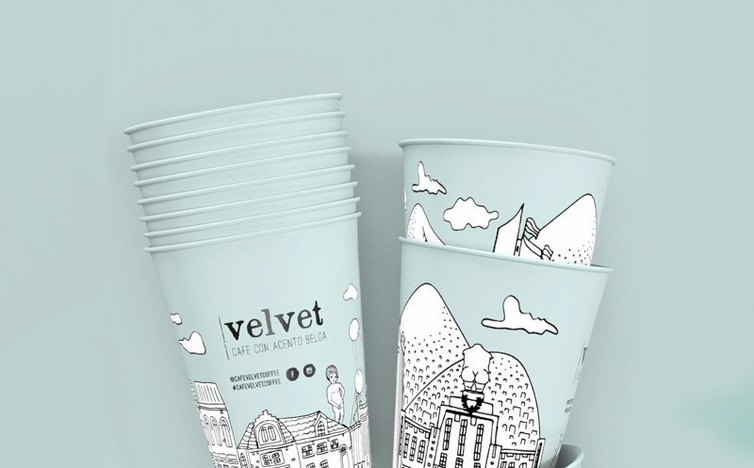
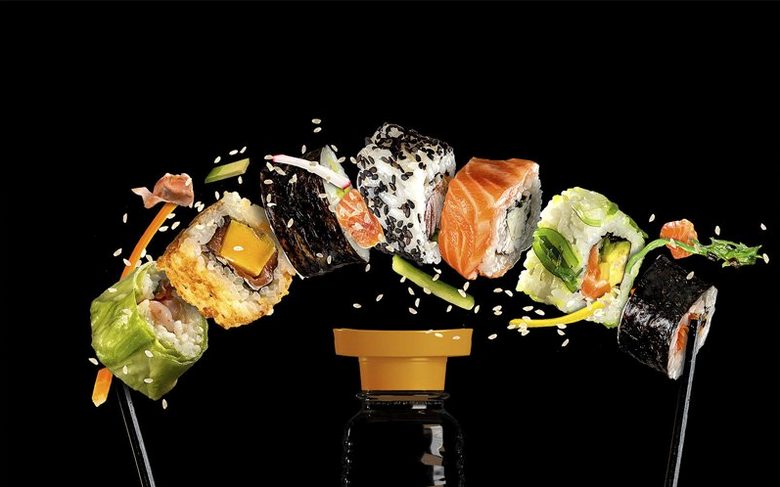
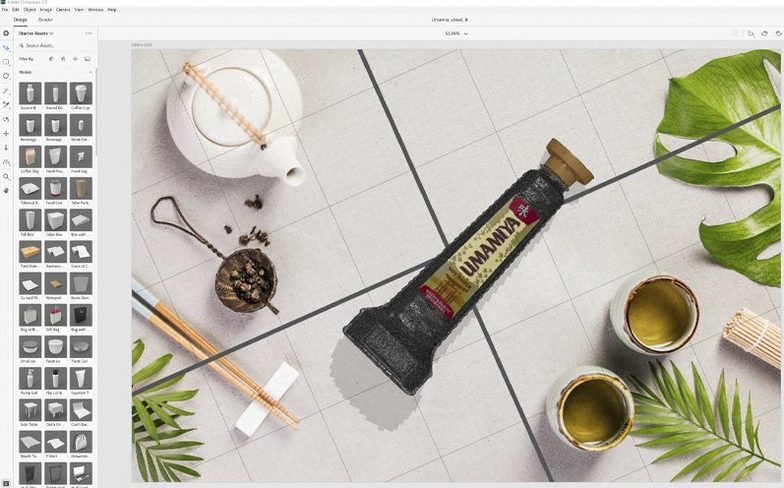
You have a flat label design open in Illustrator and a product shot that needs to live in a real-world setting. Instead of booking a photo studio, you open Dimension, drop your artwork onto a 3D model, and position it under a key light. The reflection across the bottle glass updates as you drag.
A 3D space that speaks the same language as your other Adobe apps
Dimension sits inside the Creative Cloud ecosystem without demanding a 3D education. It pairs with Photoshop through layered PSD exports, so you can tweak shadows, depth of field, and matte edges in an environment you already know. Models, materials, and lighting presets from Adobe Stock slip into the scene directly, and the app renders the final frame locally on your Mac. For packaging designers, brand teams, and illustrators who need a believable object on a tabletop by the end of the afternoon, it removes the friction between the 2D canvas and a dimensional scene.
Building a scene when the brief changes on the fly
Dimension's scene panel treats every object, camera angle, and light source as a separate layer with familiar move and rotate controls. You can swap out a coffee bag texture, reposition the hero product, and render a new hero angle without rebuilding the setup. The app handles the physically based rendering so you focus on composition rather than shader graphs. When a client asks for the same shot on a different background, the saved document loads with every asset intact, ready for the next variation.
Who clicks with Dimension right away — and who should keep a copy handy
Graphic designers who spend most of their day in Illustrator and Photoshop get the fastest start. The move from flat comps to a lit scene feels like adding another artboard rather than learning a separate discipline. Branding teams building pitch decks love it for the same reason: a logo on a screen mockup or a label wrapped around a bottle lands harder than a 2D render, and Dimension delivers that without a 3D specialist in the loop.
Packaging designers and product visualisers pull the most long-term value from it. If your workflow already involves photographing samples for client review, Dimension replaces several rounds of physical prototyping. You model the substrate once, swap artwork versions as smart objects, and export angles that match the photography brief. Small studio owners and freelancers who handle both design and client presentation find it slots between the concept phase and final production artwork, saving the cost of a photographer for interim reviews.
Illustrators who want their characters or assets to sit in a textured environment use Dimension as a staging tool. The lighting presets are strong enough that you can place a flat vector on a curved surface, pick a backdrop, and render a scene that reads as a finished illustration rather than a technical exercise.
Models load with missing materials on day one
The most common early frustration is a model that loads without its materials. This usually means the mesh arrived without embedded texture paths. The fix is straightforward: open the Materials panel, select each surface, and re-link the missing maps from the folder that came with the model. Dimension remembers the paths on the next open, so it is a one-time chore per asset.
Another recurring snag is a render that looks flat or plasticky. The culprit is often the environment light. Dimension defaults to a neutral studio setup, which works for product shots but kills the subtlety of translucent materials. Swap the environment to one with a visible horizon or window reflection, or add a secondary spotlight grazing the object from the side. The physical renderer responds immediately, and glass, liquid, and glossy surfaces read with far more depth.
Performance stutters on Intel Macs with integrated graphics tend to surface when the scene crosses a dozen objects. Keeping the document at a reasonable working resolution in the viewport—not the final render resolution—and hiding layers you are not actively adjusting keeps navigation smooth. The render itself still resolves at full quality; you are just lightening the live preview load.
Users sometimes forget that Dimension exports layered PSD files only when you choose the Render to Layers option. A single flattened image skips the matte channels and object masks that make post-production in Photoshop quick. Setting up the export preset once and saving it with the scene file prevents rework later.
Stock your library with cans, bottles, and pouches early
Pull five or six Adobe Stock models into your library before building anything. Having a standard can, box, bottle, and pouch ready means you can respond to a brief without stopping to source geometry. The optimized models carry sensible UVs and material slots, so your artwork maps correctly on the first try.
Spend twenty minutes building a custom environment preset. Place a large curved backdrop, set a key light at 45 degrees, add a rim light behind the subject, and save the whole thing as a template scene. Every future project starts with a lighting rig that matches your taste, and you only adjust intensity or colour temperature per brief rather than building from scratch.
Get comfortable with the camera bookmarks early. When a scene looks right from three angles, bookmark each one before you start rendering. Clients always ask for the view you did not save, and a bookmark restores the exact focal length and position without guesswork. It also makes batch rendering straightforward: queue the bookmarks and walk away while Dimension writes the files.
Finally, test the Photoshop round-trip on a simple scene the first afternoon. Render to a layered PSD, open it, adjust the shadow opacity on its own layer, and save. Knowing how the two apps hand off files removes the hesitation when a deadline sits on the other side of a render.
Version 4.1.7 addresses security vulnerabilities. No new feature adjustments are noted in this release.
- macOS 11 or later
- Intel processor
Questions from the booth
Yes, Dimension imports standard 3D model formats alongside the assets available through Adobe Stock, so designers can build scenes around their own geometry or supplied CAD files.