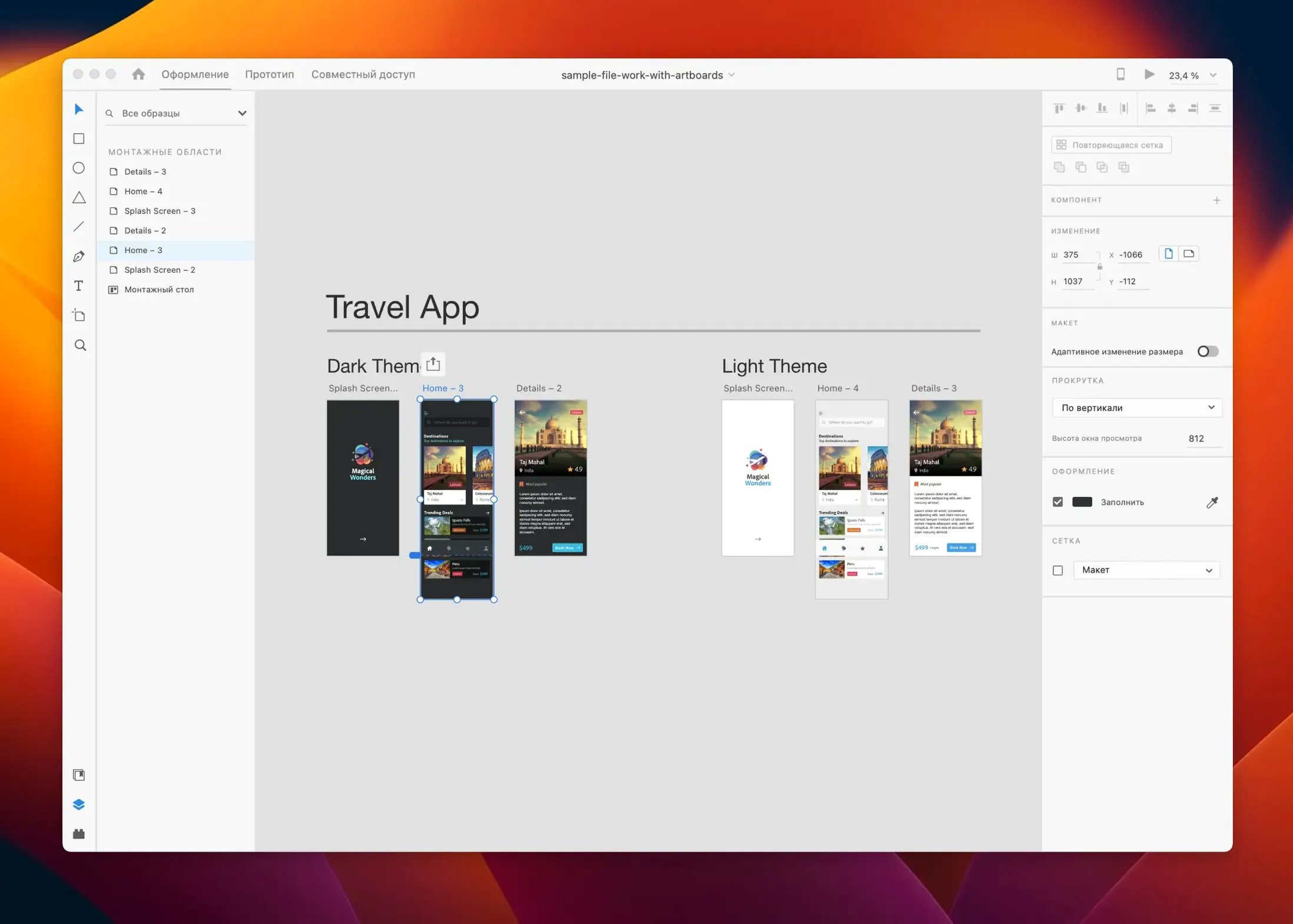
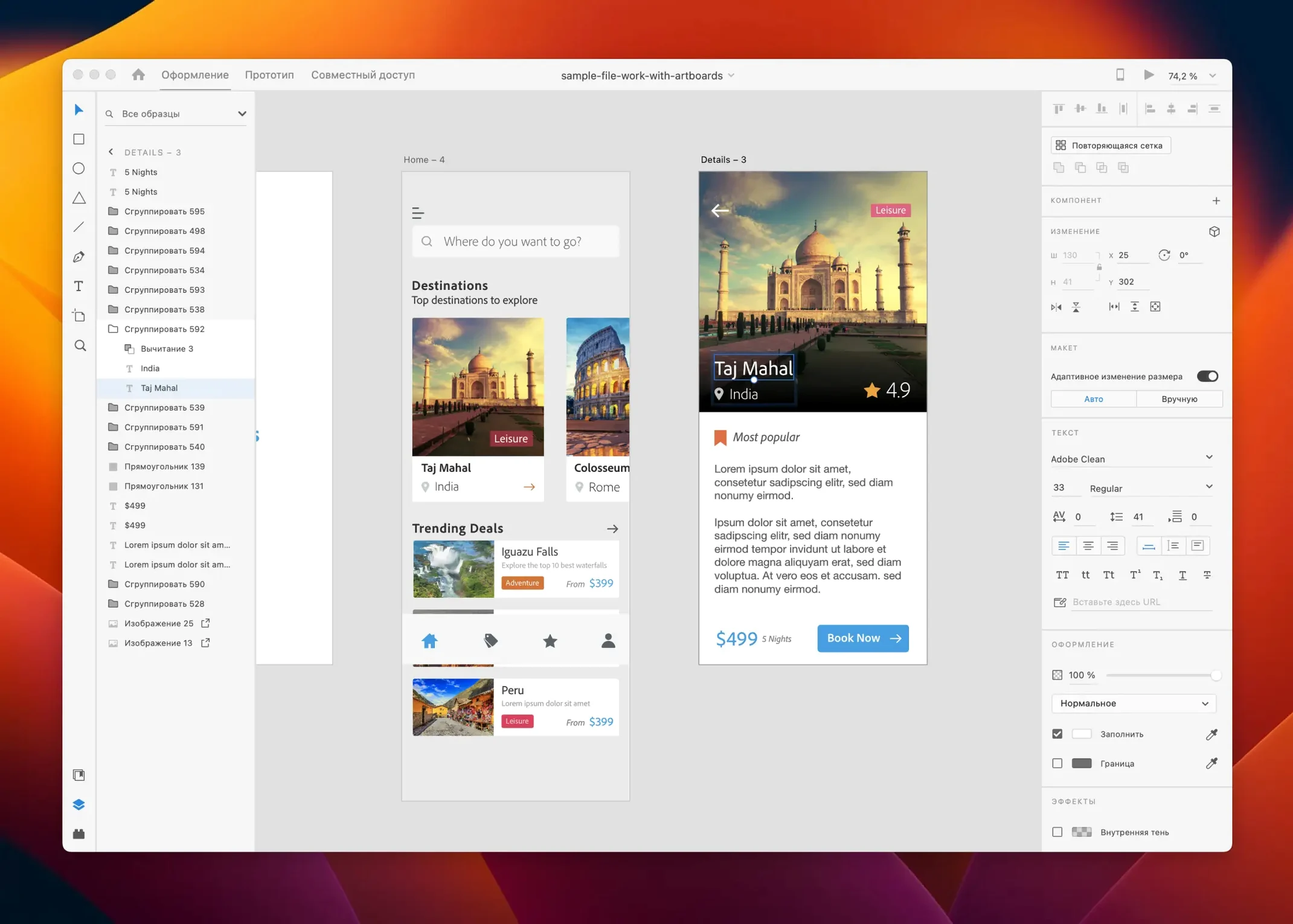
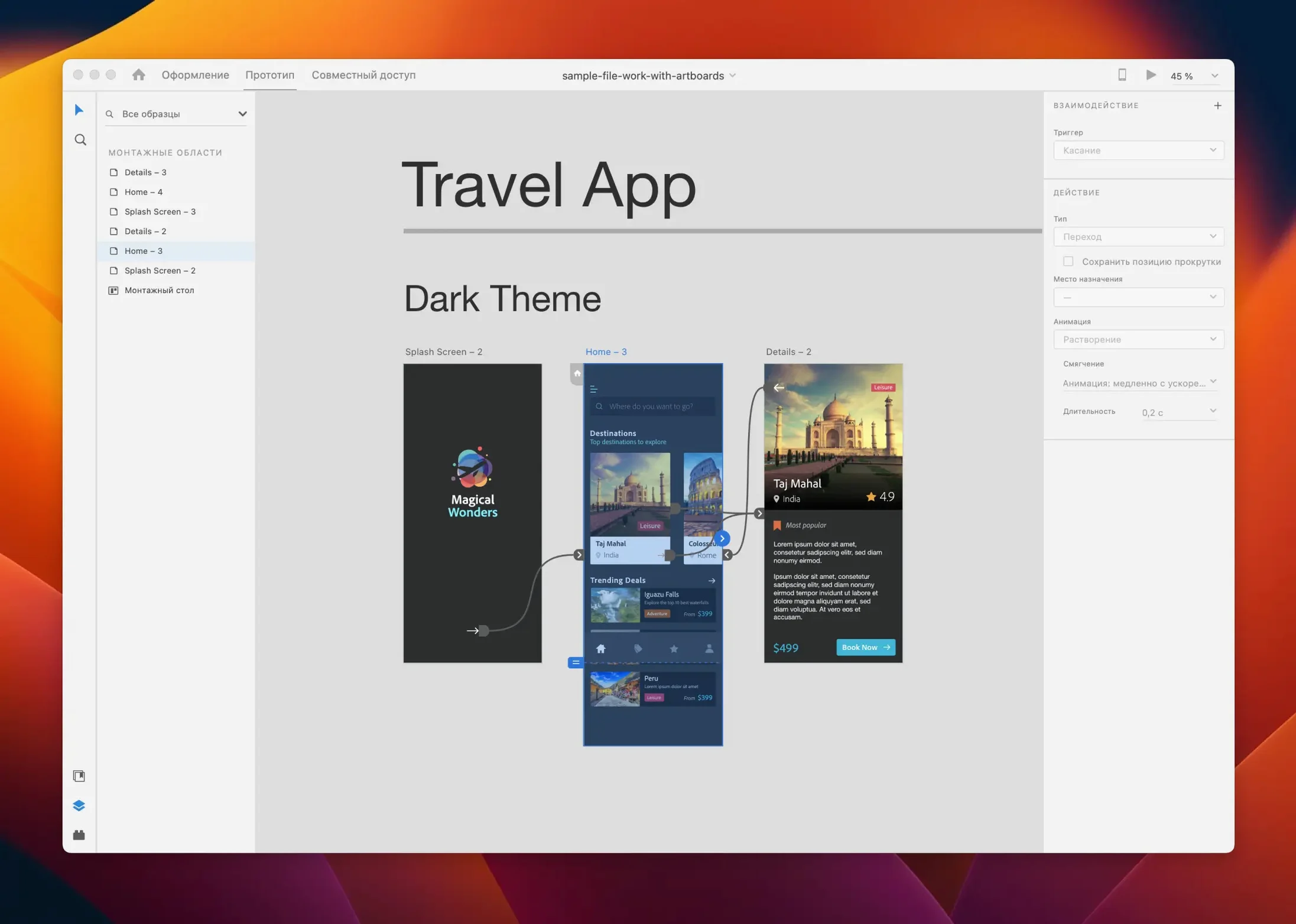
Repeat Grid was the feature that made XD feel like it belonged on a Mac next to Sketch and Figma — a simple gesture that turns one component into a scrolling list, a photo gallery, a table of contents. Adobe's vector-based design and prototyping tool has settled into a quieter role since then, but it still covers the full path from wireframe to clickable prototype.
- Design screens and flows for web and mobile apps in one canvas-based workspace.
- Wire interactions between artboards and preview them as tappable prototypes.
- Share design specs and assets with developers or stakeholders.
- Extend the app with plugins — both in-app and cloud-connected.
- Open and edit XD files alongside Photoshop, Illustrator, and After Effects projects.
- Runs on Intel and Apple Silicon Macs with macOS 10.15 or later.
Where XD earns its place is in the handoff. A prototype link carries measurements, colours, and export-ready assets without a separate tool, which keeps a small team moving between design and build without friction.
Getting into XD is rarely the hard part — the canvas is familiar, the pen tool behaves, the pasteboard feels spacious. The friction tends to show up later, in the moments between features. A common one: components that refuse to update across artboards. The fix is almost always about how the instance was created. Dragging from the Assets panel preserves the link back to the master; copying and pasting an element on the canvas does not. If an instance has gone rogue, right-click it and choose Reset to Master — that single step clears overrides and re-establishes the connection.
Another snag is prototype previews that stall on a blank screen. Nine times out of ten, the home artboard has been unset. XD needs one artboard explicitly flagged as the starting point, and losing that flag — after a reorganisation or a bulk rename — silently breaks the preview. The tiny house icon in the artboard's upper-left corner is the only visual cue; click it back on and the prototype works again.
Shared links that show outdated designs catch people too. XD caches aggressively, and a stakeholder opening the link may see yesterday's version until the designer saves and re-publishes the link. There is no automatic sync on save — publishing is always a manual step, and forgetting it is the reason half the "broken" prototypes are not broken at all.
What shifted in the later releases
Version 59.0.12, the July 2025 build, is a maintenance release — bug fixes and small workflow refinements rather than new tooling. But the releases leading up to it changed enough of the everyday rhythm to matter. Auto-animate, introduced a while back but refined over successive updates, turned artboard transitions from jump cuts into smooth motion. Dragging an element from one screen to the next, renaming the layer identically in both, and toggling Auto-Animate in the prototype wire now produces a fluid morph that used to require After Effects. Micro-interactions — a button scaling on press, a card sliding up from the bottom edge — sit inside the same file as the static screens, so a designer can pitch a flow without leaving the app.
Content-Aware Layout landed later in the update cycle and quietly solved the padding problem. When a text layer inside a button grows — say the label changes from "Send" to "Submit feedback" — the background shape stretches with it instead of staying fixed. This used to be manual adjustment every time copy changed; now it is a property set once on the group. For designers juggling multilingual interfaces or client revisions, that single change probably saved more cumulative hours than any marquee feature.
What did not change is XD's place in the Adobe ecosystem. The maintenance-mode status means no large feature drops are on the horizon, but the existing toolset is stable and the file format opens reliably on both platforms. For someone picking it up today, the July 2025 release is a clean, patched build that does not break existing workflows.
Twelve artboards deep in a solo checkout redesign
Consider someone designing a checkout flow for a mid-sized e-commerce client — a contractor working solo, not part of a product team. They open XD in the morning to a file with twelve artboards: cart, shipping details, payment, confirmation, error states. The client sent revised copy overnight, so the designer swaps text across six screens. Content-Aware Layout handles the button resizing; they adjust one spacer and move on. Before lunch, they wire the payment screen to a loading state with a two-second auto-animate, then share a prototype link to the client's Slack. The link arrives with a comment: "Can we test a darker confirmation banner?" They duplicate the artboard, recolor the element, re-publish. No export, no separate spec doc — the client taps through on their phone and replies by early afternoon.
Later, the developer asks for the spacing tokens and hex values. The designer opens the same shared link on the developer's machine, toggles to the Spec tab, and the measurements are already there. The contract wraps Friday, and the XD file — self-contained, no cloud dependency — lands in the client's shared drive for whoever picks it up next.
Drag a button style straight from a shared CC Library
XD talks to Creative Cloud Libraries natively, so colours and character styles defined in one XD document can surface in another, or in Illustrator and Photoshop if the team works across apps. Dragging an asset from the CC Libraries panel pulls in a linked instance, not a flattened copy, and changes propagate when the library updates. For teams already inside Adobe's orbit, this is the quiet connective tissue that saves a morning of exporting and re-importing.
Plugins extend the reach further. The integration with Jira, Slack, and Zeplin means a prototype link posted in a channel can spawn a task or a spec sheet without a designer manually pushing assets. On the macOS side, XD respects native features like Split View and Spaces — tucking the prototype preview fullscreen on a separate desktop while the canvas stays on the primary monitor is a small but real ergonomic improvement for long review sessions. The clipboard pipeline between XD and After Effects is less polished than the Illustrator-to-AE path, but copying vector shapes and pasting them as paths works reliably enough for motion designers who need to animate interface elements beyond what auto-animate offers.
No subscription needed just to open local XD files
Does it need a full Creative Cloud subscription to open? No. The app installs and runs without a Creative Cloud subscription, and opening local XD files does not require sign-in. Cloud sharing and co-editing features need an Adobe ID, but the core design and prototyping tools work offline.
How does it perform on Apple Silicon? XD runs natively on ARM — there is no Rosetta layer. On M1 and later Macs, artboard rendering is fluid even with dozens of screens, and the prototype preview window runs at 60 fps for auto-animate transitions. Memory usage tends to sit around 600–900 MB for medium-sized projects, which leaves headroom on 16 GB machines.
Can it open Sketch or Figma files? Not directly. XD opens its own .xd format and imports from Photoshop, Illustrator, and SVG. Converting Sketch files requires exporting from Sketch as SVG and importing those, which carries the usual fidelity caveats — text may land as outlines and symbols do not translate. Figma-to-XD migration is similarly manual, though there are third-party converters that handle the bulk transfer in one direction.
Is it still worth learning now that it is in maintenance mode? For someone already inside Creative Cloud who needs prototyping without adding another subscription, absolutely. The vector tooling is mature, the prototype engine is fast, and the design-to-spec pipeline works without a third service. Its strongest case is for solo designers and small studios who want a single tool from wireframe to handoff and do not require real-time multiplayer editing. The maintenance-mode label means the feature set is locked, not broken.
The July 2025 release keeps things modest — a handful of bug fixes and small workflow refinements rather than new headline features.
- macOS 10.15 or later
- Works on Intel and Apple Silicon Macs
- Interface languages: English, French, German, Spanish, Portuguese, Russian, Japanese, Korean, Chinese (Simplified)
Questions from the booth
Adobe XD works as part of the Creative Cloud ecosystem, so you can bring in assets from tools like Photoshop and Illustrator and keep design materials shared between users.