


If you have ever spent hours sculpting a face in a character creator only to find the world outside feels like a painted backdrop, inZOI offers a different proposition.
Life simulation — A genre that hands you the reins of an entire community, letting you shape not just individual biographies but the streets, weather, and architecture that contain them.
Video-driven character movement — A generative tool that translates uploaded footage into in-game motion, so a wave or a dance step from your own living room can become your Zoi's signature gesture.
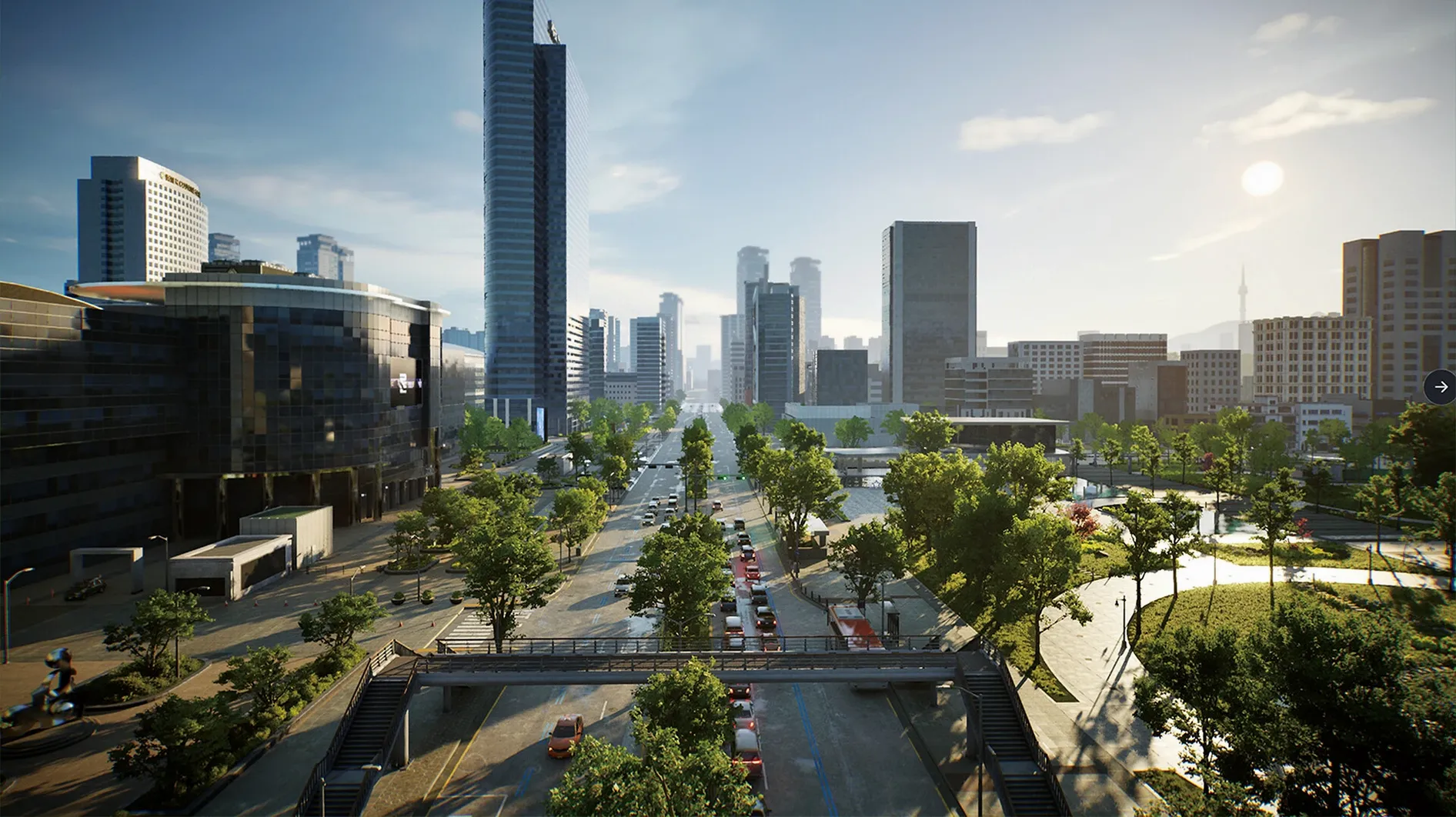
City-scale editing — Weather patterns, lot placement, and street layouts are all adjustable, with cities modeled after real places rather than abstract grids. You can rework a district as easily as you swap a sofa.
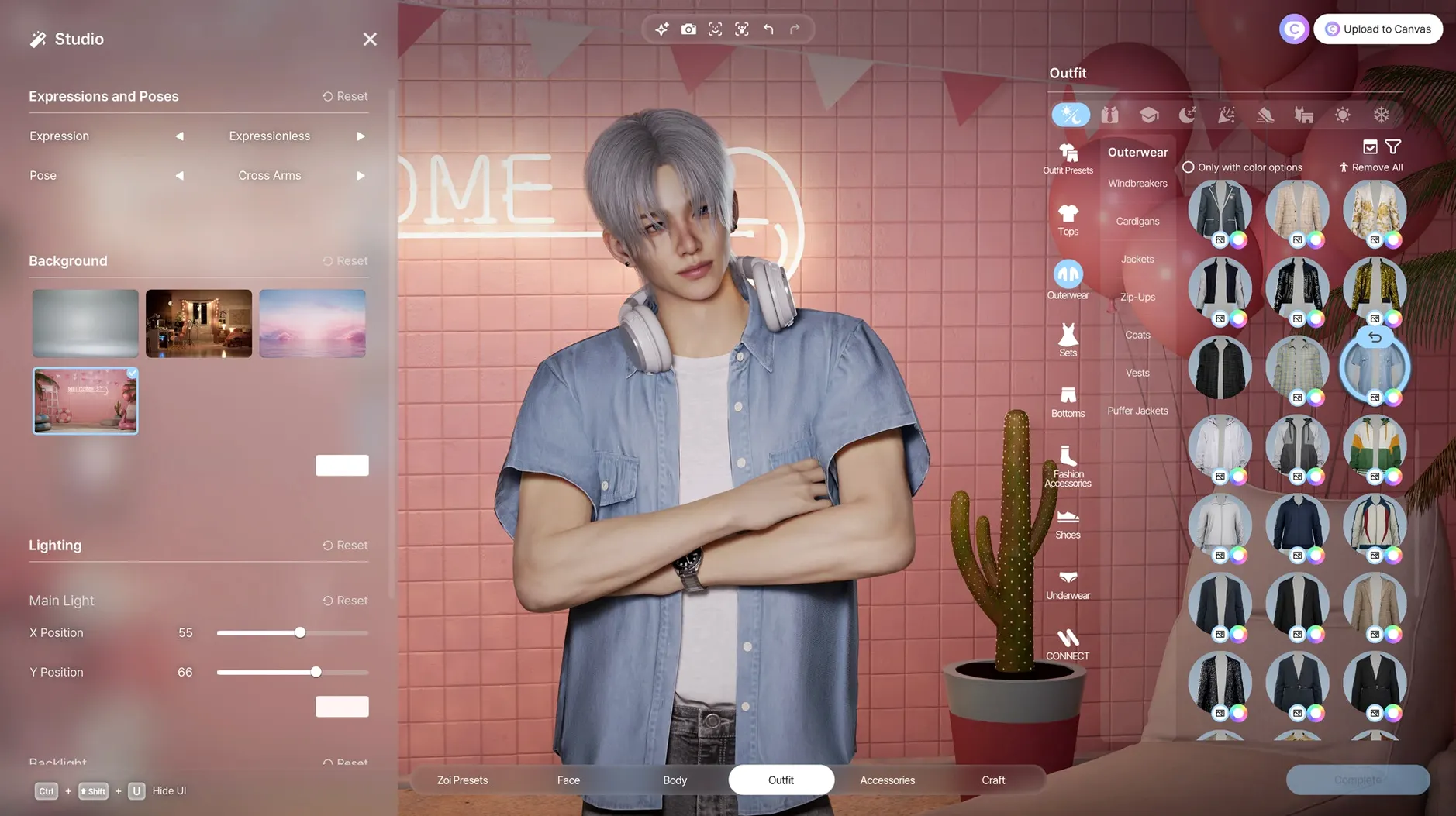
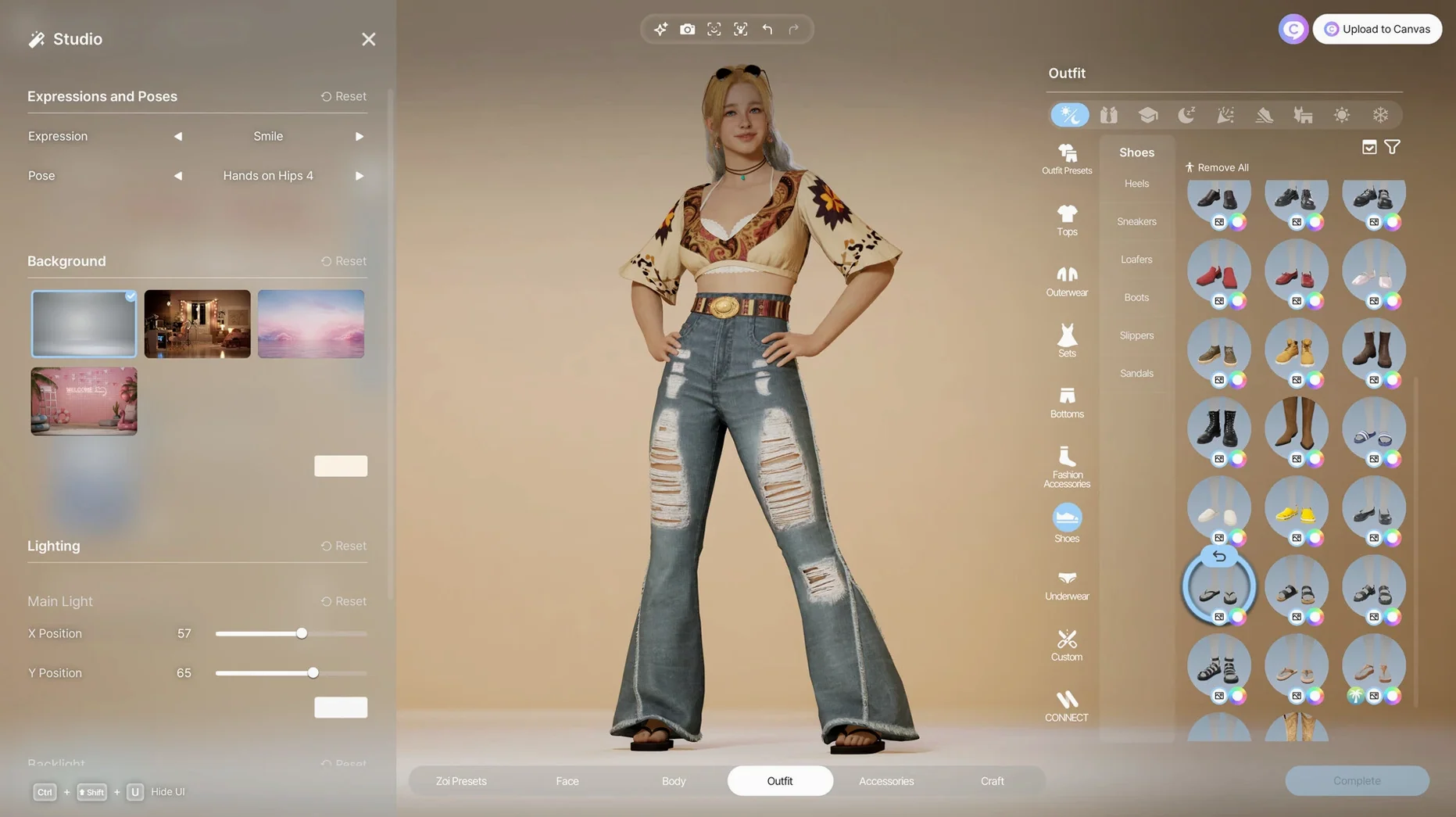
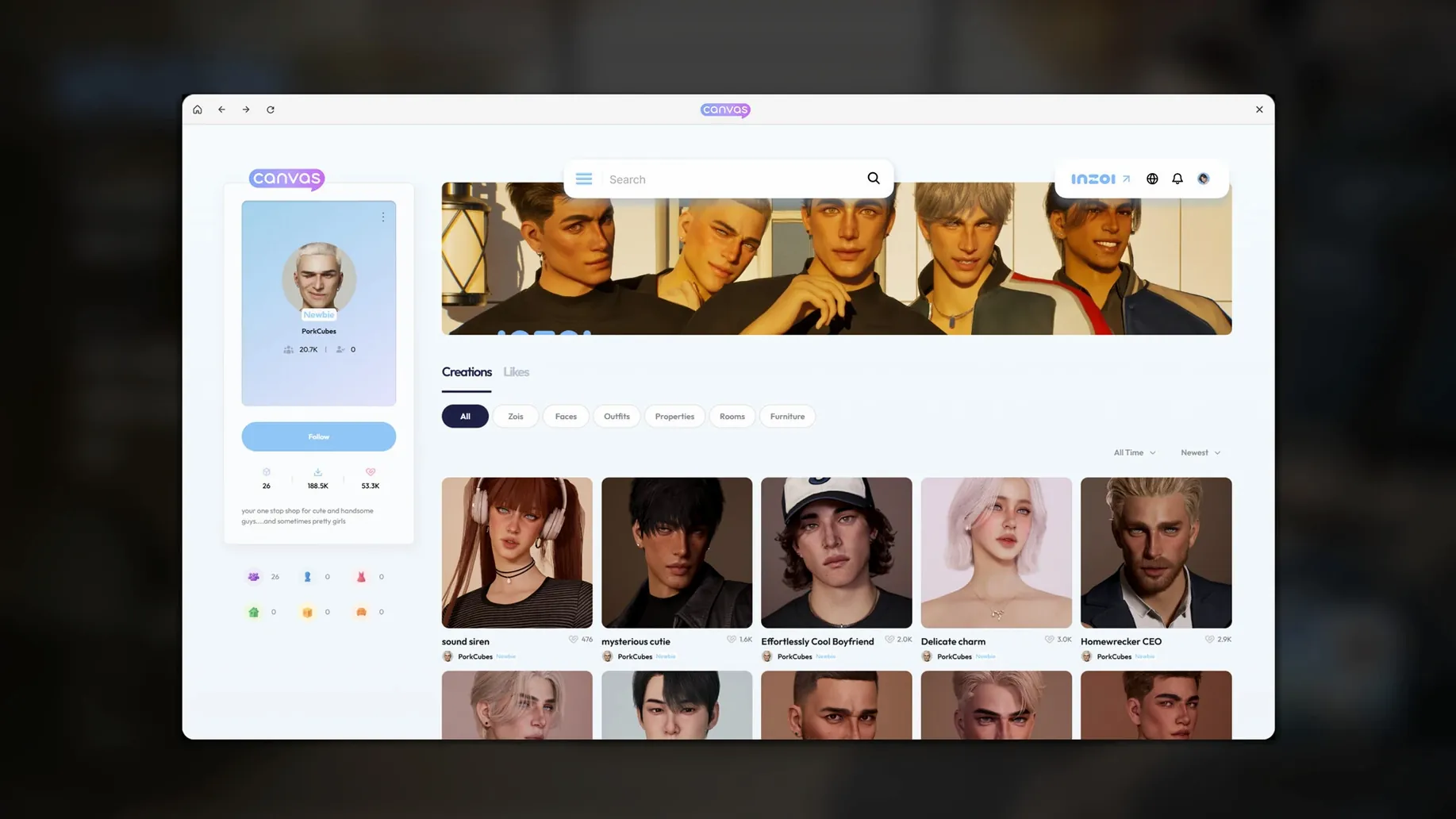
More than 250 customization options — Hair, skin, body shape, clothing, accessories, and manicure sit alongside a local generative AI model for details that go beyond what preset sliders typically allow.
Architectural toolkit — Walls, roofs, stairs, fences, platforms, and gates turn the builder into a spatial exercise, closer to a lightweight CAD tool than a furniture catalogue.
Who it suits — Players who treat character creation as a creative session in itself and want a simulation that acknowledges the built environment as a character, too. Those looking for a tight, goal-driven narrative or a lightweight mobile-style loop may find the scale more absorbing than relaxing.
Let the empty soundstage fill with grudges and routines
Fresh installs of inZOI tend to be quiet. The simulation needs a little time to build momentum, so the first few hours feel more like an empty soundstage than a living neighbourhood. Let it run. Zois begin forming grudges, inside jokes, and unexpected alliances around day three or four, and the difference in street-level chatter is noticeable.
Start with a single Zoi and a small apartment rather than immediately terraforming a block. The temptation is to open the city editor straight away, but the game's personality systems become legible faster when you are following one life closely. Watch how your Zoi reacts to a rainy commute or a neighbour playing loud music — those micro-reactions feed into larger relationship arcs later. Once you have a feel for the rhythm, a second Zoi in the same building creates the kind of friction that makes the simulation sing.
If you are after it, the inzoi mac download process places the entire app in your Applications folder with no launcher or helper tools running in the background. That simplicity means you can safely move it between drives or archive it without worrying about scattered support files. On Apple Silicon machines the initial shader compilation takes a minute or two; subsequent launches are much faster.
Export high-res stills for a reference library of weather and light
inZOI's city editor exports screenshots at high resolution, and those stills slip naturally into a filmmaker's reference folder. I keep a growing library of weather-and-lighting combinations — overcast mornings on narrow streets, golden hour hitting a glass facade — that feed into location scouting for shorts. The architectural toolkit outputs clean geometry, so grabbing a top-down lot layout as a rough blocking reference for a scene is quick.
The character creator plays nicely with macOS continuity features. Create a Zoi on your Mac mini, then AirDrop a portrait to an iPad for sketching over or marking up costume notes. Universal Clipboard handles text prompts for the generative clothing patterns, so you can draft a description in Notes on your phone and paste it straight in. And because the game runs locally without phoning home for asset streaming, it stays responsive even when you are knee-deep in a render queue elsewhere.
For those searching out an inzoi mac free way to test the simulation's depth before committing serious time, the early access build is self-contained and generous with its tools — no account creation, no online check-in, just the full creator and city editor from the first launch. That offline nature also means it coexists peacefully with Final Cut, Resolve, or Blender without fighting for bandwidth or CPU overhead from background services.
Building tools that feel like a massing study, not a dollhouse
Architecture students and spatial thinkers get a surprising amount from the building tools. The way walls snap, roofs adjust pitch, and platforms stack encourages the kind of iterative play that feels closer to a massing study than a decorating game. If you have ever lost an evening to SketchUp or built a diorama just to understand a space, the lot editor will click.
Photographers and concept artists gravitate toward the lighting and weather controls. Adjusting cloud cover, time of day, and street-level fog creates reference shots that would require a location permit in real life. The facial capture pipeline — basic but functional — lets you pull expressions from video and map them onto a Zoi, which is useful for storyboard tests when you need a specific emotional beat without rigging a full character in a 3D package.
Life sim veterans coming from titles with decades of expansion packs will notice the thinner social systems in this early build. The bones are strong but there are fewer career branches, fewer hobby rabbit holes, and the AI-driven gossip and disease systems can feel either eerily alive or oddly quiet depending on your city's population density. If you want a finished, padded-out world, wait. If you enjoy watching a simulation find its feet and contributing to the shape it takes, this is the right moment.
Small things worth finding
Hold Option while dragging a furniture piece in build mode to duplicate it instantly — no menu diving. The roof tool accepts negative pitch values, which unlocks flat and inverted profiles the tutorial never mentions. In the character creator, the generative texture field accepts not just single words but full mood descriptions like worn linen with faded indigo dye, and the results are markedly better with that level of specificity.
The video-to-motion feature works best with short, tripod-steady clips shot against a plain wall. Handheld footage confuses the model and produces twitchy results, but a clean five-second loop of a nod or a shrug translates smoothly into a reusable animation. Zois remember learned gestures and will deploy them contextually — a small detail that takes a few sessions to surface.
Weather changes are not purely cosmetic. Heavy rain slows foot traffic, fog increases the spread rate of certain simulation-driven illnesses, and prolonged heatwaves affect Zoi moods and daily routines. Toggling seasons manually from the city panel lets you stress-test a neighbourhood design before committing to it long-term. If you are grabbing the inZOI torrent or downloading directly, the build includes a handful of pre-made cities that demonstrate how weather interacts with street geometry — worth studying before you start your own.
- Apple Silicon Mac