
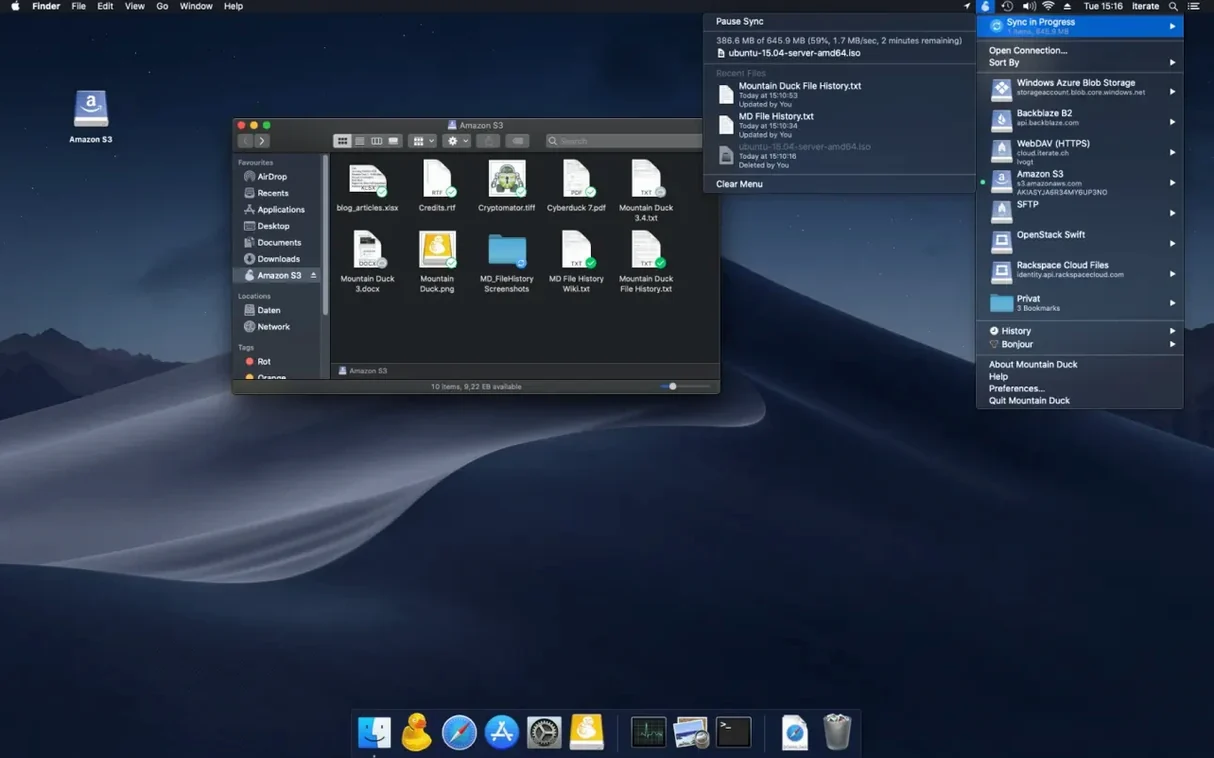
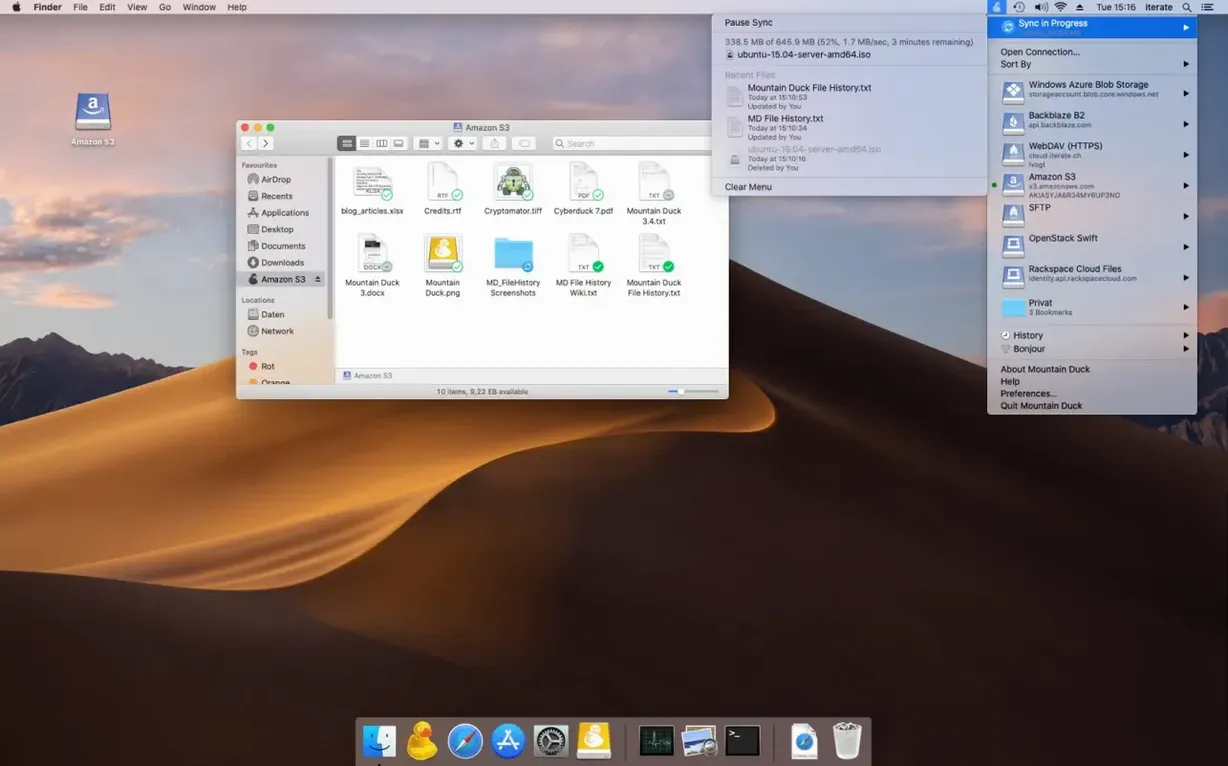
A Finder window shows the Mac as a place, not a service. Local folders, external drives, network shares — everything sits in the same hierarchy. Cloud storage breaks that calm. It lives in a sync folder, or a web browser, or an app that keeps its own idea of where your files should be. Mountain Duck steps in to restore the old order, turning SMB shares and cloud volumes into disks that mount right alongside everything else.
Offline files live on your Mac while other data streams on demand
- Working with files offline — selected files and folders can stay stored on the computer, with other files cached only when needed.
- Keeping projects in Finder — volumes mount as disks, so no separate interface gets in the way.
- Slow or spotty connections — changes upload in the background whenever a connection is available.
- Versioned work — version 5 supports storage-independent file versioning.
A mounted drive copies but doesn't mirror, leaving sync conflicts to the storage
- Mountain Duck requires macOS 13 or later.
- One disk is a copy, not a mirror — it behaves like an attached drive, so keeping a workflow synced still depends on how the storage itself handles conflicts.
Treating the mounted volume like a local drive invites network surprises
Most of them aren't about Mountain Duck at all. They're about treating a mounted volume like a local drive and then being surprised when the network bites back. The common ones show up within the first week.
Trying to open a forty-gigabyte Final Cut library over SFTP from a coffee shop Wi‑Fi connection. The volume mounts, the library appears, double-clicking feels like a local disk — but Mountain Duck obeys the laws of physics. Smart Synchronization caches files on demand, which means that first open pulls every asset across the wire. On slow uplinks, Finder just sits there with the spinner while the user assumes the app is broken. The fix is simple: right‑click the folder, choose Keep offline, let it cache on decent Ethernet, and then go mobile.
Another classic is ejecting a volume while a background upload is still running. Mountain Duck doesn't shout about pending changes. If you disconnect the S3 bucket before the progress indicator in the menu bar has cleared, partial files and conflicted copies are what you get. The app won't lose data — it keeps the local version — but the remote side can get messy. A glance at the transfers tab before ejecting saves an afternoon of sorting through version histories.
People also misunderstand what mount as disk means for applications that lock files. A colleague opens a spreadsheet directly from a mounted WebDAV share, works for an hour, and then discovers the remote server doesn't support byte‑range locking the way an AFP volume would. Two people editing at once overwrite each other's changes. Mountain Duck presents the storage faithfully; the protocol's limitations come through intact. For collaborative files on WebDAV or SMB, versioning becomes less of a feature and more of a necessary safety net.
Finally, the Cryptomator integration trips people up when they uninstall Mountain Duck without exporting their vaults first. The encryption lives inside the mounted volume, and without the app to present the decrypted view, those files look like random noise. Beginners who treat the mounted disk as the permanent copy learn this the hard way.
A specific workflow: consolidating scattered cloud storage
Say you have client footage on Dropbox, archived projects on Backblaze B2, and a staging folder on an in‑house SFTP server. You need to pull selects into a local DaVinci Resolve project without duplicating everything first. Here is one way through it.
Start by bookmarking all three services in Mountain Duck — the bookmarks share with Cyberduck if it is installed, so the connection details you have already saved appear automatically. Mount the Dropbox volume, navigate to the client folder, and right‑click the footage directory to set it as Keep offline. Let the caching complete over Ethernet; the menu bar indicator gives a transfer estimate that is honest about speed. While that runs, mount the SFTP staging folder and create a new directory called selects. Mount Backblaze last, since B2 buckets take a moment to enumerate if they hold tens of thousands of objects.
With everything mounted, Finder sees three disks. Open the cached Dropbox folder in one column, the SFTP staging in another, and drag the takes you want into selects. Mountain Duck uploads them in the background — you can keep working while it pushes. For the B2 archive, resist the urge to drag entire folders. Instead, open the bucket, sort by date in Finder, and copy only the two or three project files that Resolve needs. Smart Synchronization downloads them on open, and because you did not mark the whole bucket for offline storage, the rest stays as lightweight placeholders.
When the selects are on the SFTP server, eject the Dropbox and B2 volumes. The SFTP mount stays active; you can point Resolve at the networked selects folder directly. Playback over a local network is smooth, and any renders you write back to the mounted disk upload incrementally. The entire process uses Finder as the hub and never touches a web transfer interface.
Cyberduck transfers files manually, but Mountain Duck mounts storage as a disk
The closest sibling is Cyberduck, which makes sense — David Kocher builds both. Cyberduck is a transfer browser: you connect, browse, drag files, and disconnect. It copies first, then you work locally. Mountain Duck mounts the remote storage and lets you work on it directly. If your day involves transferring batches of files between servers, Cyberduck is the faster tool. If you need to open, edit, and save without thinking about the pipe, Mountain Duck is the one that stays in the menu bar.
ExpanDrive mounts cloud storage as a volume too, and it supported more services earlier. ExpanDrive feels slightly snappier on Google Drive and Dropbox because it uses its own sync engine rather than the native APIs for every operation. The trade‑off is versioning — Mountain Duck version 5 builds storage‑independent file versioning into the mount itself, while ExpanDrive leans on the cloud provider's own version history, which varies wildly between services. For a filmmaker who wants consistent version recovery across S3, SFTP, and Dropbox without learning each console, Mountain Duck's approach is less fiddly.
CloudMounter shares the Finder‑mount concept and has a cleaner onboarding flow for newcomers. It handles OneDrive and Google Drive well. Where Mountain Duck pulls ahead is the breadth of protocols — CloudMounter does not speak SMB or SFTP natively in the free tier — and the Cryptomator encryption option, which CloudMounter lacks entirely. If your work touches a media server on the local network or a remote editing server over SSH, CloudMounter doesn't reach those places.
SMB, Dropbox, and S3 assets converge in Finder before a tight deadline
Tuesday morning, slow coffee, an edit due by five. The footage lives on an SMB share in the next room, the sound designer's stems are on Dropbox, and the colourist sent graded stills to an S3 bucket. Mountain Duck has been running since login; three small disk icons sit in the sidebar like any other drive.
You open the SMB volume first. It has been mounted since yesterday, and the project file and proxies are marked for offline storage, so they sit on the internal SSD already. Double‑clicking the Premiere project feels local — no delay, no login prompt. The menu bar icon is a quiet grey circle. While the timeline loads, you mount the Dropbox volume. It asks for nothing; the token was saved weeks ago. Inside, a folder called stems_mar14 appears. You drag the three WAV files to the desktop, then into the timeline. Mountain Duck starts caching them the moment they land in Premiere's media bin, and the waveforms build while you cut.
Mid‑morning, the colourist messages about a revised LUT. You mount the S3 bucket — it takes four seconds — and open the folder right in Finder. The LUT file is twelve kilobytes. You copy it to the local grading folder. The transfer is instant, but Mountain Duck notes it in the transfers tab anyway, a small row that disappears almost immediately.
By lunch, the edit is picture‑locked. You export directly to the SMB share. The progress bar moves in bursts — Mountain Duck uploads in chunks, and the server on the local network keeps up easily. The exported file lands exactly where the team expects it, no separate upload step. After ejecting the Dropbox and S3 volumes, only the SMB share remains. The session ends with a single mounted disk and a finished file sitting on it, ready for whoever opens the office the next morning.
- macOS 13 or later
- Apple Silicon or Intel Mac
Questions from the booth
Mountain Duck is a Mac app that mounts server and cloud storage as a disk in Finder, so remote files behave like local ones.
Yes. Selected files and folders can stay stored offline on the computer, and other files are cached only when needed.
Version 5 supports SMB connections, alongside mounting volumes in Finder on macOS and in File Explorer on Windows.