Setting a scene with a single title
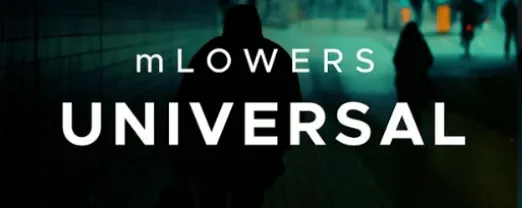
Sixty presets ship in the package, each carrying a distinct visual weight. A documentary about a hardware startup in Railtown called for something that felt assembled rather than polished — a high-tech design with a flicker of instability. Browsing the glitch-style category surfaced a lower-third built from fractured geometry and subtle chromatic offsets. Dragging it above an interview clip placed the placeholder text immediately; the name and title fields accepted the edit without touching a keyframe.
Adapting to a vertical cut
The same project needed a social clip for Stories. Scaling the composition to 9:16 shifted the title’s anchor naturally, but the included social media markers made the safe-zone visible at a glance. A second preset, cleaner and thinner, sat the subject’s handle inside the margin without crowding the frame. The universal approach meant the lower-third carried the same typographic DNA across both deliverables, which kept the film’s identity intact when the aspect ratio changed.
Rendering a preview at half-resolution showed the glitch displacement triggering every four seconds — a cadence that matched the drone shots already cut into the timeline.
Where things can trip you up
The template folder path is the most common point of friction. Final Cut Pro expects the mLowers files inside /Users/Your Name/Movies/Motion Templates/Titles/, and a flat structure there works best. If the presets land one folder too deep — say, inside an extra subfolder created during extraction — the Titles browser stays empty. Opening the Titles and Generators sidebar and checking the mLowers category tells you instantly whether the install took. No restart needed; the browser refreshes on its own when the path is right.
A few editors run into rendering stutters with the glitch-style presets on older Intel machines, particularly when the timeline resolution is set to 4K. Dropping the playback quality to Better Performance in the Viewer options menu usually smooths things out without touching the preset itself. The render is unaffected — exports still go out at full resolution with every displacement frame intact.
Another small gotcha: the social media markers are title layers, not generators. Dragging them onto a clip rather than above it nests the text inside the footage, which breaks the intended overlay behaviour. Placing them on a track above the video, the way you would any lower-third, keeps the transparency and positioning logic intact.
Seventy presets locked in from day one, no upsells
The mLowers pack has stayed lean across its lifespan — motionVFX built it as a single universal set rather than a collection that grows with paid add-ons. That means the version you install today carries the same seventy animated presets the pack launched with. The focus has been on compatibility rather than expansion: the templates work inside Final Cut Pro without requiring a separate Motion project file edit, and no activation step gatekeeps the folder. You move the files, you open FCP, and the presets appear in the browser. That directness has aged well in a landscape where plugin managers and account logins have become the norm.
Because the presets rely on Final Cut Pro's built-in text and transform parameters, they inherit the performance improvements Apple ships with each FCP update. Editors on recent versions report faster timeline responsiveness when scrubbing through projects heavy with mLowers titles, though that is more about FCP's under-the-hood optimizations than a change in the pack itself. The templates remain editable at the parameter level — font, colour, timing, and the intensity of the glitch displacement are all exposed in the Inspector without opening Motion.
Forty artist clips, one matching lower-third style across the festival
A producer cutting a week's worth of short-form promos for a festival sat down with a drive full of artist interviews and a deadline. Each clip needed a lower-third with the speaker's name and a festival handle, formatted identically across sixteen deliverables. Pulling up the retro-style category gave her a preset with a warm colour ramp and a thin rule line that sat well beneath the talking-head framing. She saved a single template adjustment — swapping the placeholder font for the festival's official typeface and desaturating the accent colour by fifteen percent — then copied the modified title across the project. The social media marker landed in the bottom-left corner of the 1:1 compositions without obscuring the subjects, and the whole batch rendered inside an hour. The consistency across the grid of posts looked deliberate, not templated, which is the quieter win of a preset pack that does not overbrand the frame.
Option-drag duplicates a preset with its parameter values intact
Option-dragging a preset from the Titles browser onto the timeline duplicates it with the original's parameter values intact — useful when you need the same lower-third in a different position without rebuilding the look. The glitch displacement has a hidden rhythm: the default four-second cycle can be shortened or lengthened by adjusting the Rate slider inside the Inspector, down to a rapid stutter for music-driven cuts or up to a slow drift for atmospheric pieces.
If you work with non-Roman character sets, the presets respect the system font fallback chain. Typing in Cyrillic or Japanese pulls the appropriate glyphs without breaking the animation, though the kerning may need a slight manual tweak in the Text inspector — usually a point or two tighter for the high-tech designs. The movie-screen-inspired presets also respond well to a subtle vignette layered behind them; dropping a custom matte underneath the title track deepens the frame without touching the mLowers template itself, which keeps things editable downstream.
- macOS — version not specified
- Final Cut Pro
Questions from the booth
Yes, dynamic glitch-style effects and high-tech designs are built into several presets, animating without manual keyframes.
The pack includes social media markers that help frame titles for cross-platform aspect ratios directly in the Final Cut Pro viewer.
It is designed exclusively for Final Cut Pro and installs into the Motion Templates folder.