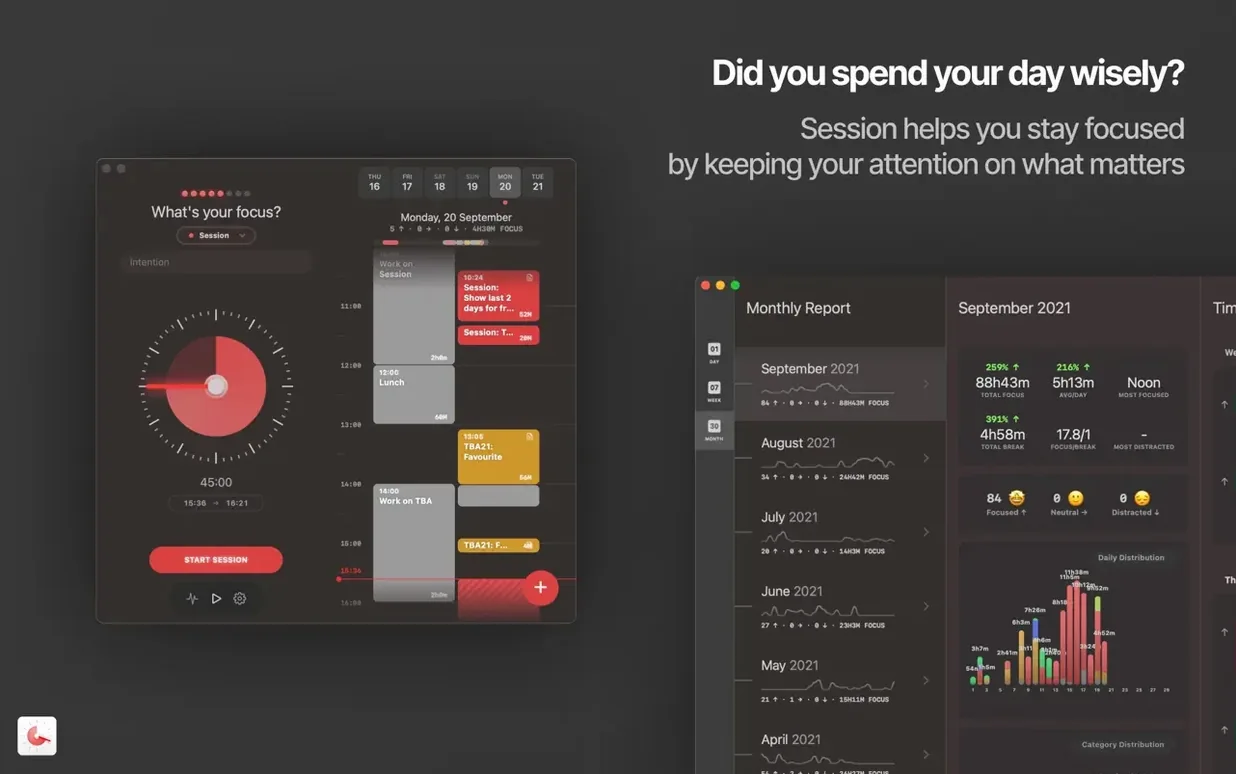
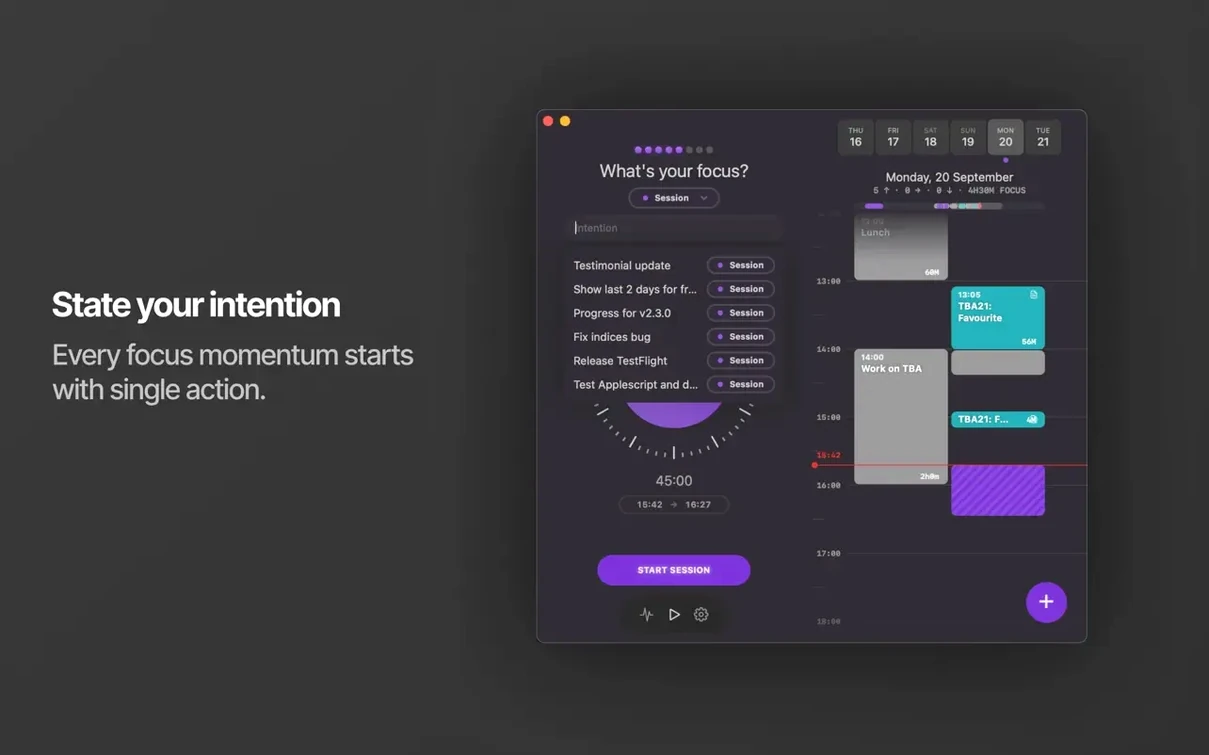
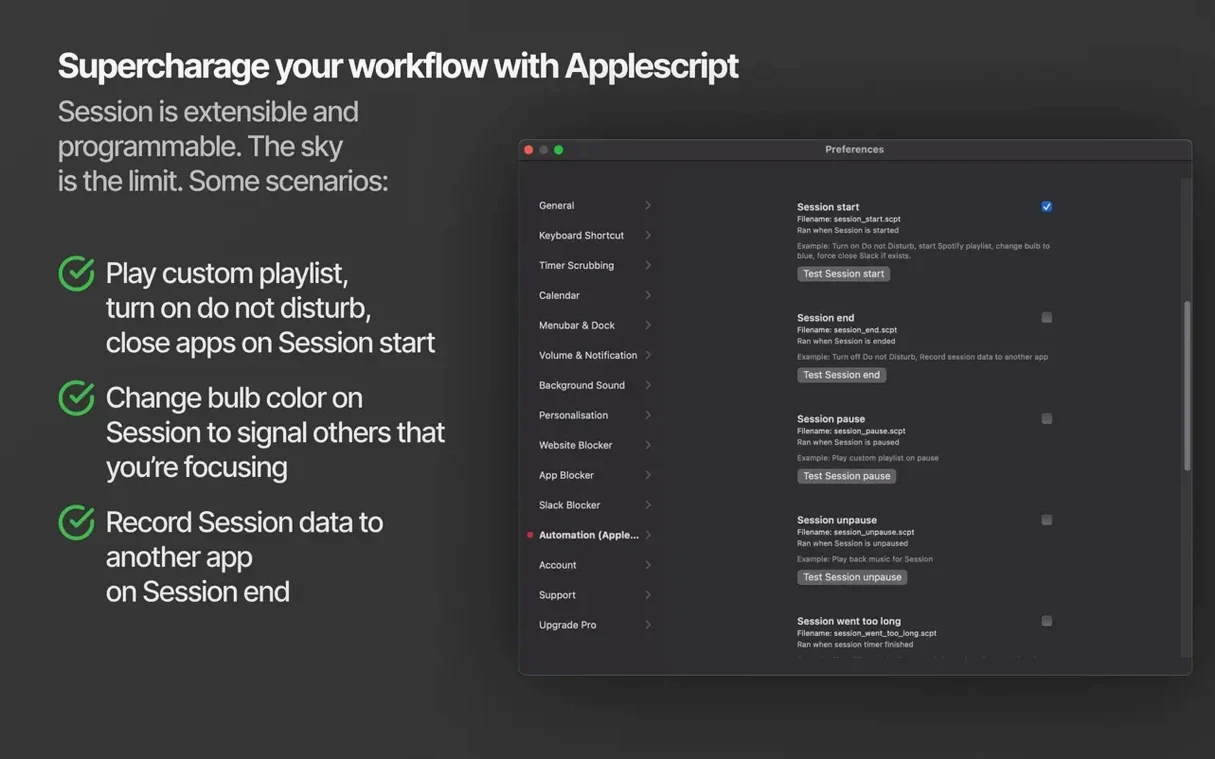
If you already live in Apple Reminders or Things, Session slides in as the timekeeper those tools don't provide. It wraps the Pomodoro technique around your existing task flow, so a work block isn't just a box to tick — it's a measured stretch of focus with a record of what actually happened inside it. The timer sits in the menu bar, quietly tracking minutes while you work, then shows you where the afternoon went.
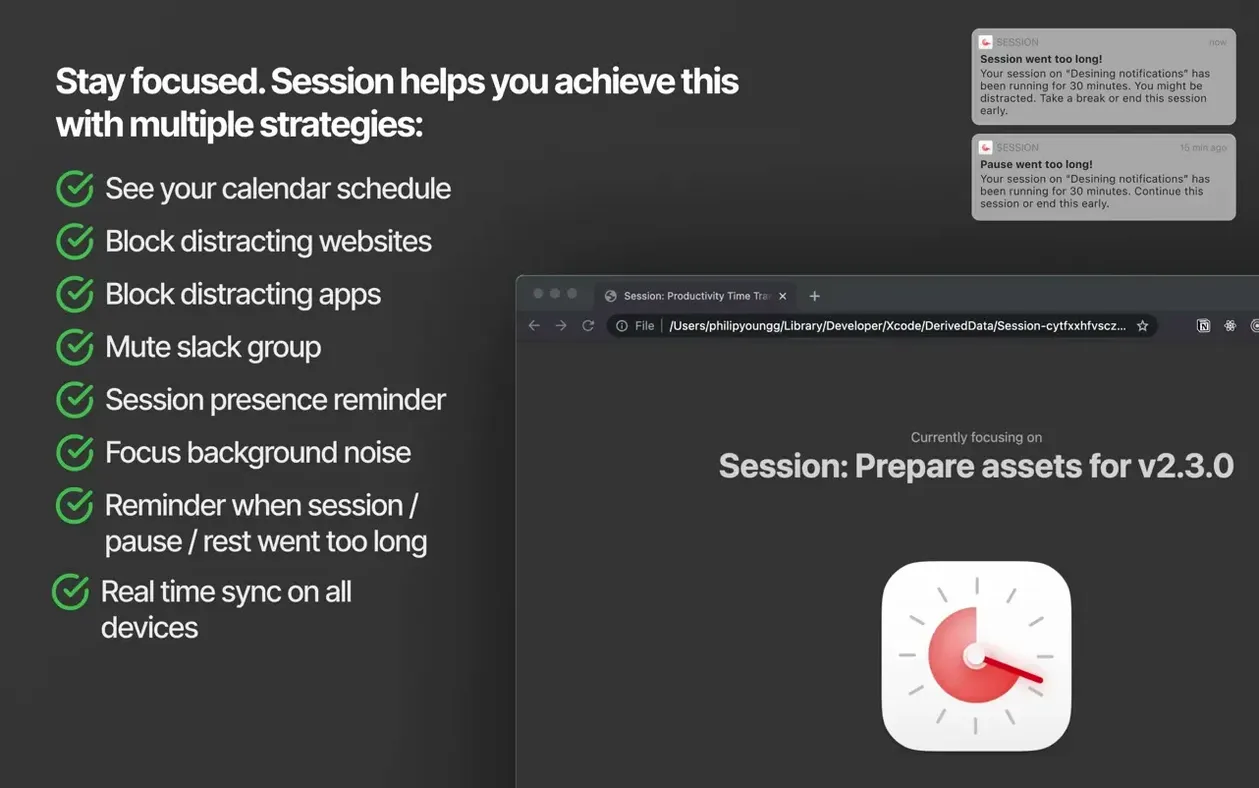
- Blocks distracting websites and apps you choose during a focus session
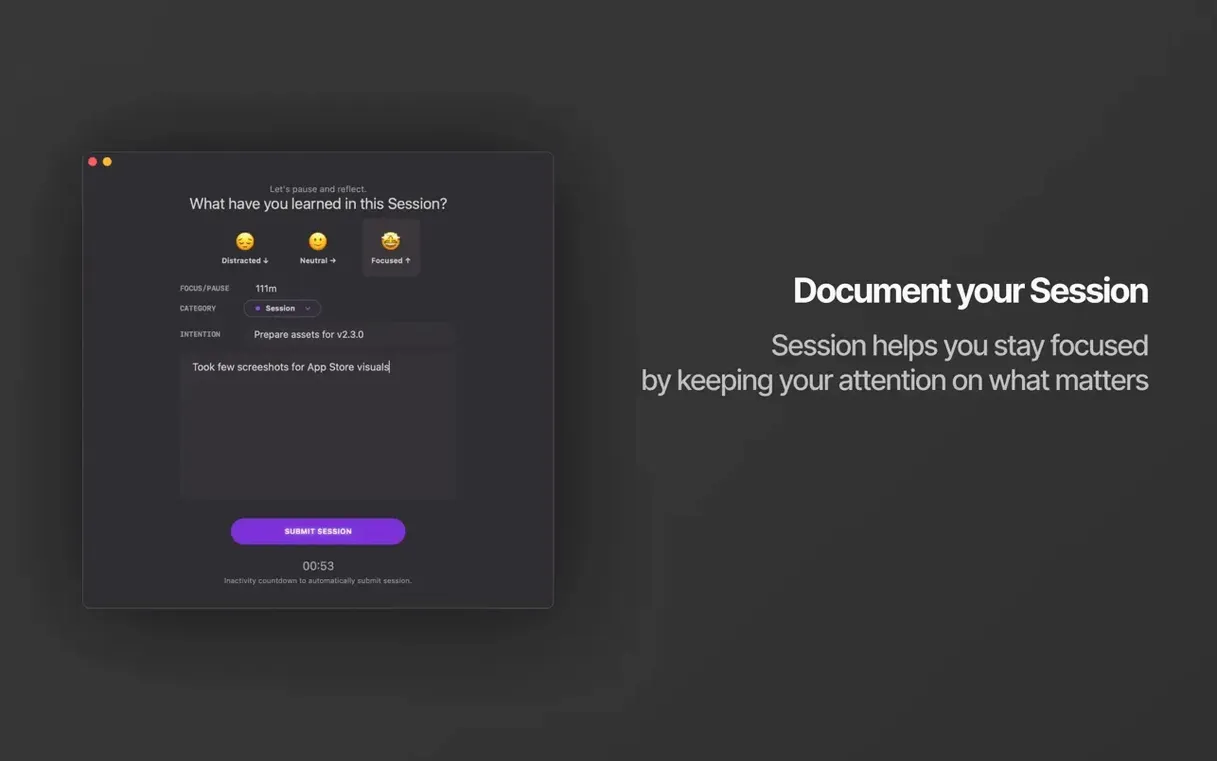
- Logs what you worked on, what you learned, and how long each session lasted
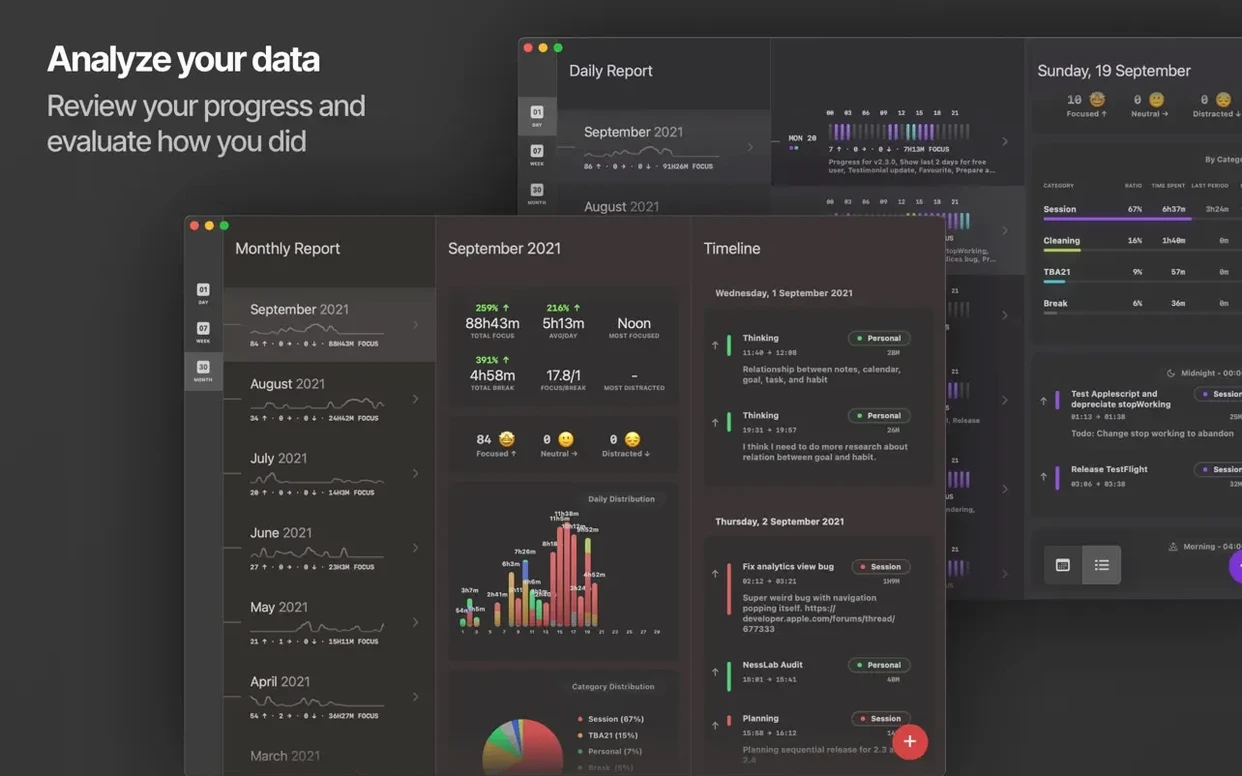
- Lets you review the day's progress when the sessions wrap up
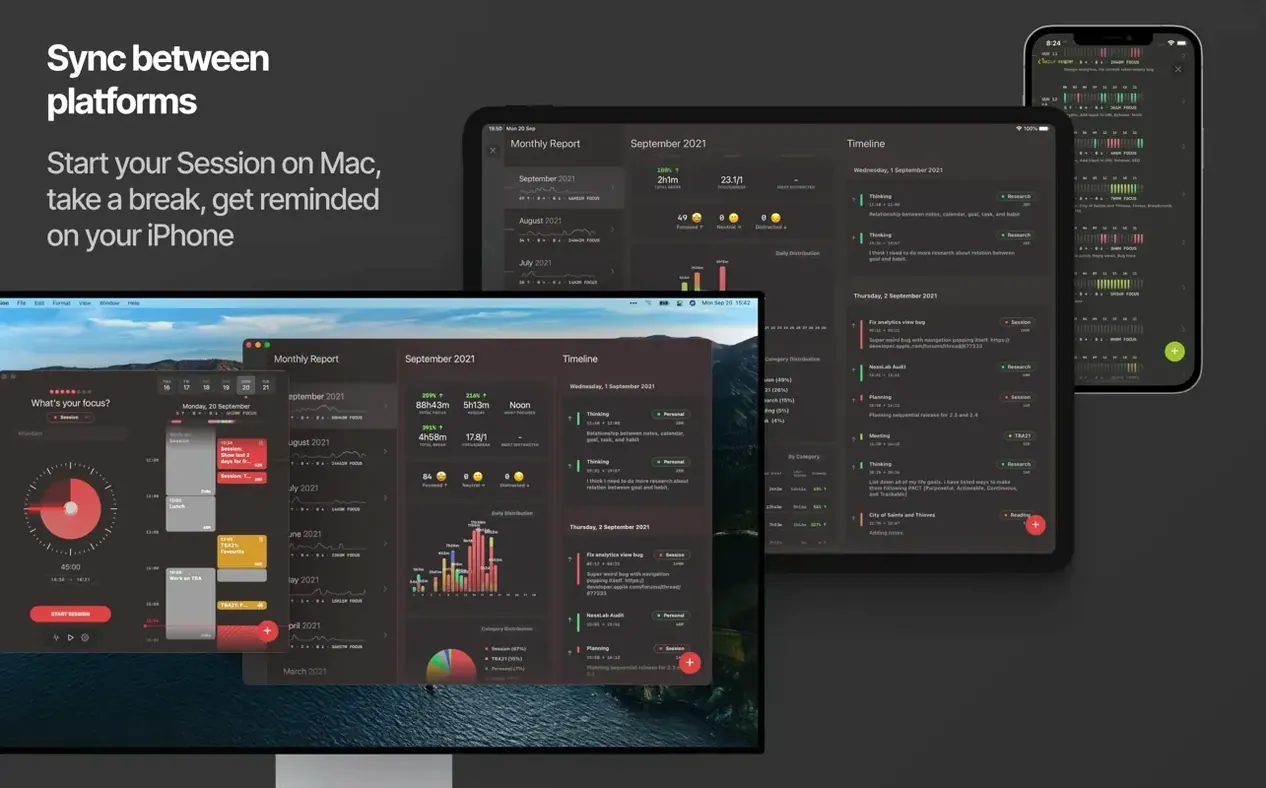
- Syncs across Mac, iPhone, and iPad so a session started on the phone continues at the desk
- Available in over twenty interface languages, including Arabic, German, Japanese, Ukrainian, and both Traditional and Simplified Chinese
The catch is that Session requires signing in to an account before you can use it — not a dealbreaker, but worth knowing before you download the disk image and drag it into Applications.
How Session works with the rest of your Mac
Session doesn't try to replace your calendar or your to-do list — it borrows from them. When a focus block starts, the app can reach into macOS and flip on Do Not Disturb, silencing notifications that would otherwise fracture a thought mid-sentence. If your workplace lives in Slack, you can set it to mute a specific team automatically at the start of a session, then unmute when the timer ends. These are small gestures, but together they carve out a pocket of quiet that the OS alone rarely protects.
The website and app blocking works independently of Safari extensions or Screen Time. You build a list inside Session, and during a focus block those sites and applications simply won't open. Close the session or hit a break, and everything returns to normal — no permanent restrictions, no feeling like your own machine is fighting you. It pairs naturally with note-taking apps like Obsidian or Bear: a session starts, the timer ticks in the menu bar, and your notes accumulate beside it, timestamped by the work log without you having to think about it.
An afternoon with Session, step by step
You sit down after lunch with a loose list of things to get through. You open Session, glance at the task field, and type "sound design for short film" — not a project plan, just enough to remember what this block is for. You click start. Do Not Disturb fades on. Slack goes quiet. The menu bar counter begins its countdown from twenty-five minutes.
Ten minutes in, muscle memory tries to open a news site. Session blocks it with a gentle reminder that you're in a session, and the impulse passes. You return to the waveform you were editing. At the end of the block, the timer chimes and a small prompt asks what you learned during that stretch. You type "layered three field recordings, EQ on the rain track is finally right" and let the break timer take over.
After three cycles like this, you open the day's log. The app has quietly gathered each session's task, duration, and the learning notes you jotted down. It's not a timesheet, exactly — more like a breadcrumb trail through the afternoon, useful when a producer asks what you actually did on Wednesday. The calendar view shows the whole week as coloured blocks, a rhythm you can read at a glance.
Menu bar utility sips resources even during active blocking
Session runs as a menu bar utility and stays light. On an Apple Silicon Mac, it idles at barely a whisper of CPU, and even during active sessions with blocking enabled, the energy impact stays low enough that you won't notice it next to a browser or a DAW. The Intel build performs similarly — no fan spin-ups, no mysterious background activity in Activity Monitor.
Interface animations are restrained and responsive. Resizing the window, switching between the timer and the calendar view, and scrolling through the session log all move at the pace of the system, without the micro-stutter that plagues Electron-based timers. The recent fix for the calendar resize gesture in version 2.13.48 tidied up one of the few rough edges in the Mac build.
Stability in daily use comes down to how often it crashes, and over weeks of session-afternoon use, it simply hasn't. The blocking engine doesn't conflict with VPNs or system updates, and the sign-in requirement means your session history survives a clean install without fuss. For anyone hunting for a session pomodoro focus timer for mac that doesn't feel like a web app wrapped in a window, the native build here earns its place in the menu bar.
The latest update fixes a resize gesture on the calendar view that could misbehave when adjusting the window.
- macOS 10.15 Catalina or later
- Works on Intel and Apple Silicon Macs
- Requires any account sign-in