
SiteSucker is a Mac app that copies entire websites—pages, images, stylesheets, PDFs—onto your local disk, recreating the server's directory structure so the offline version behaves like the live one.
Diagnose a stalled download with the raw log
When a crawl stops short or skips a section, the log file tells you exactly what the app requested and what the server returned. SiteSucker lets you open that log directly in Console, where you can filter by status code or file path to spot redirect loops or blocked resources without leaving the desktop.
Pull embedded video into your archive
The Pro edition can download embedded YouTube and Vimeo videos alongside the page markup. If a documentary portfolio or a video-heavy tutorial site matters to your research, having the actual .mp4 files on disk—not just dead players—keeps the archive complete.
Shape how the server sees you
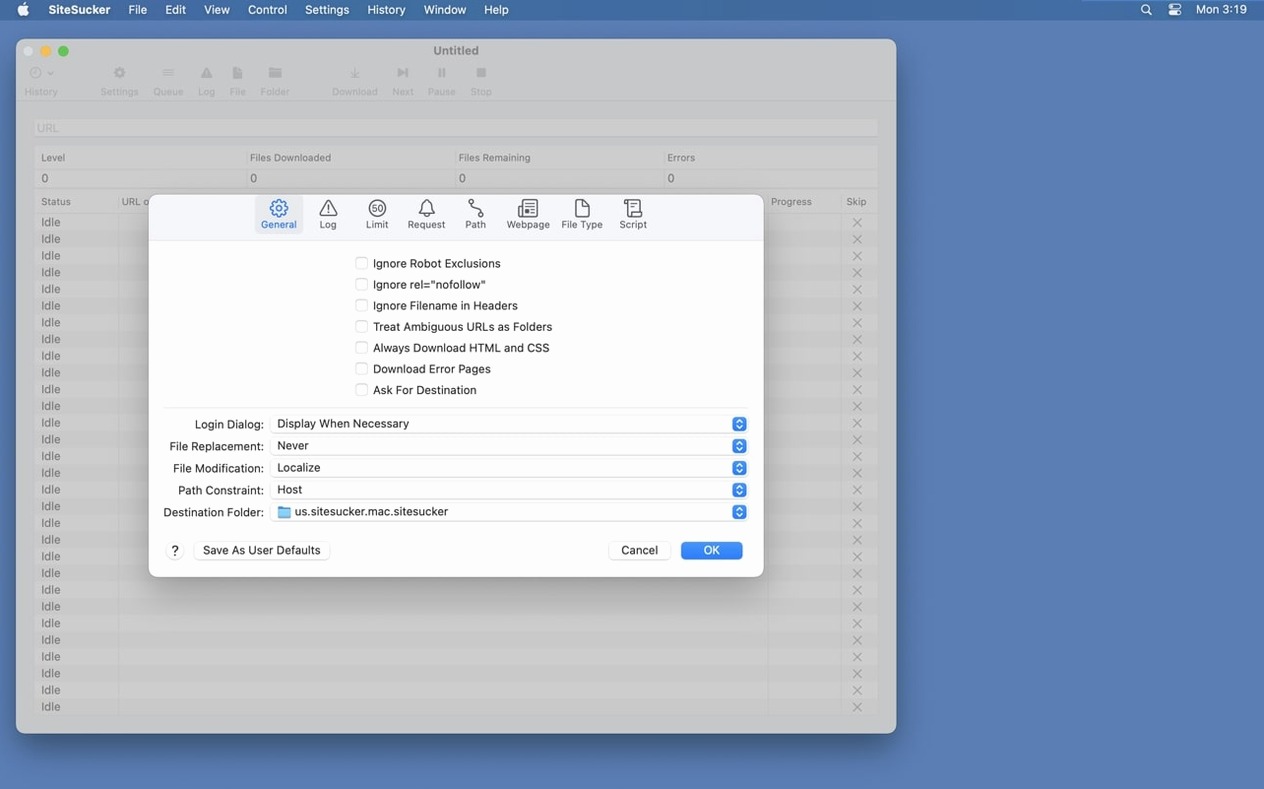
Under the Advanced settings, you can set the user-agent to Safari or Firefox, which changes how sites serve their content. The robots.txt exclusion toggle is there too, and the new Format HTML option in Webpage settings gives you cleaner source when you need to repurpose text offline.
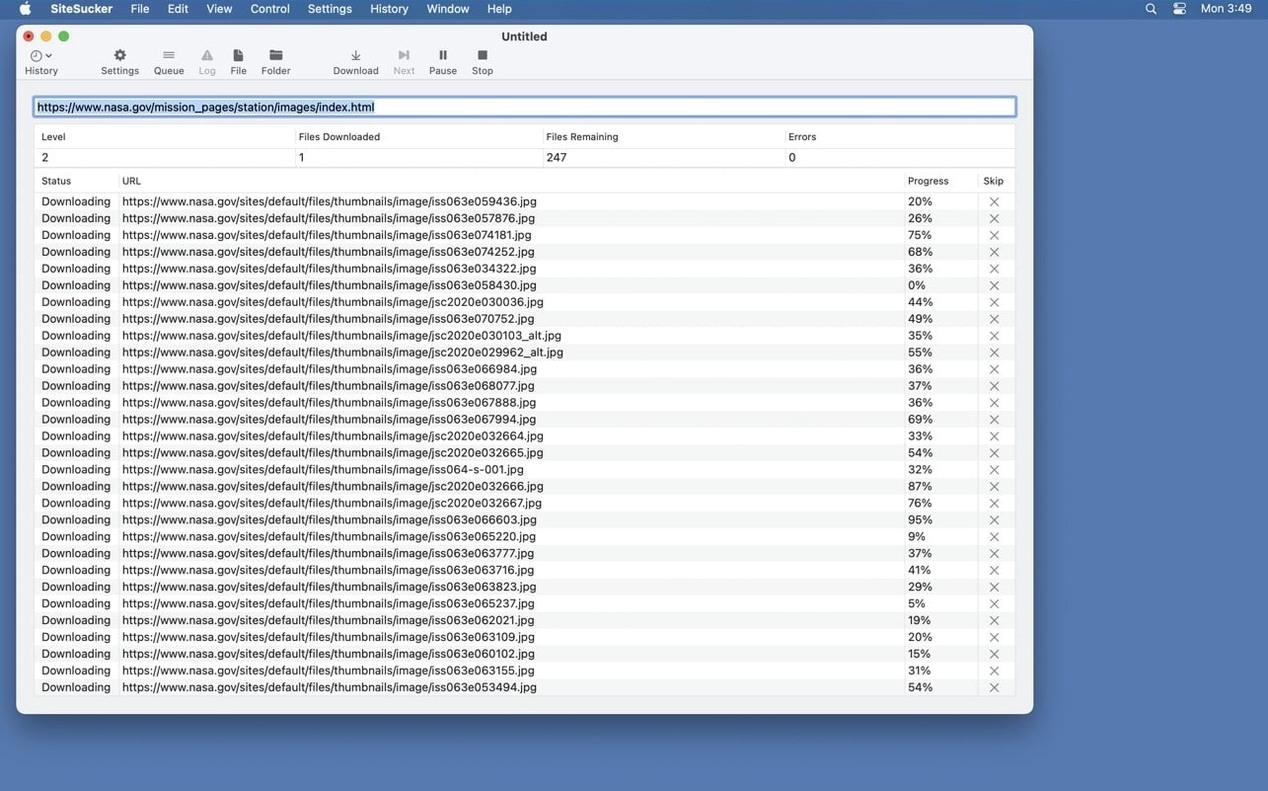
Paste a URL, hit return, and watch the lower pane fill with fetched files
Open SiteSucker and you face a single window with a URL field and a handful of controls. The first thing I do is paste the target address and hit return — the download begins immediately, and the lower pane fills with a running list of fetched files. There is something quietly satisfying about watching a site materialize file by file, the directory tree assembling itself in the destination folder you set in Preferences.
I usually let the first pass run with the default settings, just to see what comes down. While it crawls, the status bar shows the file count and the current download speed. If I spot that it is pulling in hundreds of thumbnail images I do not need, I stop the session, open the File Types tab, and uncheck everything except HTML, CSS, and PDF. Then I start a fresh download. The second pass is leaner and faster, and the local copy is easier to navigate because it is not cluttered with assets I will never open.
Once the crawl finishes, I open the saved folder in Finder. The top-level index.html loads in any browser, and the internal links point to local files instead of the live server. I click through a few pages to confirm the structure holds together. If a navigation link is broken, the log usually reveals why — a path pattern I forgot to include, or a subdomain that needed its own entry in the starting URLs.
Capturing a documentation site for offline reference
Recently I needed an offline copy of a framework's API docs before a long-haul flight. The site was several hundred pages deep, with code samples, CSS, and a handful of embedded demo videos. I started by entering the base URL and immediately switched to the Limits tab. I set the link depth to five — enough to reach every method page without wandering into external package repositories — and capped the total file count at 2,000. The minimum file size I left at zero, but I set the maximum to 50 MB to skip any large video files I could grab later individually.
Under File Types, I chose to download only HTML, CSS, JavaScript, and the specific video MIME types the site used for its demo embeds. The Paths section let me force-download anything under /api/ while skipping the /blog/ and /forums/ sections entirely. I set the user-agent to Firefox, because the site served a simpler layout to non-WebKit browsers, and turned off the robots.txt exclusion — the documentation was public, and I wanted every stylesheet and script the pages referenced.
Twenty minutes later I had a self-contained local copy. On the plane, I opened the root index file in Safari and navigated the entire reference as if I were online. The embedded videos played from disk because SiteSucker Pro had pulled the actual .mp4 files. The only thing missing was the live search box, which I expected — server-side search endpoints cannot be downloaded as static files. For that, I had added a few key pages to my bookmarks beforehand.
When a download does not go as planned
The most common frustration is a crawl that stops after pulling only the front page. Nine times out of ten, the culprit is the link depth setting. By default it is conservative, so a site with deeply nested articles — think /category/year/month/post-title — needs a depth of at least four or five. Bump it up, restart, and the inner pages start flowing.
Another snag: a site that loads content via JavaScript after the page has rendered. SiteSucker works with what the server sends in the initial HTML response. If a gallery or a navigation menu is injected by a script, it will not be followed. The workaround is to view the page source in a browser, find the actual data endpoints or static fallback links, and add those paths manually in the Paths settings. It is not automatic, but it covers the gap for most single-page apps that still serve a static shell.
Sometimes the log fills with 403 or 429 status codes. The site is rate-limiting or blocking the default user-agent. Switch to the Safari or Firefox agent string in Advanced settings, add a short delay between requests if the server is particularly touchy, and try again. If the site requires a login, SiteSucker cannot authenticate — you will need to save the pages from a browser that has an active session and feed the local HTML files back into the app's starting list. It is an extra step, but it works for member-only documentation and other gated content you have legitimate access to.
Version 6.2.2 fixes bugs that affected PDF generation and adds a Format HTML option in Webpage settings, giving you tidier source code in your local copies.
- macOS 14.0 or later
- Apple Silicon and Intel Macs