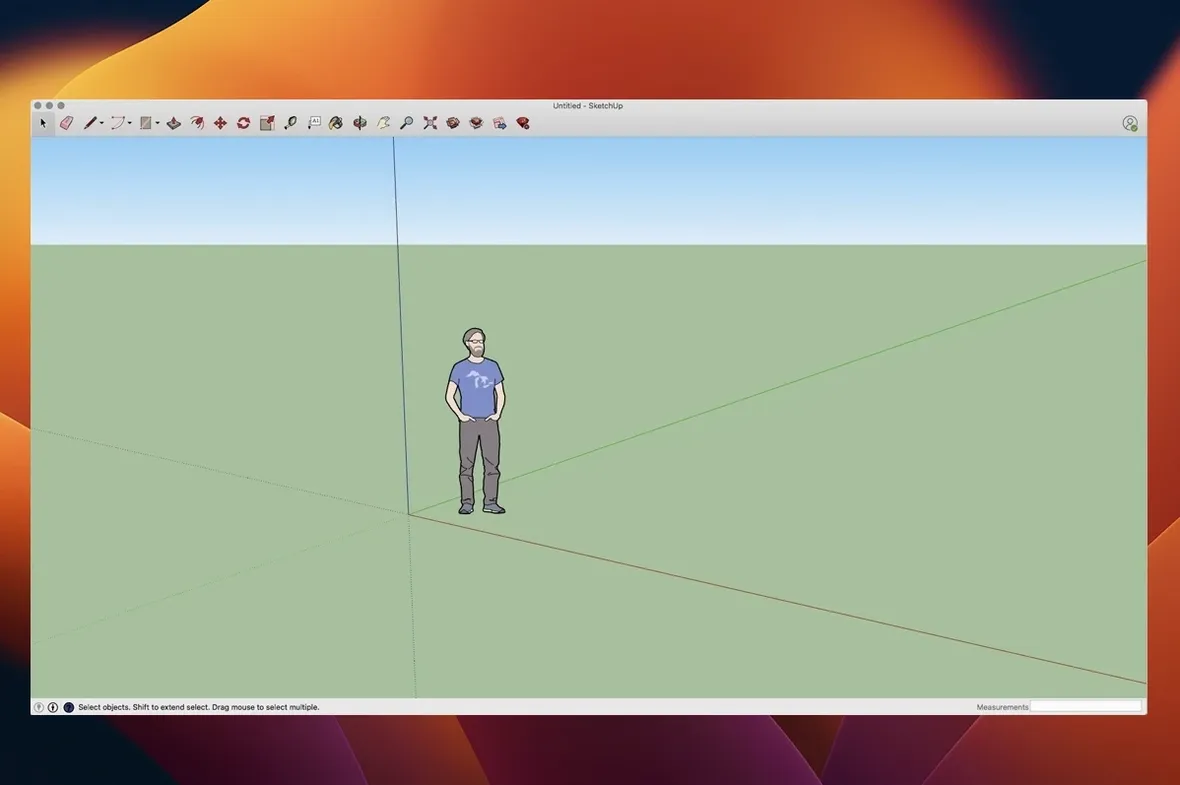
If you have nudged vertices in Blender or pulled walls in The Sims, the premise of SketchUp already lives in your hands. Trimble’s modeller trades polygon-by-polygon construction for a push-pull logic that feels like drawing extruded shapes on a napkin. Open it on a Mac and the instinct carries over: select a face, drag it into depth, and watch a flat rectangle become a room. SketchUp Pro builds on that immediacy with docs that stay linked, so a floor plan revised in the model updates its elevations, title blocks and vector detail pages inside LayOut without re-exporting anything.
From massing model to presentation boards without leaving the project
- Turning a rough massing model into a set of dimensioned plans and presentation boards inside the same project.
- Blocking out scenes for storyboards or location scouting — the camera tools generate walkthrough animations straight from the viewport.
- Iterating furniture, exhibition stands or small structures where seeing the joinery in 3D matters more than parametric history.
LayOut holds graphic styling, while the live link handles geometry
- LayOut is a separate workspace with its own rhythm; the live link updates geometry and camera angles, but graphic styling lives in LayOut alone.
- Animation exports are viewport-based flythroughs — useful for client walkthroughs, not for character rigging or physics.
- The interface rewards a clean model from the start: loose geometry and ungrouped faces make later edits noisy.
A scenic designer I worked with last year sketches out theatre sets inside a bare bones SketchUp file, then jumps into LayOut just before the first production meeting. Her model starts as a collection of extruded flats and a raked stage — nothing fancier than push-pulled rectangles tagged by scene. Twenty minutes before the director walks in, she opens LayOut, drops three viewports onto an A3 title block, sets the scale for the ground plan, and adds a perspective view with soft shadows. The linked model had changed that morning when the stage-left staircase moved two feet downstage. She never re-exported a single image. The elevations just updated. That quiet relinking — geometry feeding documentation without a round trip through another app — is the thing a SketchUp Pro workflow actually pivots on, and it is easy to miss the first time you install.
Entity info palette reads out area and length in real time
Several quality-of-life touches sit right on the toolbar but rarely get a second glance. The entity info palette is the big one. Select a face and it reads out area in real time; select an edge and you get length. When you are roughing out material take-offs from a model — say, decking boards for a rooftop terrace — having the area of every coplanar face without running a separate report saves a surprising number of calculator trips. Another: holding Option while orbiting temporarily suspends the “gravity” that keeps the horizon level, so you can roll the camera sideways for a dutch-angle view without changing any preferences. Right-clicking a component and choosing “save as” from the context menu writes a local copy directly into a project folder — no need to open the full component browser. And if you work with imported DWG site plans, the “drape” tool under the sandbox menu will stamp road contours onto a terrain mesh in seconds, something first-time users often assume requires a separate terrain plugin.
First days with SketchUp Pro on a Mac
A few habits pay off immediately after you drag the app from the disk image into Applications. First, set your template before building anything. SketchUp ships with construction-document templates that pre-load Layers (now called Tags), standard camera angles, and a sheet size already linked to LayOut. Starting from “Architectural — Millimeters” on day one keeps your exported views from drifting off-page later. Second, map the ⌘+scroll wheel zoom direction to match the rest of your Mac apps in Preferences; the default is reversed for many people and fighting muscle memory slows early modelling to a crawl. Third, install one reference extension. The Extension Warehouse has a lightweight dimensioning helper called “curic dim” that auto-distributes chain dimensions along a wall, and seeing it work once teaches you more about SketchUp’s snapping logic than reading the manual. None of these steps require a sketchup pro download mac search to set up — everything ships in the installer or lives in the Warehouse inside the app.
Drawing a café shell from laser measurements in minutes
Imagine a small café renovation. The morning starts with a laser-measured sketch on a clipboard. Back at the desk, you launch SketchUp and draw the existing shell — four walls as rectangles, push-pulled to eleven feet. A tape-measure guide marks out the bar location, and a rectangle drawn on the floor gets extruded into a counter volume. So far, all raw geometry.
Now the session shifts into documentation mode. You select the counter, make it a component named “bar-service,” and assign it to a “millwork” tag. A quick ⌘+S saves the model. Then you open LayOut from the File menu. A fresh page appears with the title block already waiting. You drop a viewport linked to the scene called “floor-plan,” set the scale to 1:50, and add a second viewport showing the bar elevation. The linked model still has scaffolding lines visible, so you toggle the “structural” tag off inside LayOut’s SketchUp Model panel — geometry hides instantly without touching the source file. You add a dimension string across the bar front, sketch a tile pattern overlay with LayOut’s vector tools, and export a PDF. The whole session from blank model to client-ready sheet ran inside an hour, and nothing left the SketchUp ecosystem.
Mac shortcut fixes that stopped the viewport from dropping inputs
Version 26.2.242 arrived as a 64-bit Mac build with quiet but welcome corrections. The most noticeable for daily work is the set of Mac shortcut and UI fixes mentioned in the release notes. Earlier builds had a tendency to drop keyboard focus after switching between LayOut and the modelling window on Apple Silicon machines, which meant a quick ⌘+Z sometimes required clicking back into the viewport first. That friction is largely gone now — undo chains behave the way they do in any well-mannered Mac app. The LayOut graphics improvements in this release make viewport previews render with less pixelation during zoom and pan, which matters when you are nudging a detail callout on a dense sheet and want to see the linework resolve without waiting for a full re-render. Extensions migration support has also been streamlined, so if you are moving a setup from an older Mac to an M4 machine, your plugin folder travels with less manual intervention. The Analysis Hub integration is new in 2026.2 and sits mostly in the background — it provides a live tile of model stats like face count and component nesting depth, which is useful only once you have built enough to start wondering why orbit feels sluggish. For anyone hunting a sketchup mac crack 2025 or a sketchup para mac full workaround, the build version alone tells you this is the current, active development line, and it runs natively on Ventura through Tahoe without Rosetta gymnastics.
Version 27.0.267 is now available, bringing the developer's latest round of fixes and performance improvements to the modelling workspace.
- macOS 15 or later
- Apple Silicon or Intel 64-bit