How many segments does the database cover?
The submission pool is substantial enough that most mid-roll sponsor reads on popular channels are flagged within hours of a video going live. Niche creators take longer, but the data set grows with every user who marks a timestamp.
What does version 6.1.6 refine?
This release is a maintenance build with no new features listed. The architecture support stays broad — it runs on both Apple Silicon and 64-bit Intel Macs running macOS 11 or later — and the core behaviour is the same quiet auto-skip you expect.
Does it only handle sponsored sections?
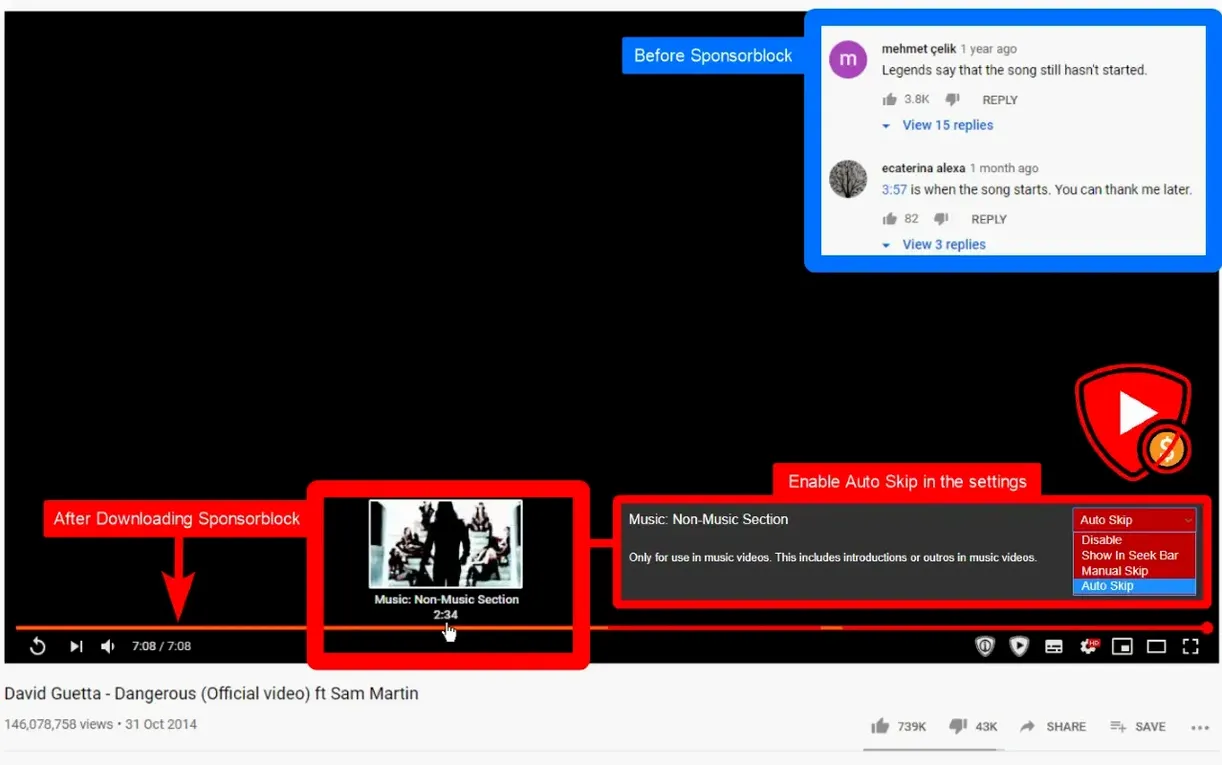
Segment categories in the database include self-promotion, interaction reminders, non-music parts of music videos, and preview recaps. You toggle which ones the app ignores in its settings, so a video can flow without the filler you personally find distracting.
How does it tell where a segment ends?
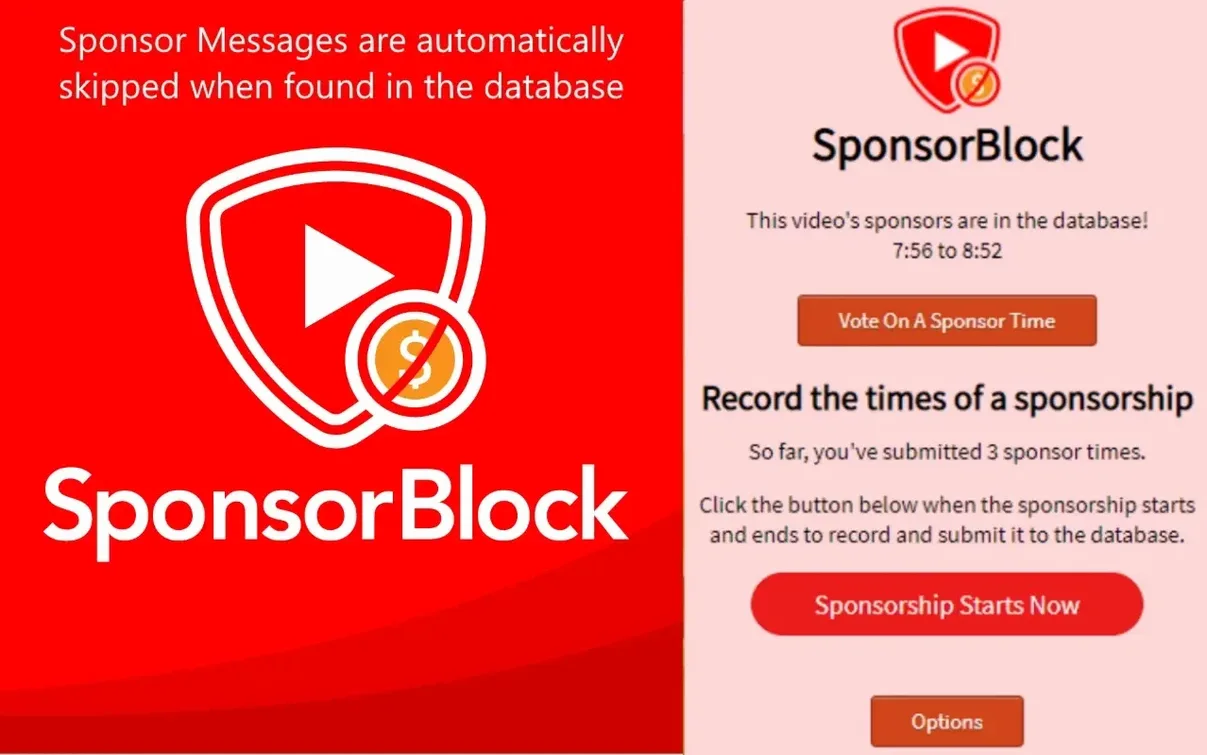
Every skip is defined by a start and end time submitted by someone who watched the video. The extension checks those timestamps against playback and jumps the moment it hits a marked range, usually before the pitch gets past the first sentence.
A documentary editor's evening queue
Maya cuts fundraising trailers for environmental non-profits and spends her off-hours researching interview styles on YouTube. Her watch-later list is a mix of long-form conversations, gear breakdowns, and the occasional music video she mines for temp score ideas. What she cannot stand is the rhythm break of a VPN ad two minutes into a filmmaker's process walkthrough — especially when she is half-focused, coffee in hand, mentally cataloguing b-roll setups. She installed SponsorBlock on her MacBook Air one Sunday after a particularly jarring segue from lens talk to meal-kit sponsorship, and it has been running in the background ever since. She rarely opens the app directly; it just sits there, altering the shape of her evening queue without asking for attention.
How a session unfolds
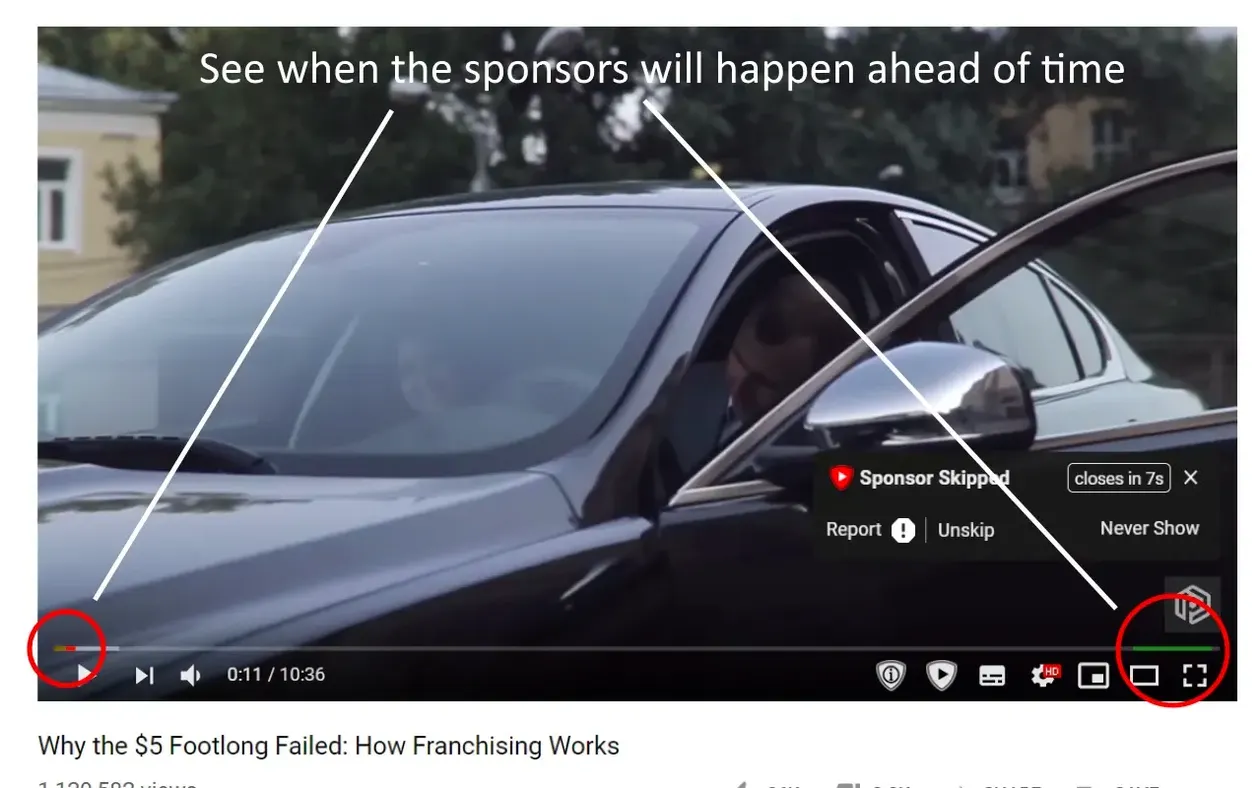
Maya clicks a video essay on colour grading from a channel she follows. The page loads, and the extension queries the SponsorBlock database in the seconds before the pre-roll ends. A small marker appears on the timeline where a creator read about a monitor calibration tool runs from 3:12 to 4:05. She never sees that segment — playback jumps cleanly to the next sentence, and the only clue is a brief skip icon that fades in the corner of the player. Later, in a music video she opened to sample synth textures, the app bypasses a ninety-second bridge where the song drops out for dialogue. She had forgotten she enabled the "non-music sections" toggle weeks ago, and the surprise of a perfectly uninterrupted listen reminds her why she left it on.
When a segment is missing — a sponsorship that slipped through on a smaller channel — she pauses, taps the extension icon, and marks the start and end points. The submission takes under ten seconds. She knows someone in another time zone will benefit from it tonight, and she has been on the receiving end of that same small courtesy countless times.
Alongside other ad-skipping approaches on Mac
Compared to a system-wide content blocker like AdGuard for Safari, SponsorBlock is narrower in scope and sharper in aim. AdGuard filters domains, trackers, and pre-roll video ads across the web, but it does not read chapter markers inside a YouTube stream — it cannot distinguish a host thanking a mattress brand from the actual content. What SponsorBlock sacrifices in breadth it gains in precision: it operates inside one platform and understands the shape of a video, not just the network requests around it.
Vinegar, a Safari extension that replaces the YouTube player with a lightweight HTML5 wrapper, eliminates most ads by stripping the YouTube interface down to bare video. It works well for someone who wants a cleaner, faster page and no interruptions at all, but it treats every ad the same way. SponsorBlock leaves the native player intact and targets only the segments the community has voted as skippable — the ones that interrupt rather than the ones that bookend. For a viewer who likes the standard YouTube layout and comment threads, that distinction matters.
Another point of comparison is uBlock Origin, which runs on Firefox and Chromium-based browsers. It blocks pre-roll and mid-roll ads through filter lists, yet it cannot skip a creator's integrated sponsor read because that segment is part of the uploaded video file, not a separately served ad slot. SponsorBlock fills exactly that gap, and the two tools complement each other rather than compete. Some users run both, letting uBlock handle the platform's ad engine while SponsorBlock tidies up the content inside the video itself — a quiet division of labour that leaves a viewing session feeling genuinely uninterrupted.
- macOS 11 or later
- Apple Silicon or Intel 64-bit