
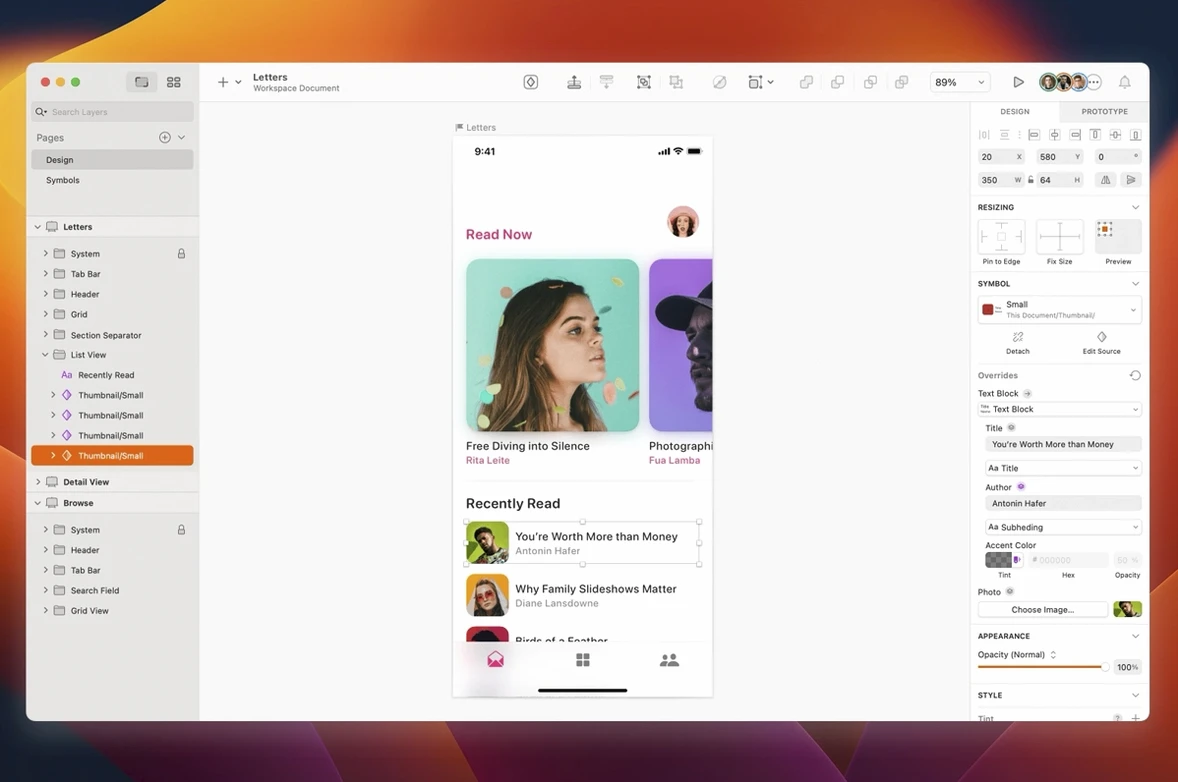
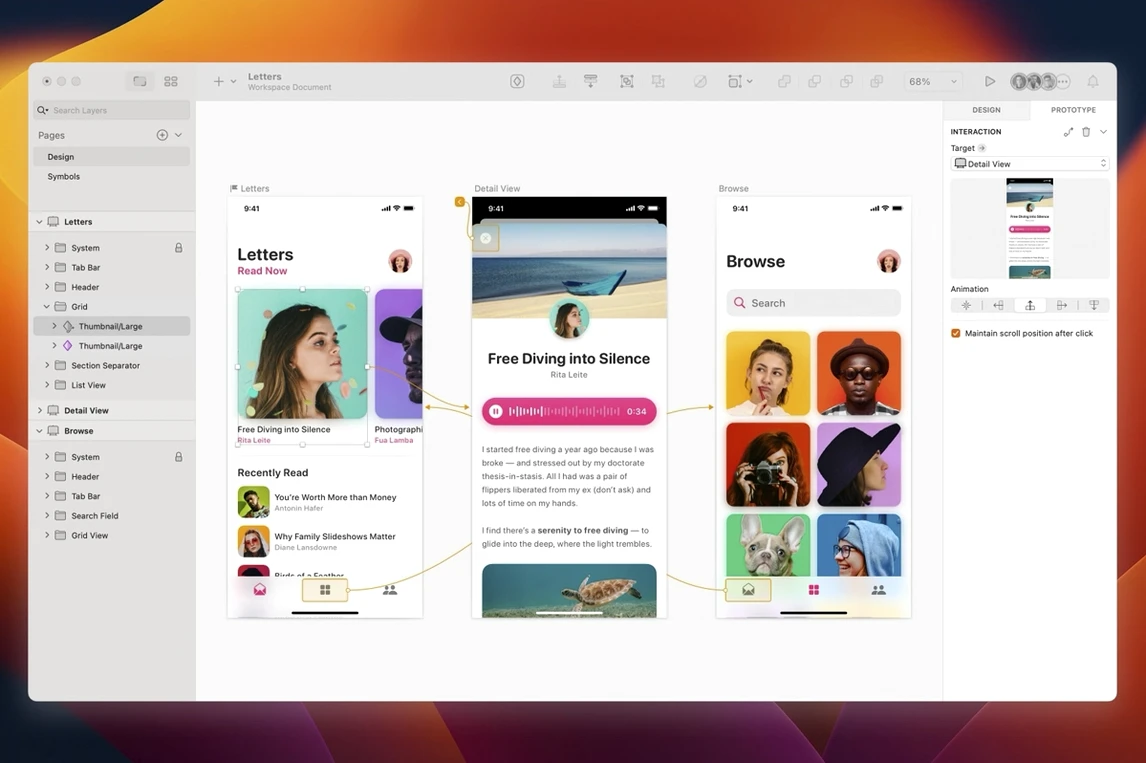
Most Macs already have a raster image editor, a page-layout app, and a web browser for testing. What’s often missing is a dedicated space for the in-between stage—where rough ideas become interfaces, icons, and site structures without the weight of a full desktop-publishing suite or the pixel-perfect constraints of a photo editor. That’s the gap a vector-first screen design tool fills, with a canvas that thinks in components, artboards, and reusable styles rather than single images.
- Starts with wireframes and low-fidelity layouts, then carries the same file through to production-ready artwork and export.
- Purpose-built for websites, mobile interfaces, and icon sets—no inherited print-era toolbars.
- Hands off prototype flows and developer specs to companion collaboration apps without leaving the design environment.
- Runs natively on both Apple Silicon and Intel Macs, from macOS 14 onward.
- Interface available in English and Simplified Chinese, matching the language of the system it lives on.
The current build tidies a handful of rough edges on macOS Golden Gate—document windows now adopt the system corner radius, a text-layer stacking quirk is resolved, and tooltips no longer clip at the screen edge while the canvas stays clear even when system Writing Tools are active.
Alongside Figma, Affinity Designer, and Lunacy
Sketch belongs to a small circle of Mac-native screen design tools, but each one occupies a slightly different patch of ground. Figma runs in the browser and stores files in the cloud by default; it thrives when several hands are on the same canvas simultaneously. That real-time multiplayer is Figma's centre of gravity, whereas Sketch treats the local file as the source of truth and keeps collaboration in companion apps and shared libraries. For a designer who spends most of the day in a single-player flow—building a component set, refining a design system, or working through iterations before sharing—Figma's always-online nature can feel like overkill. Sketch opens faster, scrolls canvases with native Mac responsiveness, and doesn't stutter when the Wi-Fi drops.
Affinity Designer comes from a different lineage. It's a general-purpose vector illustration tool with print, branding, and illustration workflows baked in. You can absolutely design a screen in it, but the artboard model, the lack of a dedicated prototyping handoff, and the absence of a plugin ecosystem tuned for UI work mean you're adapting a broader tool rather than working in one shaped for the task. Sketch, by contrast, knows what a symbol override is, understands resizing constraints, and exports assets at multiple scales without a second thought. Affinity shines when you're drawing a logo or a poster; Sketch shines when you're wiring up sixty screens of an onboarding flow.
Lunacy is the closest in spirit—it reads Sketch files natively and runs on Windows as well as macOS—but it's built on a different rendering engine and lacks the deep integration with Mac frameworks that Sketch carries. Font rendering, colour profile handling, and system-level performance feel closer to the metal on Sketch, which matters when you're staring at a canvas for eight hours. The trade-off is that Lunacy is free, while Sketch asks for a commitment. For someone already deep in the Mac ecosystem, that commitment buys a tool that behaves like a first-class citizen of the operating system, right down to the way document windows now echo the system corner radius on Golden Gate.
A product designer's Thursday afternoon
Picture a senior product designer at a mid-sized fintech company. Thursday afternoon, three days before a sprint review. The engineering team has flagged an edge case in the transaction history screen: when a user has zero transactions, the empty state needs to communicate next steps instead of just a blank table. The designer opens the Sketch file that's been evolving since the initial wireframes three months ago. The component library already has an empty-state card with an illustration slot, a heading, and a call-to-action button. She drags an instance onto the artboard, swaps the illustration symbol override to a new "receipt" graphic she roughed out earlier that week, and adjusts the body copy. The nested button inherits the brand's corner radius and hover state from the shared style, so she doesn't touch it. She duplicates the artboard, wires the button to the "add transaction" flow with a prototype link, and exports the two screens as a quick movie via the companion prototyping app. The whole cycle—from Slack notification to a shareable clip in the team channel—takes under twelve minutes. Nothing left the desktop, nothing synced to a browser tab she might accidentally close.
When things don't behave as expected
A new install on macOS Golden Gate sometimes leaves the app quarantined behind Gatekeeper. The disk image includes a helper script for that: mount it, run the Gatekeeper-friendly opener, and press Enter when the Terminal window appears. After that, dragging the app to the Applications folder works without further friction.
Text layers inside stacks can misbehave if a minimum width is set and the parent stack resizes. The 2026.3.1 build fixes a specific bug where the text layer's width wouldn't respect the stack layout, but it's still worth double-checking pinning and constraints when a layout breaks after a resize. Select the misbehaving layer, open the resizing panel, and confirm that the horizontal constraints match the intent—"fill" versus "fixed width" is often the culprit.
Tooltip clipping near the screen edge, fixed in this release, was an annoyance for designers working with palettes docked to the right side of the display. If you're running an older build that still shows clipped tooltips, undock the inspector panel temporarily or widen the window until you can update. Another Golden Gate-specific quirk involved text alignment in the Rename Selected Layers sheet, where centred or right-aligned text would drift left. That's resolved here, so selecting multiple layers and renaming them in sequence now reads cleanly no matter how the sheet is positioned.
Plugins occasionally stop loading after a major macOS upgrade. The fix is usually straightforward: quit Sketch, navigate to ~/Library/Application Support/com.bohemiancoding.sketch3/Plugins in Finder, remove the plugin bundles that throw errors on launch, and reinstall them through the app's plugin manager. Sketch's plugin ecosystem is one of the quiet strengths of the platform—automating export pipelines, generating colour palettes from brand guidelines, or linting layer names against a design system—and a few minutes of housekeeping after an OS upgrade keeps that machinery running.
Version 2026.3.1 brings a quiet polish to the Florence release under macOS Golden Gate. Document windows now share the system corner radius, a stack-layout bug around minimum text-layer width has been fixed, and several Golden Gate-specific annoyances are gone: tooltips no longer clip near the screen edge, canvas content stays visible while using Writing Tools, and text alignment in the Rename Selected Layers sheet behaves as expected.
- macOS 14 or later
- Apple Silicon or Intel 64-bit processor