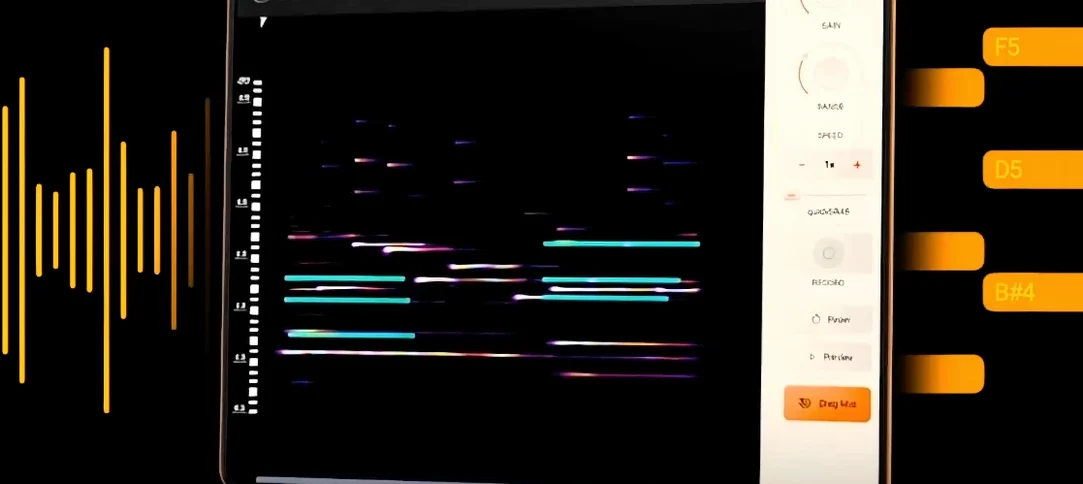
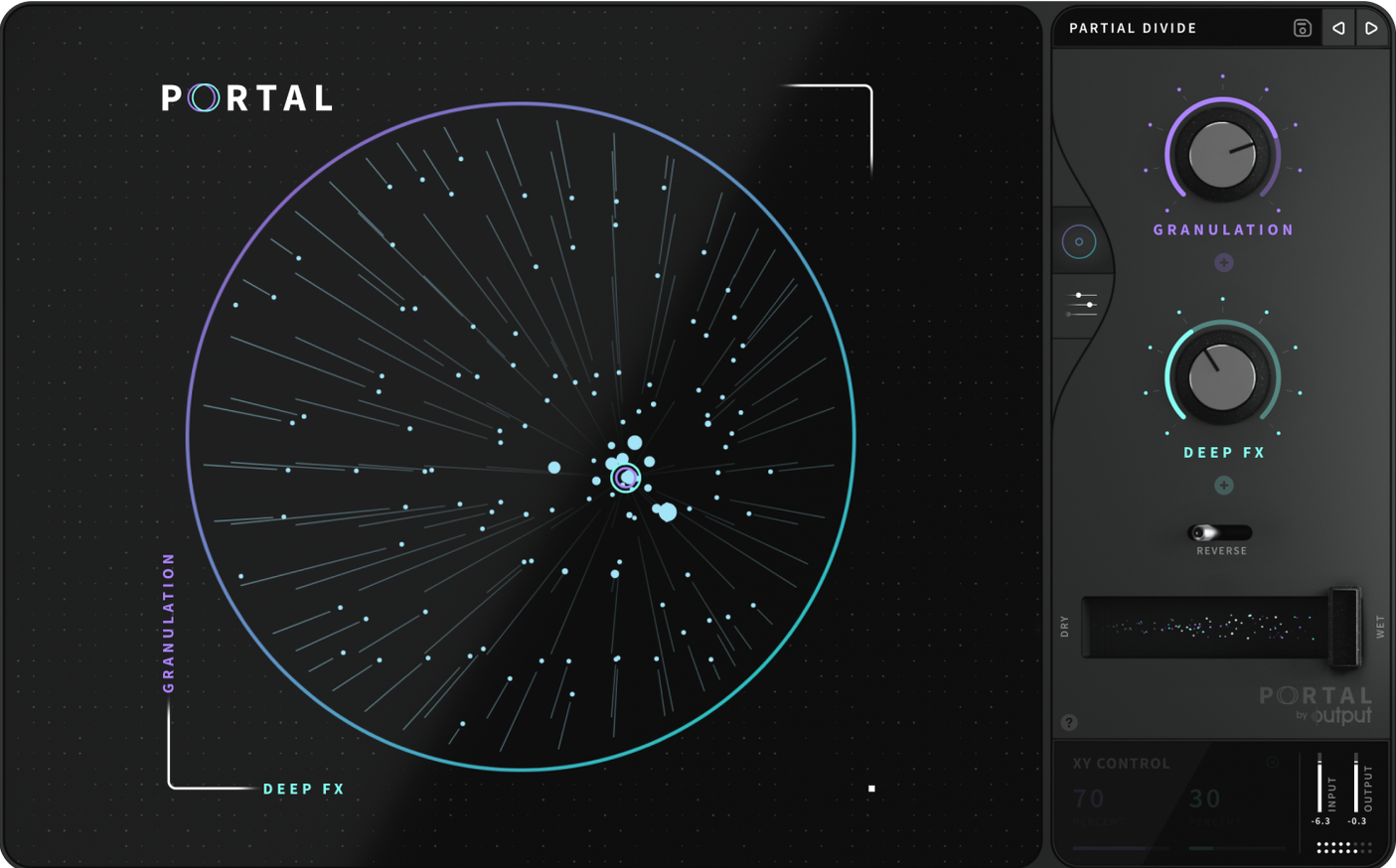
Portal runs on any recent Intel or Apple Silicon Mac, loading as a VST (or AU inside compatible hosts) across your usual DAW. It takes whatever you feed it — a vocal take, a drum loop, a synth pad — and pulls it apart into grains, then reassembles them with a voice that stays recognizably close to the original source.
Add movement to static loops
Send a percussion loop through Portal and the envelope controls introduce organic variation that feels less like an LFO and more like a player shifting their touch. The grains drift around the transient, never quite landing the same way twice, so a four-bar phrase breathes across a whole arrangement.
Bend pitch without losing the key
The scale-locking section keeps every grain quantized to a chosen set of notes, which means you can sweep the pitch range dramatically while the output stays musical. Feed it a monophonic guitar line and the re-synthesized grains follow the scale, turning a bend into a shimmering chordal wash.
Stretch vocals into pads
Slow the grain playback and the time-stretching engine holds the formants together better than a standard time-shifter. A single held note from a singer becomes a slow-moving texture behind the mix, with Portal's re-synthesis keeping the timbre smooth rather than smeared.
Settings to dial in before you start playing
Open Portal's interface and the first thing you'll notice is how much of the grain engine is already moving before you touch anything. That's by design, but it also means a few quick adjustments will save you from fighting the defaults later. Head straight to the grain envelope section and pull the attack down to roughly 20–30 ms — the factory setting can feel a little clicky on percussive material, and a slightly softer onset lets transients through without the grainy snap. While you're there, widen the release by a similar amount so grains don't cut off abruptly when the input drops below the threshold.
Next, check the grain shape dropdown. The default is a smooth window that works for most sources, but if you're processing anything with sharp attacks — drums, plucked strings, staccato synths — switch it to the tighter shape and listen to how the stereo field tightens up. The difference is subtle on a single hit and cumulative across a loop. Finally, disable tempo sync for a moment just to hear what the unsynchronized grain rate sounds like against your project; re-enable it once you know the range, because Portal's sync behaviour interacts with the density control in ways that aren't obvious until you've heard both sides.
Taming a static drum loop with granular resynthesis on the bus
Picture a late-night session: you've got a drum loop that's been carrying the track but feeling static, and you want it to shift without sounding like a different kit. You load Portal as an insert on the drum bus, dial the mix knob to about forty percent wet, and start with the Time control pulled down to half-speed. The loop stretches, but the transients don't smear — Portal's re-synthesis is holding the attack shape intact while the tail of each hit smears into the next.
You lock the pitch to a minor pentatonic scale. That's excessive for a drum loop, but you're not after melodic content yet — you're listening to how the quantized grains create ghost notes between the snare hits, little pitched artifacts that flicker at the edges of the stereo image. You widen the grain spread parameter and suddenly those artifacts pull outward, giving the impression of a percussionist who's playing just behind the beat in a larger room. The density knob goes up next: more grains per second, but shorter, so the texture thickens without turning muddy. You automate the Y-axis of Portal's central XY pad across eight bars, sweeping from tight and rhythmic to washed-out and arrhythmic. By the time you print the track, the loop sounds like it was played, not programmed.
Feeding the grain engine a focused signal, not a full mix
The most common mistake is treating Portal like a reverb or a delay and slapping it across a full mix. It's not a send effect — the grain engine needs to lock onto a coherent input to re-synthesize something musical, and a crowded stereo bus confuses the transient detection. Run it on individual channels or grouped stems instead, and let the density control breathe with fewer competing sources.
Another trap: ignoring the input gain staging. Portal's grain threshold is sensitive, and if the incoming signal is too hot, the engine triggers grains almost constantly, flattening the dynamics you're trying to create. Back the input off until the grain activity meter shows gaps between phrases, then bring the output gain up to compensate. Beginners also tend to overuse the scale lock without auditioning the key first — if your source material has bends or microtonal inflections, quantizing to equal temperament can turn a soulful vocal into a cheap-sounding chord machine. Flip the scale lock off, listen, then decide if it's helping.
First days with Portal: where to point it
Spend your first afternoon feeding it monophonic sources. A bassline, a vocal take, a guitar DI — anything with a single clear pitch and a defined transient gives you the cleanest read on what each grain parameter is actually doing. Start with the mix at 100% wet so there's nowhere to hide, and sweep the grain size from short to long while watching how the time-stretching responds. Short grains on a vocal sound like a harmonizer breaking apart; long grains turn the same phrase into a bowed string section.
Once you've got a feel for the engine, try running a drum break through Portal with the tempo sync off and the grain rate set somewhere irrational — not a clean subdivision, but something like 37% of your project tempo. The resulting polyrhythmic smear will drift against your grid in ways that feel organic rather than calculated. Bounce a few minutes of that, chop out the best four-bar phrases, and you've got texture layers that no one will trace back to a drum loop. Output built Portal to re-synthesize rather than simply mangle, and the distinction reveals itself most clearly when you stop trying to control every grain and let the unsynchronized mode do the wandering.
- macOS (Intel and Apple Silicon supported)
- VST or AU host
Questions from the booth
It works on both — route a live vocal or guitar through it just as easily as a drum sample, a VST instrument, or a pre-recorded loop.