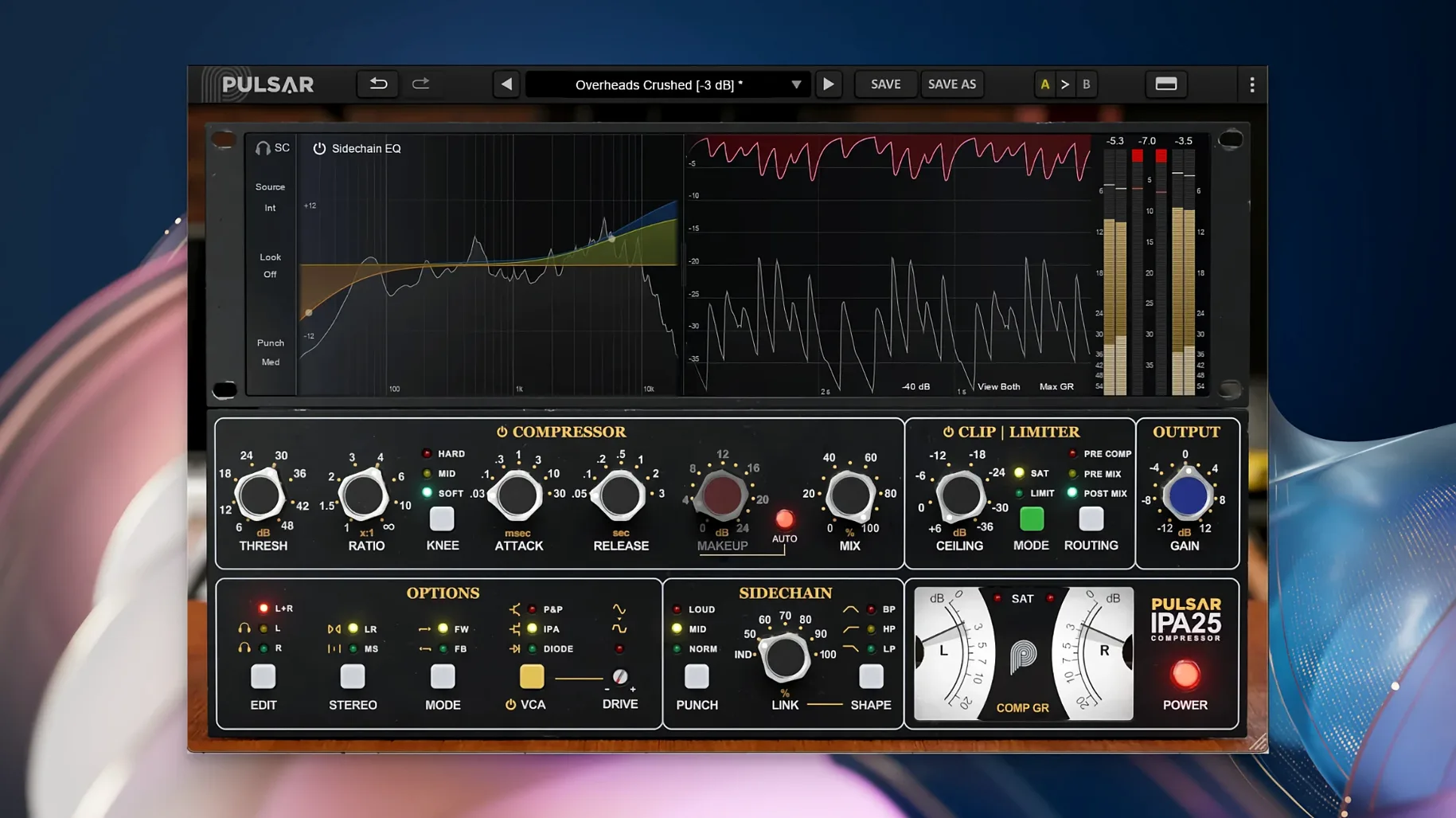
The three VCA modes — IPA, P&P/Mu, and Diode — each bend a transient differently before you even touch the threshold. Flip between them on a drum bus and the whole room shifts: one snaps the attack, another softens the edges into a more musical squash. It is that kind of processor. The classic VCA grab is here, but the built-in clipper and limiter mean you can push into colour without the mix folding.
The sidechain EQ shapes what the compressor hears
Instead of a single high-pass screw, the visual sidechain EQ lets you draw the detector's attention. Tuck low end out of the way so a kick drum stops pumping the vocal, or carve a narrow notch so a snare's ring does not trigger the gain reduction. The Mid/Side path extends the same thinking to a full mix: process the centre for focus, leave the sides looser, or the reverse.
Vocals that punch through a dense chorus, bass that grips without losing weight
It finds its way onto vocals that need to stay forward in a dense chorus, bass lines that want grip without losing weight, and mix buses across rock, pop, and electronic material. The limiter at the end of the chain keeps peaks in check, so the clipper and compressor can do their work further upstream without you babysitting the output.
A tracking day with a crowded drum booth
Picture a producer on a damp Vancouver afternoon, eight channels of drums bleeding into every mic, the snare ringing out through the overheads. The close mics are already compressed at the preamp stage. What they need now is a bus processor that glues without smearing the transient detail they fought to capture during soundcheck. Dropping IPA across the drum bus in Diode mode pulls the cymbals into a more polite relationship with the kick and snare — the detector is listening to the full kit but reacting with a softer knee that leaves the stick attack intact. A gentle nudge on the sidechain EQ removes some 300 Hz mud from the compressor's ear so the floor tom stops yanking the gain reduction every fourth bar. By the time the rough mix hits the client's inbox that evening, the drums already sound like a record, not a multitrack.
Small touches that reward a second look
The three VCA modes are the headline, but the smaller conveniences are what keep the plugin parked on a bus for an entire mix. Holding Shift while adjusting the threshold moves it in finer increments — easy to miss on a first pass, indispensable when you are half a decibel from the sweet spot. The clipper sits between the compressor and the limiter rather than at the very end, so you can shave transients before the limiter grabs them, a routing detail that changes how hard you can push the input without audible pumping. Right-clicking any knob returns it to its default value, which is standard behaviour but worth remembering when you have twisted the attack into unfamiliar territory and want a reset point. The Mid/Side metering follows the processing mode, so if you have switched to sidechain-only detection, the gain reduction needle reflects only what the detector sees, not the full stereo sum. That visual honesty saves a lot of solo-button detective work.
Native ARM build skips Rosetta entirely from version 1.0.9 onward
Does IPA run natively on Apple Silicon? Yes — version 1.0.9 is a native ARM build for macOS 11 and later. There is no Rosetta translation layer between the plugin and your DAW, which matters when you are stacking instances across a dense session and every cycle counts.
Is there a standalone application? No. IPA requires a host that supports VST 2.4, VST 3, AAX Native, or Audio Unit formats. It loads as an insert in your existing workflow and does not function outside a DAW.
How does the clipper interact with the limiter? The clipper catches peaks after the compression stage but before the final limiter. You can drive the compressor into harmonic saturation and let the clipper trim the sharpest edges, then set the limiter ceiling to catch only the outliers. It is a cascading gain stage, not a safety brickwall bolted on as an afterthought.
Can I use it on individual tracks or just buses? Both. The Mid/Side architecture and the sidechain EQ make it an obvious bus processor, but the three VCA voicings are distinct enough that producers working on pulsar audio ipa 25 sessions often place it on vocals that need a forward, radio-ready grip or on bass lines where the P&P/Mu mode softens the attack into something rounder. There is no rule that a VCA compressor must sit on a group channel.
What makes the detector EQ different from a regular sidechain filter? It is fully visual and fully parametric. Instead of a fixed-slope high-pass, you can draw a curve that ignores a resonant bass note while still letting the compressor react to the fundamental of the kick. The display updates in real time as you shape the filter, so the relationship between what you are cutting and what the gain reduction needle does is immediate and legible. That level of control is what turns a good bus compressor into a mix finisher.
- macOS 11 or later
- Apple Silicon
- 64-bit plugin
- Requires a third-party DAW application
Questions from the booth
It emulates a classic VCA compressor, specifically an API 2500-style multi-VCA dynamics processor, and includes sidechain EQ, clipper, limiter, and Mid/Side processing.