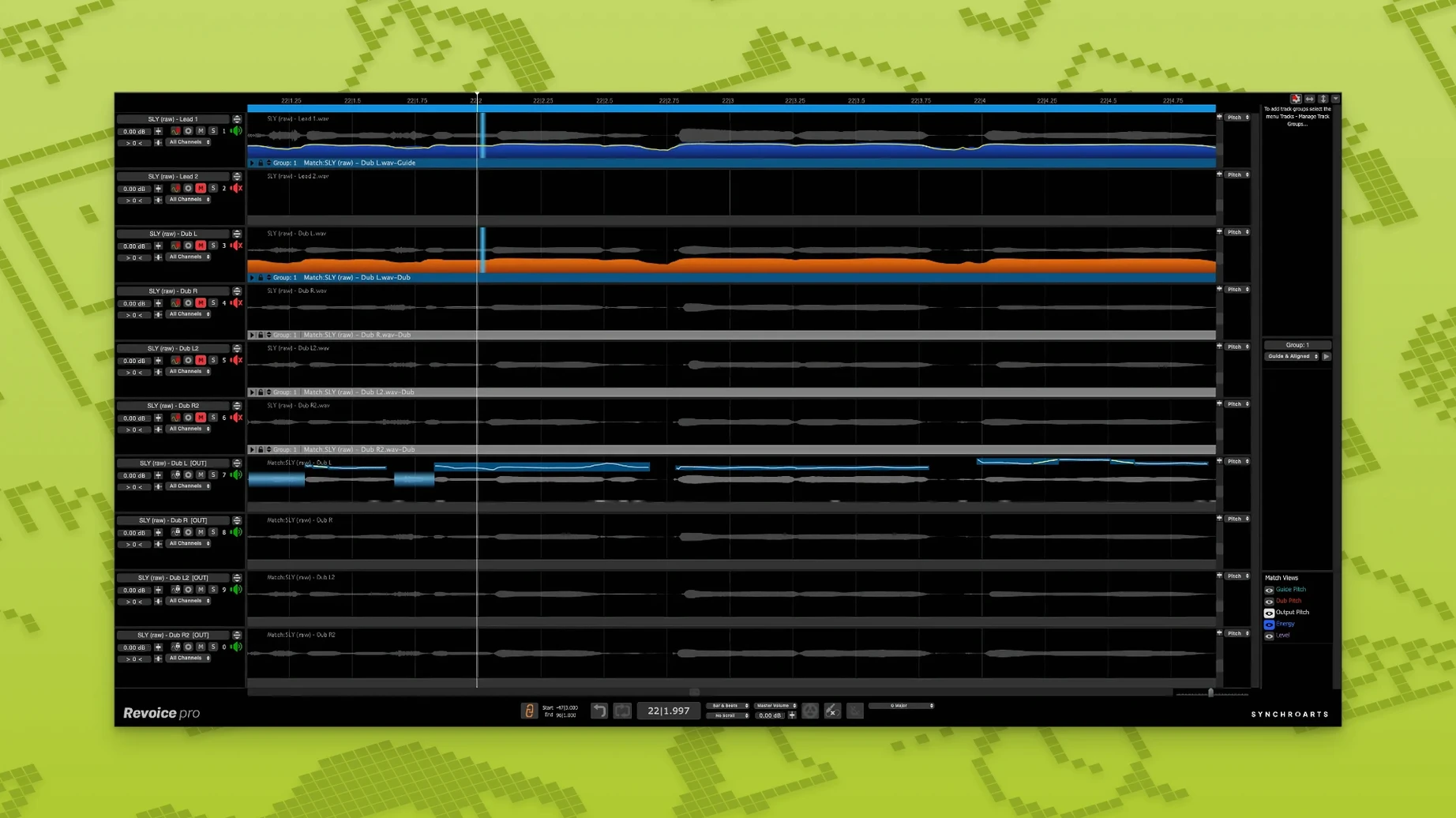
For anyone familiar with the tight manual work of aligning vocal stacks in a DAW, Revoice Pro approaches the same task as a dedicated processing environment for time, pitch and loudness, running as an AU, VST3 or AAX plug-in on Intel and Apple Silicon Macs from macOS 10.14 onward.
Sync takes that drift apart
SmartAlign brings disparate takes into lockstep, handling clips with different start and end positions without slicing or warping by hand.
Match pitch across doubles and harmonies
SmartPitch adjusts the tuning of doubled and harmonised lines to sit against the guide vocal, while the Shaper Tool offers fine pitch-sculpting for moments that need a lighter touch.
Widen with a layered double
When the alignment snaps wrong
SmartAlign usually nails the sync, but a handful of situations reliably trip it up. Breathy passages where the guide vocal drops to a whisper can confuse the detection, because the algorithm latches onto clear harmonic content. If a double drifts in and out of lock across a phrase, solo the problem section and check whether the guide track has consistent energy. Sometimes a light high-pass filter on the guide before analysis gives SmartAlign a cleaner outline to follow — just bypass it once the alignment is baked.
Another snag: stacked harmonies with overlapping consonants. When three or four harmony lines hit a hard "t" or "k" at slightly different moments, SmartAlign may over-correct one to match another, producing a flam effect. The fix is usually to process those layers in smaller groups, using the tightest take as the guide for each pass rather than feeding everything to a single guide track at once.
When sixteen-part choruses need to lock by Friday
Revoice Pro earns its keep fastest for engineers cutting dense vocal arrangements on tight deadlines — pop producers stacking sixteen-part choruses, post-production editors matching ADR to location audio, vocal producers who comp a lead from a dozen takes and need the double to follow every breath and tail. The time saved isn't just about bypassing manual warping; it's about preserving the instinct to try another pass without dreading the alignment work that follows.
Mix engineers who receive poorly edited vocal sessions also lean on it heavily. When a client sends stems where the doubles were recorded to a different guide take than the final comp, SmartAlign can re-sync the entire stack to the new lead without rebuilding the session from scratch. Solo artists working alone — recording their own doubles and harmonies without an engineer to edit — find the vocal doubler and pitch matching reduce the self-consciousness of hearing their own voice stacked raw.
When SmartPitch flattens the soul out of a phrase
The most common beginner mistake is treating Revoice Pro like an automatic fix that needs no listening. SmartPitch set too aggressively will flatten the natural scoop and release of a phrase, leaving the performance technically in tune but emotionally blank. The software does what you tell it; if you push pitch correction to 100% across a whole verse, you get a result that sounds like a grid, not a singer. Experienced users ride the strength parameter per section, backing off on held notes that carry vibrato and tightening only where the drift is audible.
Another early misstep: feeding the wrong guide. When aligning a double, the guide should be the final comp — not a rough take that will change later. If the guide shifts, every aligned track must be re-processed. And with the vocal doubler, beginners often print the effect without checking mono compatibility. The doubler creates width through timing and pitch variation, and collapsing to mono can phase-cancel if the variation pushes too wide. Flipping to mono briefly while setting the depth and variation controls reveals the problem before it reaches a mix.
That late-night double drifting off the beat
Imagine a late-night vocal session: the lead take from earlier in the week is comped and sitting well in the track, but the double — tracked quickly at the end of a long day — wavers slightly behind the beat in the second verse and pulls sharp on a held note in the bridge.
You open Revoice Pro as an AU plug-in on the double track. The guide is routed from the lead vocal bus. You capture a short section across the chorus where the timing feels tight, let SmartAlign learn the relationship between the two performances, then apply the alignment across the full song. The double snaps into place against the guide, consonants landing together, tails decaying in sync. You switch to the Shaper Tool, zoom into the bridge phrase where the pitch climbs, and draw a subtle curve that eases the note down a few cents — just enough that the beating between the two voices disappears. The whole edit takes under ten minutes, and when you bypass the plug-in to compare, the untreated double sounds like it's stumbling after the lead. With Revoice Pro active, the two voices move as one, the width staying intact without the timing drift that would pull the stereo image apart.
The built-in vocal doubler generates a second performance feel from a single take, giving you stereo spread without stacking identical copies.
Version 5.1.30 puts three processing tools front and centre: SmartAlign handles track synchronization when takes don't share start or end points, SmartPitch matches the pitch of doubles and harmonies to the guide, and the Shaper Tool provides direct pitch adjustment for fine-tuning individual phrases.
- macOS 10.14 or higher
- Intel or Apple Silicon processor
- AU, VST3 or AAX 64-bit host
Questions from the booth
It runs as an AU, VST3 or AAX 64-bit plug-in on macOS 10.14 and later, on both Intel and Apple Silicon processors.
Yes, the SmartAlign tool is built specifically to synchronise tracks with different start or end positions.
It includes a vocal doubler that produces a layered double from a single take, alongside SmartPitch for matching the pitch of doubles and harmonies.