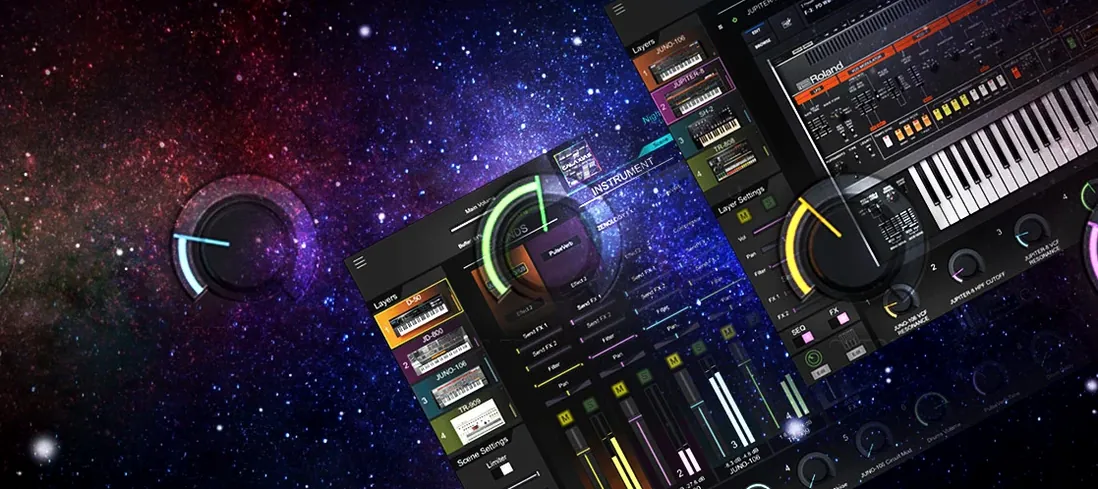
Picture the blue glow of a JUPITER-X across the room, its ZEN-Core tones filling a cue. You save a patch to hardware and open the same sound inside Logic Pro on a MacBook Air moments later, the arrangement already shifting around it. That continuity between knob‑laden instrument and plug‑in window defines the space Roland ZENOLOGY Pro occupies — a full software translation of the synthesis engine that powers the FANTOM and JUPITER lines, with no compromise on the voice architecture.
Runs natively on Apple Silicon from a single disk image install
ZENOLOGY Pro requires macOS 11 or later and runs natively on both Apple Silicon and Intel processors. The interface is a single resizable window offered in English, and installation is a straightforward affair of mounting a disk image and launching the standard installer.
What does the sound engine actually contain?
More than 4,000 tones and 200 drum kits sit inside the library, each built from a part structure that bundles an oscillator, filter, amplifier, dual LFOs and EQ. Four oscillator types — virtual analog, Supersaw, noise and PCM (including PCM SYNC) — feed into eleven LFO shapes, giving animators real modulation range before they even touch the effects chain.
Edit patches here and ship them to a JUPITER‑X or FANTOM
Since ZENOLOGY Pro is the software version of the ZEN-Core synthesis system, patches can be edited here and shared with compatible keyboards like the JUPITER-X and FANTOM. It also packs over 90 of Roland's effects, so the sound‑design path from plug‑in to stage rig stays coherent.
Roland’s engine room rather than a roomful of classic emulations
ZENOLOGY Pro holds a peculiar spot. It is not a model‑by‑model emulation in the way Arturia's V Collection spreads across a roomful of classics, nor a single‑architecture workstation like Korg's Wavestate Native. It is the engine room of Roland's current hardware generation, opened up as software, and that shapes the comparison.
Next to Arturia's Analog Lab Pro, the difference is access. Analog Lab gives you a curated window into several vintage instruments — tweak a handful of macro controls, but dive deeper and you are nudged toward the full individual plug‑ins. ZENOLOGY Pro puts the full oscillator‑filter‑effects chain of ZEN‑Core in front of you straight away, with fewer sweet‑spot guardrails but far more synthesis control from a single window. If you are pulling up a mood pad between two scenes of a short film, Analog Lab gets you there faster. If you are building a patch that reacts to breath controller data across four partials, ZENOLOGY Pro is where the path stays open.
Korg's Wavestate Native is a different beast entirely — a vector synthesizer built around wave sequencing, where rhythms of timbre shift across a key press. Its character is restless and evolving. ZENOLOGY Pro is more of an architect's tool: four oscillator types, PCM waveforms you can hard‑sync, and a filter section that includes models lifted from the JUPITER lineage. The Roland engine leans into classic subtractive territory with a modern modulation backbone, whereas Wavestate pushes you toward motion as a starting condition. A composer scoring a documentary might reach for Wavestate to make a drone feel alive; the same person might pull ZENOLOGY Pro into the session when the bass needs to sit in a mix without apology.
Against Native Instruments' Massive X, the contrast is one of texture and scale. Massive X chases futuristic, often industrial timbres with a routing system that encourages experimentation. ZENOLOGY Pro is grounded in Roland's decades‑old sense of musicality — its Supersaw and virtual analog waveforms sound polished, familiar, ready. Neither is better in a vacuum. If your project calls for a gnarly, morphing lead that sounds like it escaped a modular rack, Massive X leans in. If you need a string pad that evokes the warmth of a JUPITER‑X without the hardware turned on, ZENOLOGY Pro answers before you finish scrolling the tone browser.
Getting through the first few days without drowning
A plug‑in with over 4,000 presets can feel like a library with the lights off. The tone browser is the first thing to learn properly, not an afterthought. Spend an hour with just the browser: tag favourites, build a custom bank called "score ideas" or "bass that hits," and scroll through categories while a simple MIDI loop plays. The mental map you form here saves you from preset‑surfing every time you open a session.
Once a handful of tones are bookmarked, pick one and strip it. Remove effects, mute two of the partials, and listen to a single oscillator through a naked filter. ZENOLOGY Pro can sound enormous out of the box, but those huge patches often hide what the raw tone is doing. When you have heard the bare triangle wave or a dry PCM piano waveform in isolation, you start to predict what the engine will give you before layering begins.
On day two or three, map a hardware controller to the filter cutoff and an LFO depth. ZENOLOGY Pro responds to MIDI CC assignments without drama, and the tactile feedback changes how you explore the ten filter types. The JUPITER‑modelled low‑pass filter in particular behaves differently when you ride it by hand — the resonance character comes through more clearly than when a drawn automation line does the work. This small step also makes the software feel less like a plug‑in and more like the hardware it mirrors.
Another early habit worth forming: save a template patch that has all four partials enabled but silent, with a clean effects rack. Use it as the starting point for sound design sessions. Building from zero in the ZEN‑Core engine is fast once the structure becomes second nature, but the factory defaults for a new instance can lead you toward preset tweaking rather than genuine patch creation.
What the 2.0 era changed in actual daily use
Version 2.0.7 did not rewrite the synthesis engine — the ZEN‑Core architecture was already mature — but it refined how the plug‑in fits into a working day. The most noticeable shift was interface responsiveness on Apple Silicon Macs. Earlier versions ran through Rosetta 2 and carried a slight window‑drag lag that chipped away at the hardware‑like feel Roland was chasing. The native ARM build erased that. Scrolling the tone browser, dragging partials between slots, and resizing the window all feel direct now, which matters when you are sound‑designing against a deadline.
The tone browser gained favouriting and custom bank creation in a form that actually stuck — earlier implementations could lose user banks under certain DAW conditions. Having your own banks persist across Logic Pro, Ableton Live, and a second Mac in the studio changed the rhythm of patch management. You can now build a set of tones for a feature project on a desktop and pull them up on a laptop during a live scoring session without exporting files manually.
Under the hood, the PCM playback engine was tightened. Some users of earlier releases had noted timing inconsistencies when PCM SYNC oscillators were pushed into fast‑attack territory; the current build handles transient alignment more cleanly. This is the kind of fix you do not notice in a review video but feel immediately when a percussive sequence with tight MIDI timing locks to the grid the way it should.
Roland also expanded the number of Wave Expansions and Sound Packs recognized by the plug‑in throughout the 2.0 cycle. Where the initial library felt broad but stationary, the current state of the catalog — with over 10,000 possible variations once expansions are loaded — makes the instrument feel like it is still growing, not just a static software snapshot of a hardware engine.
Where beginners tend to trip
The most common early mistake is treating ZENOLOGY Pro like a sample player. Yes, it contains 1,840 PCM waveforms, and yes, they can sound like real instruments, but the power lies in treating those waveforms as oscillator sources to be sculpted, not as finished sounds to be triggered. Loading a solo violin PCM and wondering why it lacks expression misses the point: route velocity to the amplifier envelope, assign aftertouch to a filter, layer it with a soft virtual‑analog pad from a second partial, and the thing comes alive.
Another stumble happens with the effects chain. More than 90 effects sit in the rack, and the temptation is to stack them like guitar pedals until the tone is drenched. Roland's effects are musical, but the ZEN‑Core partial structure already gives you EQ, two LFOs, and a dedicated filter per partial before the global effects even engage. Beginners often reach for reverb and delay to fix a tone that really needs a faster attack on partial two. Clean up at the source — oscillator and envelope — before touching the effects slots, and the results hold up better in a mix.
Ignoring the compatibility with ZEN‑Core hardware is another quiet loss. If you own a FANTOM or JUPITER‑X, the ability to design a patch in the plug‑in and transfer it to the keyboard is not just a marketing bullet point — it means you can shape sounds on a laptop during post‑production, then recall them on stage without reprogramming. Beginners who treat the software and hardware as separate instruments miss the continuity that makes the ZEN‑Core ecosystem valuable in the first place.
Once activated, it works as a standard plug‑in with no background subscription
Does it work without a Roland Cloud subscription running in the background? The plug‑in itself does not require a constant internet connection once it is installed and activated. It operates as a standard audio unit or VST inside a DAW. The expansions and Sound Packs are delivered through the Roland Cloud ecosystem, but the core instrument with its 4,000‑plus tones functions as a local plug‑in.
How does ZENOLOGY Pro differ from the standard ZENOLOGY plug‑in? The standard ZENOLOGY is a playback engine for ZEN‑Core tones — you can browse and play presets, but deep editing of partials, oscillators, filters and effects is locked away. ZENOLOGY Pro opens the entire architecture. If you only need to recall sounds and tweak a few macro controls, the standard version is lighter. If you intend to build patches from scratch or edit them for hardware transfer, Pro is where that becomes possible.
Will it choke a MacBook Air on a long timeline? ZENOLOGY Pro can be demanding when multiple instances run polyphonic patches with heavy effects, but the per‑partial optimization in version 2.0.7 means a single instance with four active partials is often more CPU‑efficient than four separate plug‑ins. Bouncing to audio for big sessions is still wise, but an M‑series MacBook Air handles a dozen moderate patches without stuttering.
Is there a difference between downloading the installer directly and finding a zenology mac build through third‑party sources? The plug‑in is the same ZEN‑Core engine regardless of how it arrives on disk. Everything described here — the 4,000‑plus tones, the four‑partial structure, the JUPITER filter models, the hardware patch transfer — is built into the software. What varies is only the packaging, not the synthesis architecture or the sound.
- macOS 11 or later
- Apple Silicon or Intel processor
- Interface language: English