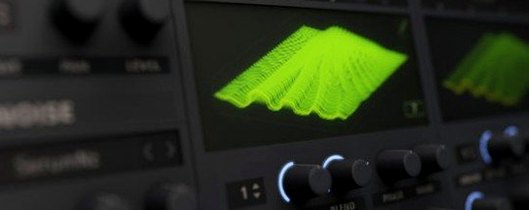
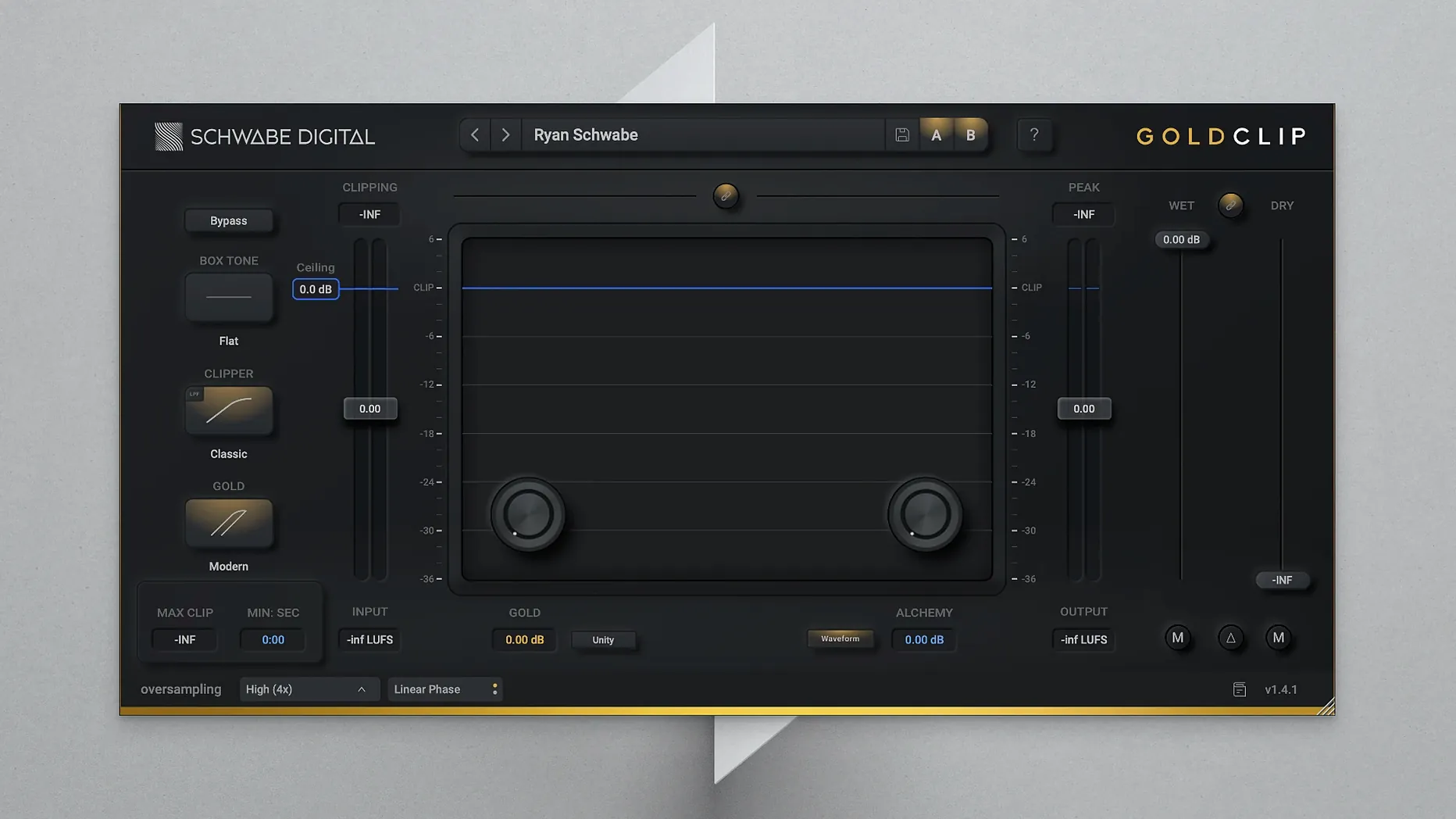
ALCHEMY — the high-frequency contouring effect — acts less like a traditional EQ and more like a spectral polish that pulls detail forward without the usual fatigue. It’s the first thing you notice after the gain reduction kicks in, and it’s part of what keeps Gold Clip from feeling like just another clipper. The plugin runs as VST3, AU or AAX on macOS 10.13 and newer, native on both Intel and Apple Silicon, which means it slots into Logic, Ableton Live, Pro Tools and most other DAWs without a bridge.
High-precision clipping and the GOLD effect
The core of Gold Clip is a high-precision clipper designed to shave transients and raise perceived loudness on a full mix or a dense group bus. You drive into the ceiling, the waveform squares off, and the body of the track comes forward — standard clipper behaviour on paper, but the curve here lands somewhere between a soft saturator and a hard wall, preserving punch even at aggressive settings. The GOLD effect layers a warm, reactive distortion into the clipped signal, adding weight to low-mids and a slight halo around the top end. It’s most useful when a track feels loud but still reads small on smaller speakers.
Hosts, formats and compatibility
Gold Clip is available in English only, packaged as a single installer for Intel and Apple Silicon Macs running macOS 10.13 or later. It loads in any host that supports 64-bit VST3, AU or AAX — Logic Pro, Ableton Live 10 and 11, Bitwig, Cubase, Pro Tools 2020 and beyond. There’s no standalone mode; you instantiate it as an insert, usually near the end of the chain, where the ALCHEMY contouring can settle any harshness the clipping might have introduced. Activation instructions come inside the download package.
How Gold Clip sits alongside other Mac clippers
Placed next to Venn Audio's Free Clip, Gold Clip reveals its priorities quickly. Free Clip is a clean, multi-mode clipper with a crisp waveform display and none of the harmonic dressing — excellent for transparent peak shaving on individual tracks, but you're on your own when it comes to adding back the warmth that hard clipping strips away. Gold Clip folds that warmth into the process by design, and the GOLD circuit does what Free Clip would need a separate saturator plugin to achieve.
Against Kazrog's KClip 3, the difference is more about philosophy than quality. KClip offers multiband clipping, a spread of algorithms from soft to tube-style, and a detailed metering section that invites surgical decisions. It's a clipper for engineers who want to see exactly what's being shaved. Gold Clip pares that back — fewer modes, fewer visual cues — and instead makes the ALCHEMY high-frequency contouring a central, musical control. Where KClip asks you to manage harshness with crossover points, Gold Clip gives you one knob that reshapes the top end after the fact, which tends to be faster when you're mixing toward a deadline.
There's also the question of what happens when you push hard. Many users who grab a Schwabe Digital Gold Clip crack Mac download are chasing exactly that ceiling — the point where most clippers turn brittle but this one holds together. The difference is audible: Gold Clip's clipping curve softens the final few decibels in a way that KClip's hard mode does not, which makes it more forgiving on full-program material at the expense of absolute transparency on transients.
Switch alchemy on and pull it to 2.5 first
The default state loads with GOLD at noon and ALCHEMY bypassed, which is a polite invitation, not a starting point. Switch ALCHEMY in and pull the Alchemy Amount to around 2.5 — that's where the high-frequency contouring begins to feel like a lift rather than a presence boost, and it changes how hard you end up driving the clipper because you're no longer compensating for dullness with gain.
The other control worth adjusting immediately is the Ceiling link behaviour. By default the ceiling snaps to your DAW's peak reference, but unlinking it and dropping the ceiling by 0.3 to 0.5 dB while increasing the input drive creates a softer knee that rounds off transients more gradually. For dense pop mixes where the kick and vocal are fighting for headroom, this small unlink makes the difference between a loud master and a flat one.
The Oversampling menu deserves a look too. The factory setting balances CPU load against aliasing suppression, but on a full mix with heavy synth content, switching to the highest available oversampling rate cleans up the top octave noticeably — worth the extra latency on a mix bus where you're not tracking.
A mastering-chain workflow: pop vocal and 808 glue
Imagine a pop track where the vocal sits too far forward in the chorus and the 808 tail crowds the low-mids, making the whole thing feel smaller than it should at streaming loudness. Gold Clip lands as the final insert before the limiter — or, if you're limiting elsewhere, as the last colour stage.
Start with the Clip Ceiling at -0.6 dB and the Input Gain pushed until the Gain Reduction meter flickers around 3 to 4 dB on the loudest syllables. The vocal peaks will square off first, which is what you want — they're the transient events stealing headroom. Engage the GOLD circuit and sweep the Amount from 10 o'clock upward until the low-mids thicken just enough that the 808 feels anchored, not bloated. Gold's saturation tends to bloom around 200 to 400 Hz on bass-heavy material, so listen for the point where the kick's body rounds out without stepping on the vocal's lower register.
Now bring in ALCHEMY. Set the Frequency to 6 kHz and the Amount to 3.0, then toggle it in and out while focusing on the vocal consonants and hi-hat spread. The effect isn't a shelf boost — it's a reshaping that pulls air forward without making sibilants spiky. Back the Amount down if the hats start to lean toward fizzy; on some converters, 2.2 to 2.8 is the window where clarity peeks through without calling attention to itself. The result is a mix that reads as loud and present, with the vocal tucked into the pocket rather than sitting on top of it.
- macOS 10.13 or later
- Intel or Apple Silicon processor
- 64-bit VST3, AU or AAX host
Questions from the booth
ALCHEMY is a high-frequency contouring effect that makes the sound clearer and more detailed without introducing harshness.
Yes, the developer describes it as suitable for final track processing, where its clipping and contouring can shape overall loudness and tone.
It does — the current version supports both Intel and Apple Silicon Macs running macOS 10.13 or newer.