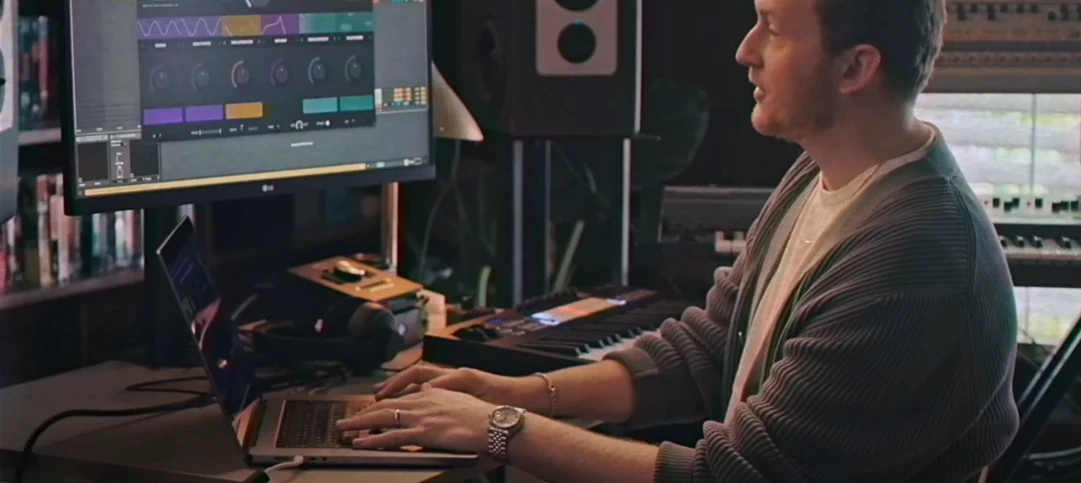
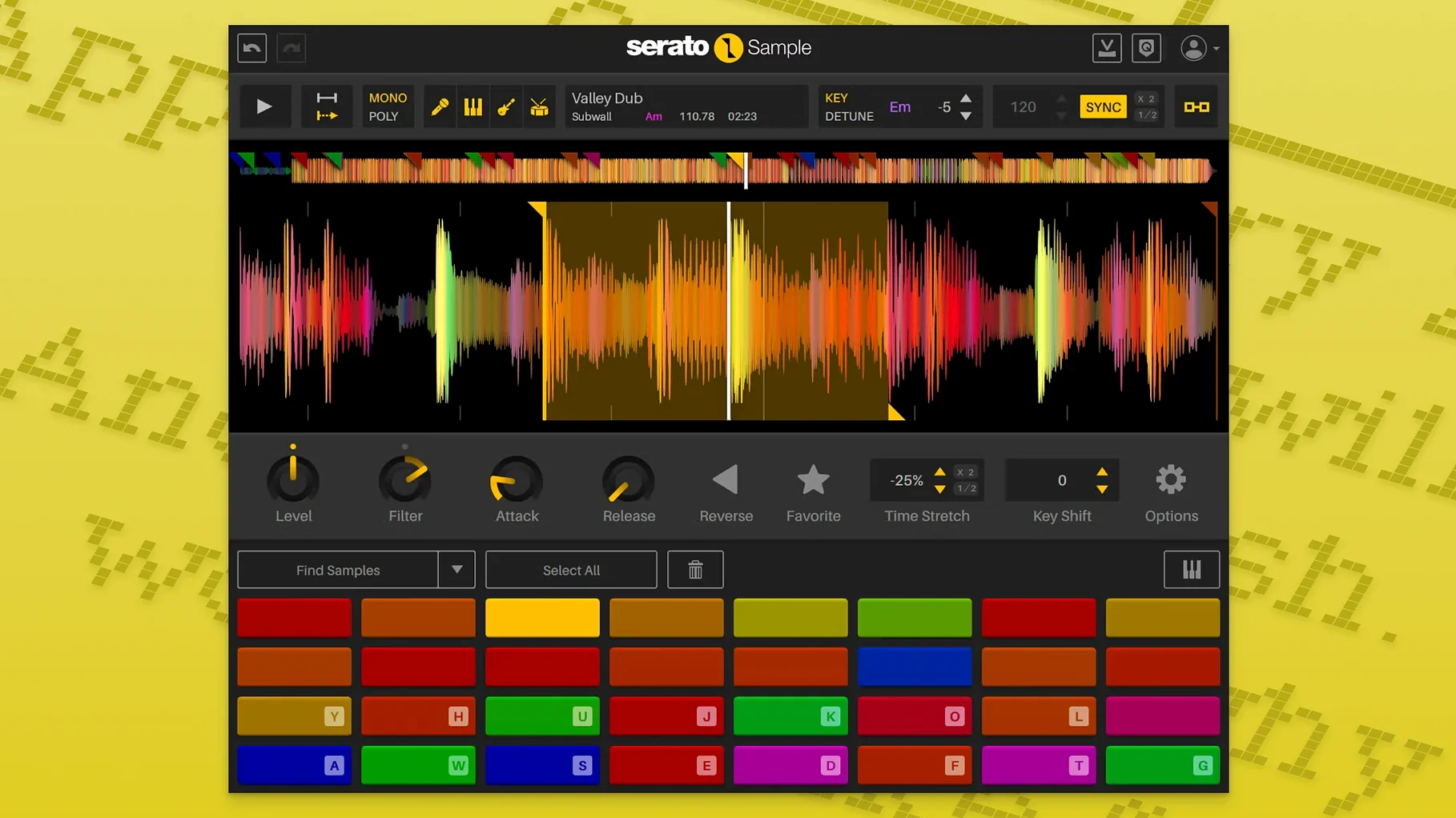
If you’ve spent time with Serato DJ, you already know how the company thinks about audio — tight sync, fast cueing, a feel for rhythm that comes from decades of turntable culture. Serato Sample takes that DNA into your DAW. It’s not a sprawling rompler; it’s a single window built for pulling a piece of audio apart and making it work against a beat, in key, without friction.
Playing pitched vocal chops across a MIDI keyboard
- Chopping a loop and playing slices across a MIDI keyboard, computer keys, or a piano roll
- Time-stretching samples that weren’t recorded to a click, using beatgrids to lock them to your project tempo
- Isolating and mixing the four stem components — acapella, melody, bass, drums — at independent levels you can automate from your host
- Quick key and BPM detection that matches the sample to your session
A creative instrument tied to your DAW, not a standalone app
- It’s a creative sampling instrument inside a DAW, not a standalone app — you’ll need a compatible host
- Keyboard Mode lets you play pitched slices, but the focus stays on performance and feel rather than deep multi-sample library building
Per-stem level control now lets you shape isolated parts separately
Version 2.2.0 didn't overhaul the interface or add a flashy new mode. Instead it tightened three things that, in practice, reshape how quickly you move from idea to arrangement. The most noticeable is per-stem level control. Before, you could isolate the acapella or the drums, but you couldn't ride the bass stem up while pulling the melody back. Now each stem has its own fader, which turns Sample into a four-channel mini-mixer sitting inside one plugin slot. For a producer layering a sampled hook under an original bassline, that means you don't need to bounce stems to separate tracks just to get the balance right.
The second shift is host automation. Stem On and Stem Levels are exposed as automatable parameters, so you can draw fades, mute drums in a verse, or slowly introduce the vocal stem over eight bars — all from your DAW's automation lanes. It turns stem isolation from a static state into a performance that evolves with the arrangement. The third quality-of-life change is mouse wheel support on hovered parameters. It sounds small, but when you're nudging start points or tightening cue assignments, being able to scroll instead of click-drag makes the difference between staying in flow and losing a thread.
Under the hood, support for macOS Tahoe and AlphaTheta SLAB hardware arrived too. If you're on a newer Mac or working with AlphaTheta's controller ecosystem, the plugin now slots in without compatibility detours.
How Serato Sample fits into a wider setup
Sample works best when you treat it as the sampling brain inside a larger production environment. It loads as a VST, AU, AAX, or VST3 instrument on a MIDI track, and from there it talks to whatever else your session holds. A common pattern: drop Sample on a track, feed it a dusty soul loop, isolate the drums and bass into separate stems, then route a sidechain signal from your kick to duck only the bass stem while the drums keep their punch. Because stem levels are independent, you can set that up without touching a single external bus.
The plugin also plays well with macOS audio routing. On Apple Silicon machines running macOS 11 or later, you can use Sample inside Logic Pro while BlackHole or Loopback captures the output for streaming or sampling into another app. The AU and VST3 versions sit comfortably in Ableton Live and Bitwig, where Max for Live devices and modulators can take control of the newly exposed automation parameters for generative stem-mixing patches.
And there's a quieter integration worth mentioning: the keyboard. Not just a MIDI controller — your Mac's QWERTY keys trigger slices in Keyboard Mode, which means you can sketch a beat on a laptop with nothing plugged in. That portability matters when you're away from the studio and an idea arrives. Open your DAW, load Sample, drag in a recording, and you're playing it immediately with the same keys you type on.
Expecting clean stems from a dense, reverb-heavy mix
The first misstep is loading a full song and expecting Sample to give back clean, isolated stems without considering the source material. The stem separation is good, but it's not magic. A dense mix with heavy reverb will leave artefacts in the acapella stem, and a thin lo-fi recording won't suddenly yield a weighty bassline. Beginners often blame the plugin when the real issue is expecting surgical separation from a mono MP3 ripped off vinyl. Feed it well-recorded stereo material and the results improve dramatically.
Another common error: ignoring the beatgrid. When a sample drifts off the grid — think of an old funk break where the drummer speeds up slightly through the fill — Serato Sample's automatic detection can struggle. New users sometimes accept the first BPM guess and then wonder why the chops feel loose. Spending thirty seconds adjusting the beatgrid markers until the transients lock visually to the grid solves this. The time-stretching engine, built on Pitch 'n Time, does the rest once the grid is right.
Beginners also tend to overlook Keyboard Mode's pitch range. By default, it spreads slices chromatically, but you can constrain it to a scale or shift the root note. Without that adjustment, playing slices from a MIDI keyboard often produces atonal jumps that feel broken when they're just unpitched. And finally: ignoring the stem level automation. Many producers set static stem balances and leave them for the whole track, missing the chance to build tension by fading the vocal in gradually or dropping the drums out for a bar before a chorus.
Flipping old jazz recordings into a melodic hook and texture
You open a half-finished beat in Ableton Live. The drums are locked in, the bassline feels right, but the track needs a melodic hook and some texture. You've got a folder of old jazz recordings — piano trios, horn sections, the kind of material that carries a room tone you can't fake with a synth. You pull one into the arrangement and start trimming in Sample's waveform display, looking for a phrase that sits well against your tempo.
Sample detects the key and BPM automatically. The jazz recording was played without a click, so you open the beatgrid editor and drag the markers until the downbeats align. You toggle the stretch engine on and the phrase locks to your project grid without losing its human feel — Pitch 'n Time does the heavy lifting.
Now you want only the piano and the horns. You hit the stem separation button and wait a few seconds. Four stems appear: acapella, melody, bass, drums. You mute the bass and drums, drop the melody level slightly, and suddenly you have a floating horn phrase that fits your track's key. You set up three cue points — the opening swell, a short stab in the middle, and a held note near the end — and assign them to C1, D1, and E1 on your MIDI controller.
You record a pass, triggering the slices live, responding to the energy of the drums underneath. The performance is loose in a good way, but the horn phrase overpowers the verse vocal. Instead of reaching for an EQ, you open the stem level automation lane and draw a gentle dip on the melody stem during the vocal sections. The horns recede without losing presence, and the vocal sits clearer. Twenty minutes from dragging in the sample, you have a textured hook that breathes with the track, not against it.
Runs natively on Apple Silicon without Rosetta
Does it work on an M1 or M2 Mac? Yes. The plugin runs natively on Apple Silicon, no Rosetta required. The current build includes both ARM and Intel 64-bit binaries, so it loads directly into your DAW regardless of which Mac architecture you're on, as long as you're running macOS 11 Big Sur or later.
Will it open in my DAW? Almost certainly. Serato Sample supports AU, VST, VST3, and AAX formats. That covers Logic Pro, Ableton Live, FL Studio, Bitwig, Studio One, Cubase, Pro Tools, and Reaper. If your host loads one of those plugin standards, Sample appears in your instrument list.
How long does stem separation take? It depends on the length of the sample and your machine, but for a typical four-to-eight-bar loop, expect around five to ten seconds. Longer passages take proportionally longer. The processing happens on your CPU, so a faster chip speeds things up noticeably.
Can I use it without a MIDI keyboard? Absolutely. Keyboard Mode maps slices to your computer keyboard, and you can also sequence slices directly from the piano roll in your DAW. Mouse-clicking on cue points triggers them too, though it's less performative.
Is the stem quality good enough for a finished track? In many cases, yes — especially when the source material is clean and the stems are mixed back into a full arrangement where other elements mask any minor artefacts. For an acapella that needs to stand completely exposed, you might still reach for a dedicated stem separation tool, but for beatmaking workflows where the stems sit inside a dense mix, the quality holds up well.
What if I need the acapella but the instrumental bleeds through? Lower the melody, bass, and drum stem faders to zero and audition the acapella solo. If bleed is present, try a different section of the sample — separation quality varies with arrangement density. Sometimes shifting your cue points by a bar lands on a cleaner extraction.
Version 2.2.0 adds individual level control for acapella, melody, bass, and drum stems, and those stem levels — along with Stem On — are now exposed as host automation parameters. Mouse wheel scrolling on hovered parameters speeds up editing, AlphaTheta SLAB support is included, and the plugin runs on macOS Tahoe.
- macOS 11 Big Sur or later
- 64-bit Intel or Apple Silicon Mac
Questions from the booth
Yes. Stem On and Stem Levels are exposed as host automation parameters so you can draw or record changes across your arrangement.
It does. You can set beatgrids to sync unquantized samples to the project, and the time-stretch engine keeps them musical.