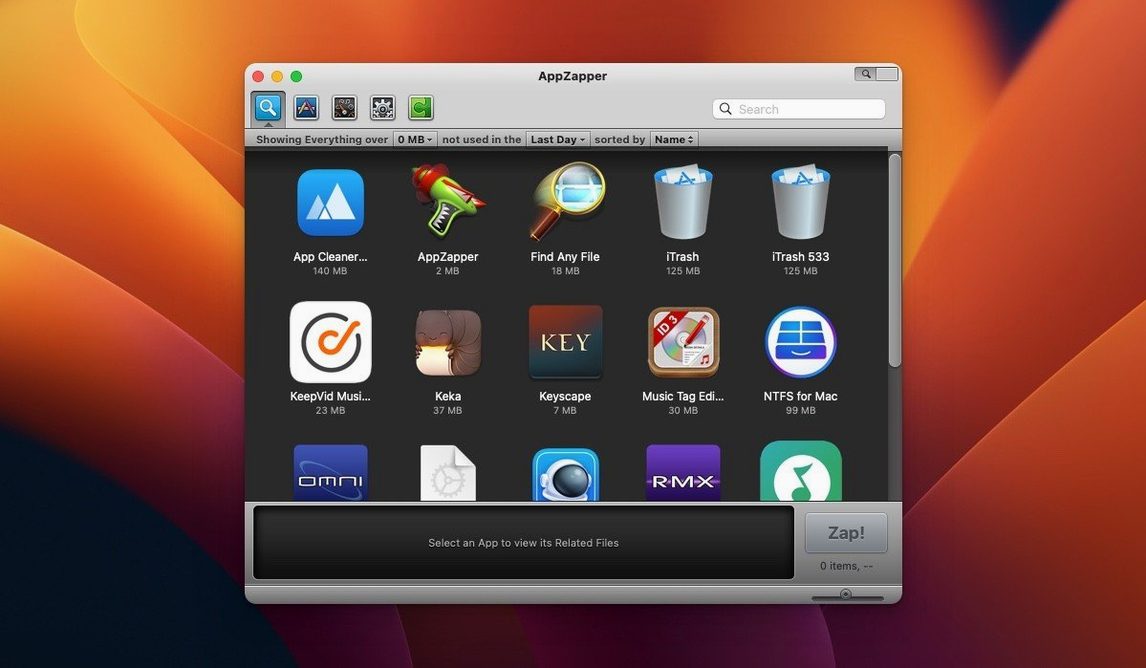
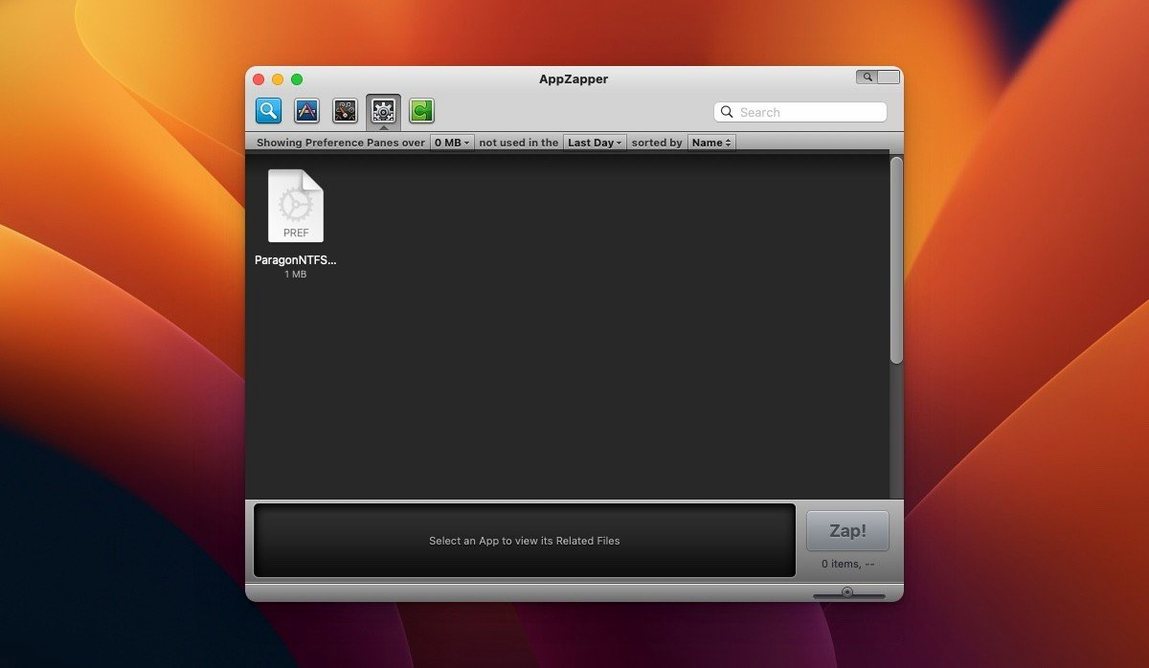
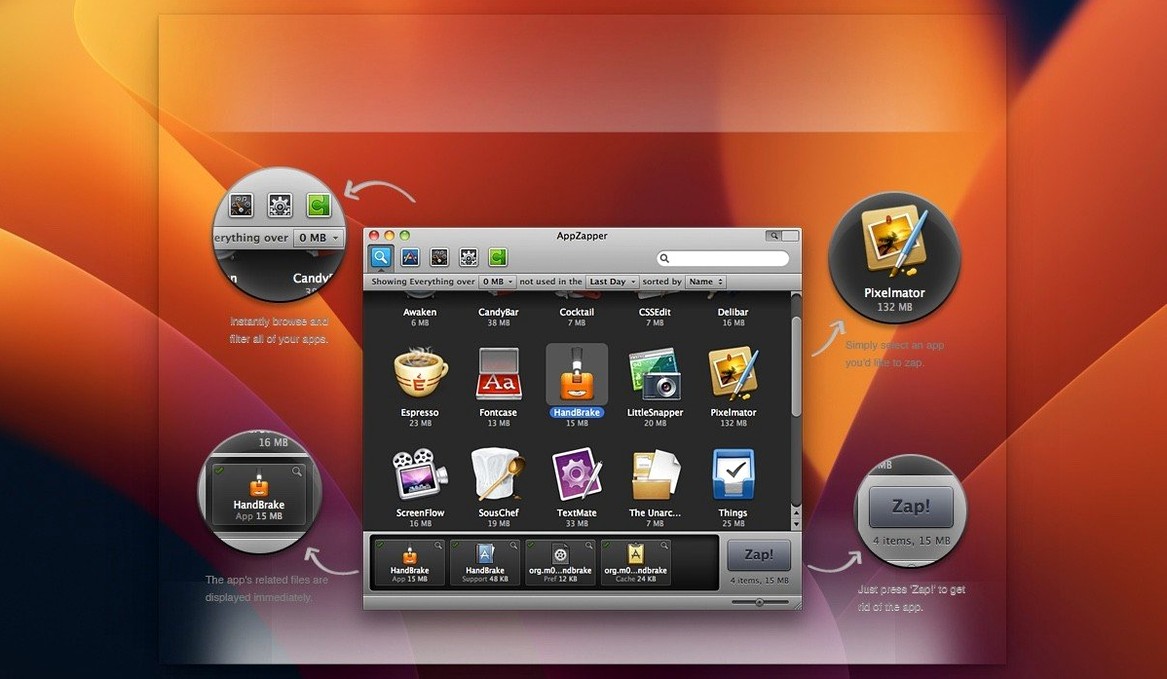
ZapGenie is where the real difference lives. Instead of dragging an app to the Trash and hoping its leftover .plist files and caches don't pile up over the years, AppZapper 3000 puts a grid of every installed application in front of you. Large icons, last-used dates, and a name filter let you spot the old Monopoly clone you haven't touched since OS X Yosemite. Click one, and the window populates with the main binary plus every related file it can trace—Application Support folders, preferences, saved states.
The receipt trail most apps leave behind
- Does it actually find everything? It catches what the app's own receipts and standard macOS paths reveal. Files written to unpredictable locations by poorly behaved software still need a manual sweep, but the sprawl of library items most apps leave behind gets rounded up in one hit.
- What if I only want part of it gone? Every file in the list has its own checkbox. Uncheck the preference file if you plan to reinstall later, and let the rest disappear. The upper-right button added in the second version gives you a quick way to confirm the full set without hunting through the list.
A short note on compatibility
The current build runs on Intel Macs from OS X 10.9 onward, which covers a remarkably long stretch of machines still sitting in edit suites and home offices. No Apple Silicon native slice, but it launches under Rosetta without complaint.
Reclaiming a drive choked by three raw converters
Picture a photographer who keeps three raw converters installed because each handles a different camera profile. She is not uninstalling anything on purpose—she is simply out of space and macOS has started refusing Time Machine snapshots. Opening AppZapper 3000 and switching to the grid view, she sorts by last-used date and spots a lens calibration utility she has not launched since 2019. The related-files list shows a support folder holding two gigabytes of profiles she assumed were already gone. One click removes the app and the profiles together, and Time Machine resumes its work. She never touches Terminal, never opens a Finder window, and the only thing left in the Trash is something she can still restore if a client email changes her mind.
What the later versions changed in everyday use
The release notes tell a quiet story about the app growing into a more careful tool. Version 1.5.0 introduced ZapGenie, the browsable grid that made the whole app feel less like a search box and more like a shelf you can scan. Version 1.6.0 added Sparkle, so updates no longer meant visiting a website and manually replacing the app. Version 1.7.0 added the export option—useful when you want a record of what a particular app touches before you remove it, or when you are handing a machine to someone else and want a clean list to review. Version 1.8.0 added authentication prompts for non-admin accounts, which matters on shared Macs where one user should not silently delete another user's preferences. The shift toward Apple Silicon did not produce a native build, but nothing in the daily workflow changed for Intel machines.
Nothing leaves the drive until you click Zap
One recurring worry is whether the app will take liberties with files it was not asked to touch. The answer is that nothing is deleted until you click the Zap button, and nothing is deleted that you have unchecked in the list. A deleted file can always be pulled back from the Trash, so a misclick is rarely final. People also ask about AppZapper on machines that already have another uninstaller installed—there is no conflict worth worrying about, because the app only reads standard macOS locations and does not install background daemons or login items. Some users searching for appzapper mac expect a menu bar helper or a scheduler; there is neither. You open it when you need it, and it stays quiet the rest of the time.
Leaving preference files checked off saves nothing
The most common beginner mistake is treating the related-files list as optional reading. Zapping the main app while leaving a dozen preference files checked off saves nothing—those files remain exactly where they were. Another habit is dragging apps into the AppZapper window from the Dock, which does not work the way it does in the Finder; the intended flow is to select an app inside ZapGenie. Some users also forget that the export feature exists and end up deleting a configuration they later wish they had documented. If you are about to remove something you spent an afternoon configuring, highlight it, export the list, then zap. It costs five seconds and gives you a paper trail.
Version 2 reimagined the app browser as a large-icon grid that makes it far quicker to scan your installed software visually. A new confirmation button in the upper-right corner of the window provides a direct way to zap everything selected without re-checking the file list.
- macOS 10.9 or later
- Intel 64-bit processor
- English interface
Questions from the booth
Yes, it presents the app and all located support files together so you can delete everything at once, with the option to uncheck any item you want to keep.
Version 1.8.0 added an authentication prompt that appears when you lack admin privileges, letting you supply credentials to complete the removal.