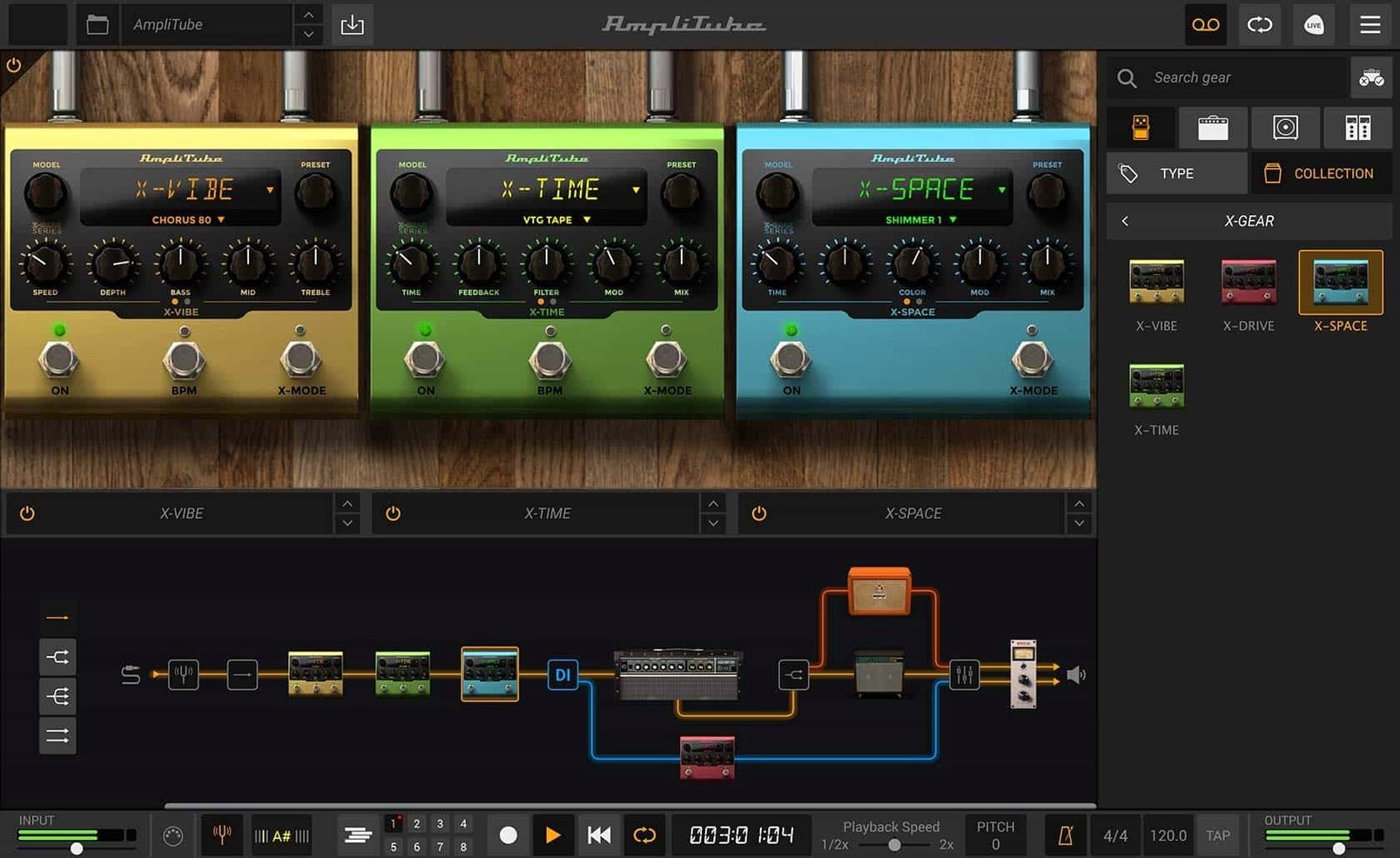
AmpliTube 5 runs on any Mac with macOS 10.15 or newer, natively on both Intel and Apple Silicon as a 64-bit application. It works as a standalone app or inside your DAW as an AAX, VST, or AU plug-in, slotting into an existing production setup without friction.
Building a tone from the ground up
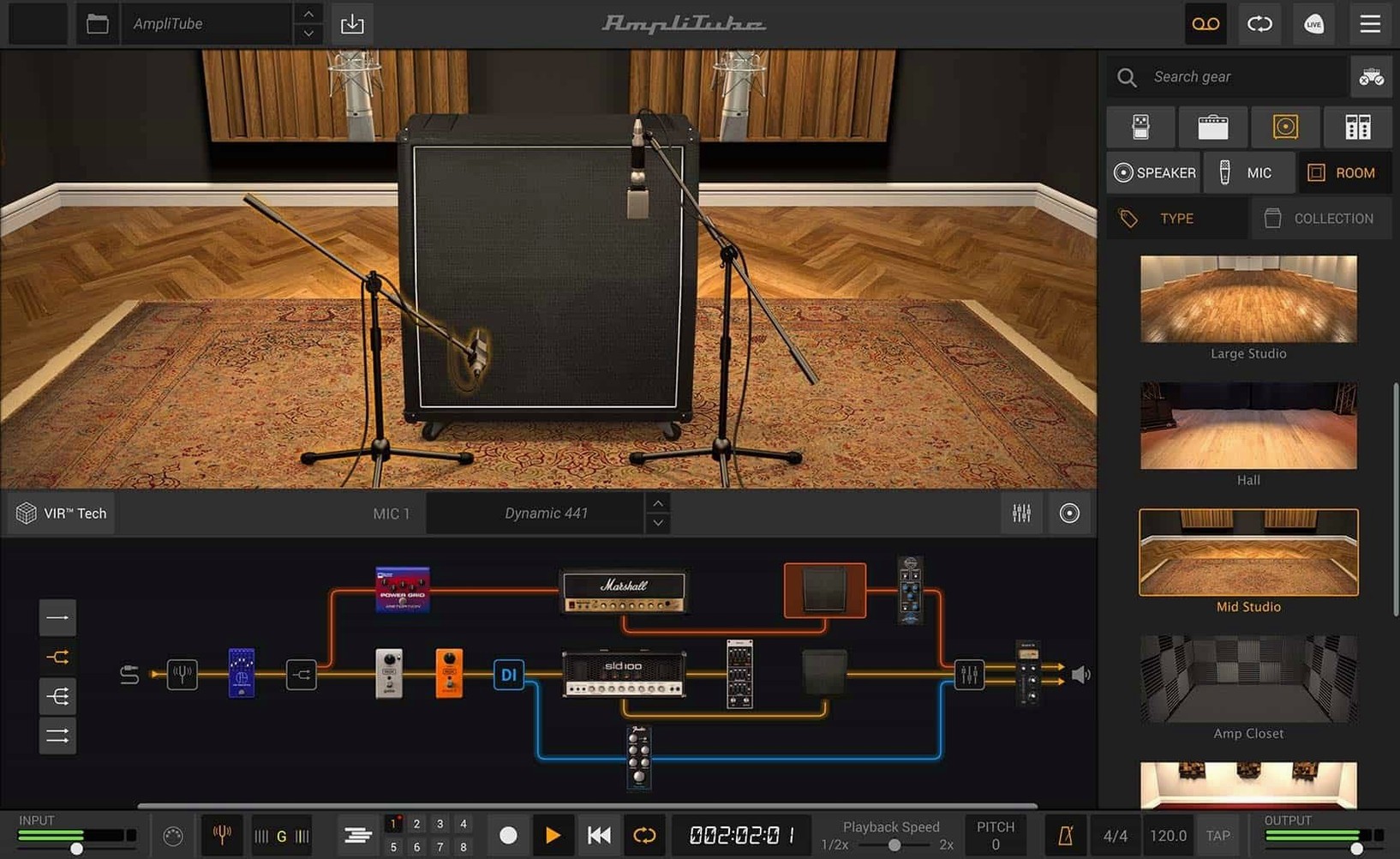
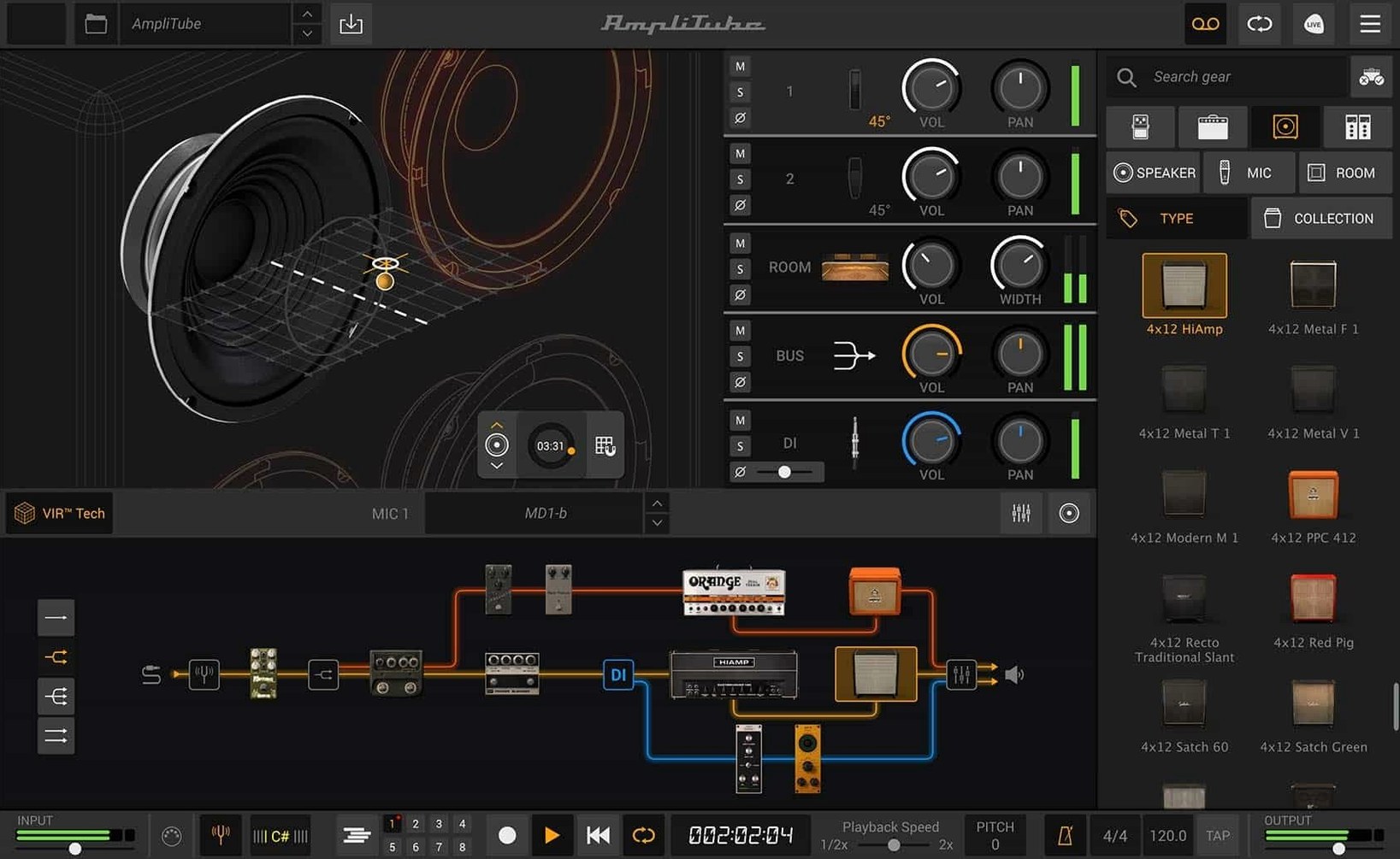
Say you have a dry DI track that needs weight and movement. You start by dragging an amp head into the new signal chain, where series and parallel routing let you split the path before it ever hits a speaker. With up to 57 simultaneous models, there is no practical ceiling on how elaborate the rig becomes. You place a vintage British head on one split and a cleaner American combo on the other, then assign each to its own cabinet from the redesigned section — more than 100 enclosures captured with IK’s VIR technology, so the spatial imprint shifts convincingly when you swap a 4×12 for a 1×10.
Shaping space and movement in the mix
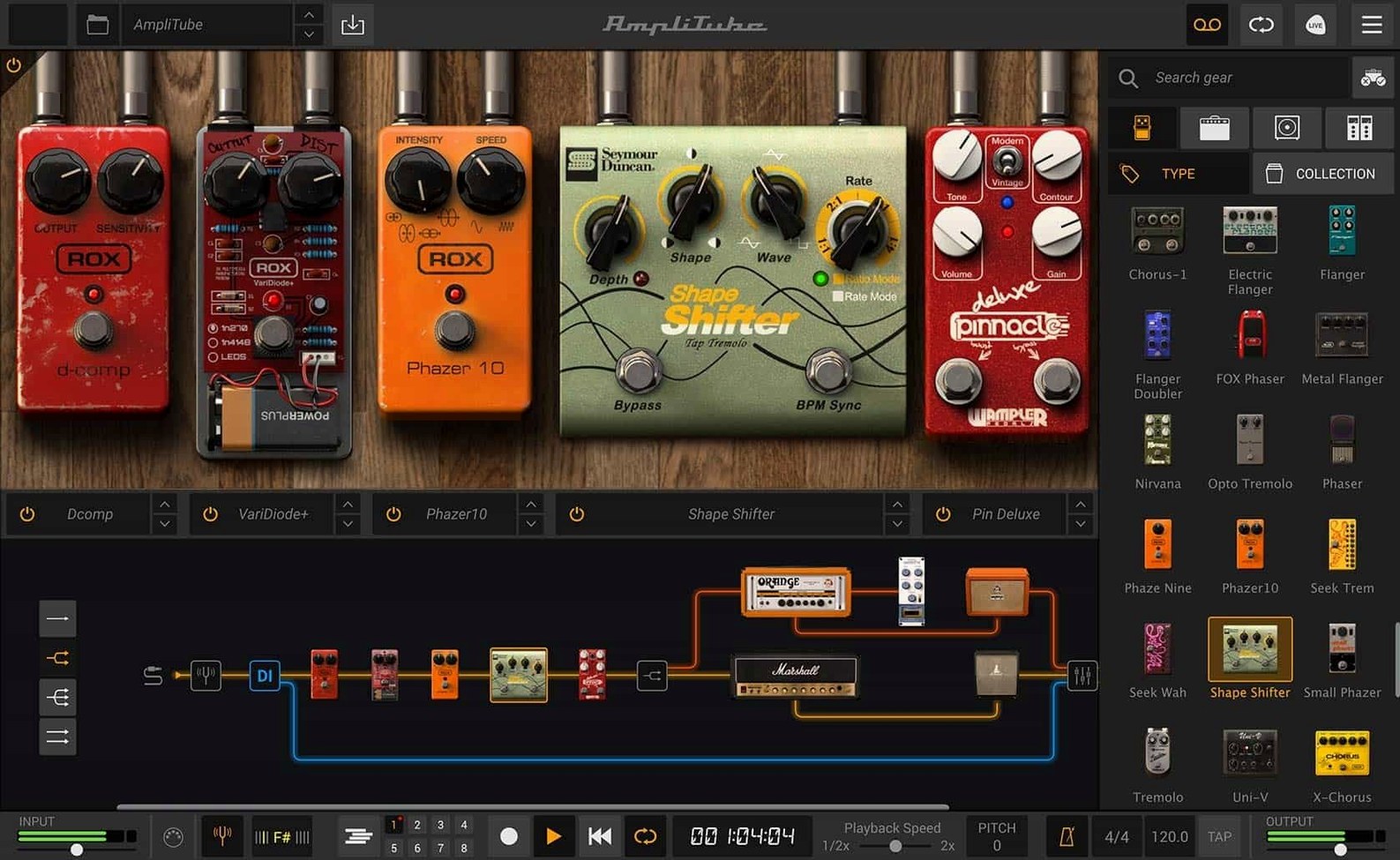
With the amp pair dialled in, you turn to the 23 rack effects to give the parallel paths distinct identities: a tape echo trails off one, a harmonic exciter pushes presence into the other. The redesigned mixer brings built-in effects right into the blend stage, so you can add a touch of room reverb across the summed signal without leaving the window. A final nudge on the mixed DI slider restores just enough pick attack to keep the notes articulate, and the whole chain — amps, cabs, racks, mixer — behaves like a single patch that recalls instantly next session.
A chain of nine amp heads and parallel IR cabinets barely flickered the CPU
I have thrown a lot at AmpliTube 5.8.2 on an Apple Silicon Mac — chains with eight or nine amp heads, parallel paths splitting into convolution-laden cabinets, rack effects stacked until the mixer looks more like a console strip. The thing does not flinch. Audio stays glitch-free at buffer sizes I would consider unreasonable for a guitar plugin, and the interface remains fluid even while swapping cabinets mid-playback. Memory sits around the same neighbourhood as a modest sample library — expect a few hundred megabytes with a complex rig loaded, nothing that should scare anyone off a 16 GB machine. On Intel Macs the experience is similar, though I notice the cabinet section redraws a hair slower when you flip through IRs quickly. That is the only difference worth mentioning.
Stability has been uneventful in the best way. Across Logic Pro and Ableton Live, the plugin has not caused a single session crash in the weeks I have been running it. Standalone mode is equally solid — I leave it open on a secondary desktop for quick practice sessions and it has never beachballed on me. One small quirk: if your audio interface disconnects while the standalone app is running, you will need to restart AmpliTube to pick up the device again. Not a dealbreaker, just something you learn on the first day.
Resource-wise, the heaviest lift comes from the VIR cabinet section. Those impulse responses are dense, and loading custom IR files adds a bit of disk chatter the first time you browse a new folder. Once cached, switching between cabinets is instantaneous. The redesigned mixer with its built-in effects barely registers on the CPU meter — you can run a full complement of channel strips without thinking about it. If you are the type who builds a 57-model monster chain just because the routing lets you, your processor will feel it eventually. For everything short of that, AmpliTube stays out of the way and lets you work.
Scoring a film cue late at night inside the standalone app
It is late evening. I have a short film score cue that needs a guitar line with tension and distance, something that sits behind dialogue without getting lost. I open the standalone app because I do not want to wait for the DAW to load — I just want to find the sound.
I start with an empty signal chain and drop in a small combo amp from the Fender collection, something with a rounded clean tone that breaks up softly when you lean into it. The new drag-and-drop routing makes this feel like patching a pedalboard: I pull a compressor pedal before the input, then split the path after the amp. One branch stays dry into a 1×12 cabinet. The other goes through a pitch-shifter set to a faint octave-up blend, then into a spring reverb from the rack section, then into a 2×10 cabinet miked off-axis.
I spend the next twenty minutes swapping cabinets. The VIR technology means each swap changes not just the frequency response but the spatial character — the off-axis 2×10 sounds like a speaker in a room rather than a microphone on a cone. I load a custom IR I captured from an old tape echo unit just to see if it colours the tail in an interesting way. It does. The mixed DI slider brings back some direct signal so the pick articulation does not dissolve into the wash. I save the patch, quit the standalone app, and launch Logic. The same patch loads inside the AAX version without a hiccup. The cue is done in an hour.
The free CS version ships with 42 models that are genuinely usable
A few questions come up every time I mention AmpliTube to other filmmakers who score their own work. The first is whether the free CS version is enough to get started. It is. You get 42 gear models that cover the essentials — a couple of amps, a handful of cabinets, the basic effects you need to shape a tone. The routing and mixer are fully functional, so you learn the signal chain workflow without limitations. The free set is a real working toolkit, not a demo that nags you after a week.
The second question is about plugin formats. AmpliTube 5.8.2 runs as AAX, VST, and AU, which covers every major DAW on macOS. If you work in Pro Tools, Logic, Ableton, Cubase, or Reaper, you are covered. The standalone app is useful for practice, sound design, and patch building without a host open.
People also ask about Apple Silicon support. It is native, not translated through Rosetta. That matters for CPU-heavy sessions where every cycle counts. The installer is a single disk image — mount it, run the standard installation, and you are done. Some users look for an AmpliTube 5 Max free download to explore the full 400-plus model library, and that is understandable when you want to hear the breadth of what the engine can do before committing to a particular collection. Others search for an AmpliTube torrent or an AmpliTube 5 torrent to try the MAX edition with all artist collections unlocked, curious whether the extra amps and rooms justify the larger footprint. An AmpliTube VST crack search often comes from the same place — someone who wants to load the plugin inside their DAW and test how the full signal chain behaves under real project conditions. An AmpliTube 5 Mac search usually means a guitarist making the switch from a hardware modeller and wanting to know if the Mac version feels responsive enough for daily playing. It does.
A documentary composer's second brain
Consider someone scoring a feature documentary — tight deadline, long timeline, cues that need to shift from intimate acoustic fingerpicking to swelling ambient textures within the same reel. This is not a guitarist who owns a room full of vintage amps. It is a composer who plays guitar as one colour among many, who needs to audition ten tones in a morning and commit to none of them before picture lock.
AmpliTube lives on a bus in their template, fed by a clean DI recorded months ago during principal photography. In the morning they pull up a patch they built for a tense investigative scene — a low-wattage amp pushed into sag, a tremolo pedal synced to the project tempo, a lo-fi cabinet IR that sounds like a police interview recording from the 1970s. By afternoon the director wants something warmer for a family montage, so they duplicate the track, swap the amp for a mid-60s American combo, drop the tremolo, and add a subtle chamber reverb from the mixer section. No re-amping, no patch cables, no waiting for tubes to cool down. The score stays fluid right up to the delivery date.
Designing a bass tone that cuts through a dense mix
A bass line that works in isolation can disappear the moment you add drums, synths, and dialogue. Here is a workflow I have used to carve a bass tone that holds its ground without fighting everything else in the spectrum.
Start with a DI bass track, clean and uncompressed. Insert AmpliTube as an AU plugin on the channel. The first move is to split the signal immediately after the input — one path stays dry all the way to the mixer, the other goes through the full treatment. On the treated path, drop in a bass amp model with a strong midrange character, something like an Ampeg-style head with the mid knob pushed past noon. Before the amp, place an overdrive pedal with the blend set low — just enough to add harmonic content above 800 Hz without losing the fundamental. After the amp, route into two cabinets in parallel: a 4×10 for punch and a 1×15 for low-end weight. Use the VIR controls to pull the microphones back slightly on the 1×15, letting the room bloom around the sub frequencies. On the 4×10, keep the mic tight to the cone for attack.
Now bring the dry signal up on the mixer channel until the pick articulation cuts through. Add a high-pass filter around 120 Hz on the treated path so it does not cloud the sub range, then use the mixer's built-in compressor gently across the summed output — just kissing the peaks. The result is a bass tone with clarity in the low mids, weight below 80 Hz, and enough transient snap that the notes read clearly even on small speakers. Save the patch. Next time a dense mix swallows the bass, you drag it in and tweak the amp EQ instead of starting over.
Version 5.8.2 refines the core sound-shaping tools. A rebuilt signal chain now supports drag-and-drop routing alongside a mixed DI signal for blending dry attack with processed tone. The cabinet section has been overhauled with VIR technology for more realistic spatial response, and the mixer arrives redesigned with built-in effects ready at the summing stage.
- macOS 10.15 or later
- Intel or Apple Silicon Mac
- 64-bit application
Questions from the booth
Yes, it supports AAX, VST, and AU plug-in formats alongside the standalone application.
The cabinet section features more than 100 redesigned cabinets, each powered by IK’s VIR technology for detailed spatial modeling.