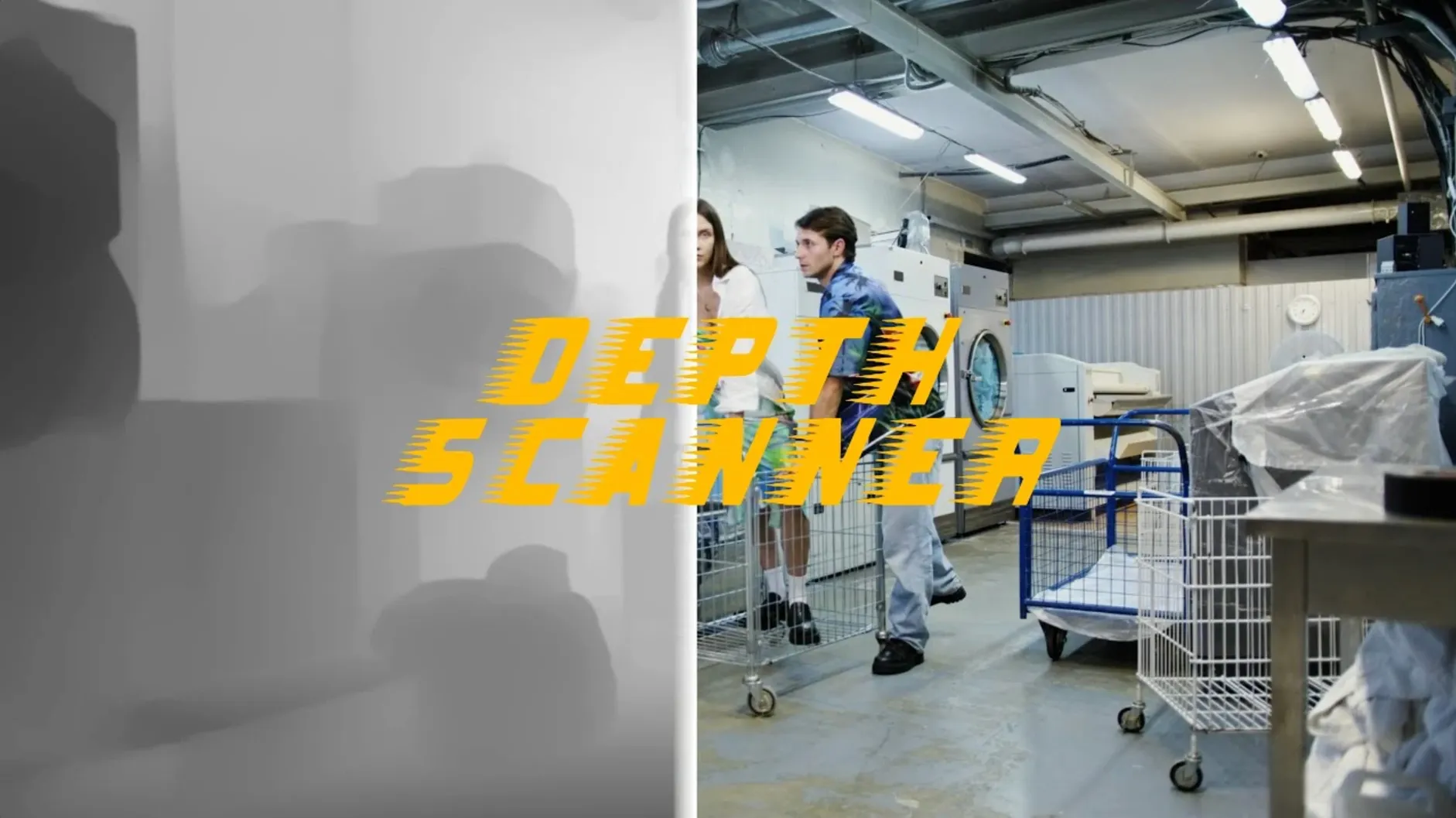
Depth Scanner is an After Effects plugin that uses artificial intelligence to generate a depth map from a single frame of video or a photograph, automatically finding which parts of the scene sit closest to the camera.
Building a parallax shot
Drop the effect onto a locked-off clip and the resulting grayscale matte becomes the driver for a 3D camera push — foreground elements separate cleanly from the background without a single roto shape.
Routing depth into transitions
Use the map as a luma matte on an adjustment layer above an edit point, and the cut hides behind the nearest object first, letting a location change feel motivated by the space itself.
Layering atmosphere on a grade
Apply the depth output to a blur or fog composite so focus falls off naturally toward the back of the room, matching the optical behaviour of the lens that shot the plate.
A typical workflow starts with a locked-off shot where the camera doesn't move — a static wide of a street, say, with a car in the foreground and buildings receding. Apply Depth Scanner to the clip, scrub to a representative frame, and let the neural model do its pass. The plugin returns a grayscale still where white sits closest to the lens and black furthest away. What trips up new users is assuming that single map will hold across the whole take. If the light shifts or a figure walks through, the depth relationship changes. The better habit is to drop a second instance later in the timeline on a different frame, then crossfade the two maps through an expression on a slider so the transition never flickers.
With the depth map rendered, duplicate the clip, pre-compose it, and set the pre-comp to 3D. Apply a camera, add a null, and link the camera’s z-position to the null’s slider with a simple thisComp.layer("Null").effect("Slider Control")("Slider") expression. The foreground car separates from the mid-ground shopfronts almost instantly — no masking, no planar tracking. For a little extra volume, pipe the depth map into the displacement map effect on a solid above the footage, set to luminance, and dial the horizontal displacement low. The edges of objects shift just enough to read as parallax when the camera drifts sideways.
A 4K frame clears in under five seconds on Apple Silicon
On an Apple Silicon Mac running After Effects 24.x, Depth Scanner processes a 4K frame in about three to five seconds depending on scene complexity. A 1080p still lands closer to a second and a half. The plugin doesn’t lock up the application during analysis — you can click into another comp while it works — but stacking multiple instances across several pre-comps does add up in RAM. I’ve had it purr along on 16 GB without swapping, though a 32 GB machine keeps the timeline scrubbing smooth when you’re toggling depth previews on and off. One thing worth knowing: the effect writes its cache data inside After Effects’ own disk cache, so clearing that folder reclaims the space if a project balloons.
Stability has been uneventful in the best sense. Version 1.15.6 hasn’t thrown a single unexpected quit across a dozen sessions mixing 8-bit h.264 drone footage and 16-bit EXR plates. The only flicker of weirdness came when I applied it to a pre-comp that had a time remap — the depth map jumped to the wrong frame. Baking the time remap first solved it cleanly.
Motion blur sends the depth model into a guessing game
The most common mistake is feeding Depth Scanner a frame with motion blur. A fast pan or a subject mid-stride confuses the model because the edges it’s trained to read aren’t actually there — just smeared luminance. The depth map comes out mushy, and a mushy map makes a parallax shot look like heat haze. The fix is simple: pick a frame where everything is sharp, generate the map there, then hold that map across the clip with a freeze-frame or a time-remapped still.
Another slip is expecting the depth map to work as a perfect holdout matte straight out of the box. The AI gets the broad planes right — a face in front of a wall, a lamp in front of a window — but fine detail like hair strands or wire fences often lands in a middle grey that neither isolates nor blends. The solution isn’t a better plugin setting; it’s using the depth map as the base, then adding a soft garbage matte or a rough roto to nudge the problem edges one way. Think of Depth Scanner as the broad-strokes assistant that gets you eighty percent there in one click, not the final pixel-polish pass.
A subtler trap: using the depth map at full resolution when you only need it for a defocus effect that’s going to be blurred anyway. Pre-comping at half res and running the analysis there cuts the processing time in half and the softness is invisible behind a 12-pixel lens blur. The plugin doesn’t mind a downscaled input — the spatial relationships hold just fine.
- After Effects
Questions from the booth
It produces a grayscale depth map where white represents elements close to the camera and black represents distant parts of the frame.
Yes, the plugin works on both video clips and photographs, analyzing a single frame to build the depth information.
Depth Scanner 2 is listed alongside this plugin in Blace Plugins' documentation — they are separate tools in the same family for generating depth maps.