
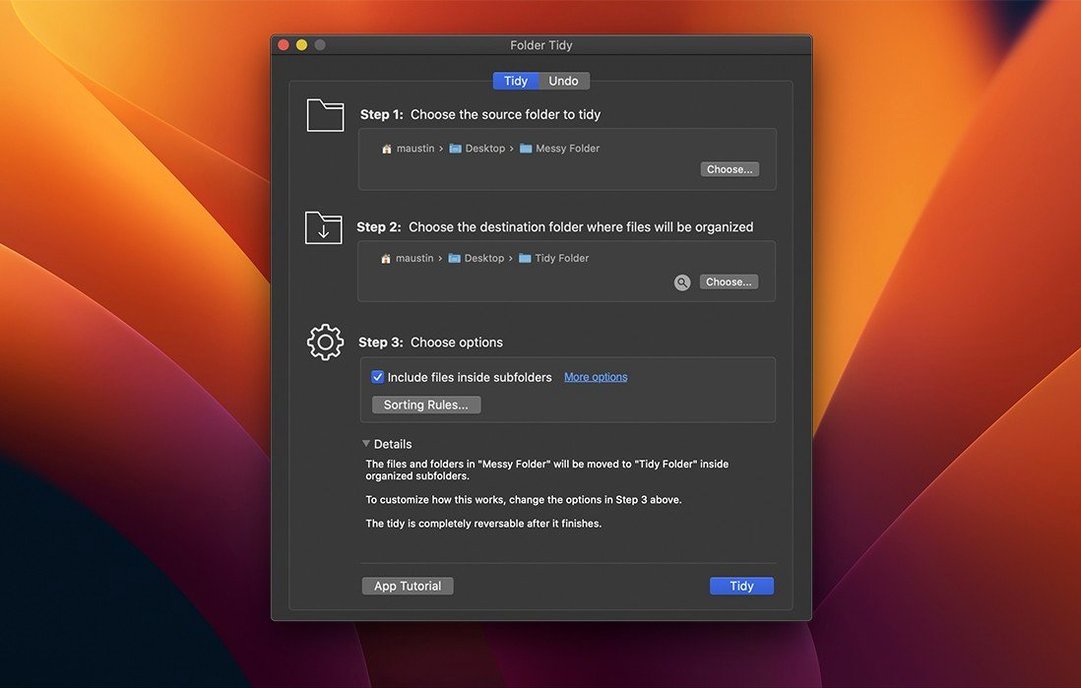
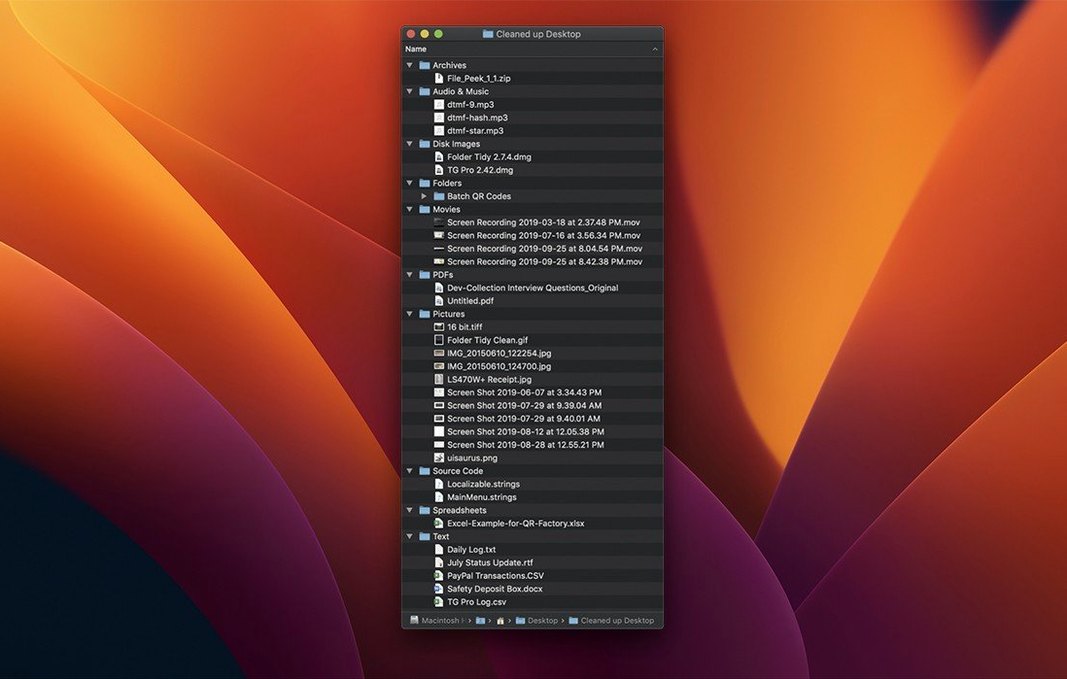
10,000 files sorted into neat subfolders in under five seconds — that’s the kind of speed Folder Tidy brings to a cluttered desktop, a sprawling downloads folder or a project directory that got away from you.
Tidy — the main action. You point Folder Tidy at a messy folder, set a few rules (group by file type, date or extension), and it moves everything into clean subfolders in one go. The actual sort speed comes down to your disk, not the app, and on a modern SSD it’s nearly instant.
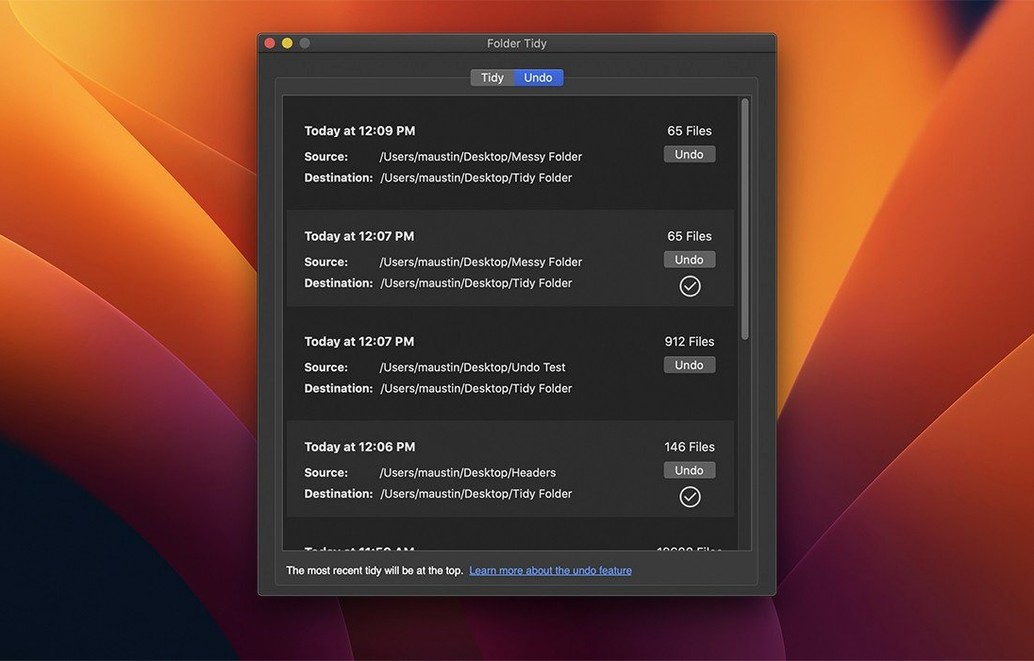
Undo — every move is tracked. Hit Undo and files return to exactly where they were, down to hidden files and folders. Even folders the tidy created get cleaned up afterward.
Move history — a full log of every sorting action stays available, so you can unwind a tidy from last week if you need to.
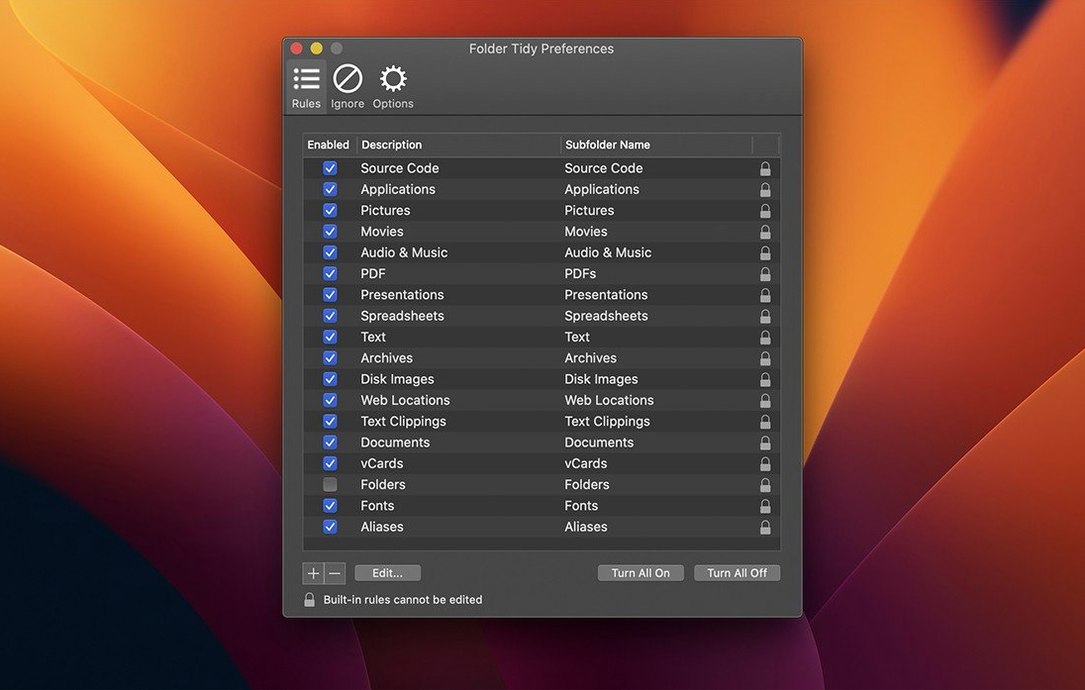
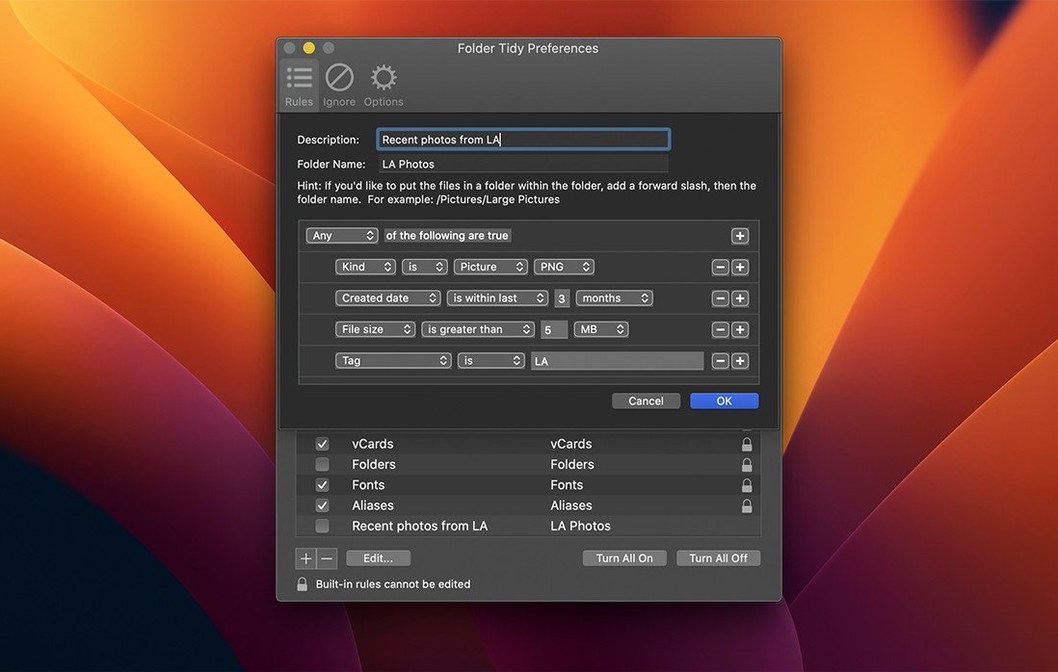
Rules — you decide how folders are named and what goes where. Group screenshots by year, separate RAW files from JPEGs, or just clear a downloads folder into something browsable.
If you hold the Option key while clicking the Tidy button, Folder Tidy skips the confirmation dialog and runs with the last-used rule set. It’s a small thing, but on a day when you’re cleaning up four or five folders in a row, it turns the app into a single-click affair. Another shortcut that’s easy to overlook: you can drag a folder from Finder directly onto the Folder Tidy dock icon and it opens pre-selected, ready for a rule. No file-picker navigation, no hunting through the sidebar.
The rule editor itself has a few quiet niceties. You’re not locked into the fifteen built-in templates — custom rules let you define subfolder names with plain text and tokens like {extension} or {date:yyyy}, and the preview pane updates as you type so you can see exactly what folder structure you’ll get before a single file moves. If you’ve ever wished your folder tidy mac workflow could rename and sort in one pass, this is where it lives.
Undo no longer leaves hidden files behind
The most practical shift in day-to-day use is the undo behaviour. Before 2.9.7, hidden files sometimes got left behind after a rollback — the kind of thing you’d notice weeks later when a .DS_Store or a stray .gitignore turned up in the wrong place. Now, undoing a tidy restores hidden files and folders to their original locations, and any subfolders the tidy created are removed when the undo completes, even if you’ve restarted the Mac in between. That makes Folder Tidy genuinely reversible, not mostly reversible, which changes how much you trust it with a full downloads directory.
The other fix that matters: a handful of users were hitting a crash when upgrading from an older version, and a separate launch problem stopped the app from opening at all on certain setups. Both are resolved in 2.9.7, along with official support for macOS 26 Tahoe.
Next to other Mac file sorters
Set against something like Hazel, the difference is philosophy. Hazel watches folders continuously and applies rules the moment files appear — brilliant for hands-off automation, less so for a one-time deep clean. Folder Tidy doesn’t run in the background, which means it won’t surprise you by moving something you weren’t ready to sort. You invoke it, you decide, it acts.
Easy File Organizer by Qiplex takes a simpler approach: it sorts by file type into a handful of broad categories and calls it done. It’s fast and unobtrusive, but the rule system is thin. If you want screenshots grouped by year-month instead of all dumped into one “Images” folder, you need Folder Tidy’s token-based naming. The trade-off is that Easy File Organizer feels lighter for a quick Folder Tidy for Mac cracked cleanup when you don’t want to think about rules at all.
Declutter (the open-source one) leans on a similar drag-and-sort model, but it hasn’t seen an update in years and the undo is rudimentary — it keeps a log but doesn’t handle nested folder removal gracefully. Folder Tidy’s move history and the 2.9.7 undo improvements put it a step ahead for anyone who’s been burned by a sort they couldn’t fully reverse.
Start with a small test folder to get a feel for the rules. Then point it at something bigger.
Version 2.9.7 adds support for macOS 26 Tahoe and fixes a launch issue that affected some users. Undo now restores hidden files and folders to their original locations, and folders created during a tidy are properly removed when the undo completes — even after a restart. A crash when upgrading from older versions has also been resolved.
- macOS 10.13 High Sierra or later
- Apple Silicon and Intel Macs
- Interface language: English