
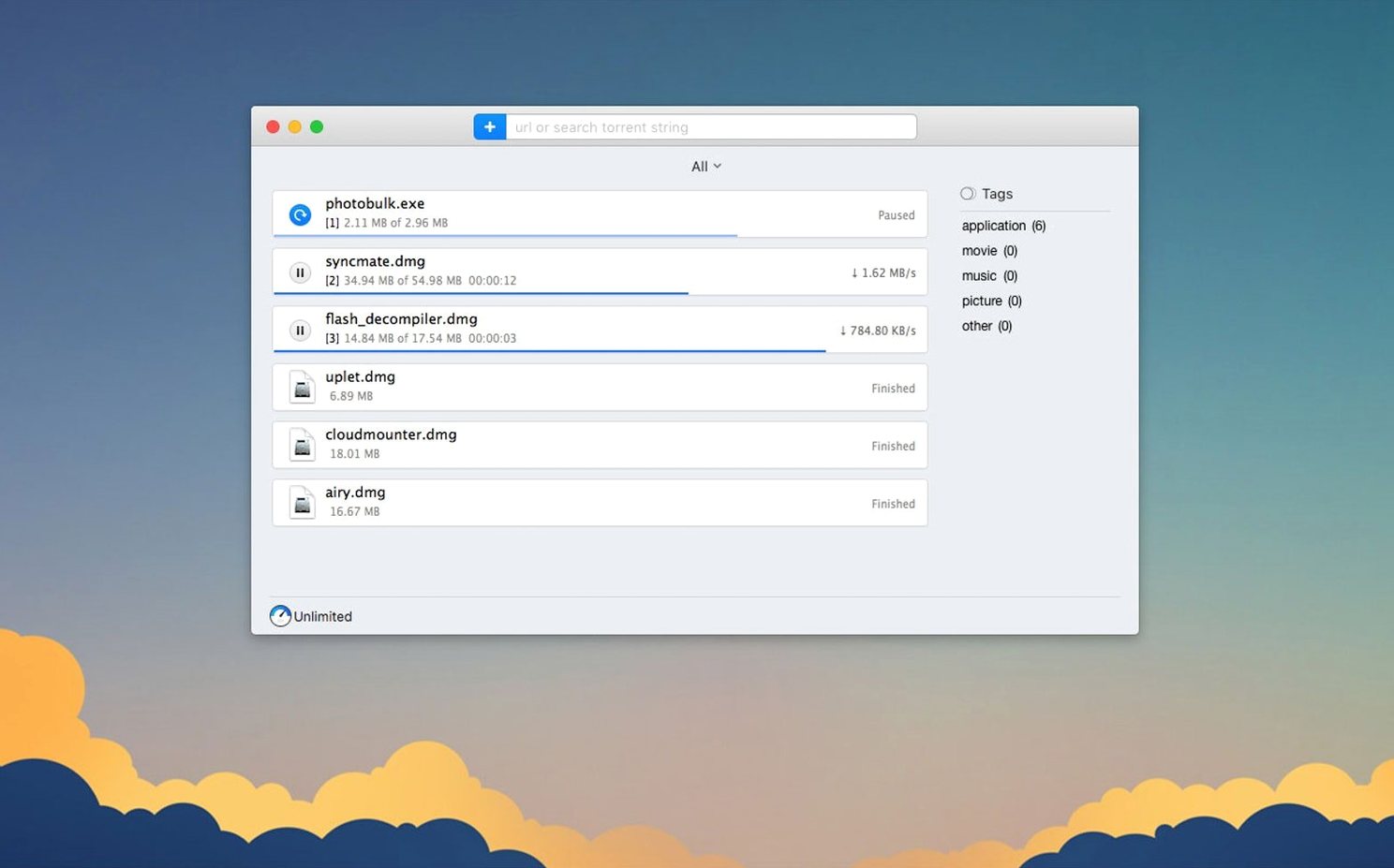
If you have spent enough hours inside a browser's built-in download panel to know its limits, Folx is the point where you stop fighting it. It handles what the browser will not: torrents, magnet links, password-protected servers, and video that does not want to be saved. The app splits into two clear roles — a download manager for direct files and a torrent client for everything else. Version 5.34 tightens both sides, especially how torrent tasks are stored and how selective file downloading works inside a torrent.
Built for anyone grabbing large, log-in protected files on a Mac
Folx Pro suits anyone on macOS 10.13 or later who regularly pulls down large files and wants more control than a browser tab offers. It remembers logins for sites that require authorization, which matters when you are grabbing footage or project files from passworded servers. The built-in YouTube downloader is a practical touch for editors and researchers: you can rename the output file and choose the save quality when the source offers it. The interface stays out of the way while the queue does the work.
How it behaves in practice
The torrent side feels like the main event. The 5.34 update fixed a crash when adding some magnet links and another during torrent search, so the workflow is steadier than before. Proxy support also behaves better, which helps when you are behind a network that insists on it. The app is built for downloading and distributing legal content — nothing about it is coy on that point. If your day involves long downloads, Folx is one of the few Mac tools that treats that as a craft rather than an afterthought.
Teaching your browser to hand torrents and magnets to Folx
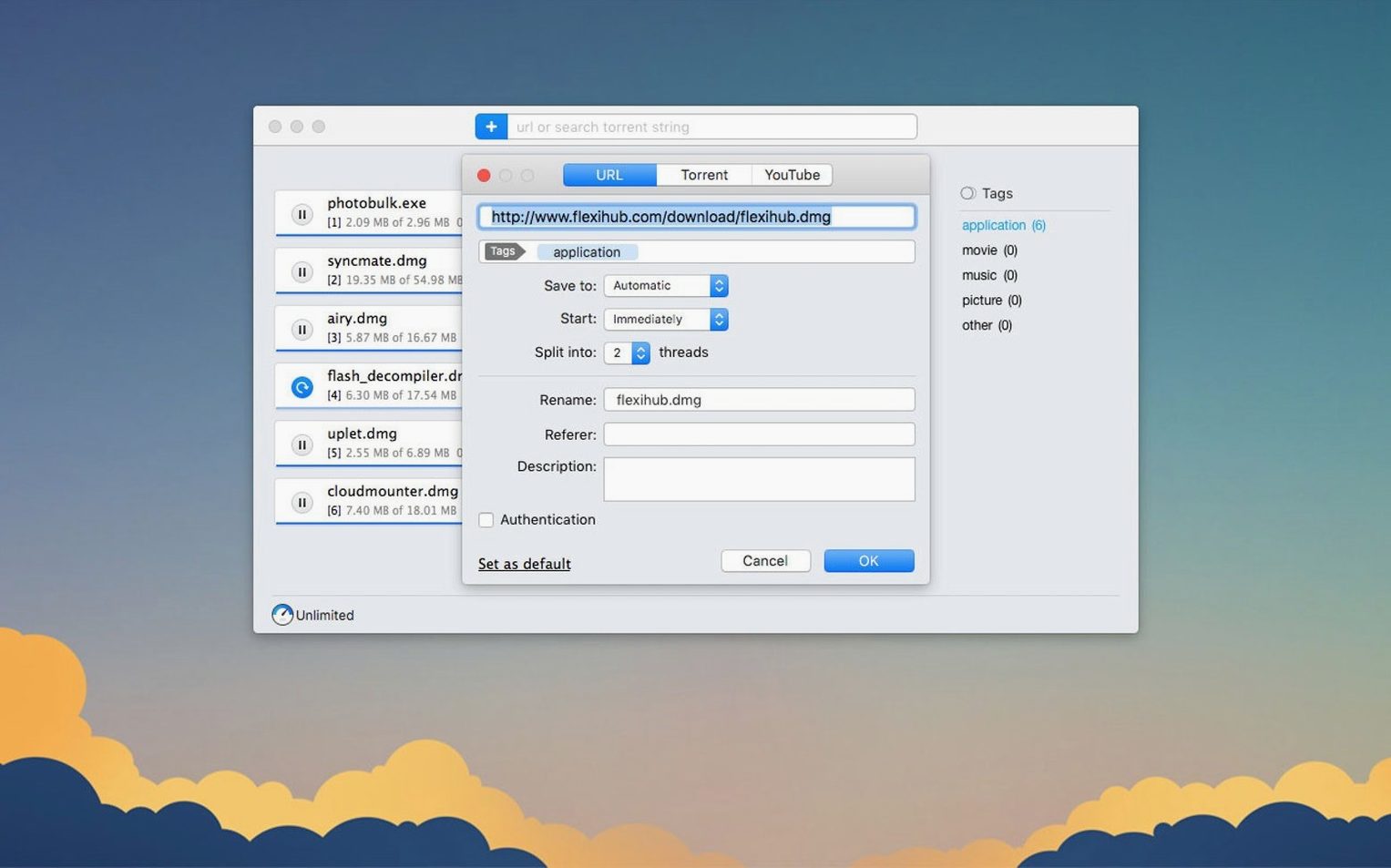
A fresh install of a download manager always starts the same way: the browser still wants to catch everything. Go into Safari or Firefox preferences and tell it to stop being the default for torrents and magnet links — point them at Folx instead. Once that handover is done, the app begins to justify its place on the dock. One of the first things worth doing is setting the thread count. Folx can split direct downloads into up to twenty threads, but for most servers, somewhere between four and eight keeps things stable while still pulling noticeably faster than a single-stream browser download.
The login manager is easy to overlook on day one, yet it saves real time once configured. If you pull files from a password-protected server — a client portal, a stock library, a private archive — add those credentials into Folx’s password list early. The app will not prompt you for them again mid-queue, which means overnight batches actually finish by morning. While you are in the settings, check the scheduler. Telling Folx to run heavier downloads in the small hours keeps the daytime connection free for streaming, calls, or uploads without having to remember to pause anything manually.
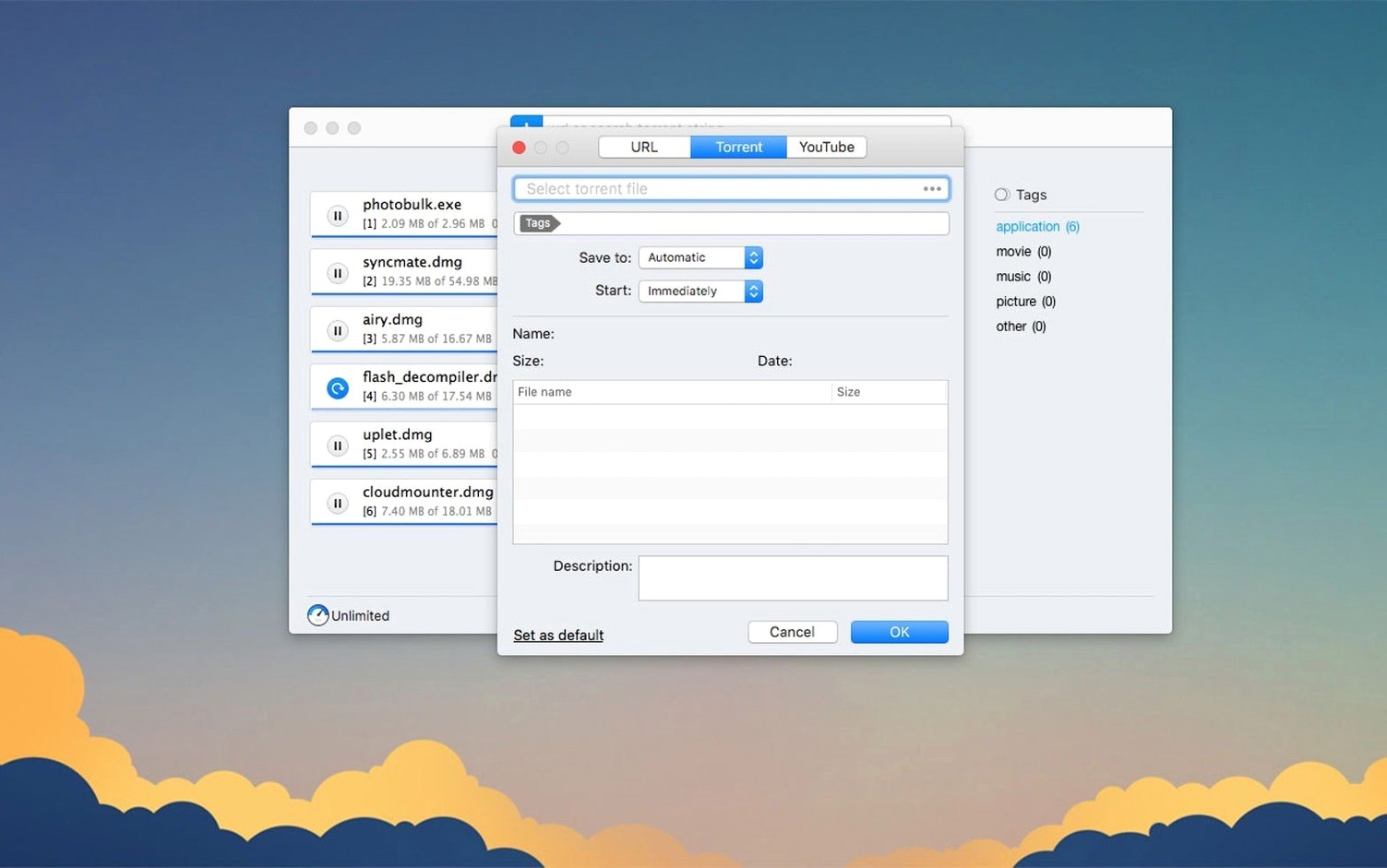
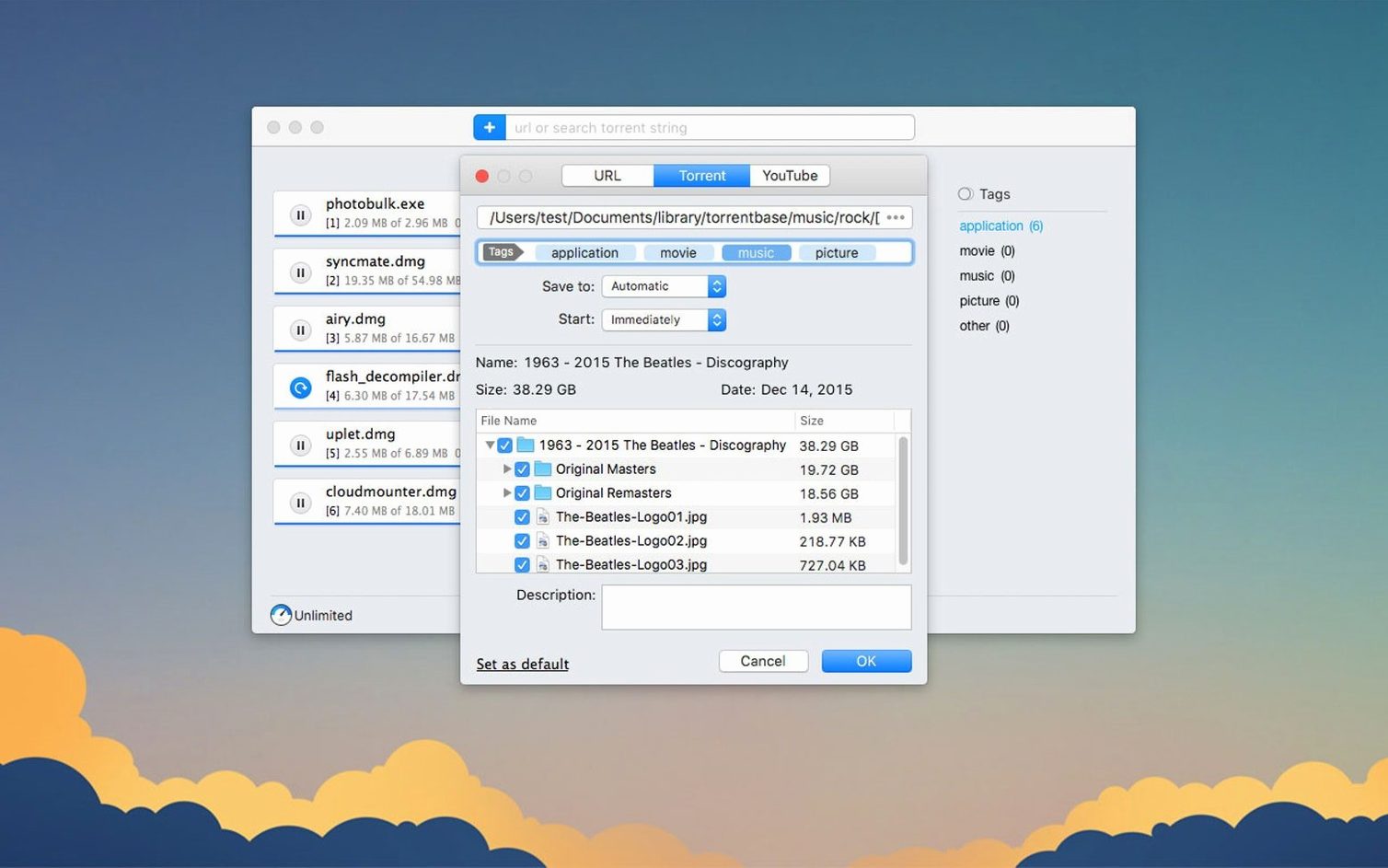
For torrents, the 5.34 improvements around selective downloading mean you can start a large torrent and only grab the files you actually need — a sample pack instead of a whole library, or a single episode rather than a season. Right-click a torrent task and pick the files before the download begins; the app respects that choice cleanly now, and if you're running a Folx Pro crack or patched build, just make sure the network permissions are fully open so the selection engine doesn't stall mid-parse.
Hands finished downloads off to your chosen folder without fuss
Folx does not try to replace a media player or a file manager, and that is what makes it fit neatly into a working setup. Completed downloads land in a folder you choose, and from there the rest of the system takes over. IINA or VLC pick up the video files, Logic or Audition open the audio, and Finder tags sort projects into their bins. The app plays well with macOS’s notification centre too — a quiet ping when a queue finishes is all it sends, nothing chatty.
For anyone who already uses a clipboard manager or a text expander, Folx slots in without friction. Copy a magnet link or a direct URL, and the app catches it if you have configured that behaviour in preferences. Spotlight will index the download folder normally, so the files are findable without opening the app. And if you use something like Hazel to auto-sort folders, point it at Folx’s output directory and let it move finished files into project structures while you work elsewhere.
On the torrent side, Folx coexists without drama. If you switch between it and another client for particular trackers, the .torrent file association stays with whichever app you last set. The app writes its resume data reliably, so pausing a torrent and resuming it days later — even after a Mac reboot — picks up without rechecking the entire file. That alone makes it a solid companion for long-term seeding of large creative-commons archives or Linux ISOs.
Magnet links and torrent files both work, and a 5.34 crash is fixed
One of the first things people ask is whether Folx handles the magnet links their tracker sends, or whether it insists on .torrent files. It handles both. The 5.34 release specifically fixed a crash that could occur when adding certain magnet links, so that path is more dependable than it was. Another common question is about YouTube: can you grab just the audio, or does it always pull video? Folx lets you choose the save quality when the source provides options, and you can rename the output file before it starts — two small details that spare you from opening another tool just to tidy up a filename or strip a video track.
Proxy support is another sticking point for people on managed networks. The 5.34 update sharpened how Folx behaves with an enabled proxy, so if your workplace or university routes traffic through one, the app should hold its connection rather than dropping tasks mid-queue. And for those wondering about architecture: the app runs natively on both Apple Silicon and Intel Macs, so there is no Rosetta overhead to think about. The interface itself appears in ten languages — among them Japanese, Korean, Simplified Chinese, French, and German — which makes it legible across a broader desk than many Mac utilities bother to support.
Version 5.34 focuses on the torrent side of Folx. Downloading is improved across the board, as is the way finished torrent tasks are handled and stored. Selective file downloading within torrents works more reliably, and the app behaves better when a proxy is enabled. Two crashes are gone: one when adding certain magnet links, another during torrent search. The minimum macOS requirement now sits at 10.13.
- macOS 10.13 or later
- Runs on Intel and Apple Silicon Macs
- Interface languages: Russian, English, German, Vietnamese, Spanish, Italian, Simplified Chinese, Korean, French, Japanese
Questions from the booth
The latest version is 5.34.14042, released on June 3, 2026.
Yes, it includes a YouTube downloader that can rename the output file and choose the save quality when available.
Folx Pro requires macOS 10.13 or later and runs on both Intel and Apple Silicon Macs.