
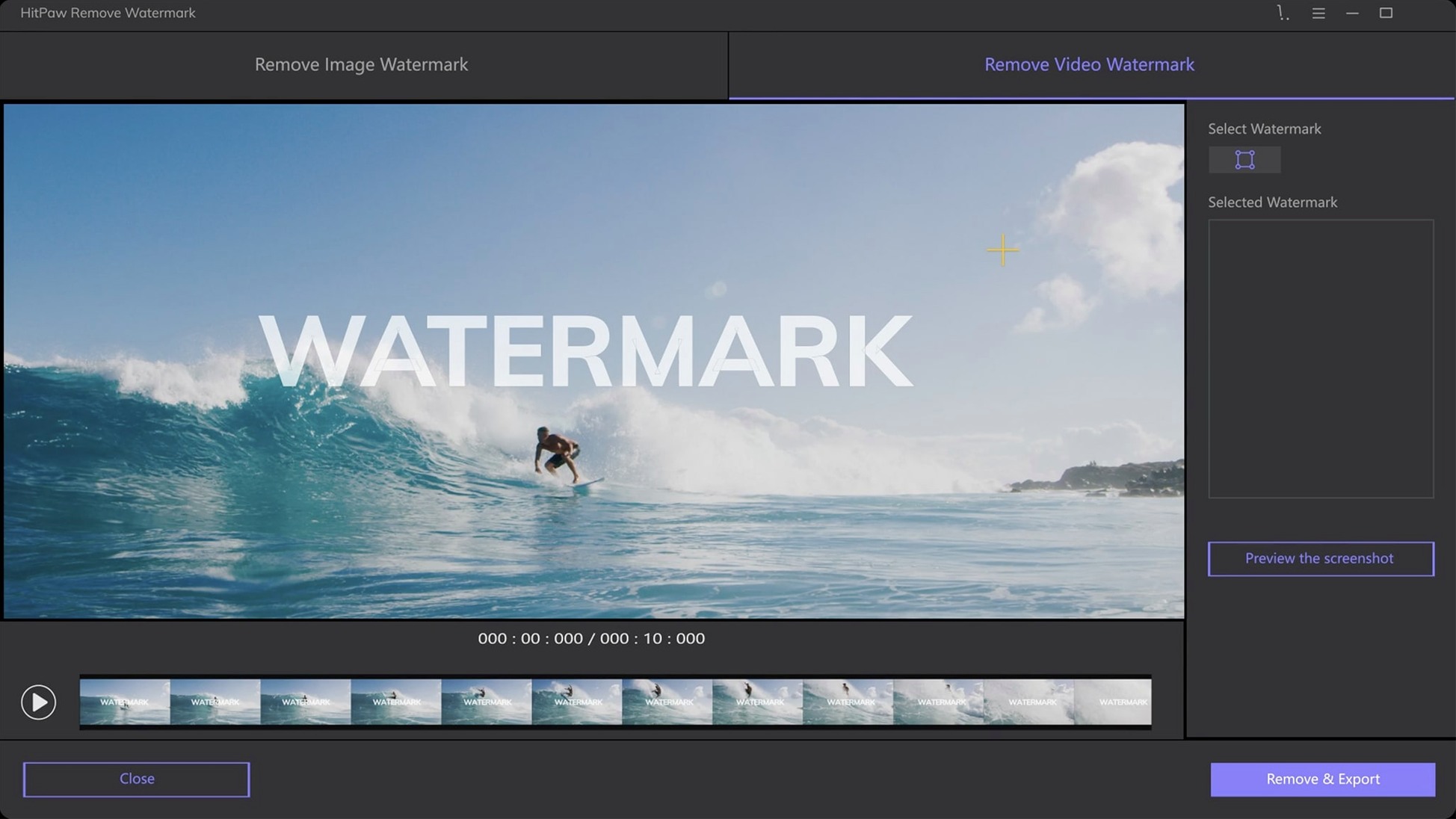
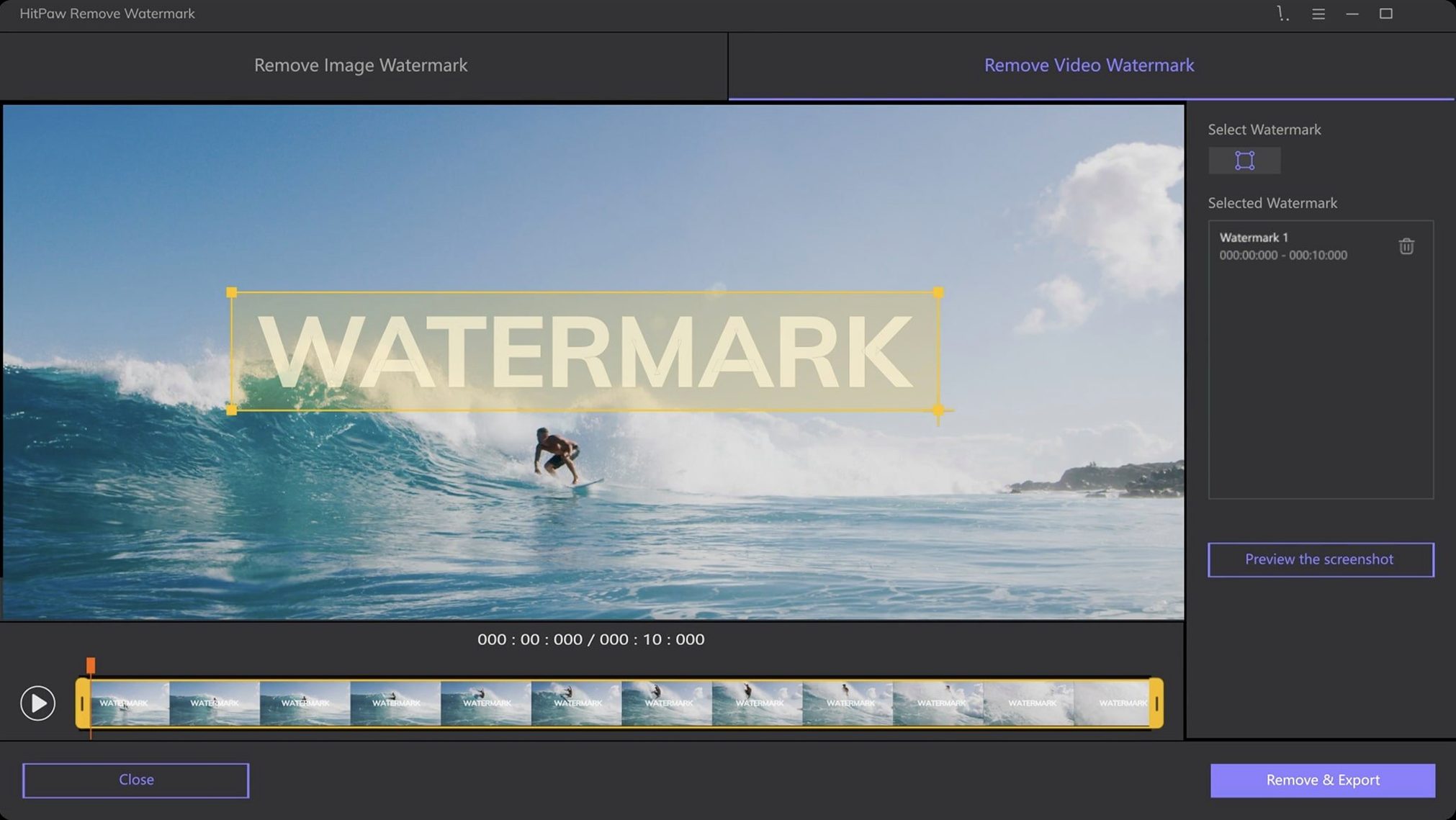
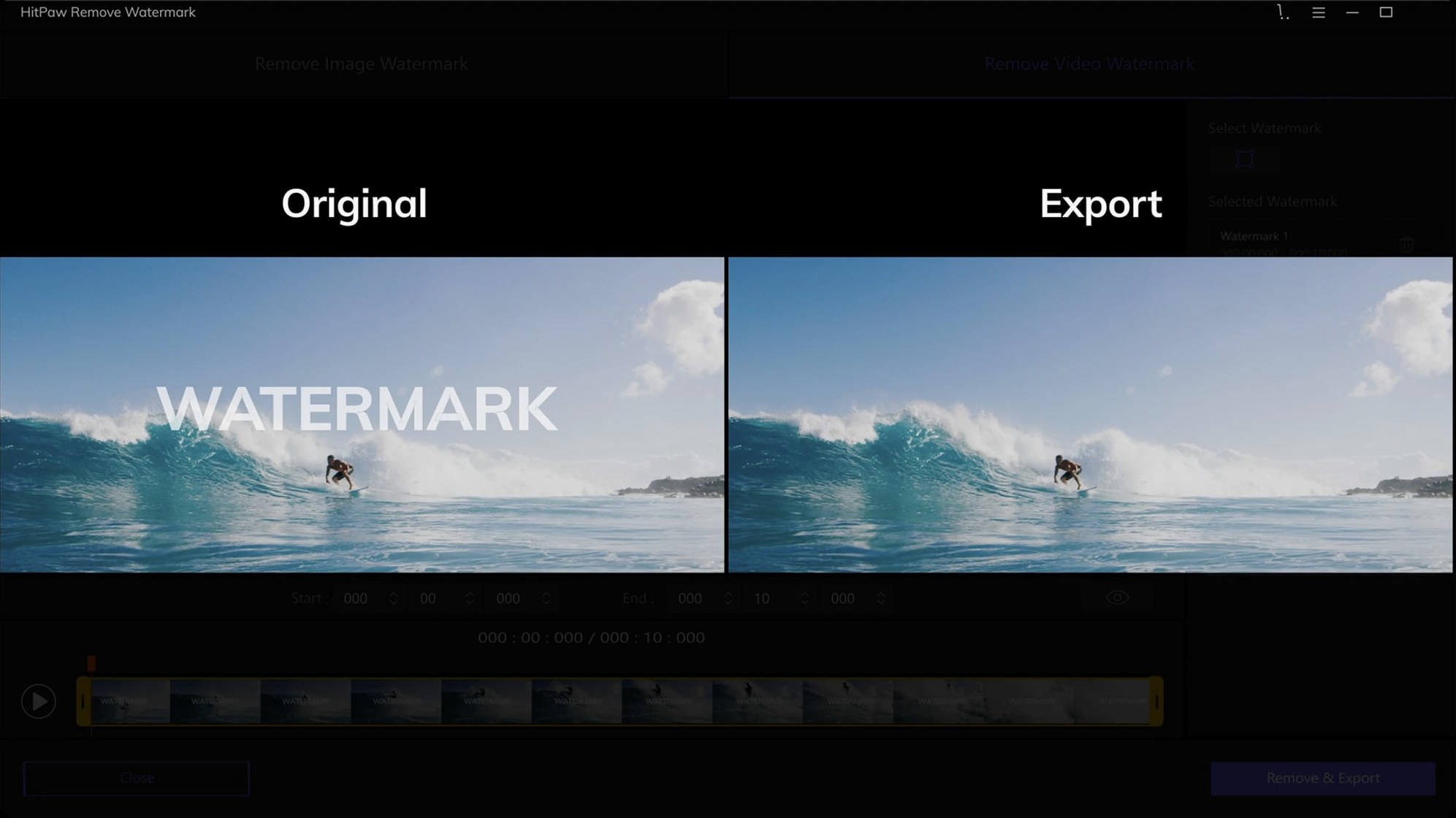
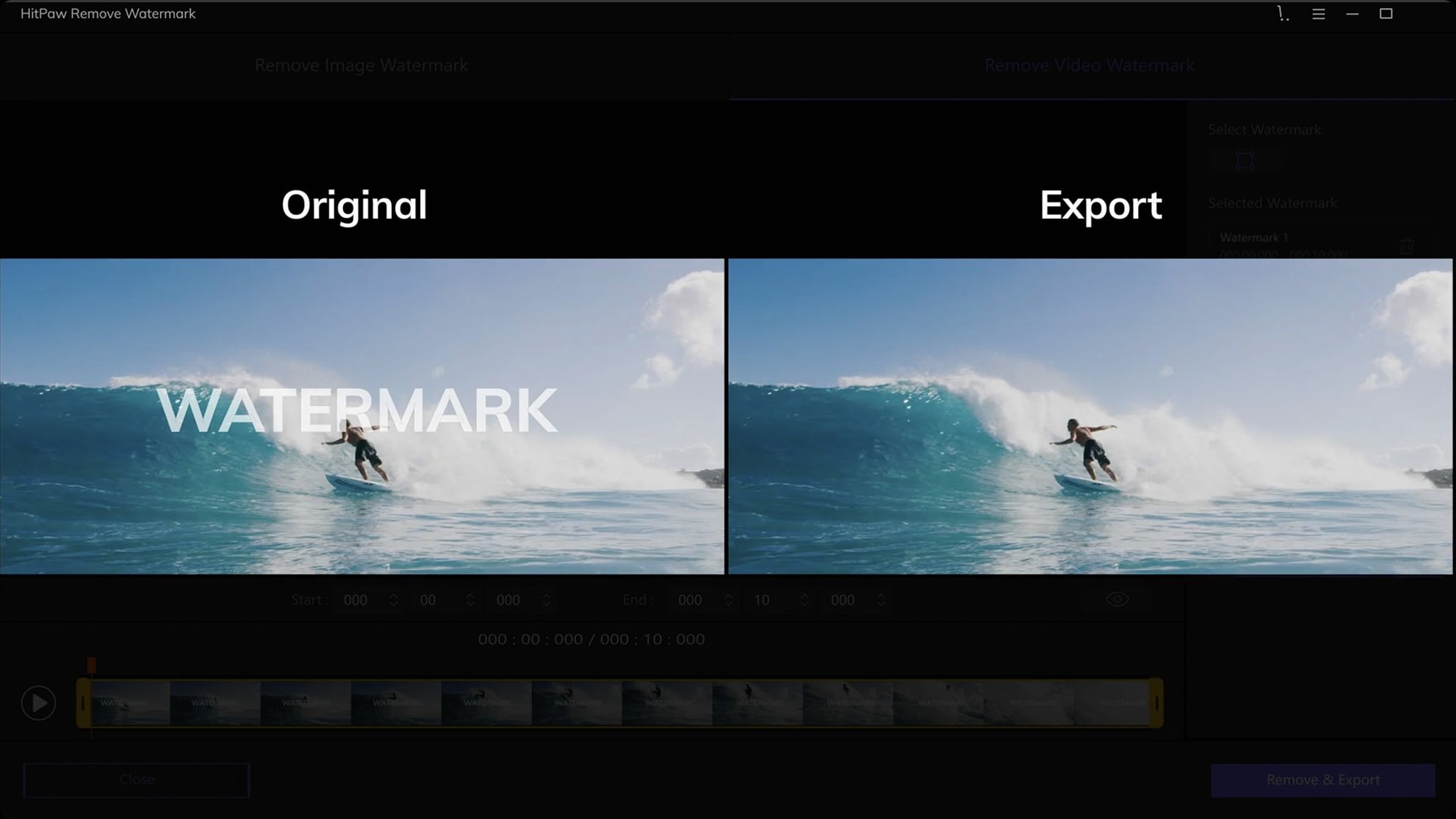
You’ve locked picture in iMovie and then spotted a timestamp or a stray logo in the corner of a clip. Rather than rebuilding the timeline, HitPaw Watermark Remover offers a direct way to clean up source files before they ever hit the magnetic timeline.
Rosetta 2 translation keeps it running on Apple Silicon
Not natively. The Mac build is compiled for 64-bit Intel architecture, so it relies on Rosetta 2 on M-series machines. Performance is workable for short clips, though rendering longer 4K files will test your patience.
High Sierra floor preserved through the September 2025 update
macOS 10.13 High Sierra or later. The September 2025 update (version 2.4.7) still targets that same floor, which keeps older editing suites in the mix.
Which formats can I actually clean up?
Video side covers AVI, MKV, MP4, FLV, F4V, MOV, WMV, WebM, 3GP, RMVB, MPEG, TS, and MTS. For stills, you get JPEG, JPG, PNG, WebP, and BMP — enough to handle frame exports and thumbnail assets.
Your first two days with the app
Start with a single still image rather than a video. Drag a PNG or JPEG into the window and trace a tight selection around the watermark using the freeform tool — the more precise the marquee, the less the algorithm has to guess about what belongs behind the obstruction. Let the preview render and toggle between the three removal modes before committing. Smooth filling usually handles flat backgrounds well, while texture repair earns its keep on patterned surfaces like brickwork, fabric or noisy sensor grain. Edge filling is the middle ground, sensible when the watermark sits near a high-contrast border.
Once you trust the still-image results, move to a short video clip — ten seconds is plenty. The app processes frames sequentially, so a busy shot with changing lighting will reveal whether your chosen mode holds up across the duration. If the repaired area flickers, try a slightly larger selection that gives the algorithm more surrounding context to sample from. On Intel Macs, the render chugs through at roughly real-time for 1080p; expect to step away while a 4K file finishes.
One habit worth building early: keep the original files untouched. Work on copies. The removal is destructive by nature, and you may want a different selection or mode later — especially if you spot a halo on a different screen.
Asset wranglers patching stock footage and screen recordings
Video editors who do their own asset wrangling get the most mileage. If you’re handed stock footage with a mandatory attribution bug or a screen recording that captured a UI element you can’t crop out, HitPaw slots into that gap between noticing the problem and opening a full compositing timeline. It’s faster than round-tripping through After Effects for a single logo, and it doesn’t demand node-based thinking the way Fusion does.
Photographers preparing social-media cuts also find a natural fit. Removing a signature or a date stamp from a JPEG before it goes into a carousel saves a trip into Photoshop’s clone-stamp routine — the freeform selection here is cruder but quicker, and the texture-repair mode often surprises on repetitive backgrounds like grass or asphalt. People who need to add watermark to iMovie projects later will sometimes run the reverse workflow: clean a source image here, then apply a fresh, consistent watermark across all assets inside their editor.
Archivists and restoration hobbyists working with scanned film frames or digitized VHS captures are a smaller but vocal audience. The app’s tolerance for older codecs — MTS, RMVB, 3GP — means it can handle files that modern NLEs sometimes reject outright, letting you clean up a timestamp before the footage enters a proper restoration pipeline.
A removal-first alternative to iWatermark Pro’s batch toolkit
HitPaw’s closest neighbour is iWatermark Pro, a veteran Mac utility that handles watermarking in both directions — applying and removing. Where iWatermark Pro leans into batch processing and metadata embedding, HitPaw stays focused on the removal side with a simpler selection toolkit. For a single-image cleanup, HitPaw’s three-mode preview feels more immediate; for watermarking a folder of exports, iWatermark’s batch engine pulls ahead.
SoftOrbits Photo Stamp Remover has a Mac build that tackles still images with a similar marquee-and-fill workflow. SoftOrbits includes a few extra helper tools — a magic wand for colour-based selection and a dedicated line-removal mode for power lines and scratches. HitPaw counters with video support, which SoftOrbits doesn’t touch. If your work is exclusively stills, SoftOrbits might feel more surgical. If half your cleanup involves MOV and MP4 files, HitPaw is the one that handles both media types under one roof.
Adobe Photoshop’s Content-Aware Fill remains the benchmark for still-image removal precision, and no standalone watermark tool truly matches its sampling intelligence. But Photoshop is a heavyweight install with a learning curve that dwarfs a single-purpose utility. HitPaw appeals when you want to right-click a file, open it, draw a shape, and be done — no layers, no brushes, no workspace decisions.
Snags and their workarounds
Rosetta 2 performance on M-series Macs. The app runs translated, and longer 4K videos can slow to a crawl. The simplest fix is to split the task: export a short clip containing just the watermarked section from your NLE, clean that, and drop it back in. A ten-second patch renders far faster than a forty-minute timeline.
Selection edges that leave a visible seam. If the repaired rectangle sits as a faint discoloured patch, widen your selection by a few pixels and switch from smooth filling to texture repair. The seam often comes from the algorithm not having enough border information to blend naturally.
Gatekeeper blocking the installer. The disk image requires a terminal bypass on newer macOS versions. Mount the image, launch the Gatekeeper-friendly script, and press Enter when prompted. Drag the app to Applications afterwards. If you skip the terminal step and try to open the app directly, macOS will refuse with the usual unidentified-developer warning.
Watermarks that move across the frame. HitPaw applies a static mask — it cannot track a logo that drifts or scales during a shot. For those situations, the app still helps if you break the clip into segments and clean each position separately, then stitch them back together.
Export format mismatches. The app writes cleaned video back to the source format, which sometimes trips on less common containers like older F4V files. If a render fails, convert the source to MP4 or MOV with a tool like HandBrake first, then run the watermark removal — the repaired file will land in a format your NLE reads without complaint.
- macOS 10.13 or later
- 64-bit Intel architecture (Apple Silicon via Rosetta 2)