
When a column of figures won't behave, or a budget needs to talk back with a chart, a capable spreadsheet is the thing you reach for. Excel on the Mac is that familiar grid, tuned for the peculiar rhythm of accounting, audit and finance work where several people need to breathe on the same numbers at once.
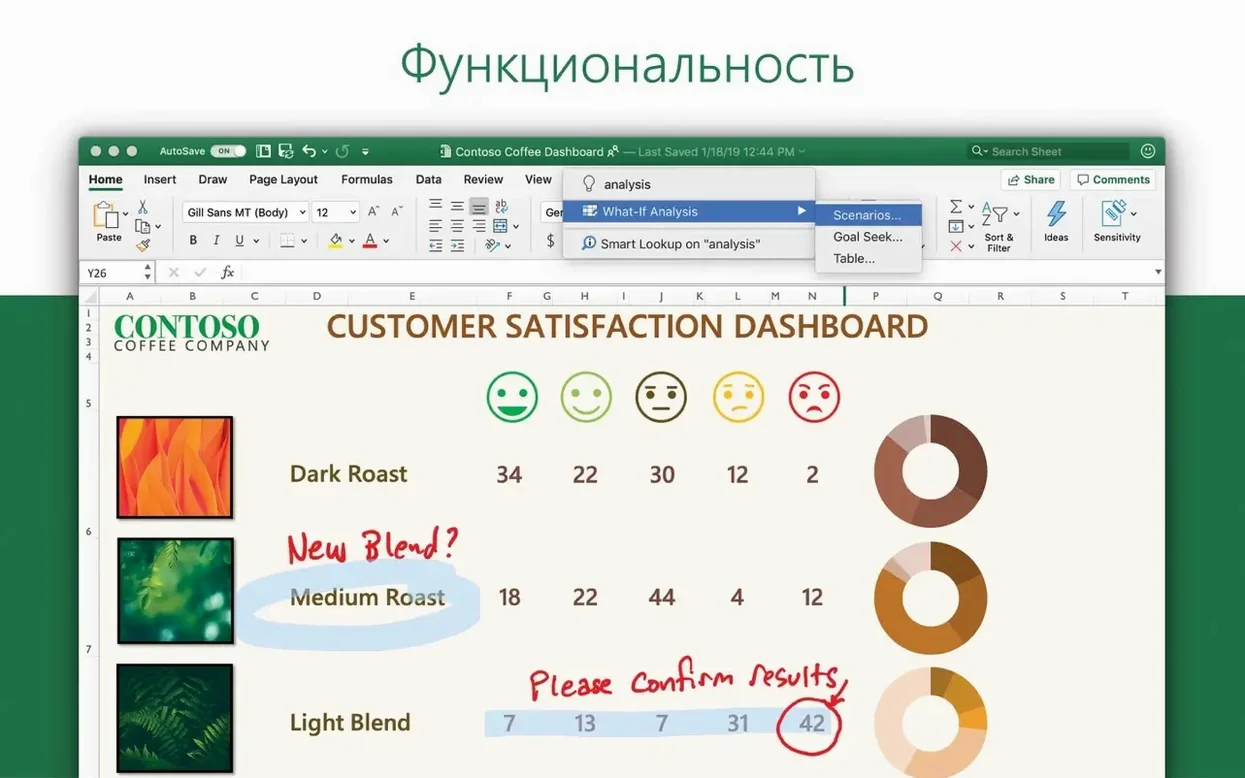
What sets this release apart is how it helps you see the story. New chart types let you pull shape out of raw data without a detour through a designer. And Ideas — a quiet analysis engine — scans your selected range and surfaces trends you might have missed while staring at the rows. It feels less like a feature and more like someone glancing over your shoulder with a useful observation.
Because it runs natively on both Apple Silicon and Intel hardware, the calculations stay responsive even when the workbook grows heavy. Sharing is straightforward too; the collaboration threads keep comments and changes legible across a team without turning the file into a version-control headache.
Mistakes worth sidestepping in the early days
Most trouble with Excel on the Mac doesn't start with the software. It starts with habits carried over from older versions, or from watching someone else work without understanding why they clicked that thing. One of the quietest productivity killers is ignoring named ranges. People hard-code cell references into formulas, then drag them across twelve sheets and wonder why the audit takes a full afternoon. Giving a range a short, memorable name early keeps formulas readable and your future self grateful.
Another pattern I see often: treating Excel like a word processor that happens to have columns. Merged cells creep in, data gets scattered across three sheets with no consistent structure, and suddenly a simple pivot table becomes impossible. The program expects data in a clean, flat layout — one row per record, one column per field. If you feed it otherwise, the analysis tools go quiet. The time to enforce that discipline is the very first time you type a header.
Beginners also tend to overlook the formula bar's real estate. They squint at a cell and try to edit a nested IF statement inside a tiny rectangle, when a quick drag of the bar's bottom edge opens up a comfortable editing space. It's a small thing, but small things compound when you're building a model that spans quarters.
When the ribbon hides a command you know by heart
A frequent frustration after a fresh excel mac download free is the ribbon behaving differently than memory insists it should. Commands have shifted tabs, and the search bar at the top — officially "Tell Me" — sits ignored while someone hunts through every icon. Typing what you want into that bar, like "remove duplicates" or "freeze top row," gets you there faster than any menu dive. It's worth remembering on day one.
File compatibility can trip people up too. A workbook sent from a Windows colleague arrives with ActiveX controls or certain Power Query connections that the Mac side simply cannot render. Excel won't always scream about it; sometimes the sheet just loads with a blank space where a button should be. When that happens, check the worksheet for objects that didn't survive the crossing. Often the underlying data is intact, and you can rebuild the interactive element with a Mac-friendly shape and a bit of VBA.
Performance stumbles are another common sore spot. A workbook crawls, and the immediate assumption is that the Mac can't handle it. More often it's a handful of volatile functions — INDIRECT, OFFSET, TODAY used in thousands of cells — recalculating with every keystroke. Switching calculation to manual while you build, then back to automatic for final checks, keeps the beachball at bay. And if you inherit a file that's inexplicably sluggish, the Name Manager is worth a visit. Ghost links to external workbooks, left behind by a previous author, force Excel to reach across the network for data that no longer matters.
Building a Quick Access Toolbar that matches your real workday
Give yourself an hour to set up the workspace properly before any real work lands on the grid. Start with the Quick Access Toolbar. The default set of buttons is fine for a demo, but your actual working day benefits from placing Save As, Print Preview, and Freeze Panes within a single click. It takes two minutes and pays back for months.
Next, pin a couple of frequently used files to the recent list. Excel for Mac keeps them accessible from the dock icon's menu, and that tiny gesture eliminates the slow trudge through Finder every morning. While you are in the file menu, open a blank workbook and visit the advanced preferences. Turn off "Show formula bar" and turn it back on — this sounds pointless, but it resets the bar's height and stops a rare redraw glitch that can leave the formula area half-visible on certain displays.
Also worth doing early: open the Visual Basic Editor once, even if you never intend to write a macro. Go to Tools > References and glance at the list. Knowing it exists means you won't panic later when a colleague sends a macro-enabled workbook and Excel asks about security permissions. While you're there, confirm that the macro security setting is at "Disable all macros with notification" rather than the silent-block option. It keeps the door open without leaving it unlocked.
Finally, test the collaboration features with a low-stakes file before the pressure is on. Share a test workbook with yourself via a second account, leave a comment, resolve it, check how the version history behaves. Seeing the mechanics in calm water means you'll trust them when a deadline is looming and three people need to touch the same P&L.
Variance spotting that catches what tired eyes miss
Finance teams on tight close cycles are the natural home. A controller who builds the monthly consolidation workbook gains the most from the Ideas feature; it spots a variance in the overhead allocation that a bleary-eyed human might scroll past at 10 p.m. The new chart types serve the same crowd, turning a department's spending trend into a visual that the CFO can grasp in the elevator rather than a table that requires a sit-down explanation.
Auditors get a different kind of lift. They rarely build models from scratch. They inherit workbooks from clients and need to trace logic fast. The collaboration threads let an audit senior leave a query inside a specific cell, and the client's accountant can reply in place, with the whole exchange preserved in the file rather than scattered across email chains. On a long engagement, that thread history becomes evidence in its own right.
People chasing a cracked excel for mac often discover that the real value isn't in the license workaround but in the fact that this version lands fully compatible with the Office LTSC toolchain. An IT admin deploying across a fleet of machines — some Intel, some Apple Silicon — can trust the same package to behave identically. The serializer handles activation cleanly, and Microsoft AutoUpdate keeps the build current without manual intervention. That consistency matters more than any single feature.
Even solo users find a foothold. A freelance cost estimator building quotes for construction tenders might never touch collaboration or Ideas. But they will lean hard on data validation and conditional formatting, and those tools respond faster on a native Apple Silicon build than they did under Rosetta. The difference is tactile: dropdown lists snap open, cell highlighting repaints without a flicker. It encourages more experimentation with formatting rules, which leads to sheets that flag cost overruns automatically instead of waiting for a human to notice.
Three hundred tender line items before coffee
Lena runs a small quantity surveying practice from a co-working space in Burnaby. Her Monday starts with a tender package: three hundred line items across concrete, rebar, and formwork. She opens a template workbook she built last year and immediately hits a wall — the tender's unit descriptions don't match her standard categories.
She doesn't retype anything. She selects the unfamiliar descriptions, runs a fuzzy lookup she set up months ago, and watches the closest matches populate. Excel's Ideas panel, sitting in a sidebar she keeps open by default, flags an outlier: one line item priced per cubic metre is showing a total forty percent above the rest of the concrete group. She clicks the cell, traces the formula, and catches the error — the estimator who prepared the source sheet had entered the rate for reinforced concrete instead of plain. Five seconds to spot. Without the flag, it might have survived into the final bid.
She adds a comment to the cell, tags her assistant who works remotely, and moves on to the next section. The assistant will see the notification when she opens her copy of the workbook later. By lunchtime, Lena has a marked-up estimate and a clean set of charts showing cost breakdown by CSI division. The new chart type — a treemap — sits on the summary tab, and she knows the contractor reading her report will understand the proportions before they read a single number. She saves, closes the lid, and walks to get coffee. The file auto-saved to the cloud while she was still formatting the header row.
Version 16.93 introduces fresh chart types that give your data a more direct visual voice, alongside Ideas — a feature that scans selected ranges and suggests trends or patterns worth a second look.
- macOS 13 or later
- Apple Silicon or Intel 64-bit processor
Questions from the booth
Yes, Excel for Mac supports both ARM-based Apple Silicon and 64-bit x86 Intel architectures natively.