
There comes a point in a script, a thesis chapter, or a grant proposal where the blank page isn't the problem anymore — it's the weight of what's already there. Rearranging sections, keeping character voices consistent, knowing a funding body's formatting rules are locked in across 80 pages. That's when Word steps out of the typewriter metaphor and becomes something closer to an editorial cockpit, where the deeper tools start to earn their place.
- Outline view as a story room. Collapse a feature-length screenplay to its scene headings and slide them around. The text follows the structure, not the other way around.
- Style-based navigation. When dialogue, action lines, and parentheticals each have their own style, the Navigation Pane becomes a map of the document's rhythm — jump to every slugline without scrolling.
- Master documents for episodic work. Keep a web series season as individual episode files linked into one master. Draft episode four without opening episodes one through three.
- Field codes for living metadata. A production draft date in the header that updates itself. Page numbers that restart per scene. The kind of small automation that keeps a reprint clean.
- Advanced Find with wildcards. Hunt for every instance of a character name only when it's followed by a colon — the difference between finding the speaker and finding a mention.
These aren't features you open on day one. They're the ones you grow into, usually around the time you realize the document is starting to push back.
The equation editor fix that removes a long-standing friction point
Version 16.93 landed in mid-January 2025 with the kind of release note that doesn't make headlines: quality and performance improvements. But the one concrete fix matters to anyone who has wrestled with the equation editor — editing an existing equation no longer breaks in the ways it used to, where a double-click could scramble superscripts or swallow a fraction line. If you write technical appendices, grant budgets with formulas, or academic papers where LaTeX-style entry is part of daily life, that fix alone removes a low-grade frustration that had been sitting in the app for several prior releases.
The timing of the 16.93.2 follow-up on January 28 suggests a quick patch cycle, the kind Microsoft reserves for stability issues that surface after a broader rollout. On Apple Silicon machines, the app runs natively — no Rosetta layer — which means scrolling through a 200-page production draft stays fluid, and the beachball moments that used to accompany a large tracked-changes review are rarer than they were a year ago. The Intel build hasn't been abandoned either; the universal binary keeps older Macs in the fold without a performance penalty. If you're coming from a word 16.88 download or an even earlier build, the accumulated under-the-hood work is tangible mostly in what stops happening: fewer unexplained freezes when switching between documents, faster spell-check on long manuscripts, and a dark mode that no longer leaves table borders invisible against the page.
Choosing a default font and ribbon setup that actually matches your workflow
Fresh installs have a way of feeling foreign, especially when the default font is still Calibri and the ribbon looks like it was designed for someone else's workflow. A few early moves shape whether Word settles into your process or fights it.
Claim the Normal template early. Open Normal.dotm, set your body font, line spacing, and paragraph after-spacing to your defaults, then save it. Every blank document from that point forward starts on your terms. If you write in Courier Prime for screenplays or Baskerville for prose, bake it in now rather than fixing it page by page later.
Pin the tools you actually reach for. The ribbon customization pane — tucked under the gear icon — lets you build a custom tab with only the commands you use: the style inspector, the word count, the field code toggle, the navigation pane. Strip away what you never touch. A writer's ribbon looks nothing like a project manager's.
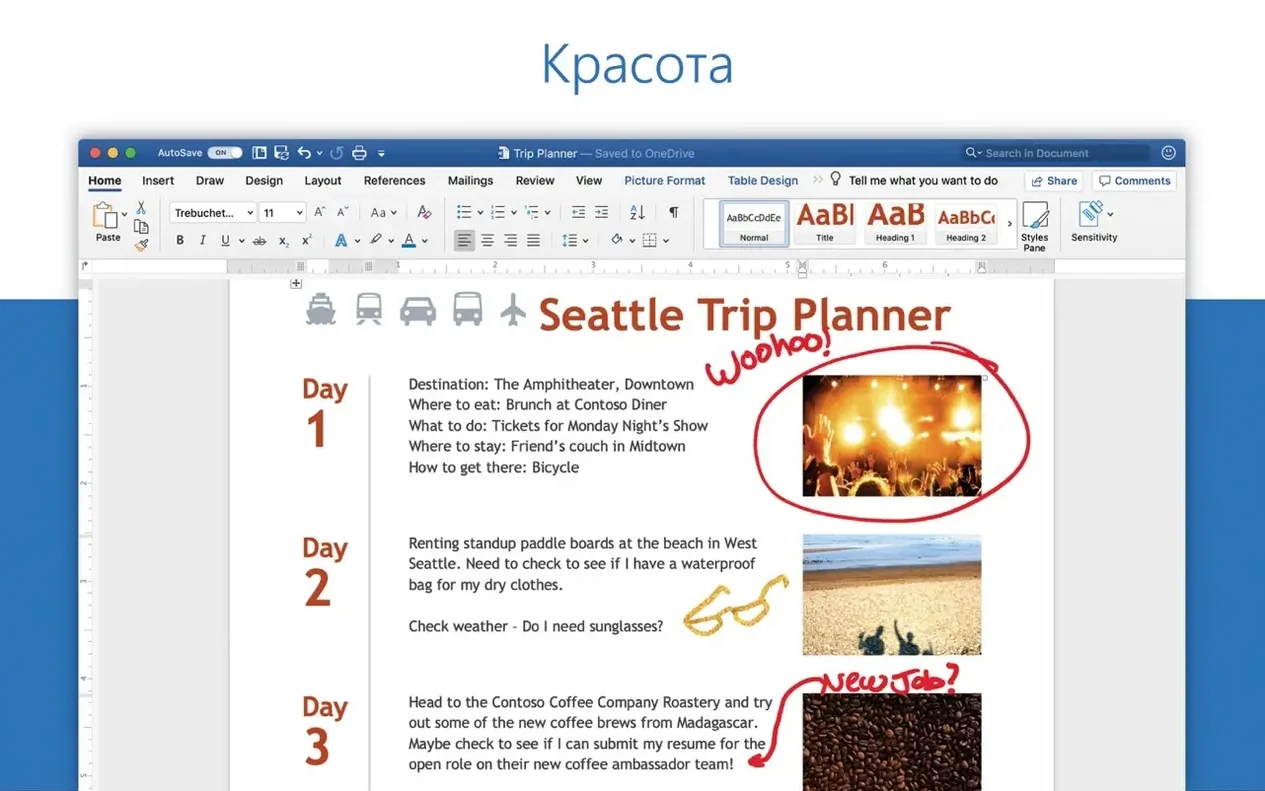
Trust the AutoSave toggle, but understand what it's doing. Documents stored locally behave differently than those on OneDrive. If your workflow involves offline drafting, turn off AutoSave for local files to avoid overwriting a deliberate draft state. For collaborative documents, leaving it on means version history has your back, but that's a cloud-dependent safety net.
Check the proofing language per section. A document with mixed Canadian and US English sections will flag words like "colour" inconsistently unless you assign the language to each style or selection. The status bar at the bottom shows the current language; click it to change what Word is checking against.
A documentary editor's afternoon
Imagine a documentary editor in Vancouver who's cutting a feature about the Fraser River. She has transcripts from five interview subjects, each running 40 to 60 pages, and a paper edit that cross-references timecoded sound bites. The funder wants a script formatted to Telefilm's spec — sluglines, character names in caps, parentheticals in a lighter weight — and she needs to pull quoted lines from the transcripts without retyping a word. Word sits between the NLE and the funding body, and it has to move quickly.
She imports the transcripts into a master document, then uses the Navigation Pane with heading styles applied to each interview subject's name. Jumping from the biologist's comments on salmon runs to the historian's notes on steamboat wrecks becomes a matter of clicking a heading. With wildcard Find — [A-Z]{2,}: — she locates every instance where a character name appears before a colon, the cue for dialogue in her script format. The Replace function swaps them to her custom Character style, all caps, no indentation fuss. What could have been two days of formatting collapses into an afternoon, and the Telefilm draft is out the door with time to spare.
Building a manuscript with styles from scratch
Start with a blank document — not a template, not a converted file. A novelist opening Microsoft Word 2016 torrent builds or a newer download word for mac free package gives them the same starting point. The goal is a manuscript ready for a beta reader, formatted cleanly enough that the prose is the only thing anyone notices.
First, define the body style. Open the Styles pane, right-click Normal, modify. Set the font to a serif — Garamond, Baskerville, or Minion if it's installed. Line spacing at exactly 24 points, first-line indent at 0.4 inches, widow and orphan control checked. Save it to the template. This is now the default for every new document.
Next, build the heading hierarchy. Heading 1 becomes the chapter title: centred, small caps, 14 points, with a page break before. Heading 2 handles scene breaks — just a single hash mark, centred, 12 points, with 18 points of space above and below. Assign a keyboard shortcut to each. Ctrl+Shift+1 for a new chapter, Ctrl+Shift+2 for a scene break. Muscle memory sets in faster than reaching for the ribbon.
Set up the front matter. A title page uses no heading style at all — just centred paragraphs with generous spacing. Add a page break after the title, then insert a table of contents anchored to Heading 1 only. It won't populate until chapters exist, but the placeholder is ready. Page numbers start from the first chapter, not the title page; a section break handles that distinction.
Now write the first chapter. Apply Heading 1, type the chapter title, hit return. The body text inherits the Normal style with its indent and spacing. When the chapter ends, Ctrl+Shift+1 again for the next. After three chapters, update the table of contents — right-click, Update Field, update entire table. The structure is visible, navigable, and already submission-ready.
Save as .docx for compatibility, but also export a PDF for the beta reader. File, Export, Create PDF. Under options, include document structure tags for accessibility. The resulting file keeps the heading hierarchy intact for anyone using a screen reader or a tablet. When the manuscript comes back with notes, turn on Track Changes — Review tab, toggle it on — and work through the suggestions one by one, accepting or rejecting with a right-click. The manuscript grows without losing the shape you built at the start.
Version 16.93 smooths out a few rough edges with quality and performance improvements. The standout fix is for equation editing, which now behaves as expected instead of fighting your corrections mid-edit.
- macOS 13 or later
- Apple Silicon and Intel Macs both supported
Questions from the booth
Yes, Word can work with documents attached to email messages on macOS, letting you edit and return them without leaving your usual mail workflow.
Version 16.93 addressed an issue where editing equations did not work as expected, alongside general quality and performance improvements.
You can install the standard Office 2024 package, or download individual packages for Word, Excel, PowerPoint, Outlook, or OneNote directly from Microsoft servers.