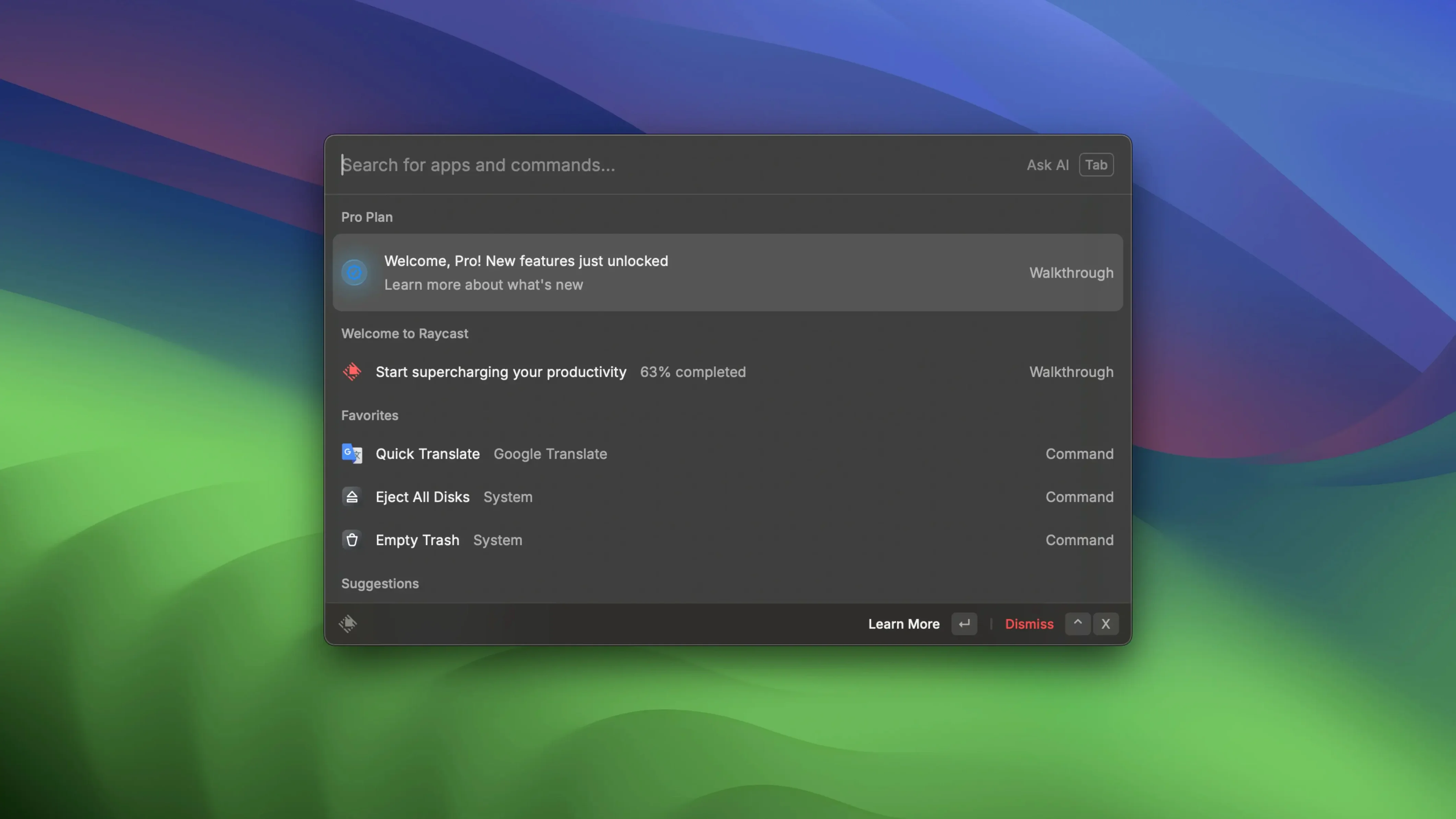
Designers, developers, writers and anyone who spends their day switching between tools tend to be the people who end up using Raycast. It replaces the spotlight reflex — Option+Space — with a command palette that reaches into local files, macOS shortcuts, Launchpad and a growing collection of third-party services. The idea is to keep your hands on the keyboard and let the interface get out of the way.
Search files, join Zoom calls, and chain shortcuts from one bar
- Searching local files without opening a Finder window
- Connecting Zoom and scheduling or joining meetings from a single bar
- Running custom commands for Google Drive and Google Docs
- Stringing together macOS shortcuts and Launchpad actions with fewer clicks
- Working across Intel and Apple Silicon Macs on macOS 12 and later
Offline functions are absent and the interface stays in English
- Online functions do not work in this version
- The interface is English-only
- Extensibility depends on connecting third-party apps, and some integrations expect an active internet connection
Common mistakes that slow people down in the first week
New users often treat Raycast like a slightly prettier Spotlight and never leave that surface. They open it, type an app name, launch it, and close the palette. What they miss is the action key — pressing Tab after a result surfaces a second layer of commands tied to whatever you just found. A file can be copied, renamed, opened in a different app or moved to a folder without touching the Finder. A calendar event can be joined, shared or deleted right there. Skipping this one key is the single biggest reason someone thinks Raycast is thin when it is not.
Another early mistake is ignoring the alias system. Quick links work best when you give them a short, memorable trigger word — think gh for a GitHub repo or inv for an inventory sheet — but beginners tend to leave the default names or create long phrases they never remember. The result is a palette cluttered with entries nobody uses. Spending twenty minutes in the first day renaming Quick Links and deleting the built-in commands you will never need makes the tool feel personal instead of generic.
There is also a tendency to connect every available extension at once. Zoom, Google Drive, Things, Spotify, HomeKit — the list looks tempting, but each connection adds weight to the palette and introduces commands that overlap. A cleaner approach is to connect two services you use every day and learn those deeply before adding a third. The palette stays fast, and your muscle memory has time to catch up.
Memory use halved and extension processes launch leaner
The jump from earlier builds to the current 2.4.1.0 stream brought changes that affect everyday responsiveness more than feature lists suggest. The host process now uses roughly half the memory of previous releases, and each extension process starts with about thirty percent less overhead. For a machine running eight or ten extensions simultaneously, that difference is audible in fan noise — or rather, the absence of it — during long work sessions.
A persistent memory leak that grew the longer Raycast stayed open was also fixed. Before that patch, users who left their Mac running for days would notice the palette becoming sluggish by the third or fourth afternoon. Now the footprint stays stable, which matters less during a one-hour sprint and a lot during a week-long edit where you never quit your tools.
Performance improvements in version 2.6, which followed the current build, continued in the same direction — tighter memory use across the host and extension processes — but the core stability work that most affects daily driving was already present in 2.4.1.0. The palette opens at the same speed at 9 a.m. as it does at 6 p.m., and that consistency changes how much you trust it.
Set a handful of Quick Link aliases that feel automatic fast
Start by setting a handful of Quick Links with short aliases: your project tracker, a shared notes doc, the folder where exports land. Open Raycast, type the alias, hit Enter — that loop should feel automatic by the end of day one. If a link can open in a specific browser rather than your system default, set that in the link's preferences so you are not correcting it manually each time.
Next, pin Floating Notes to a keyboard shortcut you will actually remember. The notes are lightweight — more like a scratchpad than a notebook — and they shine when you need to jot a timestamp code, a colour value or a line of feedback without switching to a full editor. Tap the shortcut, type, and either copy to clipboard or send straight to iMessage. In the first days, treat them as temporary holding space rather than permanent storage, and you will use them more often.
Resist the urge to install community scripts on day one. Instead, spend an afternoon exploring the built-in commands for file search and Launchpad integration. Learn how Tab changes the options for a selected file. Learn which macOS shortcuts you can trigger from the palette without ever opening System Preferences again. Once that foundation is solid, the custom scripts will feel like extensions of your own thinking rather than someone else's workflow.
Keyboard-driven developers collapse a dozen small tasks between windows
People who work in keyboard-driven environments notice the difference first. Developers who already live inside a terminal and a code editor find that Raycast collapses the dozen small tasks between those windows — opening a repo, searching documentation, running a script — into a single interface that speaks the same language. The palette becomes a bridge between the editor and everything else.
Video editors and motion designers on long timelines benefit in a quieter way. Their days are full of small file operations — finding an asset, renaming a render, moving a project file to an archive drive — that normally pull a hand off the keyboard and onto the trackpad. Raycast keeps those operations in the command bar, which adds up over a ten-hour finishing session. The memory stability improvements in recent versions matter particularly here, because creative software already taxes the system enough.
Writers and researchers who juggle notes, sources and drafts across multiple apps get a different kind of value from Floating Notes and the Quick Link system. A note captured mid-thought lands somewhere useful instead of disappearing into a text file named untitled 12. A link to a reference document opens in the right browser on the first try. It is not flashy, but it removes small frictions that compound across a writing day.
Mac users who prefer graphical interfaces and menu navigation will probably not feel the same pull. Raycast rewards keyboard fluency and a willingness to memorize a handful of aliases. If your workflow is built around clicking through folders and right-clicking for context menus, the palette will feel like an extra step rather than a shortcut. The tool is opinionated about how you interact with your Mac, and that opinion suits some temperaments more than others.
This point release irons out a few lingering behaviours and brings the launcher’s responsiveness back to its quick, frictionless norm.
- macOS 12 or later
- Apple Silicon or Intel 64-bit
Questions from the booth
Yes, it can run custom commands for Google Drive and Google Docs once the integration is set up.
After connecting Zoom, you can schedule meetings, start them, and view upcoming ones directly from the command bar.
Raycast opens with the Option+Space shortcut, replacing the standard Spotlight behaviour on macOS.