
Story Editor is the feature that makes QuarkXPress feel less like a layout canvas and more like a quiet writing room. It swaps the spread view for a full text editor, letting you shape articles before the visual choreography begins. When you first open version 22.0.1, the redesigned welcome screen points you toward project presets, tutorials, and a workspace you can tune to the way you work.
Print and digital editions from a single file
- Long documents where text handling, dictionaries, and hyphenation across more than 30 languages matter
- Print and digital side by side — iBooks, Kindle, and Nook output sit alongside traditional page tools
- Experimental layouts that lean on cloning elements and markers for bulleted or numbered lists
Limited to macOS and select tools
- Runs on macOS 12 and later, on both Intel and Apple Silicon machines
- The interface supports 18 languages, from Russian and Korean to Norwegian and Czech
- Some tools, like the iPad app builder and Linkster for text-box notes, reward patience before they feel natural
Starting a magazine spread from presets
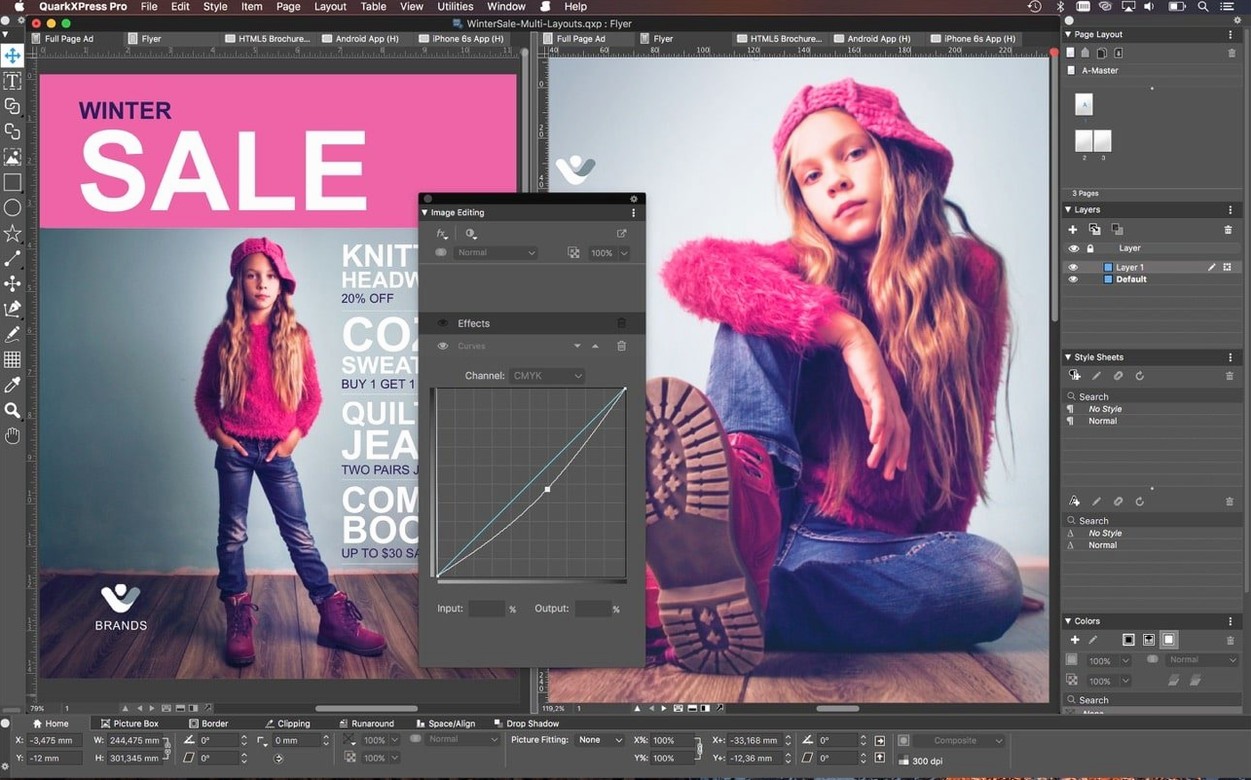
You launch QuarkXPress and the welcome screen offers a grid of project presets — print, digital, a blank canvas. You pick a magazine spread, name the project, and the pasteboard appears. The first thing you do is drag guides onto the master page, a ritual that hasn't changed in decades of page layout software. What has changed is how quickly you can now pull Illustrator and Photoshop files straight onto the page without conversion headaches. A cover sketch lands from Illustrator, and you position it with the smart alignment hints flickering pale blue at the edges of the frame.
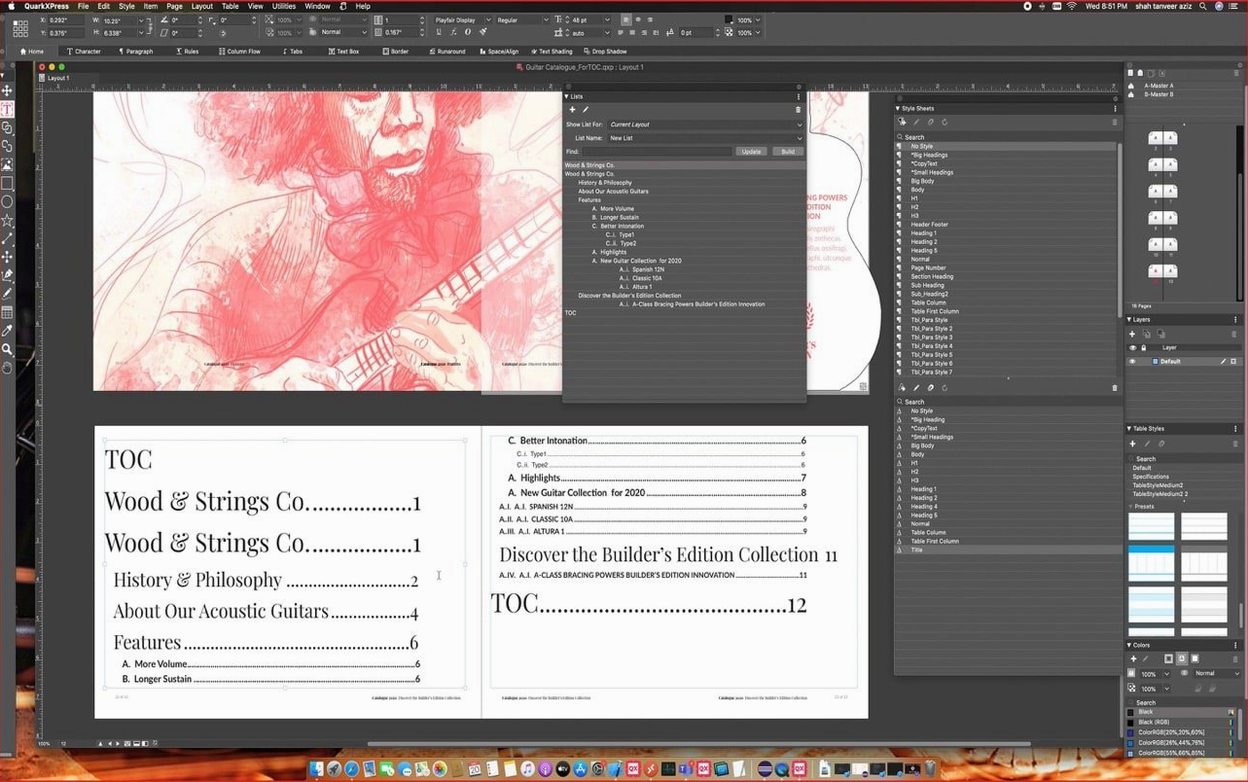
Text comes next. You open Story Editor for the feature article — a six-thousand-word piece that arrived as a plain text file. The editor fills the screen, stripping away columns, image frames, everything except the words and the rhythm of the paragraphs. You run the English hyphenation dictionary, check the flow, and apply conditional styles that automatically switch the byline formatting depending on whether it follows a heading or a pull quote. Back in layout view, you thread the text across three pages, and Linkster shows you the chain with small numbered indicators at the connection points. You adjust the gutter on the middle column, and the reflow ripples through without orphans.
Images go into an ImageGrid you built earlier — a six-cell matrix you saved as a preset. You point the grid at a folder of press photos, and the cells populate in sequence, each one respecting the master-page frame styles you set up. One photo needs a callout; you attach it to a caption frame, and when you nudge the image down a few points to fix the horizon line, the callout moves with it. No re-linking, no invisible anchor points to hunt for. By the time you export an ePub for a Kindle preview, the afternoon has slipped into evening and the spread looks like something that belongs on a newsstand.
Building an interactive travel guide, end to end
Imagine a compact city guide for a neighbourhood in Prague — something that works as a printed trifold and as an iPad app a visitor can scroll through on the tram. You start with the trifold layout first, because print imposes constraints that digital can later relax. The page is divided into six panels, and you use the cloning feature to replicate the restaurant-list frame across three of them. When you update the typeface in the original, the clones follow. Markers handle the numbered list of walking-tour stops; you tweak the bullet character once, and it cascades down all twenty stops without a single manual edit.
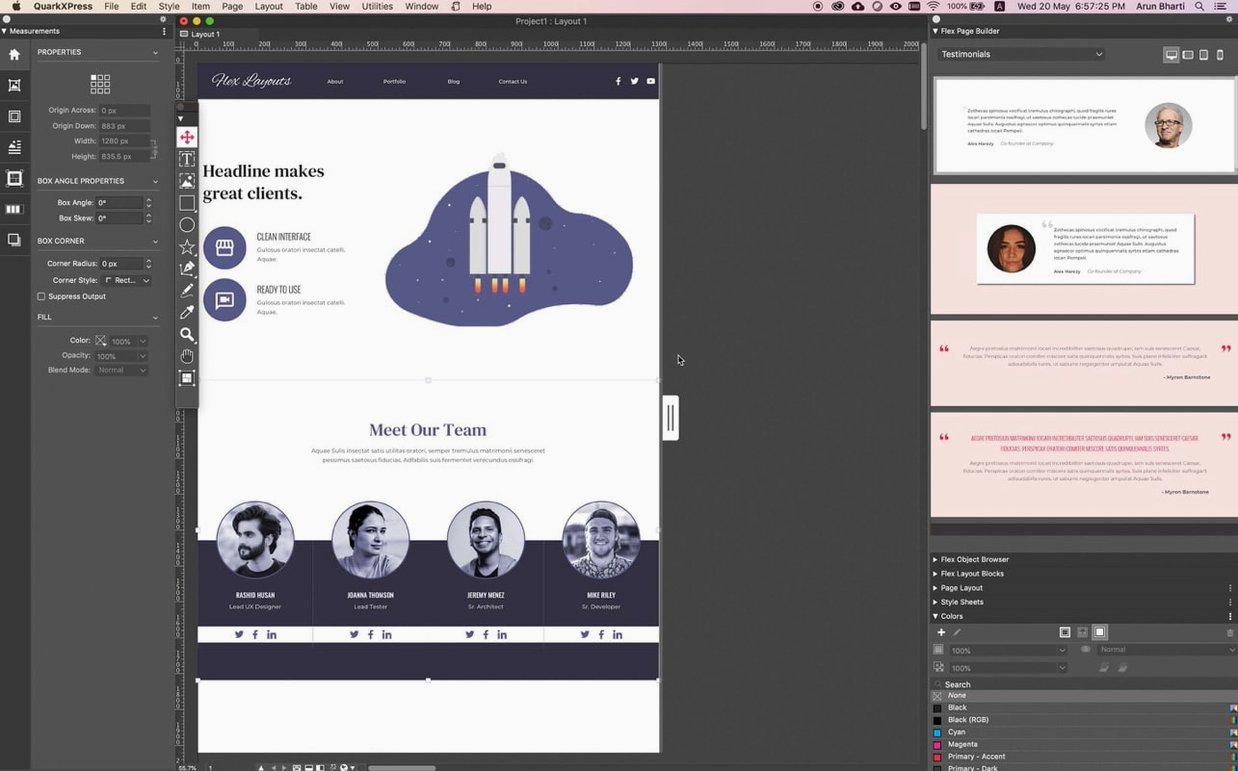
Once the print side is locked, you switch to the digital edition. The iPad app tools live in their own palette — you define buttons for the map section, link them to zoomable images, and add a slideshow that pulls from the same ImageGrid you used for the trifold. The layout reflows badly on first preview, so you open Reflow View and watch how the content stack reorganizes itself. You move the photo essay above the restaurant listings, and the reading order snaps into place. An ePub export goes to a test Kindle, and a separate Blio eReader export handles the fixed-layout version for tablets. The whole project lives in a single file — no branching versions, no midnight panic about which draft is current.
Native math equations arrive for technical layouts
Version 22.0 brought native math equation support, which sounds niche until you work on a university press journal or a technical white paper. Before that release, equations meant external editors, exported SVGs, and the quiet dread of finding a misaligned fraction bar at the proofing stage. Now you open the equation editor directly in QuarkXPress, type LaTeX-style input, and the result sits in a frame that behaves like any other object. It scales, it re-colours, it threads inside a text box if you need it inline.
The redesigned welcome screen in version 22.0.1 seems like a small thing, but it reshapes the first minute of every session. Instead of a generic dialogue, you see project size presets tailored to common output — A4 magazine, US letter brochure, digital landscape — alongside a row of built-in tutorials. Those tutorials cover conditional styles and callouts, two features that often go unused simply because people don't stumble across them. The ImageGrid improvement in 22.0.1 fixes a long-standing annoyance: master-page elements used to break when ImageGrid auto-generated new pages, and now they hold steady. For anyone building a catalogue or a lookbook that spans dozens of pages, that single fix removes a repetitive correction from the workflow.
Publishers who prize identical cross-region output
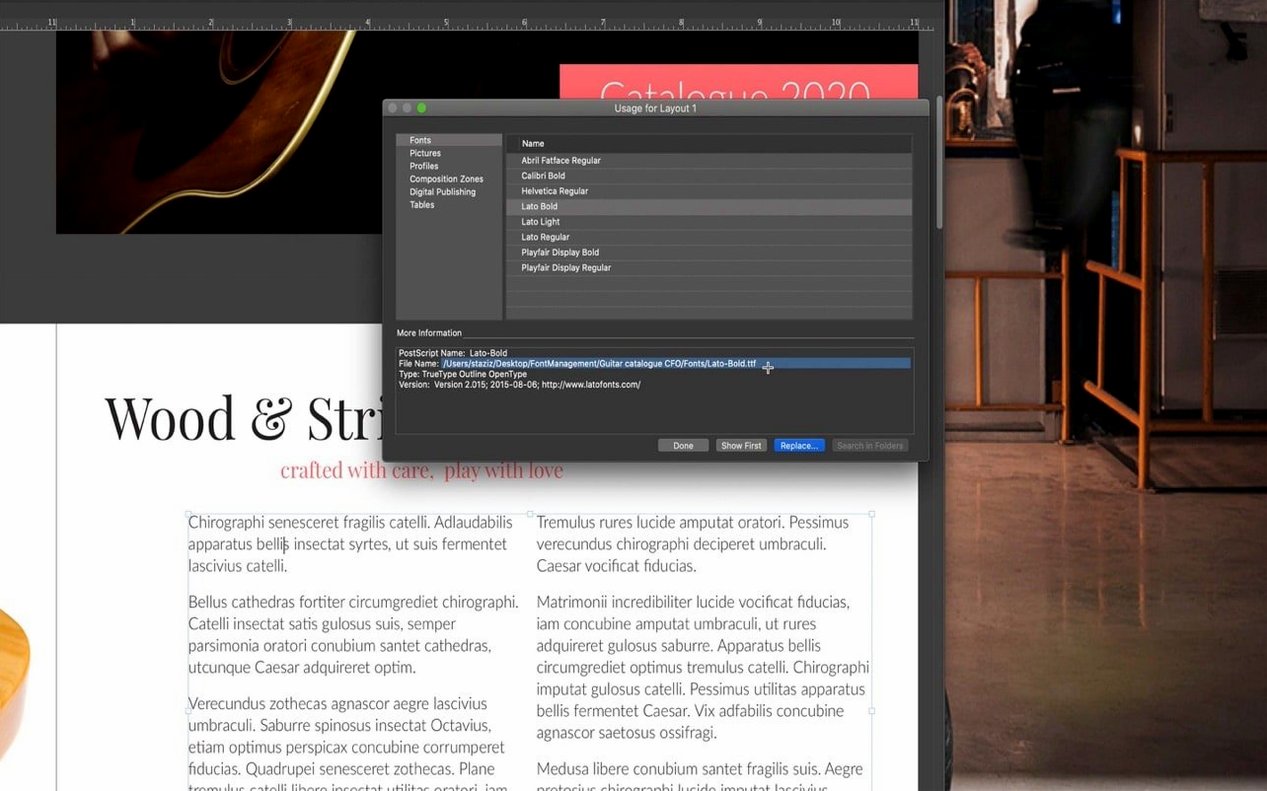
Publishers working across print and digital tend to settle into QuarkXPress and stay there. The single-file format that opens and prints identically across different regional editions matters more than a feature checklist can convey — it means a layout built in Tokyo opens without font chaos in Prague, and the hyphenation dictionaries actually know what to do with the text. Prepress teams who still handle imposition and colour separation manually find the control they need without layers of abstraction. Marketing teams producing multi-format campaign materials lean on the cloning and ImageGrid tools to keep visual consistency when a single brochure spawns six local variants.
It is also an oddly good fit for independent publishers and small magazine teams who maintain their own production pipeline. The lack of mandatory activation means a machine can be rebuilt or swapped without licence-server drama, which matters during a print deadline. The broad language support — eighteen interface languages, more than thirty for dictionaries and hyphenation — means a bilingual editorial team can switch contexts without switching applications. And for designers who came up during the era when QuarkXPress was the industry default, version 22.0.1 feels like a tool that has stopped chasing trends and started refining what it always did well: pages, type, and the space between them.
Reflow View preserves your layout when content reshapes itself on another device — a small mercy for anyone juggling print proofs and e-reader previews.
Version 22.0 introduced native support for mathematical equations. The ImageGrid feature was also improved so master page elements hold steady across auto-generated pages, and the welcome screen received a full redesign in v22.0.1.
- macOS 12 or later
- Intel or Apple Silicon architecture
Questions from the booth
Yes, it supports iBooks, Kindle, and Nook for electronic publication distribution and viewing.
It is compatible with macOS 12 and later, and runs on both Intel and Apple Silicon architecture.