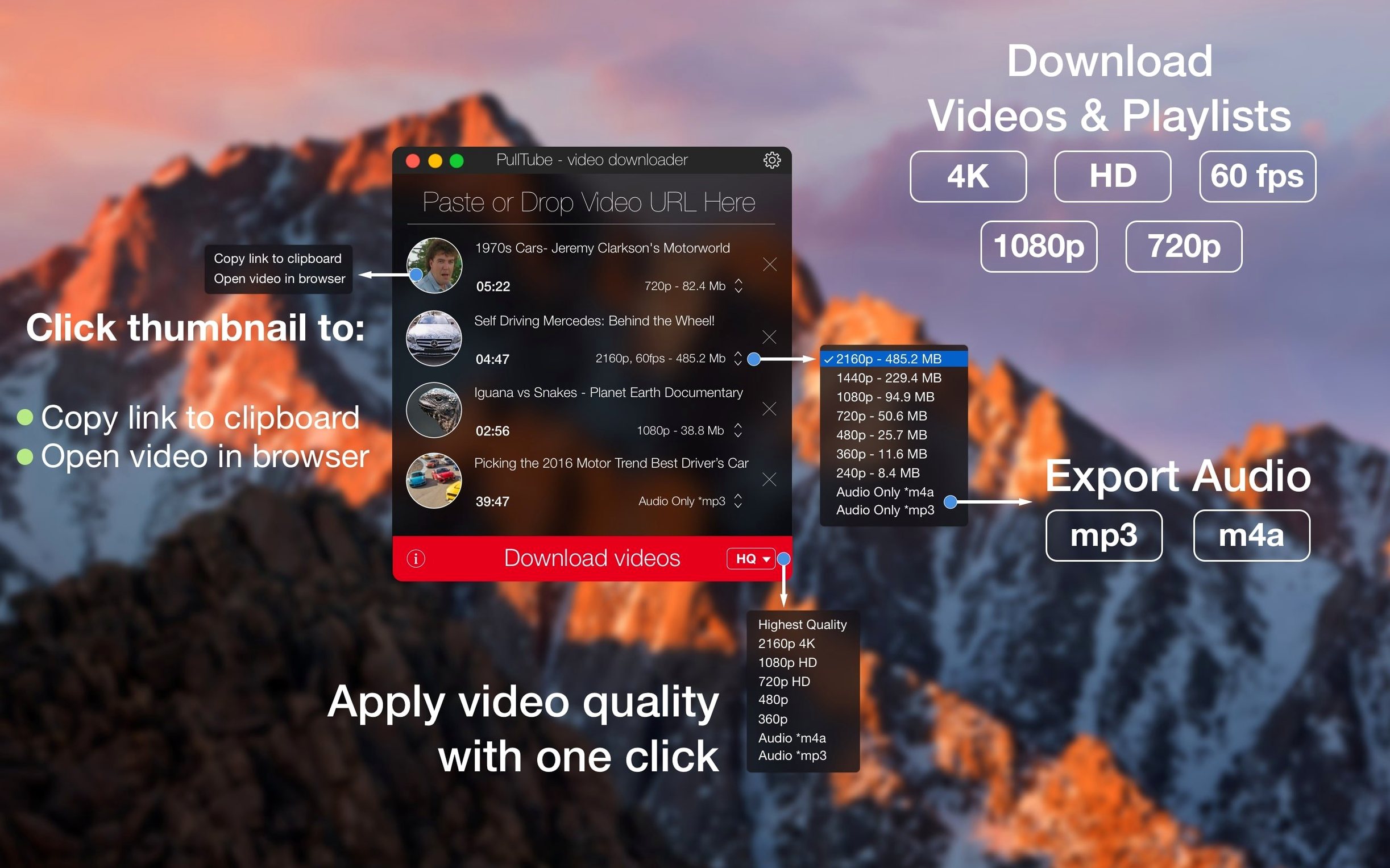
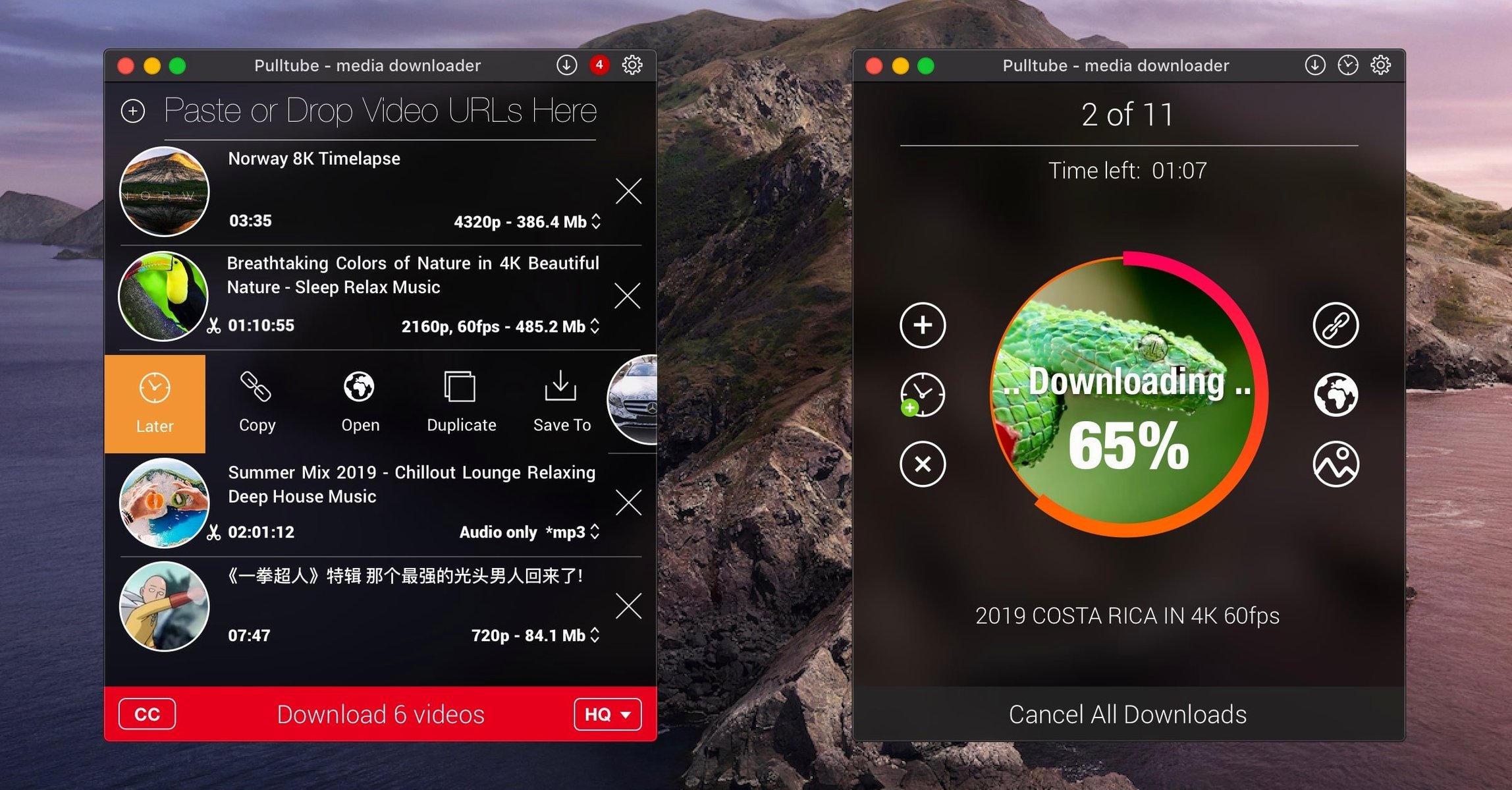
You find a behind-the-scenes interview on a video platform, and you want just the voice — a clean audio track to study while editing. You paste the link into PullTube. Before the download starts, you switch from video to audio-only and pick a high bitrate. A few seconds later, you have an m4a file on your desktop, named with the quality appended so you know exactly what you’re working with.
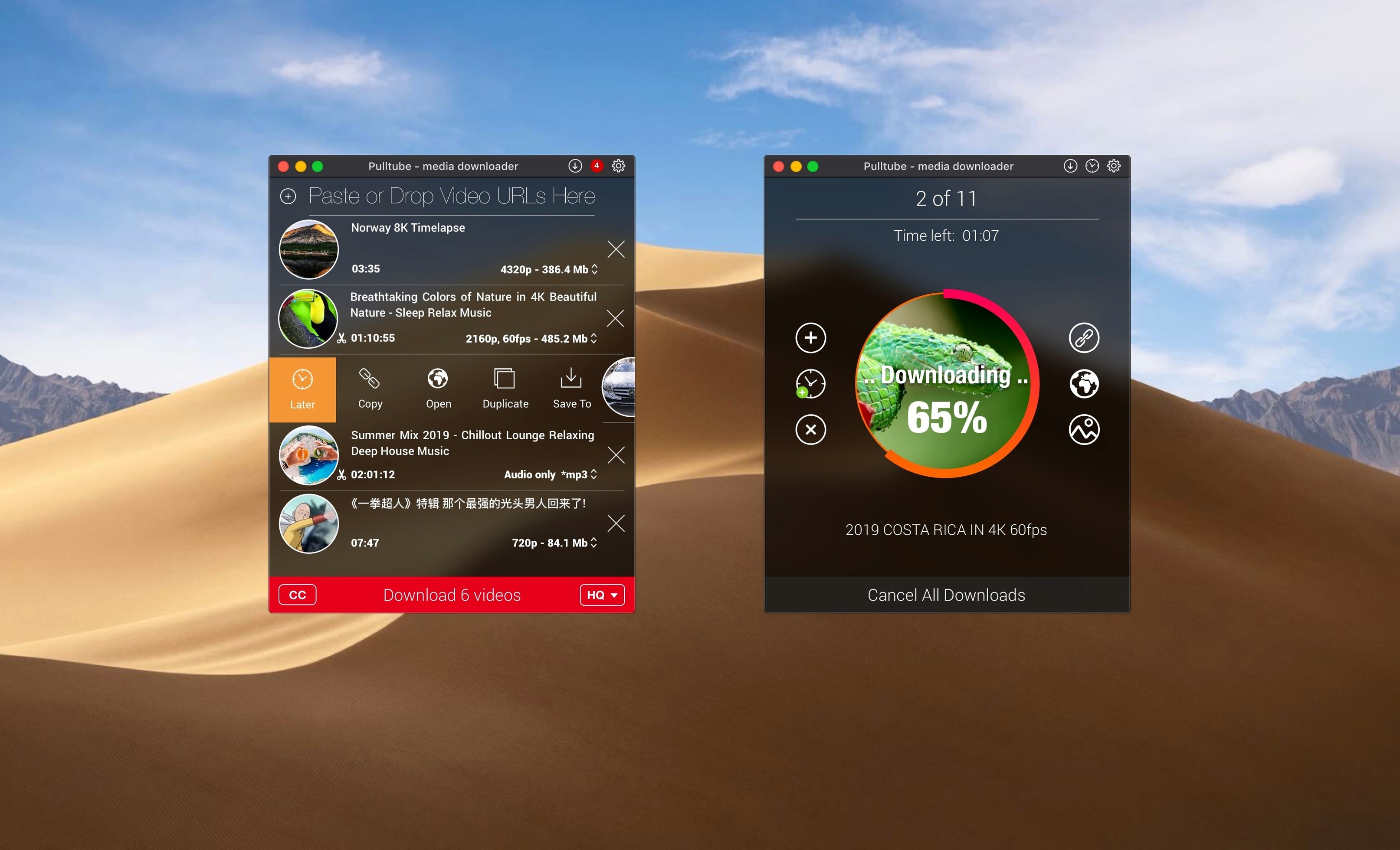
The app reads pasted links quickly and can spot a full playlist from a single URL. If you need every episode of a web series for offline reference, drag the link in and let PullTube gather the set. You can choose the same output quality for all of them, then tick the option to quit the app when the queue finishes — useful for overnight grabs.
Subtitles come along too when they’re available, saved beside the video file. And if you’re the kind of person who organizes by resolution, the quality tag in the filename keeps your library readable at a glance.
How PullTube sits alongside similar Mac downloaders
Three other apps tend to come up in the same conversation. Downie is the one most people mention first — it supports a comparable range of sites, handles playlists, and offers a similar post-processing pane for extracting audio or picking formats. Where PullTube feels a little lighter in daily use is the interface itself. Downie has a more elaborate window with a built-in browser and per-site settings. PullTube keeps everything in a single-column list with a thumbnail and a few dropdowns, which makes it quicker to glance at when you’re dropping in links between edits. Neither approach is wrong; they just suit different rhythms.
ClipGrab is the free alternative that often appears in forum threads. It does the basics well — paste a link, pick a format, download. The trade-off is narrower site support and no real playlist handling beyond single-video grabs. PullTube’s playlist detection alone puts it in a different category if you regularly save multi-part lectures or concert sets. ClipGrab also lacks the quality-append naming feature, which sounds minor until you’re staring at six versions of the same file and can’t tell which one is the 4K copy.
Then there’s 4K Video Downloader, which shares PullTube’s playlist smarts and subtitle support. The two are closer in capability, but 4K Video Downloader leans toward a busier interface with an in-app browser and parsing queue that can feel sluggish on older machines. With pulltube for mac, the window stays responsive even while several large files are coming in, and memory use rarely spikes above what you’d expect from a single-tab browser. That matters when you’re running a timeline in Resolve and don’t want background tasks competing for headroom.
4K downloads fill the bar as fast as your connection allows
Download speed depends more on the host server than on the app itself, but PullTube doesn’t add unnecessary overhead. On a fibre connection pulling 4K footage from a major platform, the progress bar fills about as fast as you’d see in a browser’s native download — sometimes a little quicker, because the app isn’t also decoding and displaying the video stream. Parallel downloads don’t seem to introduce throttling; three or four playlist items running at once will saturate a decent connection without the app becoming unresponsive.
Stability on an Apple Silicon Mac running macOS Sonoma has been uneventful, which is exactly what you want from a utility. No crashes when pasting malformed URLs, no beachballing when cancelling mid-queue, and the quit-after-download toggle has worked reliably across multiple overnight sessions. The only quirk worth noting: very long playlists — think 80-plus items — can make the initial link parsing take a few extra seconds, during which the window doesn’t show a spinner. A small progress indicator would help, but the app hasn’t locked up or lost the queue in those moments.
Resource use stays modest. With three 1080p downloads running, PullTube held steady around 180 MB of RAM and negligible CPU. The Intel build on an older MacBook Pro showed similar figures, though the initial launch is a beat slower on Intel — maybe two extra seconds before the window appears. If you work on a machine with 8 GB of memory and often have a browser, a media player and an editor open, PullTube won’t be the app that tips things over the edge.
YouTube layout changes are usually patched within a day
Does it still work after a YouTube or Vimeo layout change? The short answer is yes, usually within a day. Like every app in this category, pulltube para mac relies on parsing patterns that occasionally break when a streaming platform updates its delivery code. The developer has been quick with point releases after major changes, and the app checks for updates on launch without being pushy about it.
Can I grab just a section of a video, or only the whole thing? PullTube works with full videos and full playlists. There’s no built-in trim tool, so if you need a 30-second clip from a two-hour stream, you’ll make the cut in your editor of choice afterward. The audio-only mode helps here — pull the whole thing as a compact m4a, then slice out what you need without dealing with a multi-gigabyte video file first.
What happens with age-restricted or login-walled content? The app doesn’t handle authentication flows, so anything behind a login gate on, say, a private Vimeo link or an age-restricted YouTube video won’t parse. For public, non-restricted material across the thousand-plus supported sites, it’s a straight paste-and-go affair.
Do subtitles come as a separate file or are they burned in? They land as a separate file beside the video — usually in SRT or VTT format, depending on what the source offers. That’s ideal for anyone who wants to use them in an NLE or re-time them later. Nothing is hard-coded into the picture.
Tagged filenames and playlist grabs for motion designers
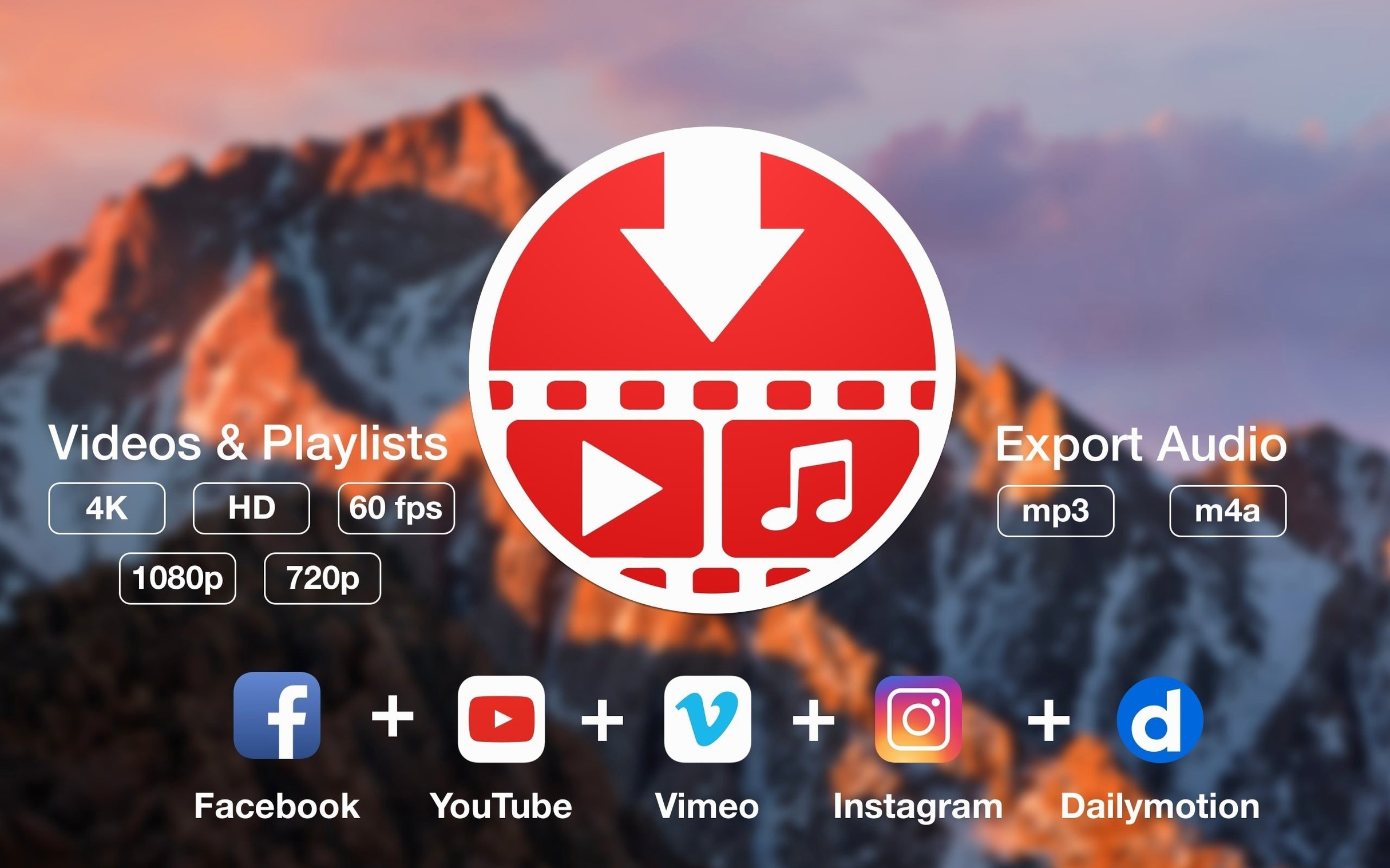
Video editors and motion designers who collect reference material are the obvious audience. The ability to grab a full playlist of breakdown reels, save only the audio from a director’s commentary, and have the resolution tagged in the filename means less manual renaming and less hunting through Finder later. If you maintain a local library of clips for mood boards or editing exercises, the drag-and-drop link import slots neatly into a workflow that already involves a lot of dragging and dropping.
Musicians and sound designers who pull isolated tracks from live performances get a lot out of the audio-only switch. Rather than downloading a 2 GB concert video just to extract the audio separately, you set the preference once and get a clean m4a or mp3 directly. Over a dozen downloads, the time and disk space saved adds up.
Researchers and language learners who archive lectures or native-language videos also benefit from the subtitle sidecar. Having an SRT file with the same base name as the video makes it easy to load both into a media player that supports subtitle display. No renaming gymnastics, no manual downloads from third-party subtitle sites.
Casual users who just want to keep a few videos for a flight or a commute will find the interface unintimidating. Paste, pick quality, press download. The window doesn’t present options you don’t need, and the post-process queue shows a clear thumbnail and title so you know you grabbed the right thing. That clarity is what makes pulltube mac feel less like a utility and more like a thoughtfully designed companion to a media-heavy workflow.
The 1.8.6.41 update quietly reinforces PullTube's download engine with the developer's freshest set of under‑the‑hood repairs.
- macOS 11 or later
- Apple Silicon or Intel 64-bit
Questions from the booth
Yes, you can switch the download type to audio-only and choose your preferred bitrate before pulling the file.
It detects playlists from a single pasted link and can download the entire set with the same quality setting applied to all videos.