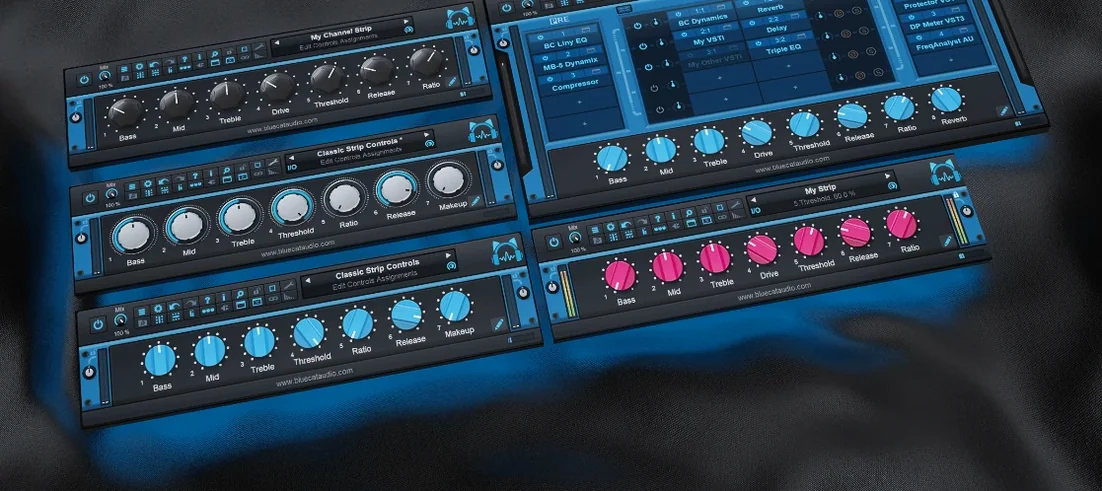
A session grinds to a halt when the reverb you need is VST3-only and your main DAW only talks AU, or when a simple parallel chain demands five auxiliary tracks and a tangle of routing you’d rather not draw. Blue Cat’s PatchWork sits inside a single insert slot and solves that mismatch—and the routing mess—before you reach for a workaround.
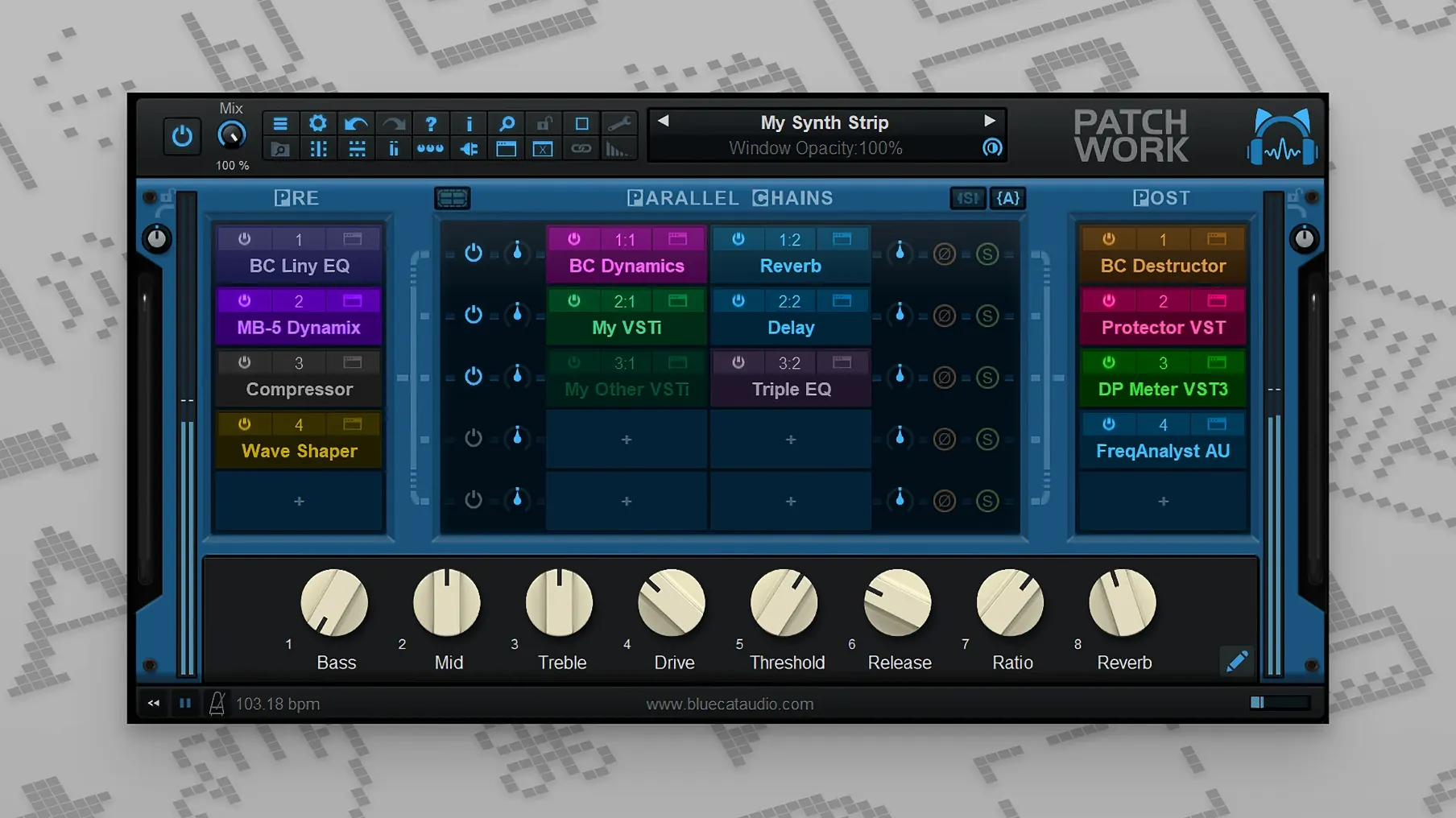
On macOS it opens as an Audio Unit, VST, VST3 or AAX plug-in, and inside that wrapper it hosts third-party VST, VST3 and AUv3 effects and instruments. A built-in scanner finds what’s installed, and full-text search lets you pull up a plug-in by name while you type. The patchbay itself is a freeform grid where you drag connections between slots, split a signal into parallel rows, or nest chains that you can copy, paste, save and reload as a single preset. Version 2.75 added an audio recorder that captures up to sixteen channels, so printing a processed stem becomes a one-click affair inside the rack.
Compatibility runs deep enough that a chain built in one DAW travels to another without rebuilding. The enhanced presets browser narrows results as you type, and every routing—serial, parallel, mid-side—stays stored with the preset. A handful of built-in plug-ins cover gain, metering and basic tone shaping when you need a utility without reaching for a third-party library.
It runs on macOS 10.9 and later, 64-bit only, on both Intel and Apple Silicon machines, so even an older Mac Pro or a current MacBook Pro can carry the same rack of effects from Logic to Ableton Live without translation errors.
The grid-based cousin that handles more plug-in formats
DDMF Metaplugin feels like PatchWork’s closest cousin. Both let you build chains of third-party plug-ins inside a single DAW slot, both draw signal flow on a grid, and both handle VST, VST3 and AU on macOS. The difference sharpens when you open the patchbay. Metaplugin gives you oversampling per slot and a few more analysis overlays, but its routing leans heavily on a node-and-wire metaphor that rewards precision—great for surgical multiband splits, less immediate when you want a quick wet/dry parallel row. PatchWork keeps the grid looser; dragging a connection into a new row takes seconds, and the preset browser responds to typing in a way Metaplugin’s menu-based loader never quite matches.
Kushview Element, open-source and modular by design, goes further into synthesis territory. You can build instruments from scratch inside its graph, wire MIDI between plug-ins with more granularity, and run Lua scripts that automate the rack itself. That flexibility comes with a steeper first hour. PatchWork doesn’t try to replace a modular environment—it hosts what you already own and routes it without exposing every event type. For a mix engineer who’s never touched a script editor, PatchWork’s scanner and search bar shorten the gap between idea and playback more than Element’s node library does. There’s a trade-off: Element’s approach rewards deep customization, while PatchWork’s reward is immediacy.
Waves StudioRack sits on the streamlined end. Its chains are serial-only, and it speaks Waves plug-ins first, though it now loads VST3 effects as well. The appeal is the curated preset library and the way it collapses a dozen plug-in windows into a single macro panel. But the moment you need parallel compression, or a VST instrument routed through an AU-only delay, StudioRack falls back to the DAW’s own routing. PatchWork handles both cases inside the instance, and the built-in audio recorder—added in 2.75—means you don’t need to set up a separate print track just to capture what the chain is doing.
Rescuing a Windows VST3 formant shifter inside Logic
Consider someone building creature vocals for an animated short. The session lives in Logic, but the formant shifter that nails the character’s tone is a Windows-born VST3 that Logic won’t see. PatchWork opens as an AU on the vocal track, the scanner finds the VST3 within seconds, and it’s loaded. A second row splits the signal into a parallel path running an AUv3 granular plugin that adds breathy grain trails—no extra bus, no aux track. While auditioning takes, the sixteen-channel recorder inside PatchWork prints the processed signal directly to disk, bypassing the need to bounce through Logic’s freeze function. The chain gets saved as a preset named CreatureVox_Base, dragged onto the next character’s track, and tweaked from there.
First days with PatchWork
Run the plug-in scanner right after installing. By default PatchWork looks in the standard system folders, but if your library spills across custom directories—common for those migrating from an older machine or keeping a portable SSD of effects—add those paths in preferences before you start building chains. A scanned and indexed library makes the search bar genuinely fast; skipping this step leads to manual browsing that undercuts the whole point.
When you drop your first few plug-ins into slots, resist the urge to build something sprawling. Start with a two-row parallel setup: a dry signal on one row, a single effect on the other, and the wet/dry balance handled by the row faders. Getting comfortable with row gain staging early prevents the patchbay from turning into a gain-riddled mess by the time you nest a third chain. Save that parallel template as a preset—it’ll become a faster starting point than an empty rack for most mix tasks.
The MIDI learn additions from version 2.75 reward a few minutes of setup. Assign a controller knob to plug-in bypass and another to interface open/close for the effect you reach for most often. In a live-performance context, that turns PatchWork into a hands-on pedalboard where your MIDI controller toggles chains without touching the mouse. Test the assignments at performance volume once; latency introduced by certain plug-ins can shift under MIDI control in ways that static playback doesn’t reveal.
If a plug-in’s editor refuses to load under VST3 on macOS, remember the interface is shown only when explicitly opened—PatchWork defers loading the editor until you click the plug-in slot’s UI button. A blank panel often means the editor simply hasn’t been called yet, not that the plug-in failed to scan. Those working with a bluecat patchwork mac torrent or a blue cat patchwork torrent can verify this behaviour by manually triggering the UI button for each slot, confirming the rack and GUI both spring to life as intended.
- macOS 10.9 or later
- 64-bit only
- Intel or Apple Silicon Mac
Questions from the booth
It loads third-party VST, VST3 and AUv3 effects and instruments, and includes a scanner plus full-text search to find them quickly.
Yes. Chains can be copied, pasted, saved and reloaded as presets, and the enhanced browser finds them while you type.
It supports both Intel and Apple Silicon Macs, requires macOS 10.9 or later, and is 64-bit only.