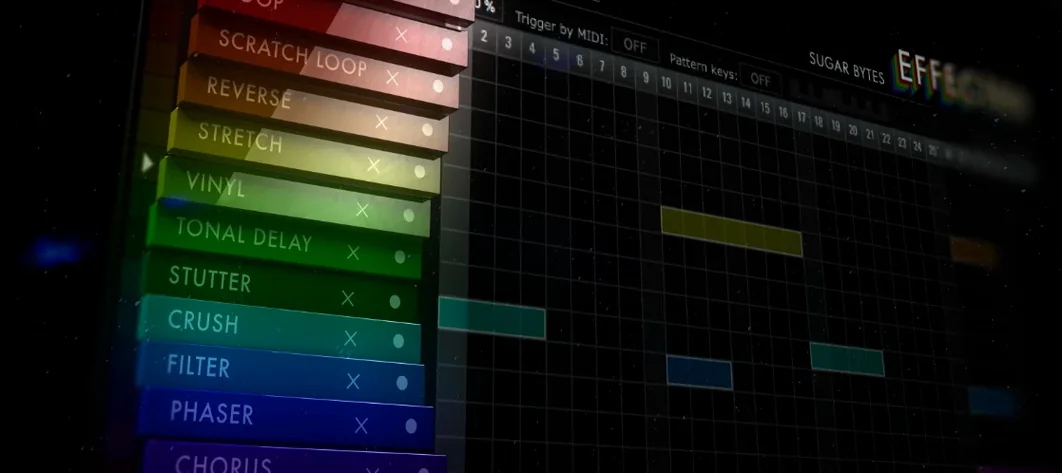
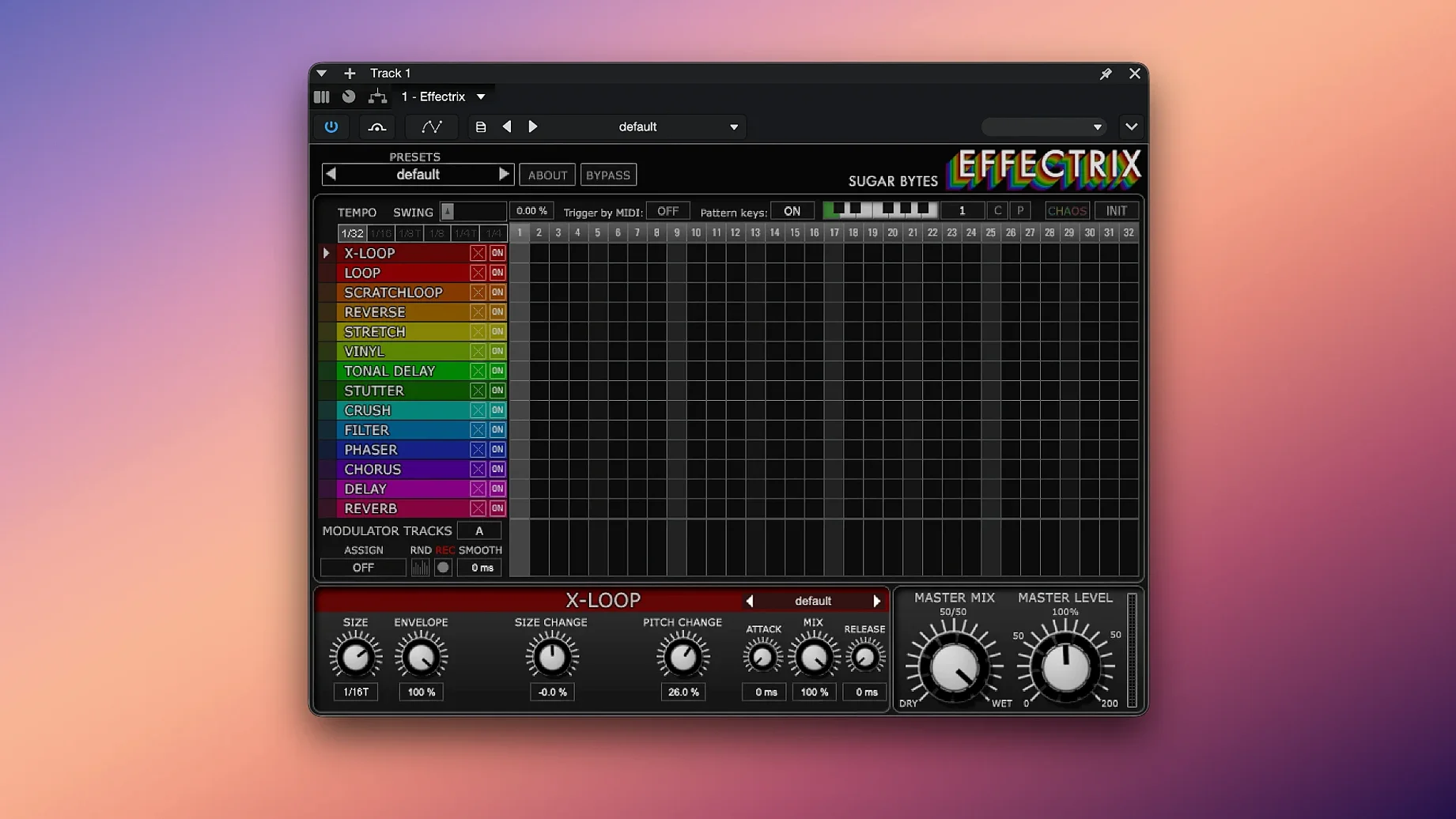
If you have spent any time with a step sequencer, the grid is already muscle memory. Effectrix takes that familiarity and twists it into a signal path, laying fourteen effects across sixteen steps you can trigger, mute, or modulate in time with your project. It is not a multi-effect rack you scroll through; it is a performer’s sequencer that treats effects the way a drum machine treats samples, letting you paint fills, stutters, and filter sweeps directly onto a timeline.
A sequencer that stretches from a single beat to four bars
- A 16-step sequencer with adjustable cycle length and per-step tempo division, so a loop can be four bars or a single beat
- Two modulation tracks that draw custom curves across any step parameter — amplitude, filter cutoff, a looper’s pitch
- Twelve sequence slots saved inside a single preset, recallable from a MIDI keyboard for live pattern switching
- Copy-and-paste between steps and patterns, plus hundreds of global presets that give each effect a starting point worth tweaking
A Sugar Blocks workflow that holds its shape
What stayed the same matters. Effectrix still operates as a chain of fourteen sequenced blocks — vinyl noise, ring modulation, a looper, a reverse buffer, and more — each with its own lane on the grid. The plug-in runs as an Audio Unit, VST2, VST3, AAX, or standalone application on macOS 10.13 and above, and the interface still feels like an instrument panel rather than a spreadsheet. You draw an envelope on the mod track, assign it to the x-loop’s grain size, and suddenly a static pad turns into a texture that breathes with the downbeat.
Where new users trip themselves up
Most beginners load Effectrix onto a track, click through a few presets, and treat it like a fixed effect chain. That is the first mistake. The grid is not a set-and-forget processor; it is a performance surface that expects you to sequence when each effect fires. A common frustration comes from hearing a stutter on beat three when you wanted it on beat one — and that happens because the lane was left active across the full sixteen steps rather than trimmed to a single cell.
Another early misstep involves the modulation tracks. New users often draw elaborate curves before checking which parameter the mod lane is actually targeting. The result is a filter sweep assigned to the looper’s dry/wet mix, or a pitch ramp mapped to the phaser’s feedback — sounds that feel broken rather than intentional. The fix is simple: click the mod destination first, then shape the curve. The same goes for the cycle length. Leaving it at sixteen steps while your loop is two bars long creates offset rhythms that some mistake for a sync bug. Shorten the cycle to match the phrase, and the groove locks back in.
The Chaos button catches people out, too. It is easy to hit it, hear the whole pattern scramble, and assume the plug-in glitched. Chaos is a real-time randomizer that re-rolls step probabilities per effect lane — useful for generating variations during a live set, but jarring if you did not mean to invoke it. Learning to use it with a light touch, or mapping it to a controller for momentary bursts, turns a frustration into a secret weapon.
Shift-click a row of slices to pitch-shift them all at once
Effectrix rewards keyboard habits. Holding Shift while clicking a step parameter lets you adjust multiple cells at once — select a row of loop slices and drag their pitch up a fifth in one motion. Copy-and-paste works between pattern slots as well as between steps, so you can duplicate a verse sequence into slot two, tweak the filter lane, and switch between them with a MIDI note during playback. That alone makes the twelve recallable slots feel like a songwriting tool rather than a storage bin.
The swing function is easy to overlook because the knob is small and tucked low on the interface, but a subtle swing value — around fifty-eight to sixty-two percent — loosens the mechanical feel of a sequenced stutter without pushing into triplet territory. Another quiet feature: right-clicking any effect block opens a menu of global presets for that specific effect, letting you audition a dozen looper behaviours or phaser shapes without leaving the grid. And if you build something you like across all fourteen lanes, saving it as a single preset captures every pattern slot, mod curve, and cycle-length setting together, so recalling a complex performance late in a project is one click.
Where Glitch 2 shares a grid but splits off in daily use
Effectrix shares shelf space with a few plug-ins that also sequence effects, but the approaches differ in ways that shape real sessions. Glitch 2 by Illformed runs a similar step-based effects grid and covers many of the same territories — tape stops, reversals, gating — yet leans harder into randomized pattern generation and feels more at home on a single hit or short loop than across a full arrangement. Glitch 2 excels at creating unpredictable textures quickly, but Effectrix gives you tighter manual control per step, two dedicated modulation lanes, and the twelve-slot pattern recall that makes it viable as a live performance tool rather than just a sound design box.
ShaperBox 3 by Cableguys bundles several time-synced effects — volume, filter, pan, width, and more — each with its own drawable LFO and multiband splitting. Where ShaperBox focuses on deep modulation curves within a single effect type at a time, Effectrix spreads fourteen distinct effect personalities across the same grid, and the sequencing feels more immediate for quick rhythmic ideas. A producer building a sidechain pump or a surgical filter cut will reach for ShaperBox; someone layering vinyl crackle, ring modulation, and a pitched looper over a synth line will find Effectrix faster to dial in. The two plug-ins complement each other well on the same machine, especially since effectrix mac installs cleanly alongside other Audio Unit effects without conflicts.
Looperator, also by Sugar Bytes, shares Effectrix’s DNA but slices audio into sixteen loop-based segments with per-slice effects and envelope control. The family resemblance is obvious — both use a horizontal step grid — but Looperator is built around rearranging and mangling loop slices, while Effectrix sequences effects across a continuous signal without chopping the audio itself. If your work starts with cutting up a drum break, Looperator pulls ahead. If you want to run a sustained pad through a timed chain of tonal and rhythmic transformations, Effectrix remains the broader canvas.
The Apple Silicon build that loads faster inside a dense project
The move to version 1.4.8 brought native Apple Silicon support, which matters more in daily workflow than spec sheets suggest. On an M-series Mac running a dense Ableton Live session, Effectrix now loads faster and sits in a channel strip without the memory translation overhead that older Intel-only plug-ins incur. The interface scaling stays crisp on Retina displays, and the Audio Unit version behaves reliably in Logic Pro sessions that switch sample rates between projects — a small fix that eliminates the blank-interface bug some users encountered on earlier builds.
The preset browser received a quiet overhaul in recent updates, with better categorization across the hundreds of included patches. Instead of scrolling a flat list, you can jump from bass-oriented sequences to vocal treatments to drum-room ambiences with less guesswork. For anyone exploring effectrix torrent archives to expand their collection, the factory organization here feels intentional and makes it easy to integrate new finds. The twelve-slot pattern system also got tighter MIDI mapping, so switching sequences from a pad controller no longer stutters during the transition — a change that live performers will notice on the first downbeat.
- macOS 10.13 or higher
- Intel and Apple Silicon processors
- Audio Unit, VST2, VST3, AAX, and Standalone formats
- Interface in English