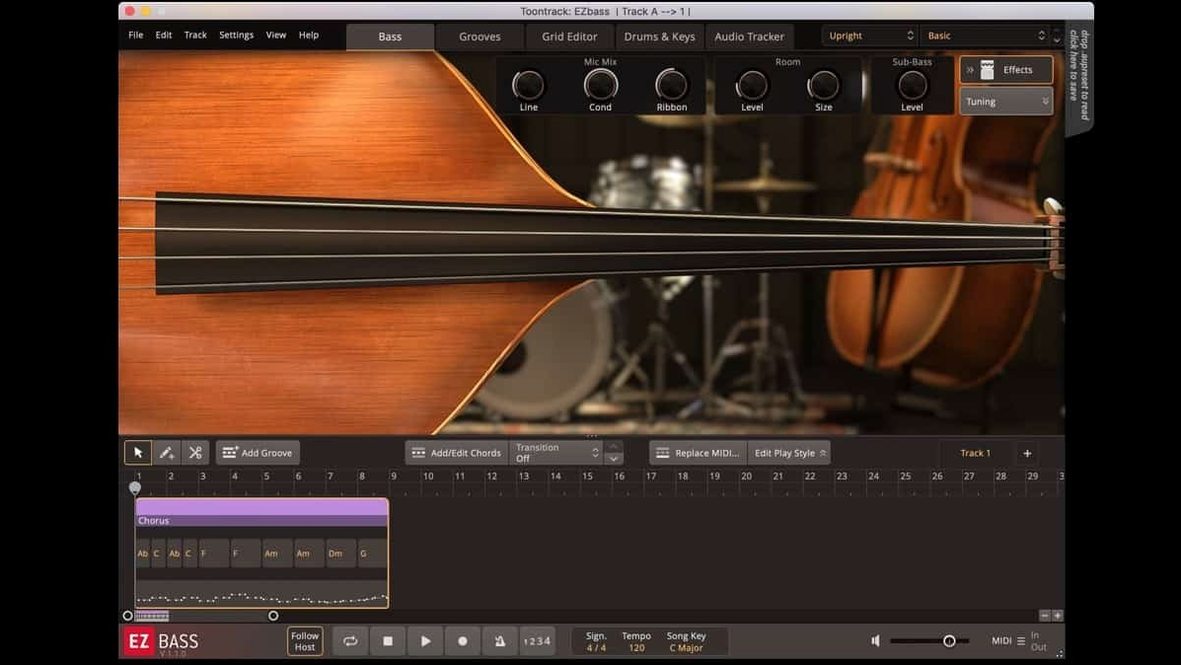
EZbass is a bass instrument that bundles two deeply sampled guitars with a composing engine capable of turning your audio into MIDI basslines. If you have just opened it for the first time, a handful of deliberate moves will quickly show you what it does differently from a static sample library.
1. Load a character, not just a patch
Open the browser and choose between the vintage bass — round, worn-in, and warm — and the modern bass, which is tighter and more articulate. Pick one that suits the song you have in your head, then scroll through the presets. Each preset is a full signal chain, so you are hearing a mix-ready sound, not a dry DI.
2. Give it something to play
Click the Grid tab and drag in a MIDI groove from the library. EZbass will interpret the pattern in the key of your song. The real surprise comes when you press the Song Track button and feed it a guitar or piano recording. The audio-to-MIDI conversion, borrowed from Superior Drummer 3, listens to the transients and pitch and writes a bass part that follows the original performance.
3. Shape the performance
Open the playing style controls. Shift between finger and pick, adjust the amount of ghost notes, or set how much the hand moves toward the bridge. The instrument responds with the fret noise and string decay of a real player making those choices. If something feels too rigid, the Grid editor lets you rearrange the part note by note, and you can now reassign several keyboard shortcuts in Settings if the defaults fight your muscle memory.
The latest update also smooths out menu click response in recent Apple hosts and fixes an audio export timing issue at non-standard sample rates, so the exported track lands precisely where it should in a timeline.
A bassline from a drum loop, end to end
Say you have a drum groove in MIDI form, either dragged from a library or played on a controller. Load EZbass into your DAW, set the project tempo to match the loop, then open the Song Track. Point it at the drum MIDI, and let the instrument listen. It will not copy the kick pattern literally. It will read the rhythmic intent — where the groove breathes, where the kick pushes, where the snare cuts through — and draft a bass part that sits inside the pocket. From there, the Grid editor becomes your arranging desk. Lengthen a note to let it ring into the next bar. Pull a root up an octave for the pre-chorus. Drag the whole section down a fifth for a bridge. The part stays musical because the engine understands harmony and rhythm together, not as separate layers.
When the arrangement feels right, route the bass through the built-in amp and cabinet simulation, add a touch of compression from the channel strip, and export the audio. Version 1.3.3 has sorted the timing quirks at sample rates other than 44.1 kHz, so a 48 kHz film session or a 96 kHz production export will land sample-accurate on the timeline. For anyone working to picture, that is the difference between a bass part that feels locked and one that drifts by a few milliseconds every bar.
A collaborator that suggests and arranges, not just an instrument you play
Next to a pure sample library, EZbass behaves less like an instrument you play and more like a collaborator who suggests, edits, and arranges. A conventional bass Kontakt instrument will give you lovely round-robin samples and maybe some articulation switching, but you are still writing every note yourself. EZbass can hand you a finished part from a chord progression or a drum track, which changes how quickly a demo takes shape. Compared with other auto-accompaniment bass tools, it leans harder into the feel of a recorded performance: the string noise, the ghost notes, the subtle timing that keeps a part from sounding quantized to death. It is not a replacement for a session bassist, and it does not pretend to be. It is for the moment in a production when you need a bass part that serves the song, and you need it before the idea cools.
Inside a larger setup
EZbass works best when it is part of a chain rather than an island. Feed it keyboard MIDI from a piano sketch and it will write a bassline that follows the harmony. Pair it with Superior Drummer 3 and the two share the same audio-to-MIDC technology, so a drum performance can shape the bass part from the same source material. On macOS, it behaves as a standard AU or VST plug-in, which means it slots into Logic, Ableton Live, Cubase, or any host that supports those formats. The standalone version is useful for building bass parts before a session, saving them as MIDI, and dropping them into a project later. If you work with EBX expansions, the instrument grows in character — different basses, different playing styles, different rooms — without changing the workflow. And because the icons now follow the macOS Tahoe style, even the dock entry looks like it belongs on a recent machine.
Version 1.3.3 quietly refines the playing experience. It brings support for the right-hand mute articulation used in the Rock Legend EBX, lets you reassign a handful of keyboard shortcuts through Settings, and updates the Mac icons to the macOS Tahoe style. Under the hood, menu click response in newer Apple hosts has been tightened, and audio export timing at sample rates other than 44.1 kHz now runs true.
- macOS 10.15 or later
- Supports Apple Silicon and Intel 64-bit
Questions from the booth
Yes, it runs natively on both ARM and x86 64-bit Macs running macOS 10.15 or later.
It works with the full range of EBX expansions, and the 1.3.3 update added support for the right-hand mute articulation found in the Rock Legend EBX.
It uses the same engine as Superior Drummer 3, so it captures not just pitch but the timing and dynamics of the original performance, which EZbass then translates into articulation choices and groove.