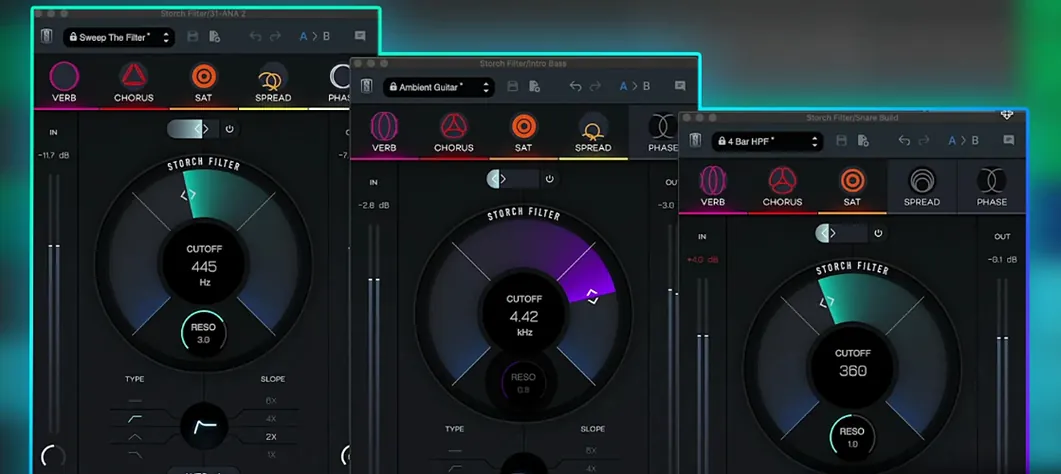
Beatmakers and mix engineers who shape sound with aggressive filter sweeps and textured effect chains will find a familiar, fluid workflow here. Storch Filter is a creative multi-effect plugin developed with producer Scott Storch, built around a resonant, adjustable low pass filter that drives the core of its character.
Native Silicon support across VST, AU, and AAX hosts
Version 1.0.6 runs on macOS 11 and later with native Apple Silicon support, loading as VST, AU, or AAX inside any compatible DAW. The installation follows a standard procedure, and once authorized it appears alongside your other Slate Digital tools. There is no standalone mode—this is a mix-insert processor, ready the moment you pull it up on a channel.
Filter movement and built-in effects
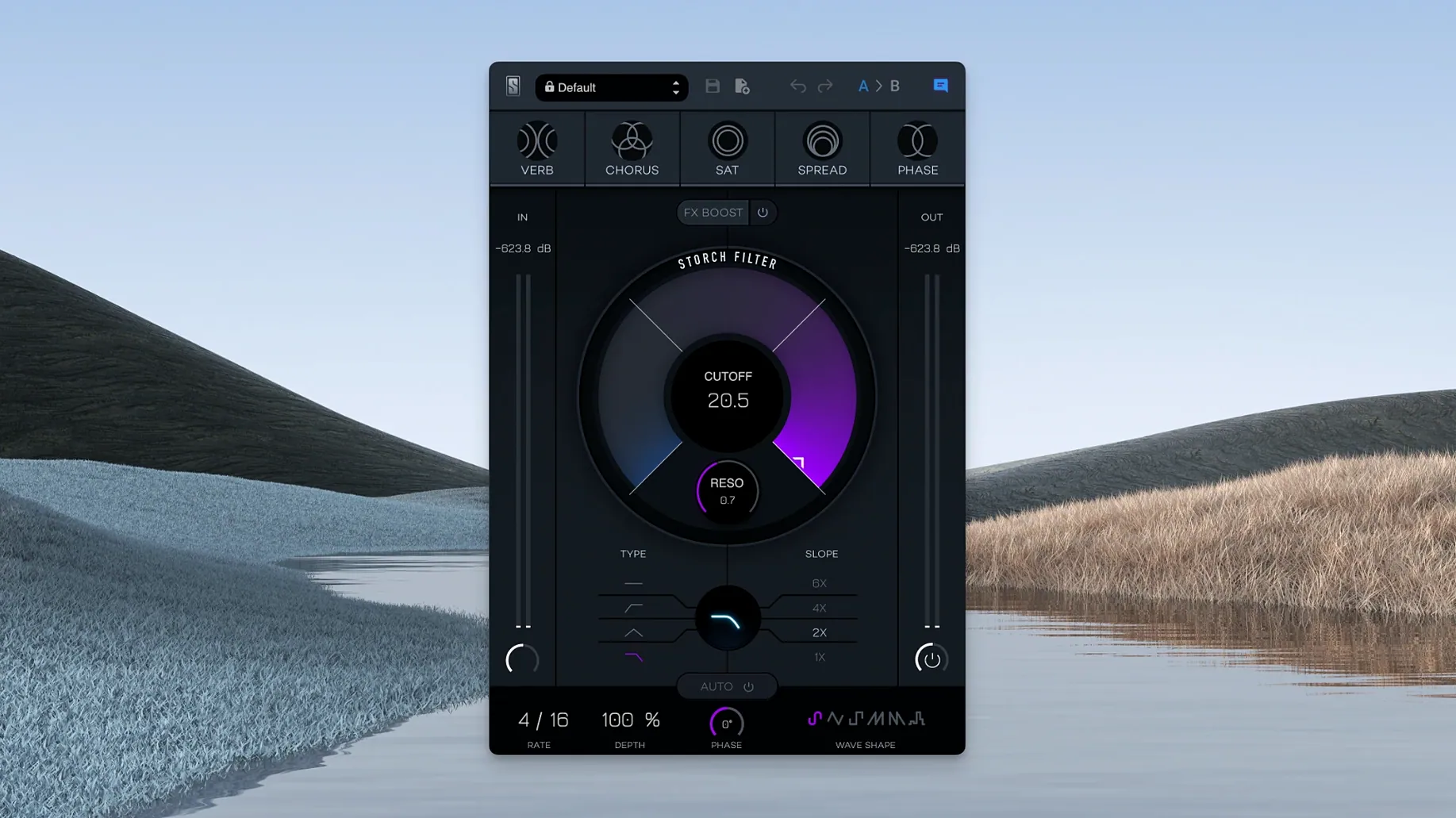
The autofilter section offers six LFO wave shapes for rhythmic modulation, while the FX Boost slider pushes reverb, chorus, saturation, stereo widening, and phaser into the signal path—each effect linked directly to cutoff and resonance behavior. What emerges is less a chain of separate processors and more a single expressive instrument where sweeping the adjustable low pass filter pulls the entire texture forward, from tight, dry pulses to washed-out stereo ambience.
The plugin responds well to being placed after a dynamic EQ or a transient shaper in the chain—giving you a cleaner signal to drive the saturation and filter resonance without low-end mud folding back on itself. On a drum bus, try inserting it right before a compressor like Slate Digital Virtual Mix Rack, letting the filter movement pump into the gain reduction. That routing turns the LFO into a kind of rhythmic sidechain that breathes with the track rather than fighting it.
macOS integration is straightforward. The AU version plays nicely with Logic’s Smart Controls, so you can map cutoff and FX Boost to a hardware knob bank without opening the plugin window. In Ableton Live on Apple Silicon, dragging a Max for Live LFO onto the VST3 instance lets you modulate parameters Storch Filter doesn’t expose to the host, effectively adding a second modulation layer. The plugin also respects macOS’s low-latency audio path properly—I’ve had it running at a 32-sample buffer on an M1 Max without crackles, which matters when you’re tracking synth parts through it and need the filter to feel immediate.
Overlooked shortcuts and small conveniences
A few details aren’t obvious at first glance. Option-clicking any knob returns it to its default value—standard Slate Digital behaviour, but easy to forget when you’re deep in a mix and want to reset the phaser depth without losing the rest of your tweaks. The LFO rate knob snaps to common tempo divisions when you hold Shift while dragging, which saves the back-and-forth of typing in values for a quarter-note or dotted-eighth sweep. Right-clicking a preset in the browser copies its name to the clipboard, a small touch that makes session notes less tedious when you’re comparing a dozen variations of a filter opening.
The FX Boost slider itself is worth experimenting with beyond its obvious purpose. Pushed to around thirty percent with the chorus engaged, it introduces a subtle pitch warble that feels closer to a worn tape machine than a typical modulation effect. Pulling the adjustable low pass filter down to around 200 Hz while cranking the reverb past sixty percent creates a sub-heavy rumble that works as a cinematic riser when automated across eight bars—the kind of thing you’d otherwise build with three separate plugins and an automation lane for each.
Deconstruct artist presets to learn the five-effect interplay
Start by loading the Scott Storch presets as learning tools rather than finished sounds. Each one reveals a different balance of the five effects and shows how cutoff and resonance interact with the FX Boost percentage. Deconstruct a few, bypassing individual effects to hear what the saturation contributes to a pad preset or what the stereo widening does to a hi-hat loop. After an hour of that, you’ll recognize the interplay between the phaser and the LFO shape selection faster than any manual would teach you.
A practical habit: save a default preset with the LFO off and all effects at zero, then set the adjustable low pass filter wide open and resonance at about twenty percent. Use that as your blank starting point instead of the init patch that ships with the plugin. It loads faster to a neutral sound, and you’ll avoid the surprise of an engaged phaser when you’re thirty minutes into dialling a kick drum tone and wondering why the low end keeps shifting.
A sound designer’s evening session
Someone building an ambient game score—say, a solo composer working on a point-and-click adventure with a moody, underwater atmosphere—drops Storch Filter onto a field recording of coastal waves. The reverb is set to seventy percent wet, the saturation just barely coloring the peaks, and a slow triangle-wave LFO sweeps the adjustable low pass filter between 400 Hz and 2 kHz over sixteen bars. The phaser is nudged in at ten percent, not for obvious swoosh but for a slight comb-filtered movement that makes the stereo field feel wider without pulling the sound out of the centre channel. A second instance on a soft piano stem uses only the chorus and the stereo widening, the filter opened fully and the LFO turned off, just to add a gentle detune at the edges. By the end of the evening, the composer has saved three user presets—each one a combination that would have taken a chain of five plugins and two automation lanes to approximate before.
Build 1.0.6 is the current Mac release.
- macOS 11 or later
- Apple Silicon native support
- Compatible DAW supporting VST, AU, or AAX formats
Questions from the booth
It includes reverb, chorus, saturation, stereo widening, and phaser, all tied to the filter's cutoff and resonance controls.
Yes, version 1.0.6 offers native Apple Silicon support and requires macOS 11 or later.
The autofilter provides six LFO wave shapes that can be assigned to animate the adjustable low pass filter in rhythmic or free-running patterns.