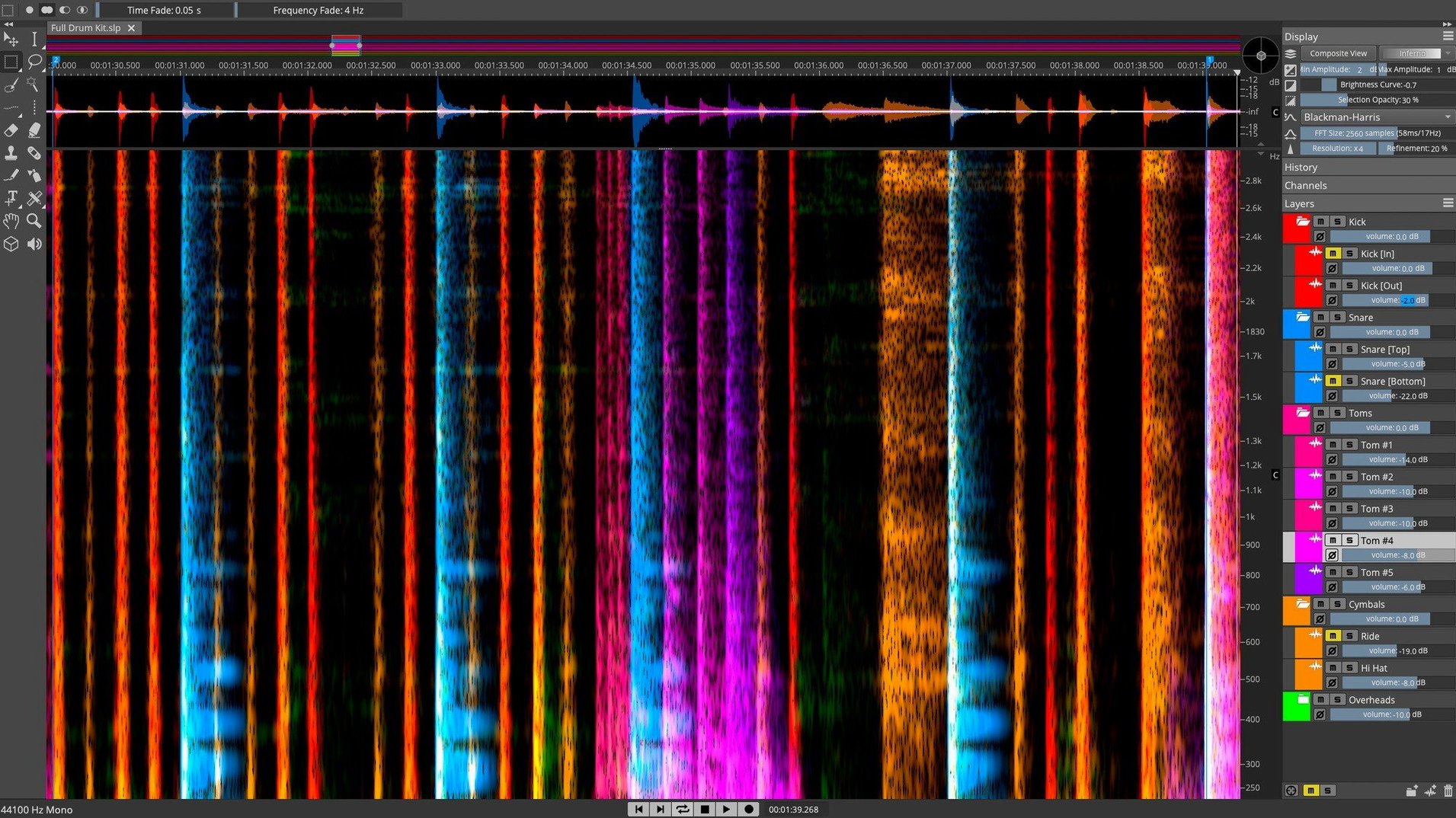
The Unmix Stems command is where a rough mix stops being a limitation. A single stereo bounce opens into vocal, drum, bass, and instrumental layers, each placed on its own layer and editable down to individual overtones. It is the kind of process that changes what you consider a finished recording, because nothing is truly baked in anymore.
A place in the session
- On dialogue tracks, the Voice Denoiser pulls room tone away from speech before it reaches a channel strip.
- Across a drum bus, de-essing tools catch sizzle on overheads that a compressor would only make louder.
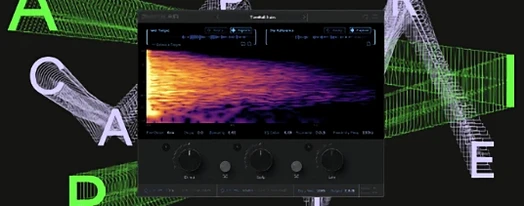
- During mastering prep, the 3D spectral display reveals resonant whistles in a piano stem that EQ alone cannot isolate.
Working inside the spectrum
ARA 2 integration with Nuendo and Cubase means selections made in SpectraLayers follow the arrangement. Edit a sound in its spectral view and the change stays locked to the timeline, no round-tripping. Whether you are rebuilding a location recording or pulling apart a sample for remix stems, the Pro edition treats audio as a malleable object rather than a finished waveform.
How it fits into a broader setup
SpectraLayers does not try to replace a DAW. It sits beside one, and the relationship works best when each program handles what it is good at. A Cubase or Nuendo session holds the arrangement, the fades, the MIDI, and the mix decisions. SpectraLayers holds the spectral repair, the unmixing, and the fine surgical work that feels clumsy on a timeline. The ARA bridge keeps them in step — highlight a syllable in Cubase, switch to SpectraLayers, and the same audio is already zoomed in, ready for a Voice Denoiser pass or a quick lasso of a chair squeak.
Outside the Steinberg ecosystem, the connection is more manual but still practical. You can set SpectraLayers as an external editor in Logic Pro or Reaper. Send a clip, work on it in isolation, and the cleaned file reappears on the track in place of the original. It is an extra click or two, but for restoration work that needs the spectral view it is often quicker than chaining five plug-ins and hoping the phase stays intact.
macOS features weave in quietly. Audio Unit extensions are not needed here — SpectraLayers stands alone — but it respects Core Audio device switching without fuss. If you unplug an interface mid-session, playback moves to the laptop speakers and keeps going. The app also writes standard .wav and .aiff files that drag straight into Finder and onto timelines, which matters when you are pulling cleaned stems out for a collaborator who uses a different DAW entirely.
Questions that come up before installing
Does it need a Steinberg DAW to work? No. The ARA integration is exclusive to Nuendo and Cubase, but SpectraLayers Pro runs as a standalone editor and can open audio from any source. You lose the real-time sync, but you keep every processing tool. Many post-production editors use it standalone precisely because they want to focus on a single file without the distraction of a full session.
How heavy is it on the processor? The AI unmixing processes are the hungry ones. Separating a four-minute track into stems will pin the CPU for a minute or two — faster on Apple Silicon, slower on older Intel machines, but always a render process, not something you do in real time. Manual spectral editing is far lighter. Brushing out a noise, drawing a gain curve across harmonics, or running the de-esser on a short region all happen near-instantly.
Will it open mp3s and compressed formats? It opens common lossless formats natively. Compressed files like mp3 are not ideal source material for spectral work — the codec has already discarded the detail you would be trying to manipulate — but they can be opened and worked on if the situation demands it.
Can I use it just for the stem separation and nothing else? Plenty of people do. The Unmix Stems command is one button, and the results land on separate layers ready for export. You never have to touch a selection tool if the job is simply pulling apart a stereo mix for remix parts or isolating a vocal for a reference track.
What version 13.0.20 settled into
The all-in-one installer that arrived with 13.0.20 smoothed out a friction point that had been around for a while. Earlier installs sometimes left users hunting for separate component downloads — the application, the sound data, the help files — and the unified package brought everything under one routine. In everyday use, that means less time in the Steinberg Download Assistant and more time with the waveform open.
Under the hood, the build tightened up how layers redraw when zooming deep into a spectrum on high-DPI displays. Editors working on Retina screens had noticed occasional lag when scrolling through a long file with multiple layers visible; the current version keeps the frame rate steady. The Voice Denoiser also benefited from quieter updates to its neural model, and users who work in less-than-ideal recording conditions — video production audio, field interviews, stream rips — have reported cleaner extraction with fewer artifacts around the edges of sibilants.
A dialogue cleanup workflow, step by step
Imagine a forty-second interview clip recorded in a kitchen. There is refrigerator hum, a dog barking faintly outside, and a hard chair scrape right as the subject says something important. The clip is on a Cubase timeline, but the same steps work standalone.
Open the file in SpectraLayers. The spectral display shows the hum as a set of steady horizontal lines low in the frequency range. Select the Voice Denoiser, set it to learn from a short section where only the hum is present, then apply it across the whole clip. The background drops away without touching the voice frequencies above it.
The dog bark is a short burst of energy in the midrange. Zoom in until you can see the individual bark events — they look like small islands of brightness. Use the lasso selection to isolate one, then open the Pattern Finder. It locates the other two barks automatically. With all three selected, a single gain reduction turns them down to inaudibility while the speech underneath remains intact, because speech and bark occupy different moments in time even if they overlap in frequency.
The chair scrape is the trickiest. It coincides with a consonant in the speaker's phrase. Zoom into the transient — the scrape shows as a vertical smear with a fast attack, while the consonant has a softer bloom. Use the harmonics selection tool to pick just the scrape's tonal components, then reduce gain by a few decibels. The consonant becomes clearer immediately, and the scrape recedes to a dull thud that feels like natural movement rather than an intrusion.
Export the cleaned file as a 48 kHz WAV. Back in Cubase, the ARA-linked clip already reflects every edit. The refrigerator is gone, the dog is silent, and the chair scrape sounds like someone shifted in their seat rather than a recording fault.
Snags and how to get past them
Layers not behaving after an Unmix. The AI separation creates new layers automatically, but the layer order can end up counter-intuitive — drums might sit above vocals in the stack. The fix is a quick drag in the Layers panel to reorder them so the waveform view matches what you expect to hear when soloing. It is a cosmetic step, but it prevents confusion when exporting stems one at a time.
Selection tools feeling imprecise. The lasso and brush tools respond to the zoom level. Working at a zoom where one pixel equals a semitone gives you fine control; trying the same selection at a full-track overview makes the brush too broad. A habit worth building is to zoom in until the harmonic structure of the sound is clearly visible before making a selection, then zoom back out only after the edit is applied.
ARA link dropping in Cubase. If SpectraLayers opens without the expected selection highlighted, the ARA connection has momentarily lost sync. Saving the Cubase project, closing SpectraLayers, and reopening the clip from the Cubase audio editor re-establishes the link. It is rare in 13.0.20 but still possible after a system sleep-wake cycle.
CPU spikes during playback. Render-heavy layers — those with multiple Unmix stems visible — can stutter on playback if the machine is also running other tasks. Freezing or rendering the layers to a single temporary bounce inside SpectraLayers clears the bottleneck without flattening the edits permanently, so you can review your work smoothly and then return to the layered state for further tweaks.
Version 13.0.20 arrives as a stability and installer update, with full release notes available for the installer package.
- macOS 12 or later
- Intel or Apple Silicon Mac
Questions from the booth
SpectraLayers Pro includes the full AI-based unmixing engine, Voice Denoiser, advanced de-essing tools, and ARA 2 integration, while Elements offers a streamlined feature set for core spectral editing tasks.