Your Mac needs High Sierra or newer and 230 GB free
Superior Drummer 3 runs on any Mac from macOS 10.13 onward, natively supporting both Apple Silicon and Intel processors through a single 64-bit plugin. The installer is straightforward, but the real footprint to consider is the 230 GB of drum samples that come with the library — plan your drive space accordingly.
Explore the sounds you’re getting
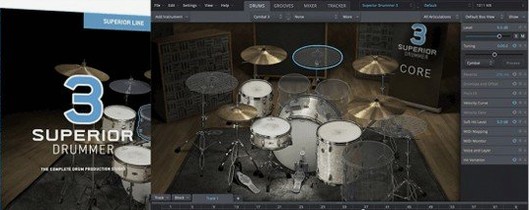
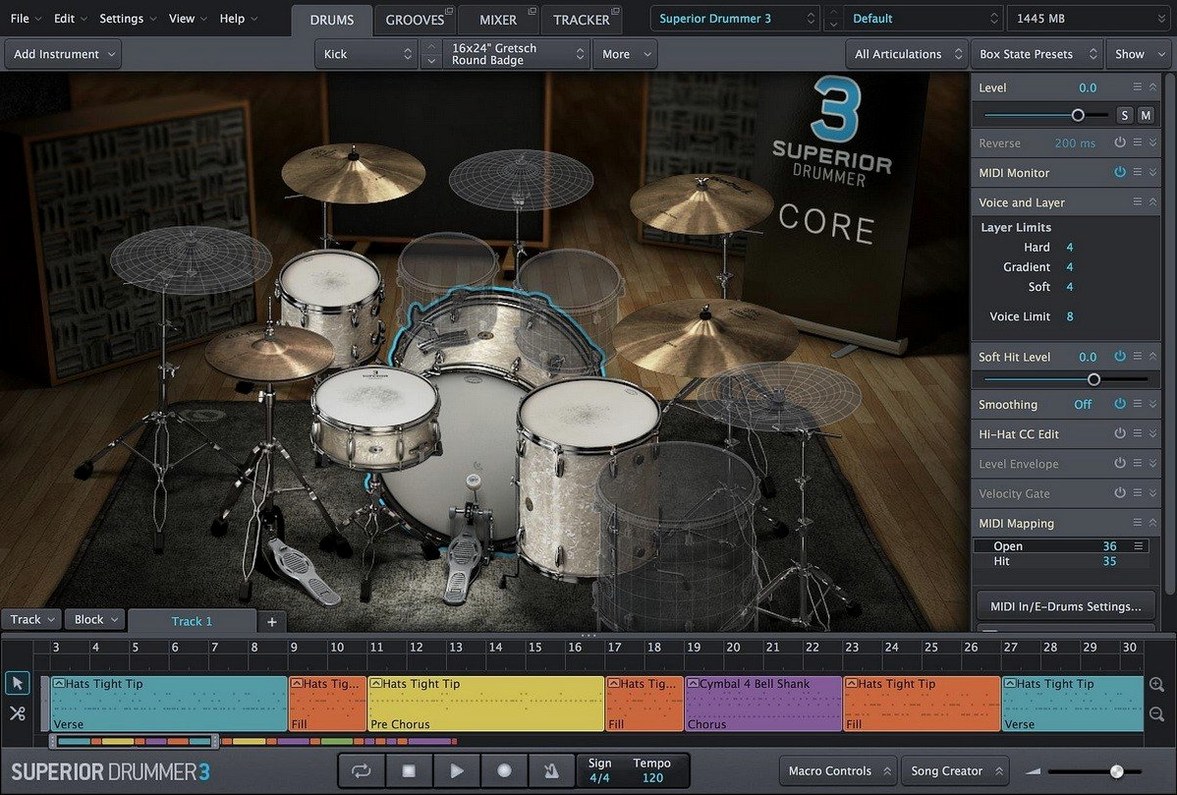
The core library bridges acoustic and electronic drum production with an extensive collection of kits captured in fine detail. Built-in mixer effects — 35 in total — let you shape the tone entirely inside the plugin, while the audio-to-MIDI conversion turns existing drum recordings into editable performances.
Know what arrives in version 3.4.4
Libraries from mid-2025 appear without manual authorization
Version 3.4.4 didn't rewrite the engine, and that's the point. It tightened compatibility so that libraries shipping from mid-2025 onward will simply show up in your browser without a moment of friction — no manual authorization dance, no silent failures where a kit piece refuses to load because your point release was slightly out of date. If you've ever stared at a greyed-out snare and traced the problem back through three support threads, you'll recognize the quiet value here.
What changed under the hood matters less than what stopped happening. Crashes during long editing sessions became rarer. The plugin's memory footprint settled, especially on Apple Silicon machines where earlier builds occasionally grabbed more RAM than the session warranted. None of this appears in a flashy changelog line, but you'll notice it around hour four of tweaking tom resonances when everything still responds without that telltale beachball pause.
The installer itself remains a standard disk image with a step-by-step sequence — open the DMG, run the package, let it place the library where you've told it. The one thing worth knowing is that the core library path hasn't shifted, so if you've built a template around a custom sample location, version 3.4.4 respects it. Upgrading won't orphan your existing projects.
First AU validation can hang on older Intel machines
The most common headache isn't a bug — it's the plugin scanning process in your DAW. After installing, some hosts take an age to validate Superior Drummer 3, and a few older Intel machines hang entirely during the first AU scan. The fix is almost always the same: quit the DAW, launch it again, and if the scan still stalls, temporarily move other newly installed plugins out of the Components folder so the host can focus on one validation at a time. Once the plugin clears, you can drop everything back in.
Another recurring snag involves the 230 GB library. If the installer lets you choose a custom location — an external SSD, for instance — and you later disconnect that drive, the plugin won't gracefully degrade. It'll throw an error about missing samples and refuse to load kits. The remedy lives in the Settings pane under Library Paths, where you can point Superior Drummer to the correct folder. Remember to do this before opening an old project, or you'll spend ten minutes re-linking every articulation.
Latency complaints surface often, almost always traced to the built-in mixer effects rather than the sampler engine. Convolution reverbs and detailed room mics eat buffer size for breakfast. If you're tracking a live drummer or playing pads, bypass the master bus effects during recording and re-enable them for mixing — the difference in roundtrip latency can be the gap between a usable take and a frustrated performer.
Treating it like a ROMpler skips the mic bleed magic
The biggest early misstep is treating it like a ROMpler. Loading a preset kit and programming a pattern is fine, but Superior Drummer's strength sits in the microphone bleed, the close-to-room balances, and the way a snare bottom mic interacts with the overheads. Beginners often mute the ambient channels to get a "clean" sound and then wonder why the drums feel lifeless. Lean into the bleed — it's why the library weighs 230 GB.
Another habit worth breaking is ignoring the audio-to-MIDI converter until you think you need it. People spend hours tapping out hi-hat patterns by hand when a rough drum recording — even a phone voice memo of a kit — can be dragged onto the tracker and turned into a MIDI performance in seconds. The converter isn't perfect on heavily compressed audio, but on a dry recording it captures dynamics surprisingly well, and editing a converted performance almost always feels more musical than drawing velocities on a grid.
New users also tend to load the full seven-kit library into every project rather than using the Cache Mode and purging unused articulations. The plugin loads only the samples a project actually triggers once caching is enabled, which on a dense production can free up gigabytes of RAM. The setting isn't on by default, and it should be one of the first things you reach for after installation.
A Tuesday session from disk image to real drum performance
Imagine a Tuesday evening. You've tracked bass and guitars over a scratch drum loop, and now the song needs a real performance. You open the disk image you downloaded earlier, run the installer sequence, and launch your DAW with a coffee cooling on the desk.
Superior Drummer loads on a stereo instrument track. You browse to the Ayotte kit — a maple snare, warm and open — and drag a raw drum recording from your phone onto the audio-to-MIDI tracker. The conversion takes three seconds. What was a muffled kick and snare pattern from a rehearsal room is now a MIDI clip with velocity layers intact, sitting on the timeline like it was programmed by someone with better time than the drummer who played it.
You mute the close snare bottom mic to reduce sizzle, then push the overheads up until the cymbals breathe naturally around the guitars. The built-in channel strip on the kick drum gets a touch of compression from the 35 included effects — nothing drastic, just enough to tuck the low end under the bass guitar. You bypass the master bus reverb while you're still editing; latency drops noticeably, and the snare transients snap tighter against the grid.
By the third pass, you're not thinking about samples. You're adjusting the hi-hat openness on a few eighth notes, nudging a floor tom hit that arrived early, and blending the room mics so the chorus feels bigger without getting washy. The drum performance now sounds like it was played for this song, in this room, by someone who knew exactly when to lay back. You save the kit as a preset, purge unused samples through Cache Mode, and the session sits comfortably under 4 GB of RAM — plenty of headroom for the vocal tracks coming tomorrow.
Enable Cache Mode to load only the kit pieces you use
Open the Settings panel before you do anything musical. The first thing to enable is Cache Mode, which stops Superior Drummer from preloading every articulation of every kit piece. On a project that uses only a kick, snare, and hats, this alone can cut memory usage by more than half.
Next, visit the Library Paths tab and confirm the sample folder is where you expect it. If you've moved the library to an external drive, set the path now — doing it later means broken kits and a DAW full of error dialogs.
Drop the Default Buffer Size in the audio engine preferences to match your interface. Superior Drummer respects the host buffer, but the internal convolution effects add their own overhead. A setting around 128 samples keeps playing feel snappy on most modern Macs; push it higher only if you're running thirty instances of a dense room reverb.
Finally, switch the velocity curve from linear to one of the gentler logarithmic presets if you're programming with a keyboard or pad controller. The default curve expects an e-drum kit's dynamic range, and fingers on plastic keys produce a narrower spread — a softer curve spreads your velocities across more sample layers, so ghost notes don't jump out and rimshots don't disappear.
This release keeps everything current for newer Toontrack expansions, requiring version 3.4.0 or later for any Superior Drummer 3 products released from Q2 2025 onward.
Version 3.4.4 is the current release. Note that version 3.4.0 or later is required for compatibility with any Superior Drummer 3 products released from the second quarter of 2025 onward.
- macOS 10.13 or later
- Apple Silicon and Intel support (64-bit host required)
- 230 GB free disk space for the full library
Questions from the booth
Yes, it runs natively on both ARM (Apple Silicon) and x86 (Intel) architectures through a single 64-bit plugin.
The complete sound library requires 230 GB of free disk space for the drum samples and core content.
It includes an audio-to-MIDI conversion feature that analyzes drum recordings and turns them into editable MIDI performances.