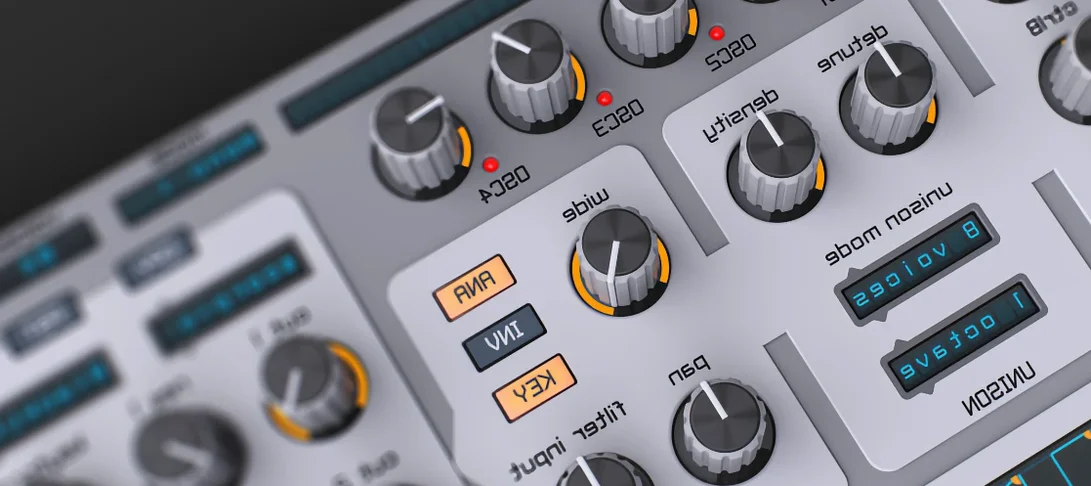
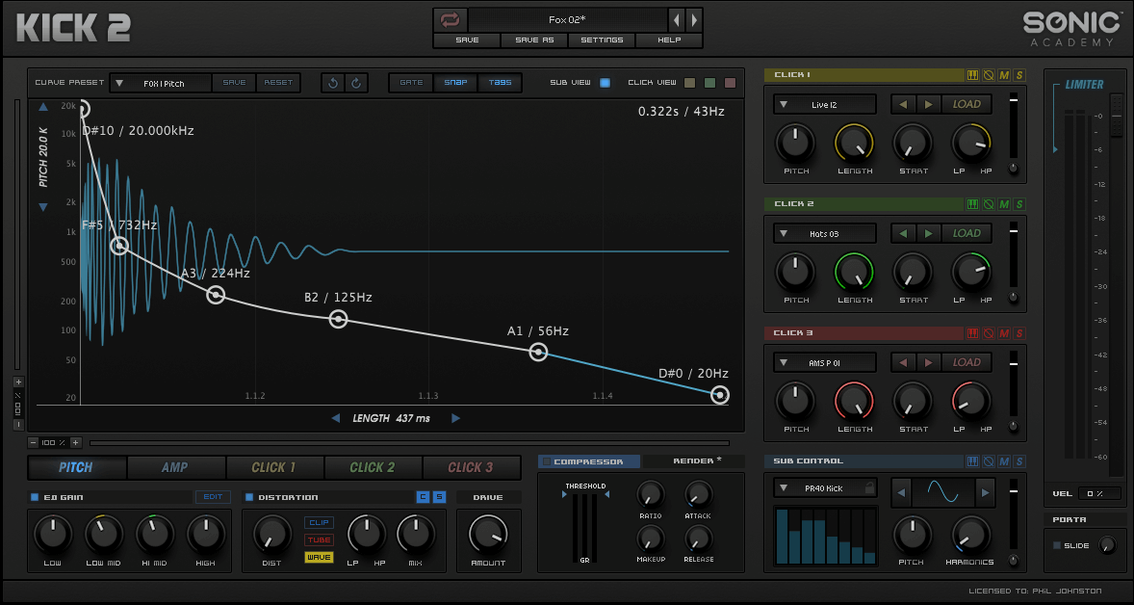
You've got the track arranged, the bass line is humming, but the low end feels polite instead of commanding. You load Kick 2 and begin in the sub oscillator, dialling a clean sine weight that sits just below the chest. Then you turn to the click section, where three shaping areas let you carve the transient from a sampled attack that cuts through a busy mix without fighting the bass.
- A synthesized sub oscillator anchors the fundamental thump
- Three independent click-shaping areas let you layer and tune the attack
- One low-frequency oscillator adds movement and subtle pitch dive
- Sample-based click layers blend with the synthesized body for hybrid weight
- Every control steers the drum from a soft thud to a tight, modern knock
The result is a kick that feels built for the track rather than pulled from a library. A little LFO pitch bend on the sub and a carefully trimmed click envelope can turn a static hit into something that breathes with the tempo.
Picture a producer working on a melodic techno arrangement at two in the morning. The bass groove is locked, the pads are atmospheric, but every kick sample in the library sounds either too hollow or too aggressive when pushed to club volume. Loading Kick 2 changes the approach entirely. Instead of auditioning dozens of samples, they start with a clean sine sub around 50 Hz, add a narrow boost at the click's fundamental to give the transient a flick of midrange presence, then dial the LFO to pitch the sub down over about forty milliseconds. The kick now ducks under the bass note, lands with a tight thump, and leaves room for a reverb tail on the clap without clouding the low end. A few minutes of tuning, and the drum feels inseparable from the track's pulse.
This kind of workflow — building a kick to fit a specific mix rather than forcing a mix around a kick — is where the plugin earns its keep. Sound designers working on game audio or cinematic impacts find a similar advantage. The three click layers can stack a short noise transient, a midrange knock, and a high-frequency tick, each with independent envelope control. Paired with the distortion stage, those layers can produce anything from an 808-style saturated thump to a sci-fi impact that hits like a door slamming in a hangar.
Audition 230 presets before a blank slate
The factory library of over 230 presets is a better starting point than a blank init patch. Scroll through the folders and you'll hear kicks tuned for drum and bass, techno, hip-hop, and electro, each one a study in how the sub oscillator, click layers, and effects chain interact. Open a preset that's close to what you need, then swap the click samples or adjust the sub waveform. The included installation and activation instructions are straightforward — follow the steps inside the package, and you'll be up and running quickly.
Disable the internal limiter while you're designing. The limiter sits at the end of the signal chain and does a clean job of catching peaks, but it can mask what the compressor and distortion are actually doing. Turn it off, shape the drum at a conservative level, then engage the limiter last to shave off stray transients. This alone prevents the muddy, over-squashed character that makes a synthesized kick sound lifeless on a PA.
Learn the click tuning by ear. The three click areas each have a tuning control, and a click tuned a fifth or an octave above the sub fundamental often glues better than one at an arbitrary pitch. Solo the click section, sweep the tuning, and listen for where it locks into the sub rather than floating above it. A click that's slightly detuned can add width, but one that's harmonically related will translate more clearly on small speakers.
Fitting Kick 2 into a production toolkit
Kick 2 works as an insert on a dedicated kick channel in any DAW that hosts Audio Units or VST instruments on Intel Macs. Producers who already shape their kicks with separate EQ, compression, and transient designer plugins may find that the internal EQ and dynamics section replaces two or three utility inserts. The three-band EQ is clean and surgical, while the compressor can be set to a fast attack to let the click through or a slower curve that emphasizes the sub body. Routing the plugin's output to a bus with a console emulation or tape saturation further downstream adds harmonic density without piling on distortion inside the plugin itself. Some users search out a kick vst torrent or a kick 2 torrent to test the workflow before committing.
Bounce the kick to audio early. Once the drum is designed, printing it to a waveform frees up CPU cycles and locks in the sound. In a large project with multiple virtual instruments — a bass synth, a few instances of a reverb, some spectral processing — every bit of headroom matters. The audio file can also be chopped, reversed, or layered back under a live performance in a sampler, which opens up techniques the plugin alone can't touch.
On the macOS side, Kick 2 benefits from Audio MIDI Setup's aggregate device routing if you're sending separate click and sub layers out for external processing. While the plugin mixes everything internally, a creative routing scheme — sending the dry click to one output and the processed sub to another — lets you treat each component with outboard gear or separate plugin chains. It's an advanced workflow, but one that sound designers chasing bespoke textures will appreciate. Those exploring options might also look for a kick 3 torrent or a kick 3 mac torrent to compare how different versions handle this kind of routing.
Producers centering the kick as the track's emotional anchor
Electronic music producers working in genres where the kick is the emotional centre of the track — techno, house, drum and bass, trap — will find the most immediate value. These styles demand kicks that sit precisely in the frequency spectrum, with enough sub weight to move a floor and enough click articulation to read on phone speakers. A sample pack can't adjust its tuning, envelope, and distortion character per song; Kick 2 can.
Mixing engineers who receive projects with weak or poorly chosen kick samples also benefit. Rather than requesting a stem replacement, an engineer can use Kick 2 to trigger a synthesized layer beneath the original kick, reinforcing the fundamental and shaping the transient to sit in the mix. The click section's independent envelope controls make it possible to match the attack character of the original while adding the weight it was missing. Some engineers first discover the tool through a kick 2 vst free download mac search while hunting for a reliable drum reinforcement solution.
Sound designers and media composers occupy the other end of the spectrum. The ability to stack three click samples, drive them through three distortion algorithms, and bend the sub pitch with the LFO makes Kick 2 useful well beyond traditional drum sounds. Impacts, riser hits, UI confirmation sounds, and transitional effects all benefit from the same synthesis architecture. A low, rumbling cinematic hit with a metallic click attack and a slow pitch dive is just a few knob turns away from a tight club kick — and that range is what keeps the plugin open on a second monitor long after the initial download.
The 1.1.8 update arrives with a modest set of under‑the‑hood corrections and refinements from Sonic Academy.
- macOS 10.13 or later
- Apple Silicon or Intel 64-bit processor
Questions from the booth
It combines a synthesized sub oscillator with sampled click layers, so the body is synthesized while the attack comes from samples.
It includes three dedicated click-shaping areas, each letting you adjust the transient character independently.