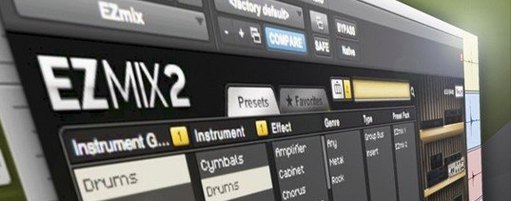
EZmix 3 is a multi-purpose mixing plugin that operates on presets — chain-like settings built by engineers for specific instruments, buses and full masters — so you move a fader into a sound rather than building it from scratch.
Turning one knob rebalances compression, saturation, and EQ width simultaneously
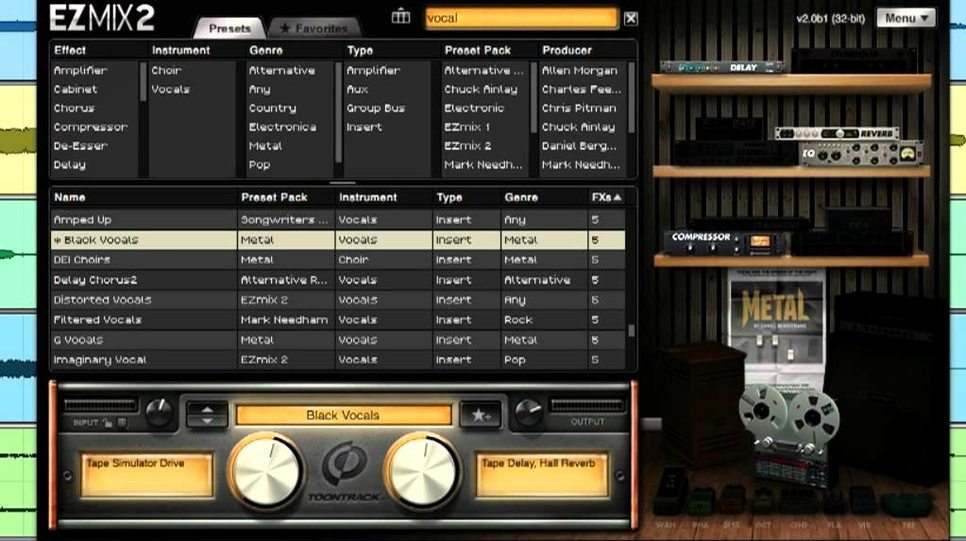
The core of the interface is a single large knob tied to a preset's internal macro map. Turning it doesn't just raise volume; it pushes multiple hidden processors at once — compression threshold, saturation drive, EQ width — along a curve the preset designer plotted. Below it sits a row of quick-tone buttons that switch between parallel signal paths inside the same preset, letting you audition a darker amp voicing or a brighter master curve without touching a rack. An independent guitar host sits inside the same window, so you can load an amp-and-cabinet chain, plug in, and hear the preset in playing context before it ever touches your DAW.
How the bundle shapes a mix across a project
Because the engine covers mixer channel duties, mastering chains and guitar or bass amp modelling in one package, you can carry a consistent gain-staging logic from a DI bass track through to the stereo bus. A vocal preset that leans on an optical-style compression curve will behave similarly whether it's applied on a raw take or inside the standalone host during a writing session. On an Apple silicon Mac running macOS 10.13 or later, the redesigned panel collapses all that into a single-window workflow where switching from a drum bus setting to a mastering limiter is a preset-name click, not a plugin swap.
Rescuing a muddy film stem with a single macro sweep on a rainy Tuesday
I keep a folder of half-finished short film stems — dialogue, a stereo music bed, some clattery foley — and on a rainy Tuesday I drag the stereo bus stem into Reaper, drop EZmix 3 onto the track, and stare at that single large knob for a moment. The piece is a night-market scene: too much low-mid rumble from the background recording, and the music bed is fighting the footsteps. I scroll through the mastering category until I land on a preset called something like Open Air Master, and as soon as I turn the knob past twelve o'clock the low end tightens and the footsteps gain a little transient snap. I didn't touch an EQ band or a compressor threshold; the macro moved six things at once.
Next I create a second track for the dialogue and load a vocal strip preset — something mid-forward with a gentle de-essing curve baked in. The voice was recorded on a lavalier in a damp alley, so I click through the quick-tone buttons and find one that pushes the presence region without making the sibilants wince. By the time I switch to the standalone host to check a guitar cue I'm thinking of adding, I've processed three stems and haven't opened a single traditional plugin interface. The amp sim loads inside EZmix itself, and I audition a slightly broken-up tweed sound against the scene before I commit to re-recording. The whole session stays inside one mental space — no window-flipping between a channel strip, a limiter, and a guitar rack.
Let the knob’s extremes teach you what veteran engineers baked into each preset
Spend the first afternoon doing nothing but turning the macro knob through extremes on a raw drum bus. The presets are built by engineers who mixed records you've heard, and the knob's travel teaches you what they consider a useful range — often narrower than you'd guess. Click the quick-tone buttons with your eyes closed and listen for the moment the snare finds its pocket. That's the sound of parallel processing paths you didn't have to wire yourself.
Next, build a session template with three instances: one on the stereo master set to a transparent limiter curve, one on a vocal subgroup with a character compressor, and the standalone host primed with a bass amp for DI tracking. Label them by purpose, not by preset name — Final Print, Dialogue Glue, Writing Amp — so the template becomes a desk you sit down at, not a collection of plugins. On an Apple silicon Mac the whole thing loads in a breath, and the redesigned panel means you can jump from channel to channel without a single window resize.
Finally, resist the urge to stack EZmix instances on every channel at first. Start with the three places where a bad tonal decision wrecks everything: the vocal bus, the master fader, and your own monitoring chain inside the standalone host. Once those feel like an extension of the volume knob, branching out to drums, keys and effects returns will feel less like mixing and more like listening.
Beside similar Mac tools
Plugin Alliance's bx_console series models specific hardware desks channel by channel, and the sound is glorious if you want the weight of an SSL or a Neve on every fader. But it's a different headspace — you're still reaching for individual EQ knobs and compressor settings, and the amp modelling isn't part of the picture. EZmix trades that forensic control for speed, and the macro-driven approach means you finish a rough mix in the time it takes to audition presets.
Guitar Rig 7 from Native Instruments covers the amp-and-cabinet side beautifully and adds a huge playground of modulation and reverb effects for sound design. Where EZmix pulls ahead is on the mix bus: you wouldn't reach for Guitar Rig to master a short film or process a dialogue stem, but EZmix treats mastering, channel-strip work and guitar tone as one continuous signal chain. The standalone host in EZmix also feels more like a practice tool, whereas Guitar Rig's standalone mode is really a performance rig.
Waves CLA MixHub puts a console-style channel strip into a single plugin window with bucket-style metering that shows gain staging across multiple tracks. It's brilliant for building a static mix with analog colour, but it doesn't include amp simulation or a mastering-stage limiter. EZmix covers both ends of the signal path — the DI input and the final print — without ever leaving its own interface, which matters when you're scoring to picture and the clock is running on a revision.
Version 3.2.2, released on 2025-12-05, adds compatibility for EZmix expansion packs shipping from Q4 2025 forward. The update is delivered through the Toontrack Product Manager or the My Products area of your account.
- macOS 10.13 or higher
- Intel or Apple silicon processor
Questions from the booth
Yes. Toontrack lists support for both Intel and Apple silicon processors, with macOS 10.13 as the minimum requirement.
It's an independent guitar practice environment with built-in amp and cabinet simulations, so you can play through presets without opening a DAW.
The December 2025 update added support for EZmix packs released from Q4 2025 onward, available through the Toontrack Product Manager.