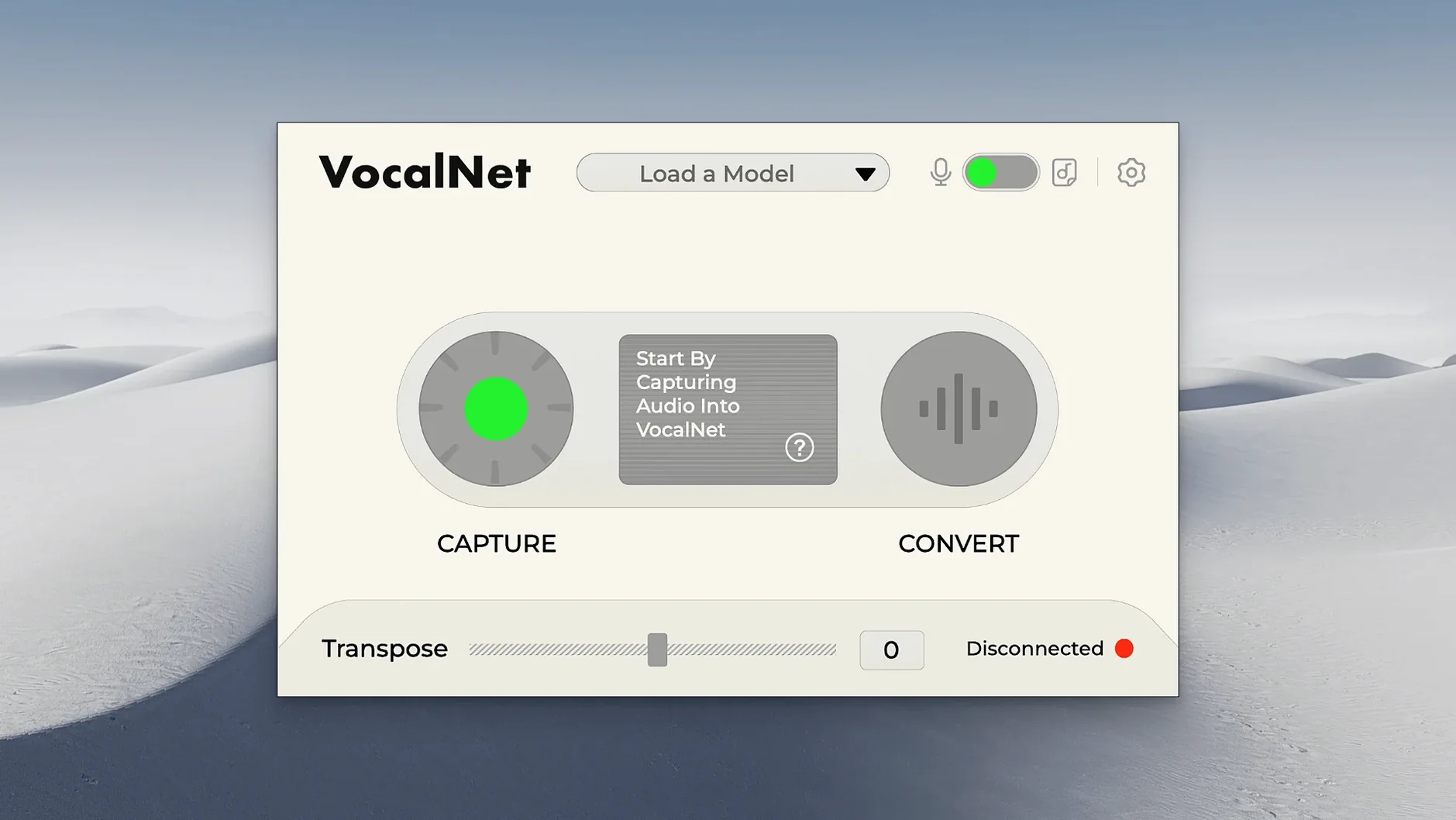
VocalNet runs on any Mac with macOS 10.15 Catalina or newer, with native support for both Intel and Apple Silicon machines. The processing happens entirely on your local computer, not in the cloud, so the plugin stays responsive and your audio doesn't leave the session. It arrives as a VST, AU and AAX plugin that slips into most DAWs — Logic Pro, Ableton Live, Cubase, Reaper, Pro Tools — and works in real time while the transport rolls.
Gliding across a spectral map built from your loaded samples
At its simplest, VocalNet can shift a vocal up or down, but that undersells what's actually happening. The plugin analyses several voice samples you load in, then builds a continuous spectral map it can glide across. You aren't just pitching formants; you're moving through a space defined by multiple vocal identities, blending timbres as you go. A single dry vocal take can land somewhere between two distinct voices, or tilt gradually from one character to another across a phrase. The morphing is smooth enough that the hybrid results feel like a genuine third voice rather than a crossfade.
Automating real-time voice transformations locked to the mix
Because VocalNet processes in real time and stays local, you can automate its parameters during playback and hear the transformation lock in with the rest of the mix. It's built for hands-on DAW work — slap it on a dialogue track, a sung lead, or a whispered texture and start pulling the voice toward whichever loaded samples interest you. There's no rendering step to wait on, so the experimentation stays immediate. The interface keeps things in English and doesn't bury the core controls, which matters when you're riding a morph mid-take.
Dropping multiple voice files at once builds the model faster
There are a handful of things VocalNet does that aren't announced by any button label. Dragging a sample onto the plugin window is the obvious way to load a voice model, but you can also drop multiple files at once and VocalNet will map them across the blend space in the order they land — it saves you from the slow one-at-a-time import dance when you're auditioning a folder of vocal sketches. Another quiet feature is the smoothing behaviour on the morph slider: it isn't linear interpolation with a hard crossfade, it's a continuous spectral walk, which means you get consistent loudness and presence even when the two source voices are wildly different in register. That matters when you're automating a slow shift over eight bars and don't want the vocal body to suddenly thin out halfway through.
If you hold Option while dragging the blend point, the movement locks to one axis, making it easier to sweep between two specific voice models without accidentally drifting into a third. Not documented loudly, but it's there. And the plugin recalls its last-loaded voice set when you reopen a session, so you're not rebuilding the map every time you come back to a mix — provided you saved the project with the plugin active, not bypassed.
First things worth changing in the settings
Out of the box, VocalNet leans toward a fairly conservative processing buffer, which keeps latency low but can get jittery on older Macs or sessions where the CPU is already sweating. The first thing to check after installation is the buffer size in your DAW's audio preferences — nudging it up to 256 or 512 samples often smooths out the real-time morphing without introducing a delay that matters for post-production work. If you're tracking live vocals through the plugin, you'll want to keep it lower and freeze other tracks instead.
Inside the plugin itself, the analysis resolution defaults to a middle ground. For spoken word or percussive vocal textures, dropping the resolution one notch can actually yield more stable blends because VocalNet spends less time chasing transient detail. For sung material with sustained notes, the default or a slightly higher setting preserves the harmonic richness better. There's no universal sweet spot, but it's worth spending ten minutes with a short loop and toggling the resolution while the transport runs — the difference reveals itself more clearly in motion than on a static phrase.
Matching a baritone source to a soprano target without adjusting range
The most common stumble is feeding VocalNet a source voice and a target sample that sit in completely different pitch ranges without accounting for the gap. If the input vocal is a low baritone and the loaded voice model was built from a high soprano, the morph can sound pinched or phasey — not because the plugin is broken, but because it's stretching the spectral map across an uncomfortable distance. A quick workaround is to pitch-shift the input vocal by an octave before it hits VocalNet, or to build your voice model from samples that sit closer to the register you plan to perform in.
Another early mistake is loading too many voice samples at once and expecting each to remain distinct. VocalNet constructs a continuous space from whatever you give it; with four or five wildly different voices loaded, the in-between zones can become muddy and characterless. Two or three well-chosen samples almost always produce stronger, more usable hybrid timbres than a crowded blend field. Think of it like mixing paint — three pigments give you a wide gamut; ten give you grey.
People also sometimes assume the plugin is altering formants the way a traditional pitch-shifter does, and they reach for the blend knob expecting a simple gender slider. That's not the mechanism. VocalNet is reconstructing timbre from its internal spectral model, so the results don't follow the same rules as formant-shifted audio. If you treat it as a timbre replacer rather than a pitch tool, the behaviour makes much more sense and you stop fighting the artefacts that appear when you push it like a harmonizer.
All analysis stays local, no internet connection required
Does VocalNet need an internet connection to work? It does not. All the analysis and processing runs locally on your Mac, which is why the plugin stays responsive even on a machine that's offline. The voice models you build from your own samples never leave the session folder, and nothing is uploaded anywhere. For anyone working with sensitive vocal material — early demo takes, client recordings, un-cleared samples — that local-only design removes a whole category of worry.
Will it work on an older Intel Mac, or does it need Apple Silicon? VocalNet runs on any Mac with macOS 10.15 or newer, and the installer covers both Intel 64-bit and Apple Silicon systems natively. On an older Intel machine, you'll notice the CPU meter climbing faster with multiple instances or high-resolution analysis, but a single instance on a mono or stereo vocal track is perfectly workable on something like a 2018 Mac mini or a late-era Intel MacBook Pro. The plugin doesn't offload to the Neural Engine or any dedicated AI hardware; it's using the CPU and memory bandwidth you already have.
Is the plugin format compatible with my DAW? The VocalNet download includes VST3, AU, and AAX formats. That covers Logic Pro (AU), Ableton Live (AU or VST3), Cubase and Nuendo (VST3), Reaper (VST3 or AU), and Pro Tools (AAX). If your DAW supports one of those three formats on macOS, you're covered — there's no standalone application, so it's plugin-only.
Can I use it on dialogue and spoken word, or is it only for singing? VocalNet doesn't distinguish between sung and spoken input; it works on any monophonic vocal signal. Dialogue editors have used it to shift a performance into a different vocal register without re-recording, and sound designers lean on it to create creature voices by blending human speech with unconventional source samples. The spectral analysis is agnostic about what the input means — it only cares about the frequency content and how it maps to the loaded voice models.
- macOS 10.15 or later
- Intel or Apple Silicon Mac
- DAW supporting VST, AU or AAX formats
Questions from the booth
All processing takes place locally on your Mac or Windows machine. No internet connection is required, and your audio stays inside the session.
Yes, you can load several voice samples and move smoothly between them, creating hybrid timbres that go beyond a simple A-to-B crossfade.