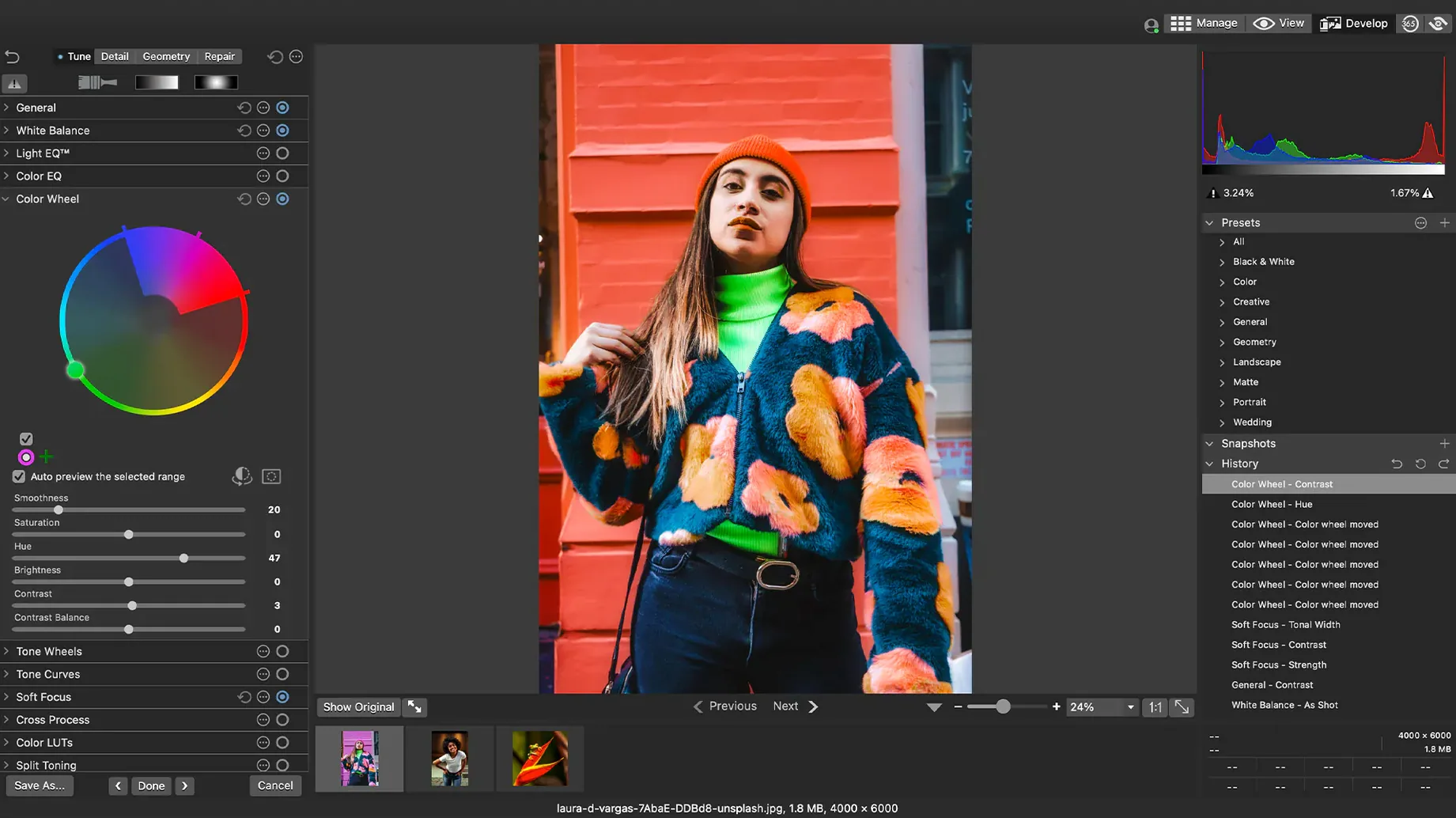
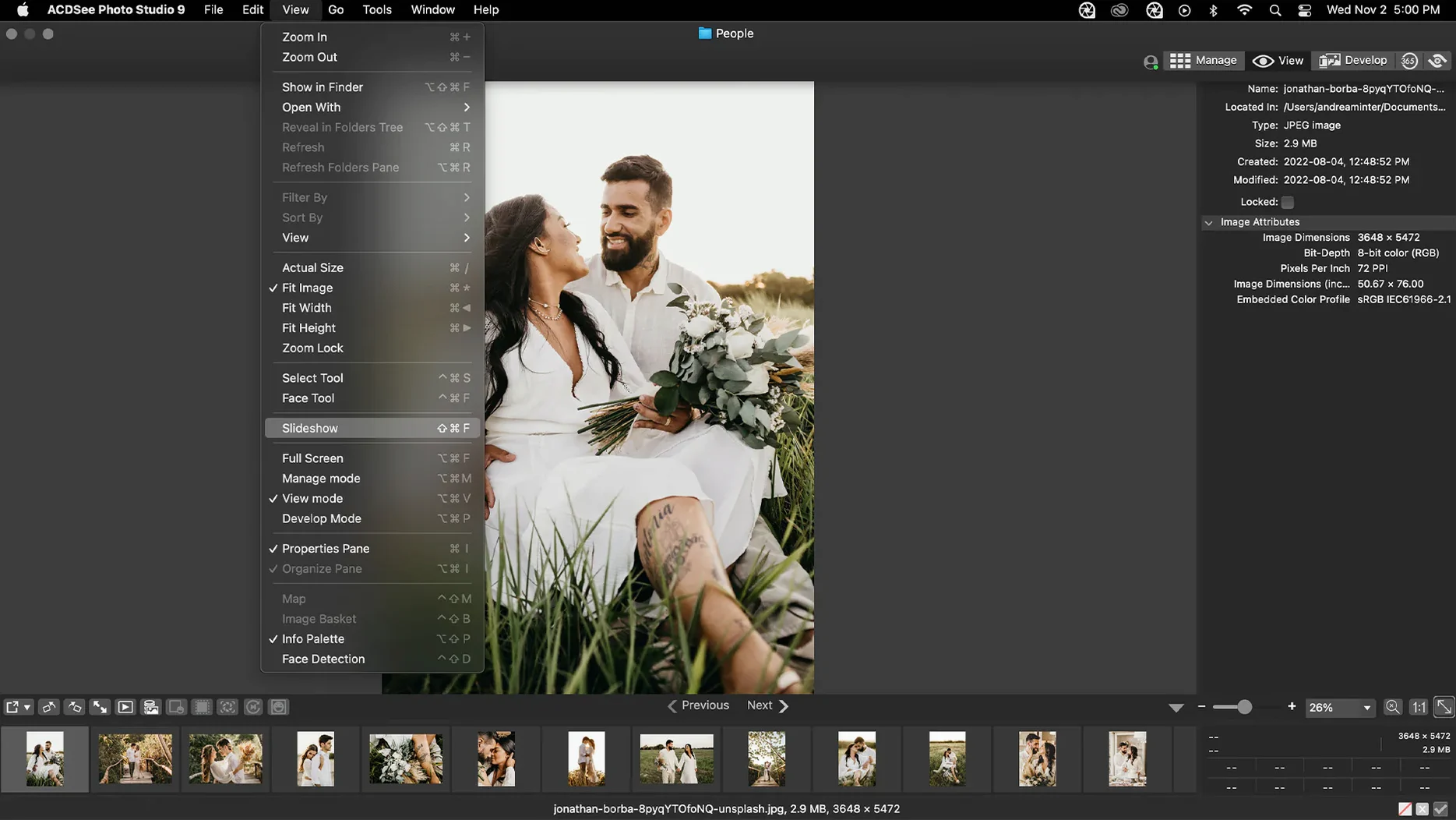
Over 450 camera models have their RAW formats read natively inside ACDSee Photo Studio, a photo management and editing app that arrived on macOS carrying decades of Windows heritage. Version 26.0.3 tightens a handful of rough edges around keywords, categories and iCloud integration without altering the core tools that photographers rely on when a session runs long and the card is full.
A management layer that doesn't get in the way
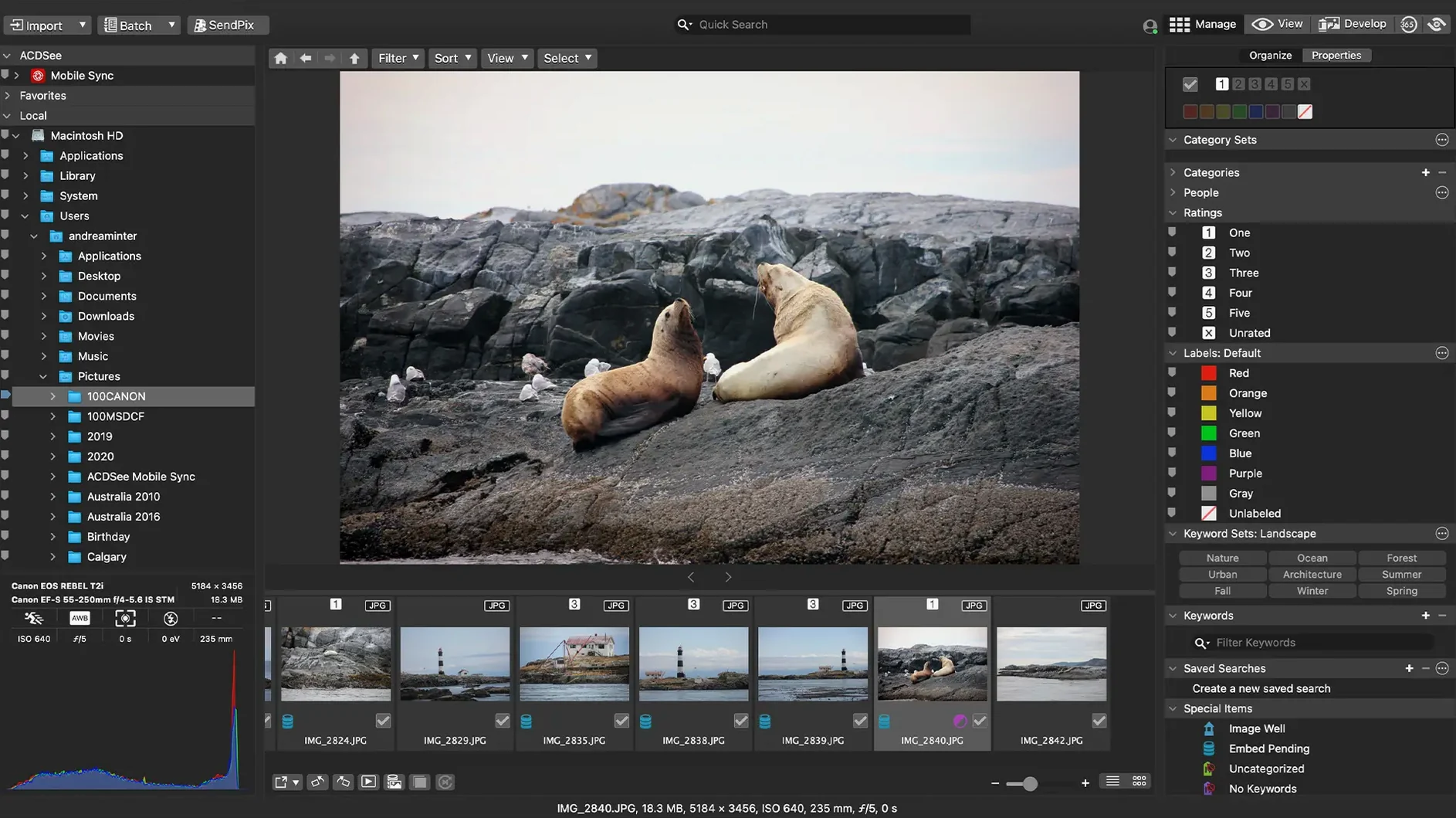
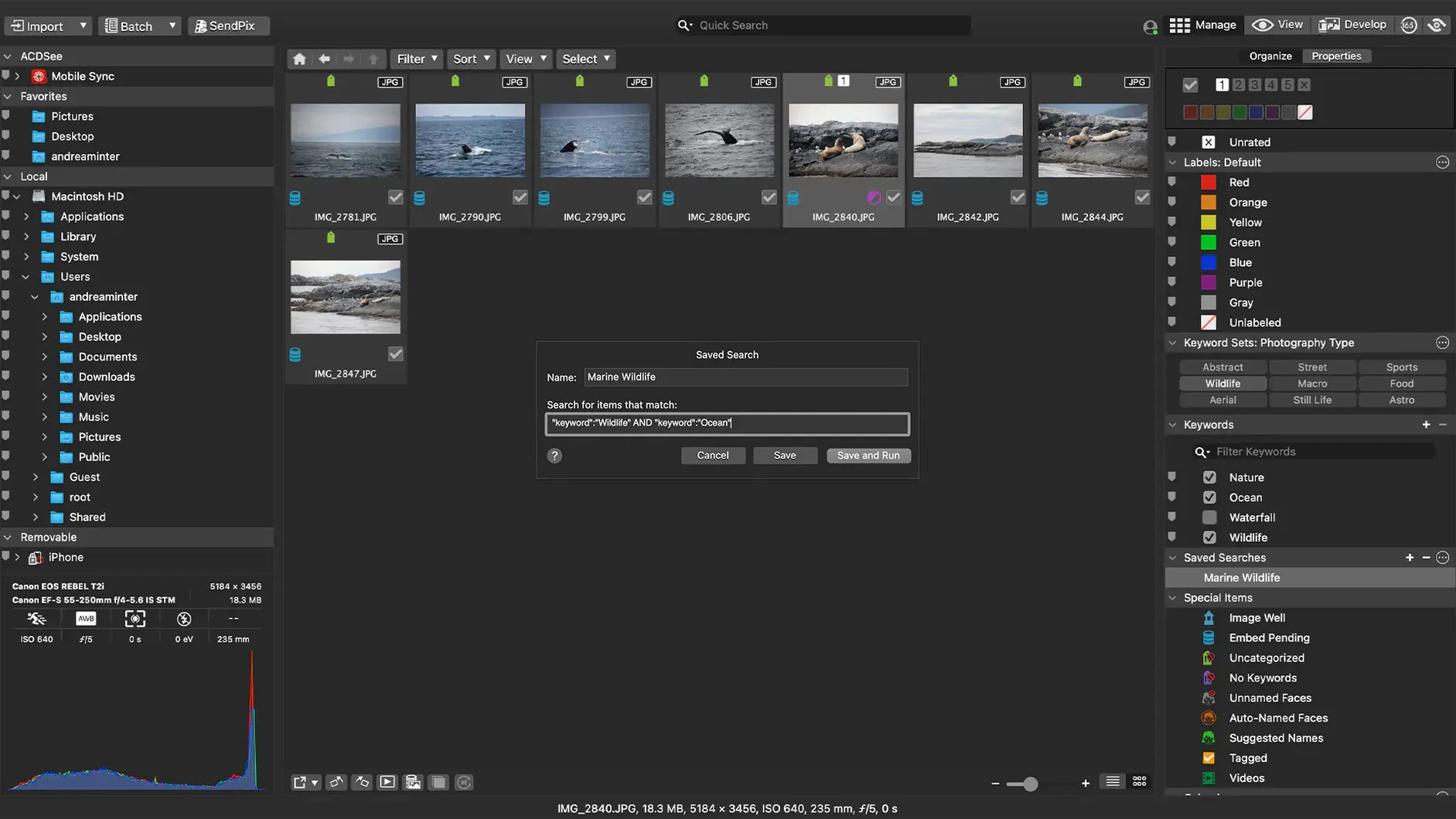
The browsing and sorting tools still orbit around practical tasks: finding duplicate files across a sprawling library, ordering a shoot by capture date, and applying customizable batch presets when a hundred frames need the same white balance shift. The duplicate finder works quietly in the background, surfacing wasted space without demanding a complicated setup. What changed in this release is mostly invisible — a crash when adding a new keyword in a specific scenario is gone, and clicking away from a freshly typed keyword now actually commits the edit instead of leaving it hanging. Renaming a parent category while creating a child item no longer trips over itself either.
RAW development without the detour
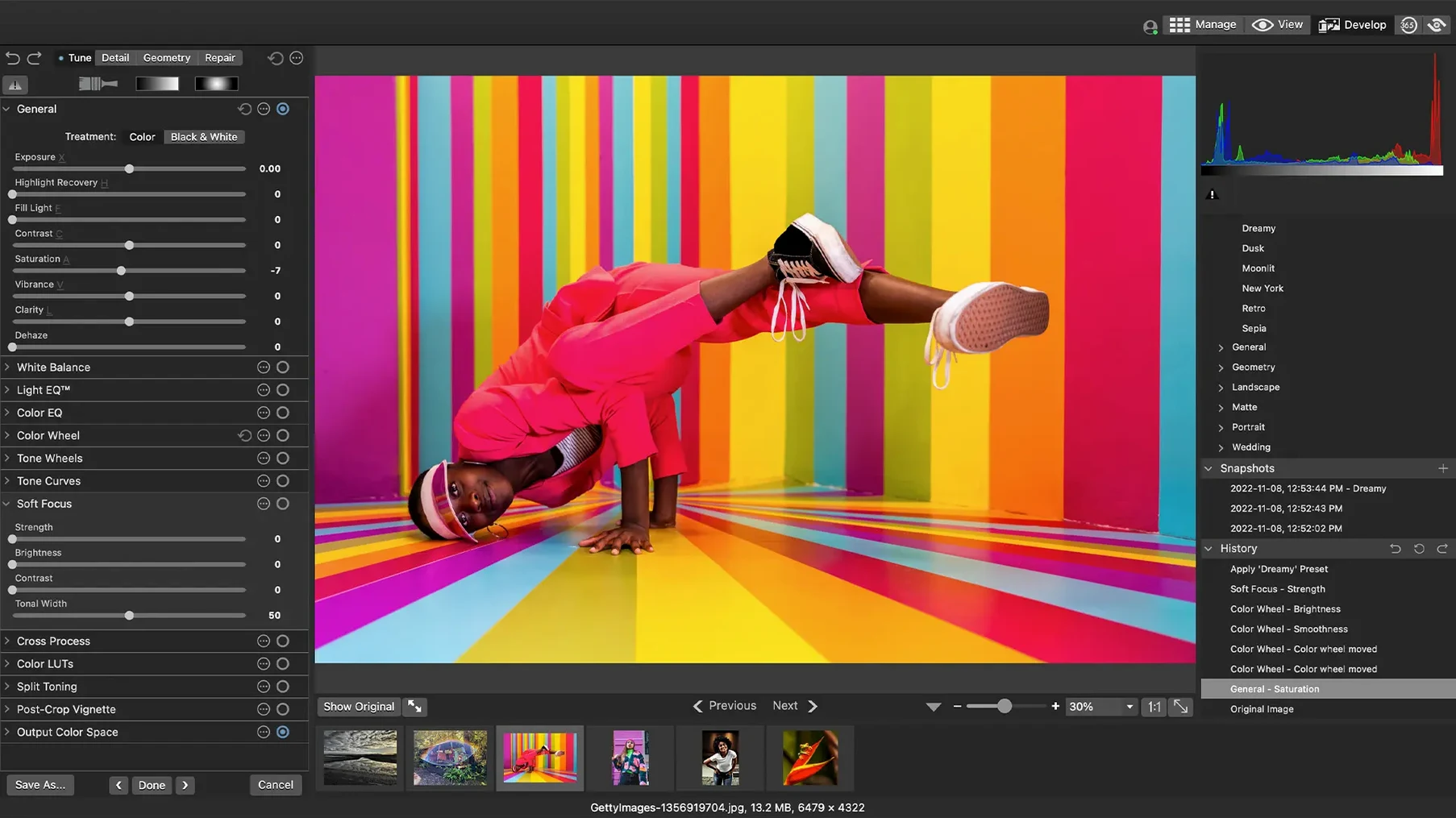
The develop module reads RAW files from that wide camera list and gives you sliders for exposure, clarity, sharpness, lighting, colour, noise and detail — the adjustments you reach for when a frame is close but not quite there. iCloud integration, which stumbled in earlier builds, now behaves as expected, so photos synced across devices appear where they should. The Mac version requires macOS 14.0 or later and remains a native build for both Intel and Apple Silicon machines. It's the same app at its centre: a place to cull, correct and keep a library in order without bouncing between three different tools to get there.
How the app carries itself under load
I threw a library of just over 3,000 RAW files at it — mostly 24-megapixel Sony ARW shots, a few older NEFs — and watched how it breathed. On an M1 machine with 16 GB of RAM the first cataloguing pass took about ninety seconds, and scrolling through the thumbnail grid afterwards stayed fluid, even when I held the arrow key down and let the images blur past. Memory pressure sat around 1.2 GB during normal browsing, climbing to roughly 2.4 GB when I opened twenty develop tabs in quick succession. Not featherlight, but plenty reasonable for a tool that parses proprietary RAW maths with every click.
Stability matters more. The 26.0.3 fixes around keyword and category crashes are the kind of thing you notice mostly by their absence — in three hours of tagging, batch renaming and flipping between Manage and Develop modes, the app didn't beachball once. The iCloud fix means photos stored remotely now appear in the browser without a manual refresh, which used to be a quiet frustration. Closing the app mid-batch and reopening it picked up exactly where I left off, unsaved adjustments still dangling in the develop tray. That kind of resilience is easy to take for granted until you lose an hour's culling to a crash.
A single shoot, end to end
Here's the arc of a real session. I returned from a damp afternoon at the seawall with 180 frames, all shot under grey flat light that needed warmth and a little bite. The card mounted, I opened ACDSee and let it ingest the folder. First pass: full-screen review with the arrow keys, one-star ratings for anything in focus, reject flag for the obvious misses. That took about eight minutes.
Filtering to one star and above narrowed the set to forty-three frames. I selected all of them and applied a batch preset — a bump to contrast, a slight lift to shadows, a touch of vibrato in the blues. The preset ran across the batch in under fifteen seconds. From there I opened the keepers in Develop one by one, tweaking clarity on the ones with water droplets and pulling exposure down on a few where the sky had blown out. Each RAW adjustment rendered in about a second, which is fast enough that the rhythm of the work never broke.
When I needed to find a specific frame of a heron lifting off, the drag-and-drop search bar let me filter by keyword and capture date without switching views. I typed "heron," dragged the date range into the bar, and the grid narrowed to four images. That direct manipulation — grabbing a date, a rating, a keyword and dropping it into the search field — is the kind of small interaction that sounds trivial on paper but saves real minutes when you're chasing a single frame across a year's worth of folders.
Quiet shortcuts worth knowing
A few details don't announce themselves. Holding Option while dragging a slider in Develop mode resets it to its default, which spares you from hunting for a tiny reset arrow. Right-clicking any thumbnail and choosing Set as Compare pins it to a split view, so you can flip between two near-identical frames and pick the sharper one — indispensable when you've shot a burst and every pose looks the same at thumbnail size. The Batch Resize tool, tucked under the Tools menu, handles whole folders with one dialogue and respects the aspect ratio unless you tell it otherwise, which means an acdsee resize image operation for web export takes about three clicks.
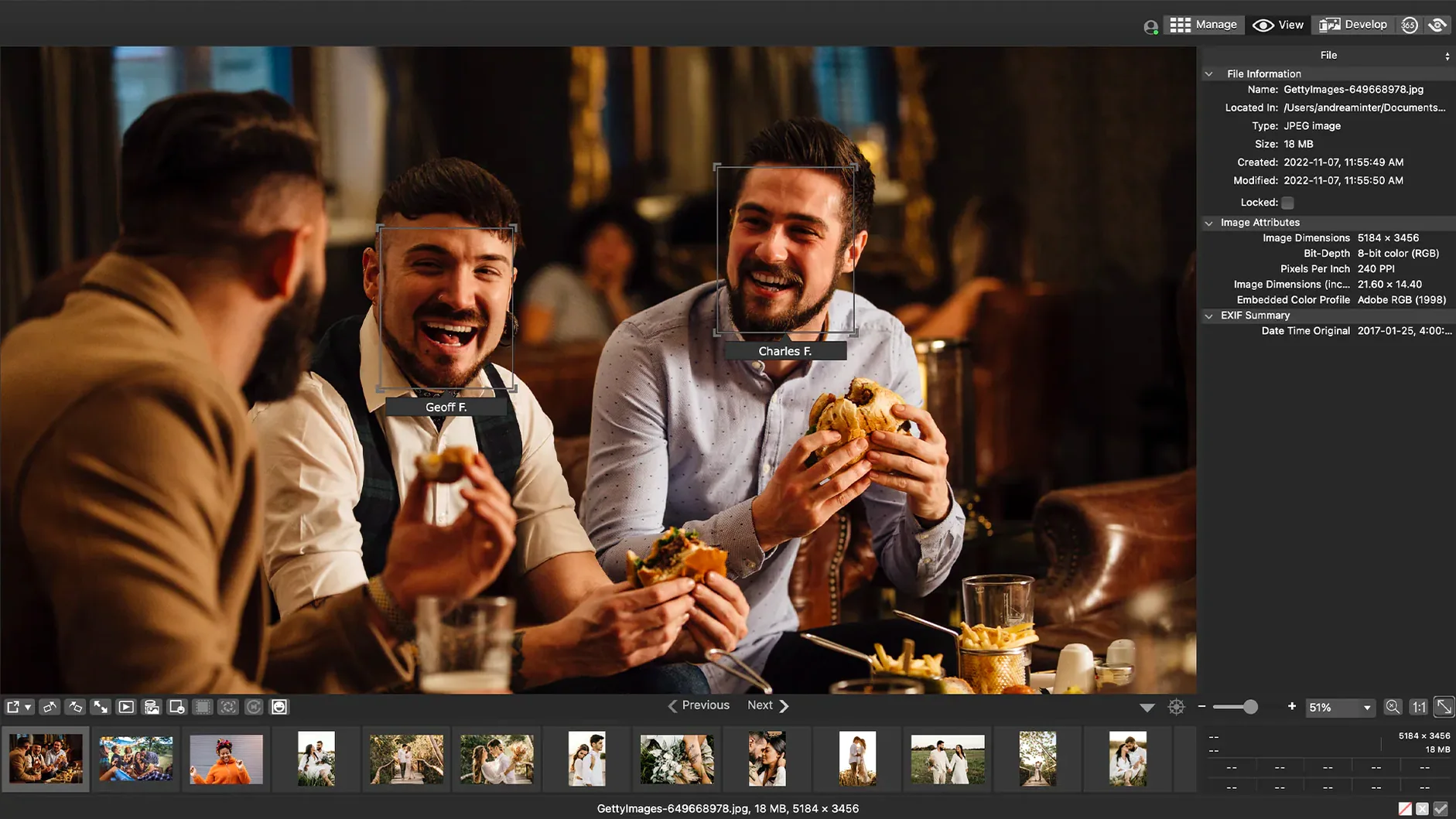
The EXIF and IPTC panel is more than a readout. You can edit metadata across multiple selected images simultaneously, and if you've ever manually corrected the capture time on a hundred frames because you forgot to change the camera clock after a time-zone shift, you'll understand why that matters. The duplicate finder lets you set a similarity threshold, so near-matches — the same scene shot seconds apart — can be flagged without treating every burst frame as identical. And if you ever need to locate the Mac version in a hurry, a search for acdsee osx will point you here, though the app itself runs natively on Apple Silicon without a translation layer.
Version 26.0.3.3479 is a stability release. It fixes a crash that occurred when adding a new keyword or category in a particular scenario, and resolves an issue where clicking away from a new keyword or category entry wouldn't end the editing state. RAW file ratings now read accurately in situations where they previously didn't, and iCloud integration has been patched so synced photos behave reliably.
- macOS 14.0 or later
- Supports Intel and Apple Silicon Macs