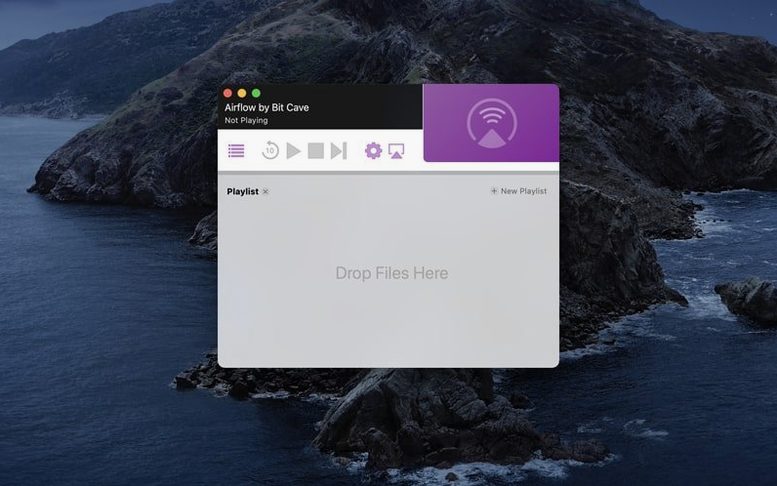
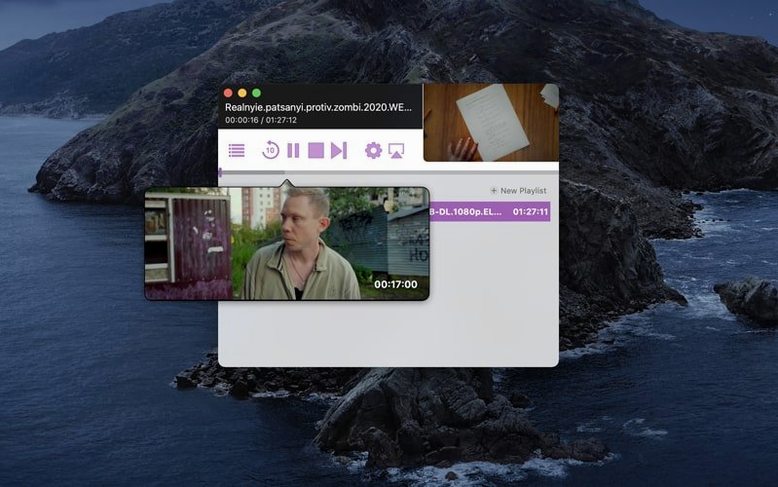
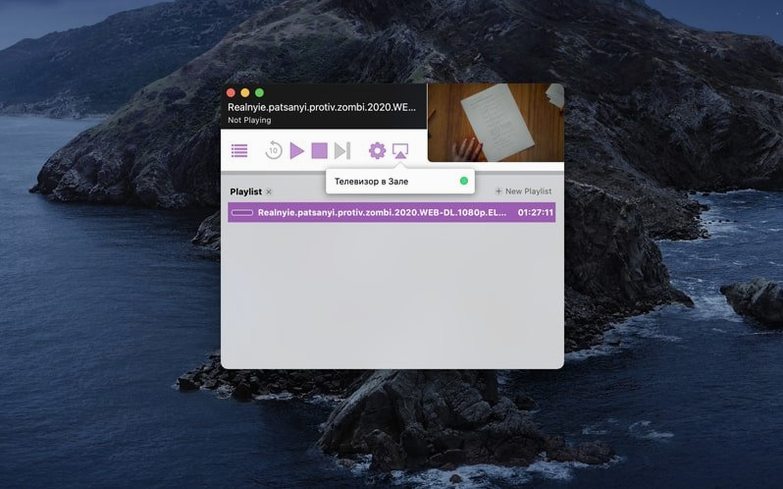
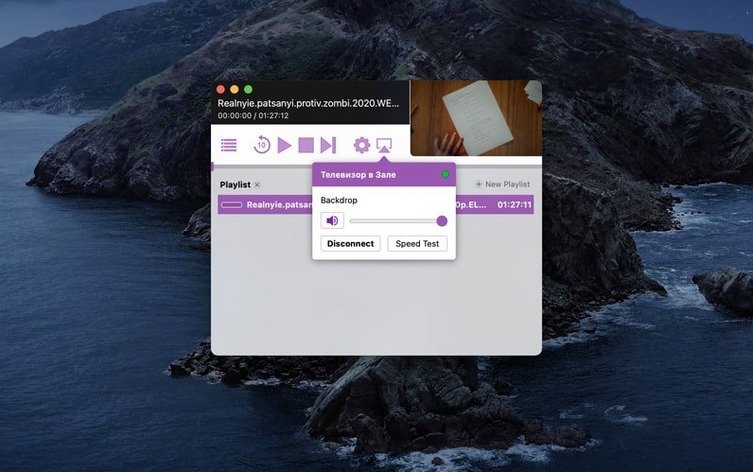
Airflow 3.3.10 asks for macOS 10.12 at minimum and an Intel processor. That covers a long stretch of machines, though anyone on Apple Silicon should check whether Rosetta 2 is in place, because native ARM support isn't listed. The app itself is a single-purpose streaming bridge: pick a Chromecast on your network, drag or open a video file, and playback starts.
Local files are the straightforward case. Airflow also opens magnet links and torrent files, so a film still seeding on your desktop can reach the television without an intermediate step. The interface stays in English and keeps things pared back — a device list, a play button, and not much else.
Because the app leans on an older Intel build, performance depends more on your network than on raw CPU. A stable Wi‑Fi connection matters far more than which generation of Mac you're using. If the file format is something a Chromecast can decode natively, Airflow sends it directly; otherwise it transcodes on the fly, which is where processor age starts to show.
No cloud accounts, no media library to manage. It's a direct line from a file on your Mac to a Chromecast, and version 3.3.10 keeps that path short.
Airflow and the alternatives on Mac
Videostream works the same territory — local files to Chromecast — but lives inside a Chrome browser tab. That means you're carrying a whole browser session just to send a film across the room, and the extension can get fussy about codecs after a macOS update. Airflow skips the browser layer entirely, which keeps the processor cooler and the queue simpler. Where Videostream nudges you toward a mobile-remote setup, Airflow stays a one-screen affair.
Elmedia Player casts well and doubles as a local player with a proper library, so it suits someone who wants a Swiss Army knife. The trade-off is weight: Elmedia loads a full media player every time, whereas Airflow 3.3.10 opens to a single window with a device selector and a drop zone. For the single job of sending a file to a Chromecast, the leaner app often feels faster.
VLC's renderer support has improved over the years, and it's the obvious choice if the file is stubborn — a partially downloaded MKV or an obscure audio track. But VLC casts as a secondary feature bolted onto a powerhouse player. Airflow treats streaming as the point, not an afterthought, and its transcoding decisions need less manual tinkering. If the film plays smoothly in VLC but stutters when cast, that's the gap a dedicated app fills.
What changed from 3.3.9 to 3.3.10
The jump to 3.3.10 tightened up device discovery. On 3.3.9 you could occasionally stare at a blank device list after waking the Mac from sleep, and the fix meant restarting the app. The newer build recovers from network naps more reliably — Chromecasts reappear without intervention, which matters when you've paused a film overnight and want to resume without ceremony.
Subtitle handling also got a quiet revision. Earlier versions sometimes dropped embedded subtitle tracks if the file was being transcoded rather than sent directly; 3.3.10 keeps them in sync more consistently across the transcode path. The change is subtle, but if you watch foreign-language films with soft subs, it's the difference between a smooth evening and a last-minute scramble for an external SRT.
Torrent streaming — a feature that still surprises people discovering Airflow — saw refinements in buffering. The app now waits for a slightly healthier chunk of data before starting playback, which reduces mid-film pauses on slower connections. It's a small shift in behaviour that makes the torrent side feel less experimental.
Push the quality slider higher for same-room streaming
Out of the box, Airflow picks a balanced transcode quality that keeps Wi‑Fi hiccups at bay. If your router sits in the same room as the Chromecast, bump the quality slider up in preferences — the difference in dark scenes is visible on a decent television, and a strong network handles the bitrate without complaint.
The hardware acceleration checkbox matters more on older Intel machines. When it's off, transcoding falls entirely on the CPU, and fans spin up quickly on a MacBook Air from the pre‑Retina era. Turning it on hands the work to Intel Quick Sync, which runs cooler and buys you back battery life. On a desktop iMac with a wired connection, the difference shrinks, but it's worth toggling once to hear what your machine does under load.
Subtitle defaults deserve a glance too. Airflow can sideload external subtitles by matching filenames, but the preferred language list is empty at first. Filling it — even just one language — means the app searches automatically when you open a file, rather than waiting for you to hunt down the SRT manually. A small setup step that pays off the first time you queue up a film sourced through an Airflow torrent that arrived without embedded captions.
- macOS 10.12 or later
- Intel processor
- Chromecast device on the same network
Questions from the booth
Yes, Airflow can open magnet links and torrent files, letting you stream video content directly to Chromecast without waiting for the full download to finish.