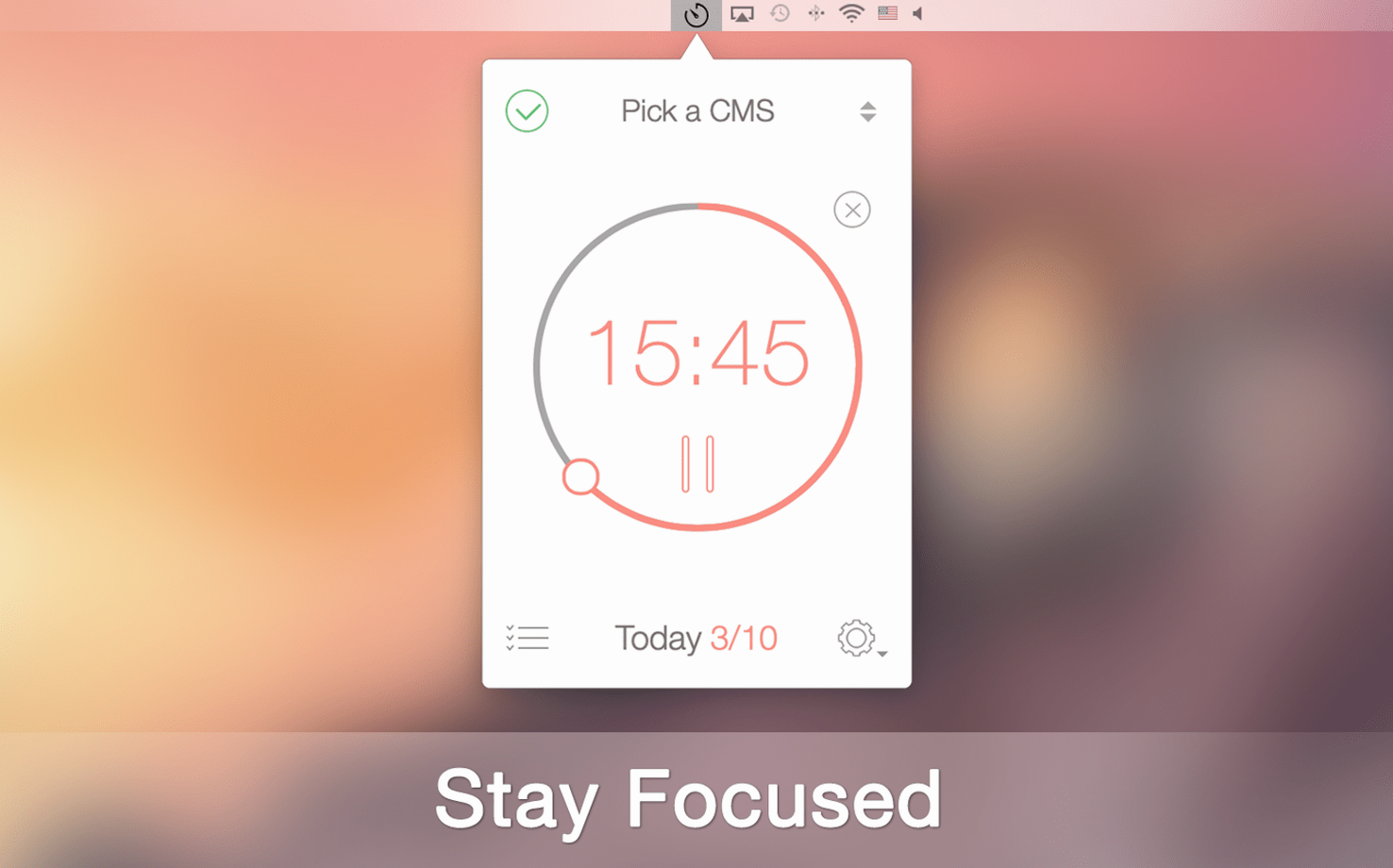
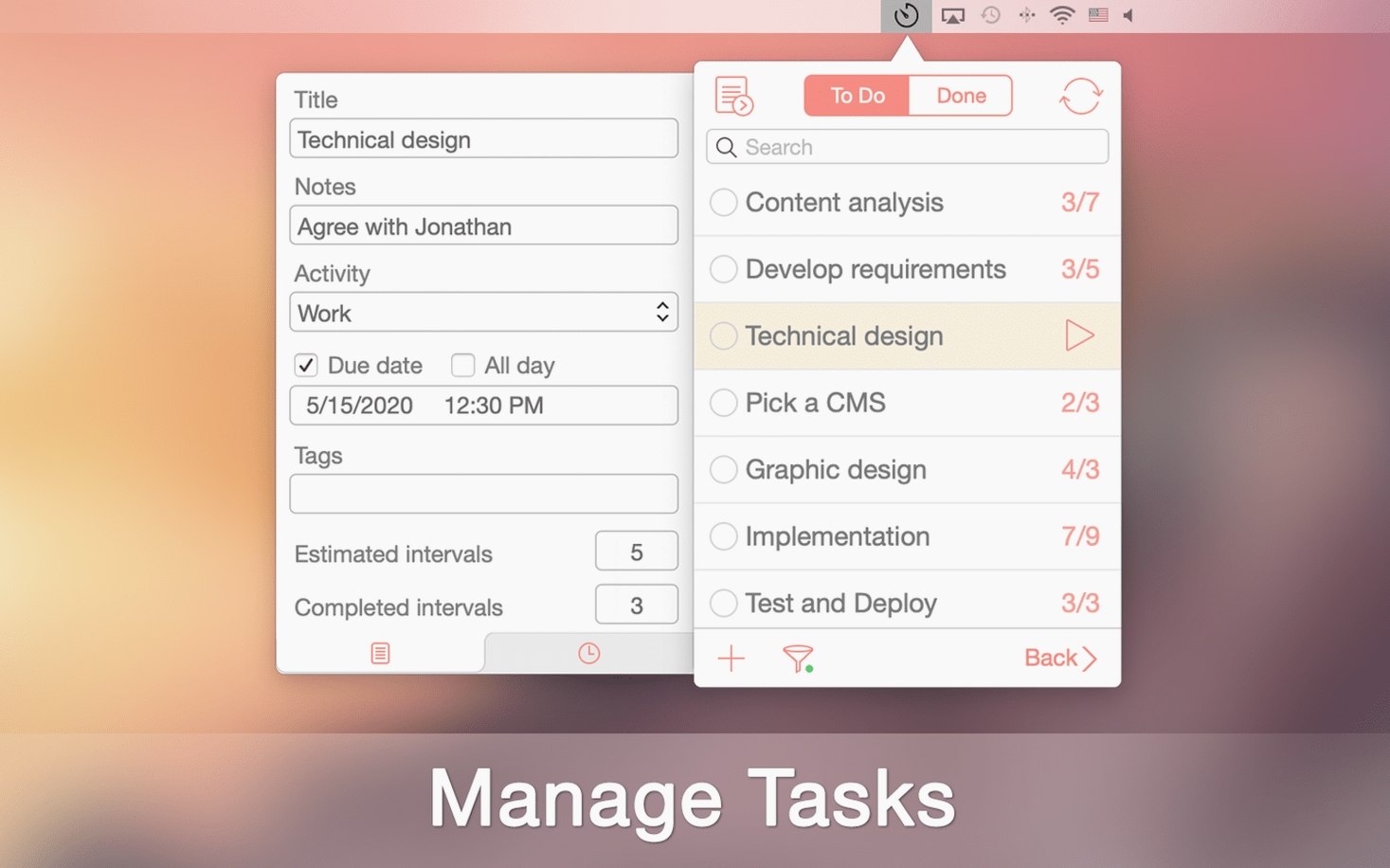
Staring at a to-do list doesn't get it done. The gap between knowing what to work on and actually starting is where most focus tools fall short — they count minutes but forget the task that brought you there. Be Focused Pro ties the timer directly to the work in front of you, so the interval and the objective stay in the same frame.
How does it structure a work session?
You assign a task, start a work interval, then take a short break. The rhythm is simple but deliberate — you can pause or skip an interval when something genuine interrupts, which keeps the log honest rather than aspirational.
What keeps a growing task list manageable?
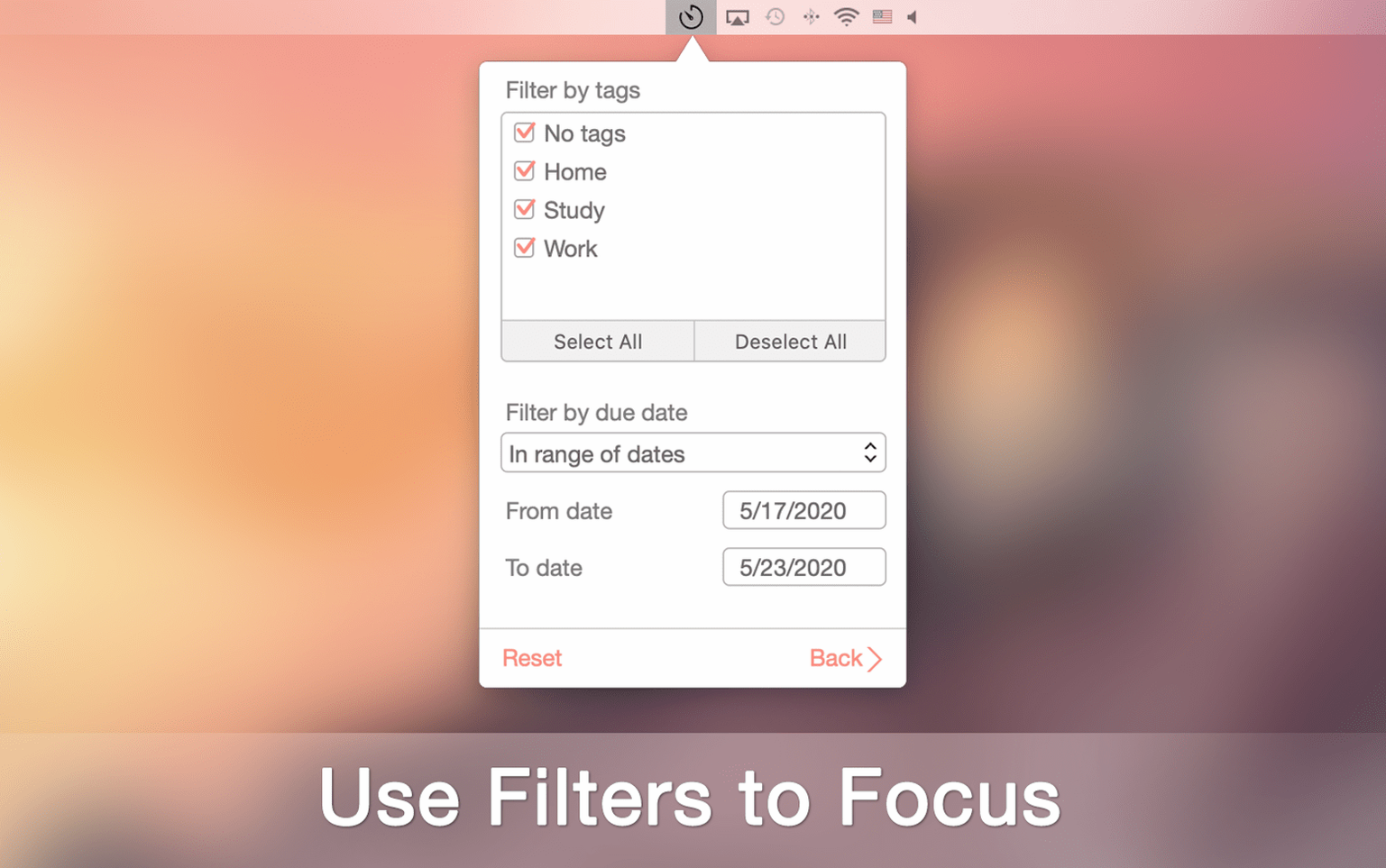
Tags and filters. A tag for client work, another for writing, a third for the short film edits — you sort by what matters right now, and the rest steps back without disappearing.
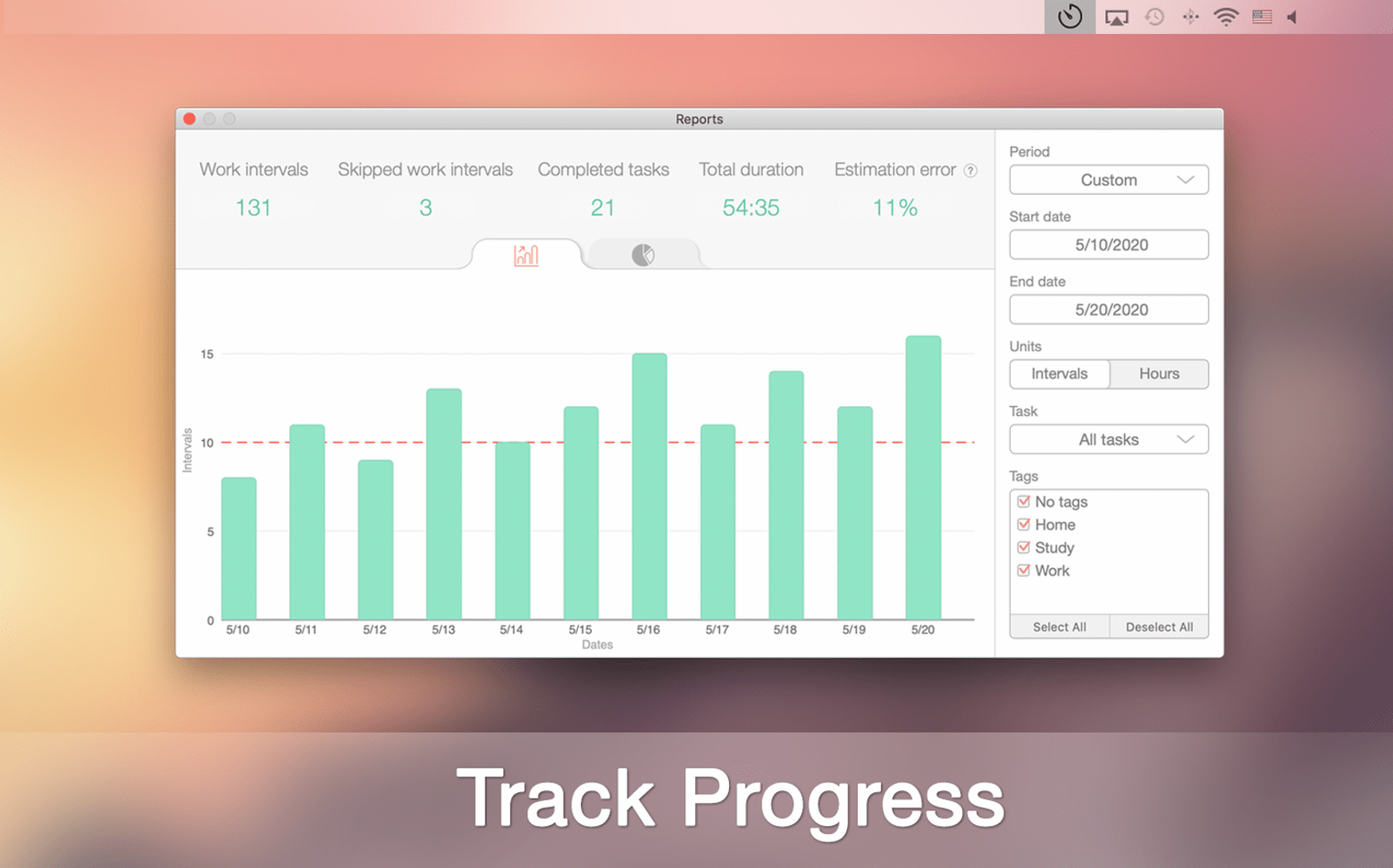
Where does the data go when the day ends?
Everything exports to CSV if you need a record outside the app. It also syncs with iPhone and iPad, and if you use Focus Matrix for priority mapping, the two apps connect so your timed sessions reflect your quadrant choices.
settings to revisit early on
The default 25-minute work interval and 5-minute break are a reasonable starting point, but the preset that rewards you with a longer pause after every fourth session is the one worth adjusting first. Under Preferences → Timer you can set how many work intervals trigger that extended break and for how long — fifteen minutes of reading a script excerpt feels more restorative than five minutes staring at the ceiling. While you are there, disable "Show notifications for breaks" if you find the banner pulls you out of a flow state. The timer in the menu bar already gives a quiet visual countdown.
what the menu bar does that the main window won't
The dock icon shows elapsed time, but the menu bar icon offers a compact control surface that is easy to overlook. Click it once and you see the current task name with a pause button right beside it. Option-click skips to the next interval without opening the full window — small but useful when a phone call lands mid-session and you want to jump to the break without extra friction. Right-clicking reveals a list of recent tasks, so you can switch context without opening the task manager at all.
how it performs across a long working day
After a full week of tracking sessions — drafting grant applications, cutting a rough assembly, answering overdue emails — the app barely registers in Activity Monitor. It sits around 60 MB of memory on an Apple Silicon machine and the CPU draw is negligible, even during sync. I have yet to see it beachball or drop a logged interval. Sync to the iPad version is near-instant, provided both devices share the same iCloud account, and the data that lands on the phone feels like a mirror rather than a delayed summary. The only momentary hitch is the Gatekeeper step during first install, after which it launches cleanly and stays out of the way. For a tool that is meant to fade into the background, that counts as a quiet kind of success.
- macOS 10.14 or later
- Apple Silicon or Intel 64-bit
Questions from the booth
It requires macOS 10.14 or later and runs natively on both Intel and Apple Silicon Macs.