Binary Ninja runs on any Mac with macOS 10.15 or later, on both Intel and Apple Silicon processors, and handles ARM and x86 64-bit binaries without complaint.
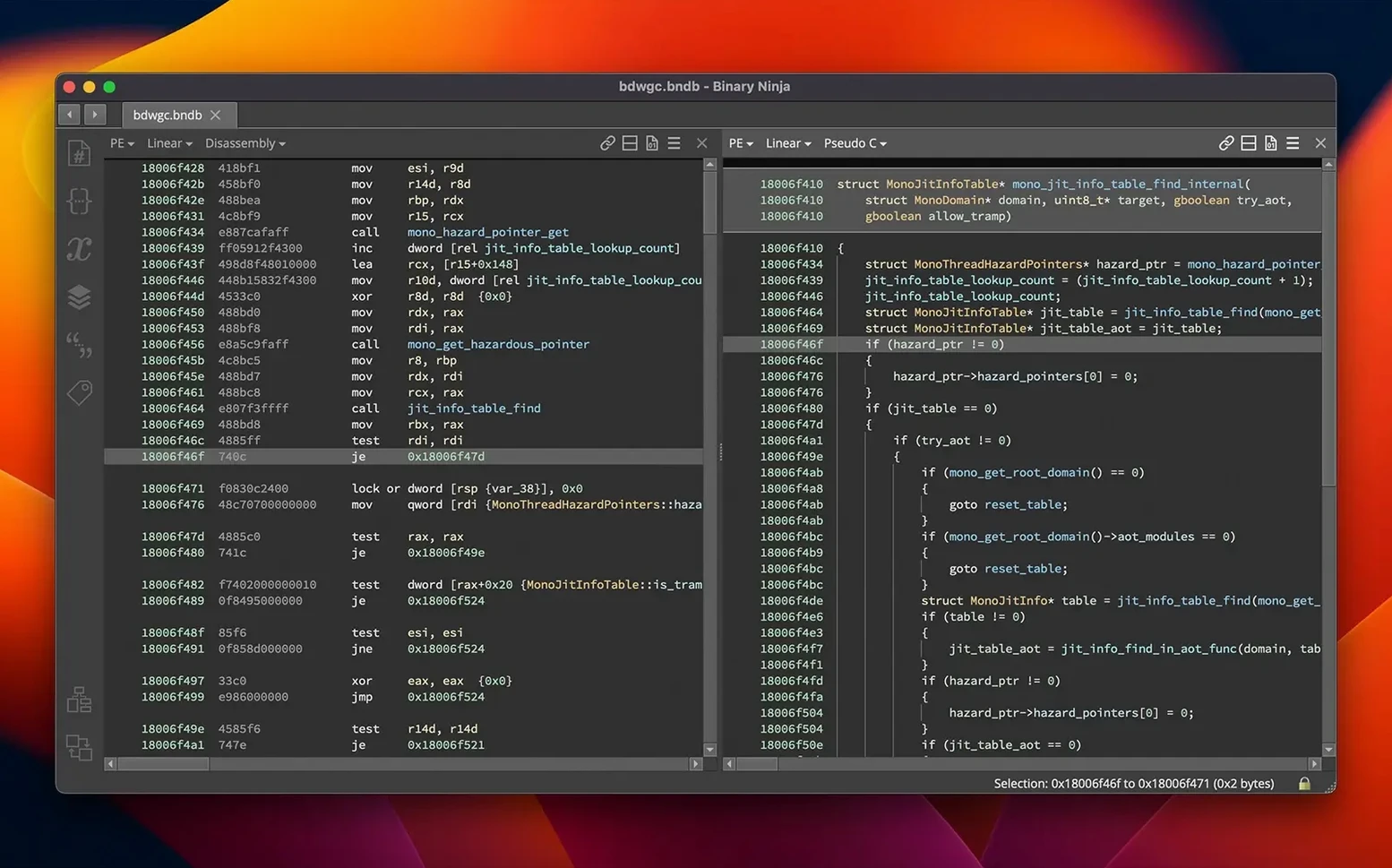
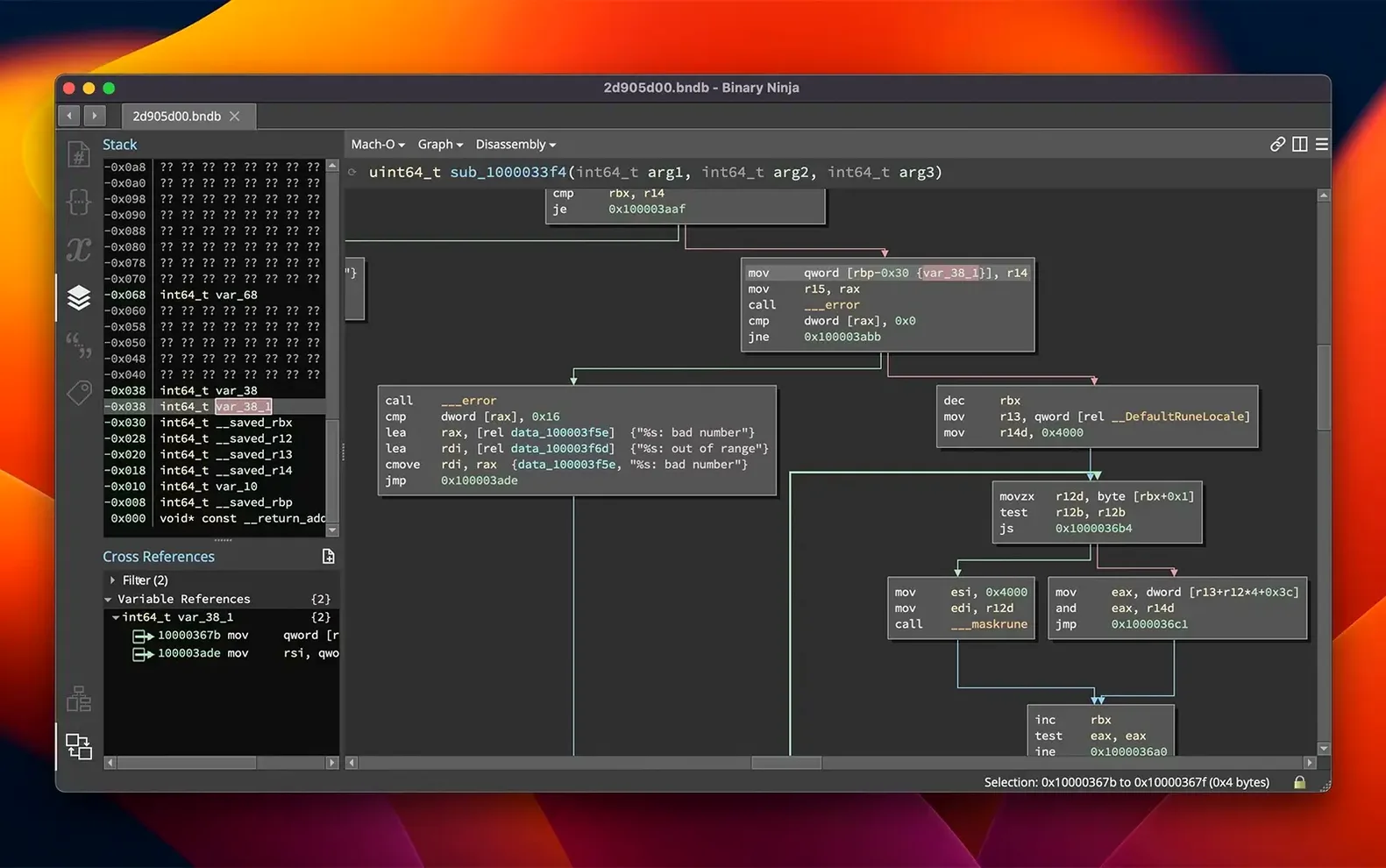
Disassembly — the translation of raw machine code into human-readable assembly instructions, presented in a graph or linear view you can annotate with your own names and types.
Decompilation — lifting that assembly into a higher-level C representation, or into Binary Ninja's own intermediate language (BNIL), so you can reason about logic without counting registers.
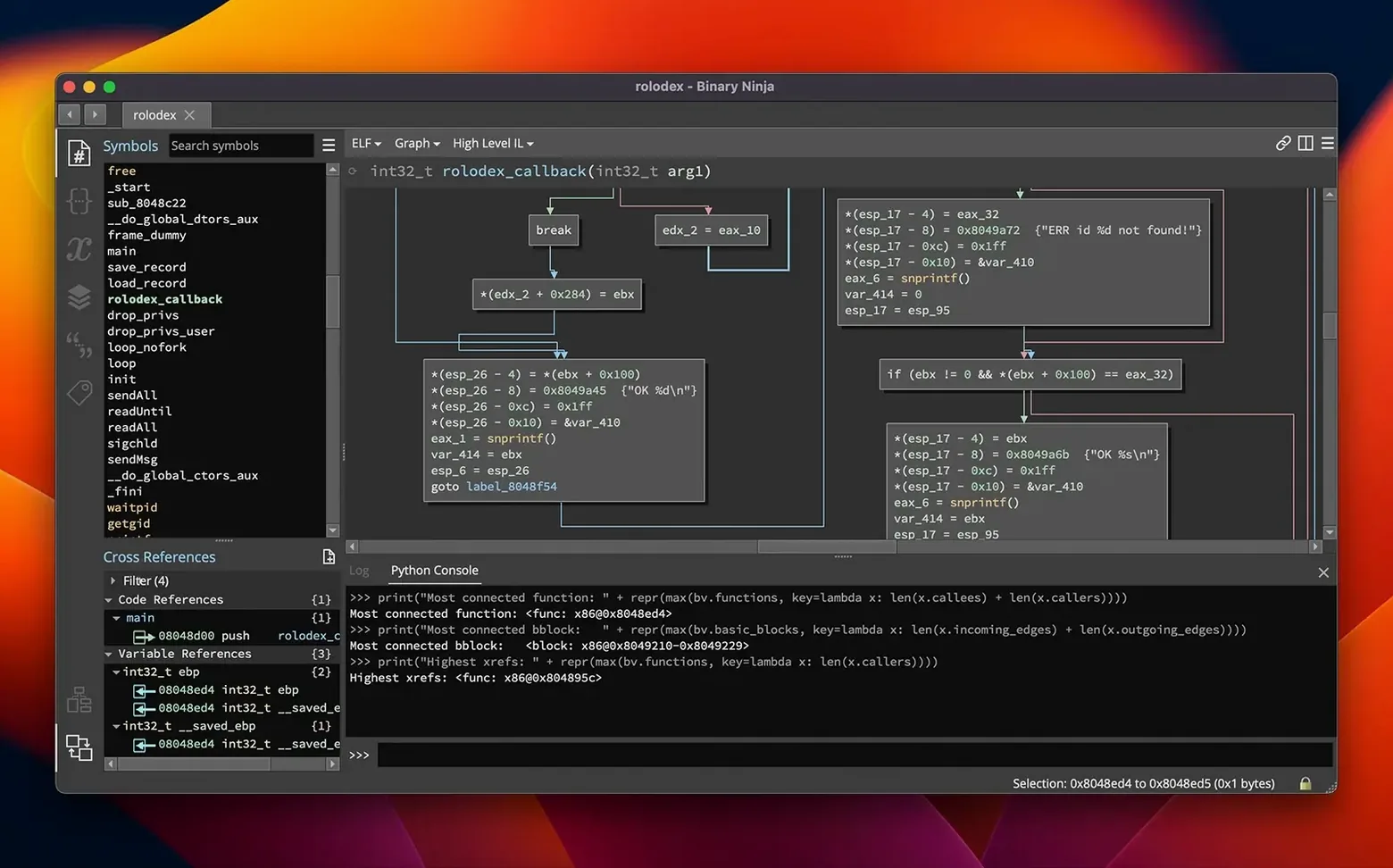
Control flow graph — a visual map of how a function branches and loops, clickable and cross-referenced, which turns a flat hex dump into something you can navigate by instinct.
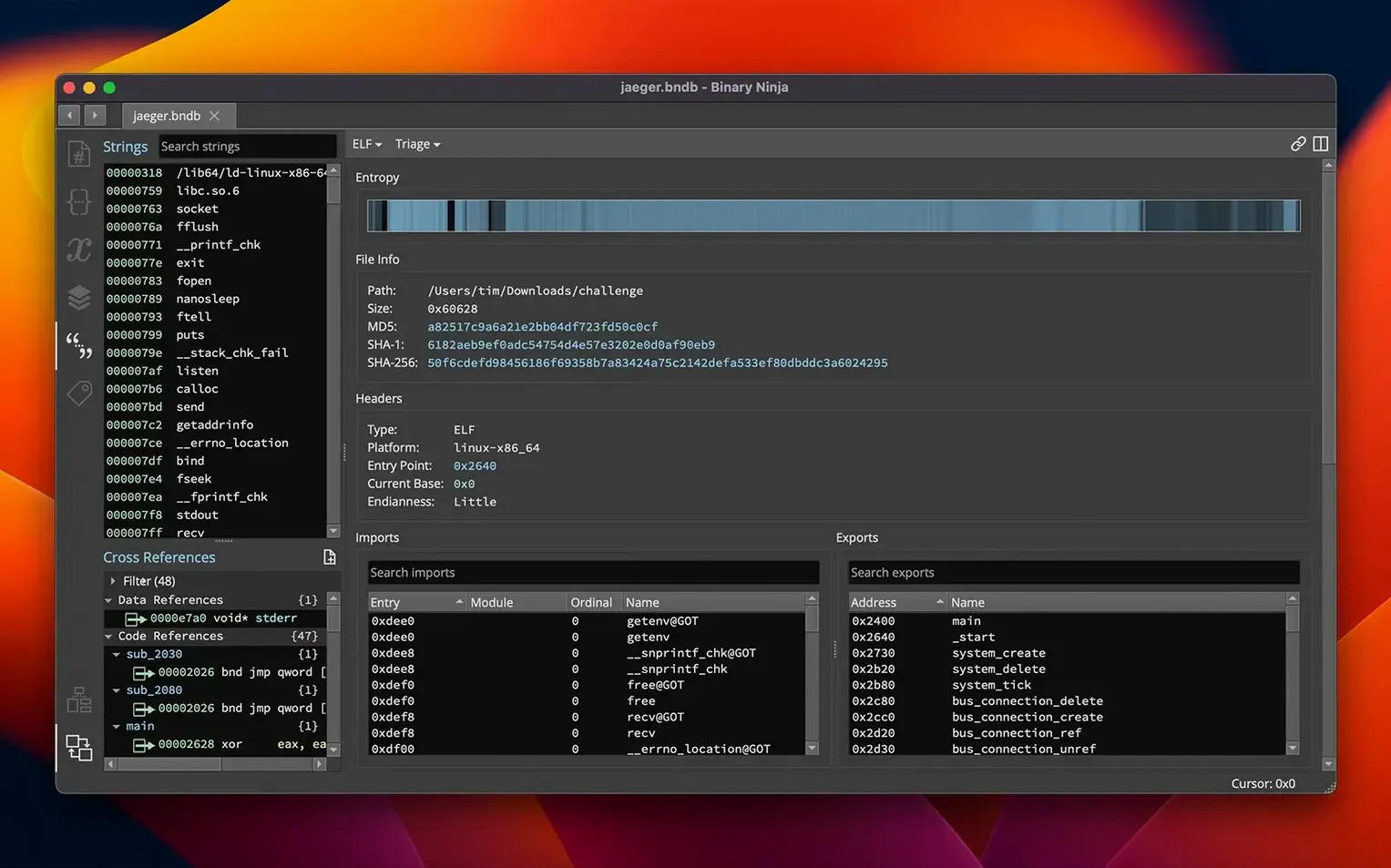
Entropy graph — a bird's-eye view of a binary's shape, highlighting compressed or encrypted regions that warrant a closer look before you waste an afternoon on dead bytes.
When you first open a binary, the view can feel like staring at a city from a helicopter. You see everything but understand nothing. Resist the urge to rename every function immediately. Instead, spend your first session doing three things: run the entropy graph to mark regions of interest, identify the entry point and trace the initial control flow, and leave a handful of comments at addresses where the disassembly already speaks to you — even if the note is just “this is where the config table gets parsed.” Those early breadcrumbs compound faster than you expect.
Tagging functions with a rough category — crypto, network, UI callback — before you understand them fully is another habit worth forming. Binary Ninja lets you colour-tag items in the sidebar, and a sparse colour map after day one gives you a sense of direction when you return to the project a week later. The platform never forces a particular workflow, but a little light structure early on keeps you from drowning in unnamed subroutines.
When pasted C won't compile, check your type definitions
The decompiler sometimes produces C that looks correct but refuses to compile if you paste it into the built-in SCC compiler for patching. This usually traces back to one thing: incomplete type information. If the decompiler infers a void* where you know a struct lives, define that struct in the types panel and apply it to the variable. The output tightens up immediately, and the SCC compiler stops complaining about pointer arithmetic on opaque types.
Another common frustration is a control flow graph that shows a tangle of jumps with no clear entry or exit. That often means Binary Ninja hit indirect call targets it could not resolve. Turning on the heuristic branch analysis in the settings — tucked under Analysis → Advanced — nudges the engine to trace more paths through jump tables and vtable dispatches. It is not magic, but it turns a blank graph into something you can work with in most cases.
On Apple Silicon Macs, a handful of older Python 2 plugins still lurk in community repositories. They will not load under the bundled Python 3.13 environment. The Extension Manager in version 6.0 filters these out by default, but if you install a plugin manually and the UI stays silent, check the log at ~/Library/Application Support/Binary Ninja/log.txt. The error will almost certainly mention a Python version mismatch. There is no workaround except finding a Python 3 port — the platform does not run a Python 2 shim.
The decompiler guesses until you feed it calling conventions
Treating the decompiler as an oracle is the big one. The output is a best guess based on the type information Binary Ninja has at that moment. If you have not defined the calling convention for an external library function, the decompiler will still produce C — it just might be C that silently clobbers three registers and makes no sense downstream. Before you chase a logic bug for an hour, check whether the function signatures for imported DLLs or dylibs are marked correctly. A missing __stdcall or an incorrect argument count can warp an entire call tree.
Skipping the BNIL intermediate language is another. Beginners often jump straight from disassembly to high-level C and struggle with optimisation artefacts. Switching to the medium-level IL view — a single click in the sidebar — strips away register allocation noise and shows you the pure data flow. Once you get comfortable reading BNIL, you will spot memcpy bounds, XOR loops and buffer arithmetic in seconds instead of minutes.
Ignoring the cross-reference pane is a quieter mistake. Every address, string and function has an Xrefs tab that lists every location in the binary that references it. When you are trying to understand why a string gets printed, clicking its Xrefs shows you the exact call sites. Beginners often grep for hex bytes manually instead, which works until the string is constructed at runtime and the bytes never appear contiguously in the file. The Xrefs pane catches those cases because the analysis engine already traced the data flow.
Middle-click jumps straight to any definition
The middle-click behaviour is the first thing people miss. Middle-clicking any address, function name or variable immediately jumps you to its definition — no right-click menu, no keyboard shortcut memorisation. It works in the disassembly view, the decompiler view and the symbol list, and it turns navigation into a single-fluid-motion affair.
Typing g pops up a go-to dialog that accepts raw hex offsets, symbol names and partial address fragments. You do not need to type the full address; g 1a3c resolves to the nearest match. Combined with the back/forward navigation shortcuts — Alt+Left and Alt+Right — you can chase a call chain deep into a library and retrace your steps without ever touching the mouse.
The hex editor view supports in-place patching of raw bytes, but the less obvious trick is the Patch menu's preset options. Selecting a range of instructions and choosing Patch → NOP Fill replaces them with no-op sleds in one click. The same menu offers single-byte increments, zero fills and the ability to compile a C snippet directly into the binary via the SCC compiler. If you have ever patched a conditional jump by hand-calculating opcodes, the preset menu feels like a quiet act of mercy.
Hold Shift while scrolling in the graph view and you switch between function nodes laterally instead of zooming. It sounds trivial, but when you are comparing two branches of a large switch statement side by side, the ability to slide the view without collapsing branches saves genuine cognitive friction.
Lastly, the command palette — Cmd+Shift+P — surfaces nearly every action in the platform, including obscure ones like “Force re-analysis of function” and “Export to SVG.” If you ever forget a shortcut or wonder whether Binary Ninja can do something, the palette gives you a flat, searchable list faster than digging through menus. It is the feature that stops you needing to memorise features.
Version 6.0 is a substantial refresh. The Extension Manager replaces the old Plugin Manager with a redesigned interface for finding and managing add-ons. A new MCP server and a Binary Similarity feature open up fresh analysis workflows, and the platform now supports the TMS320C6x architecture.
- macOS 10.15 or later
- Intel or Apple Silicon Mac
Questions from the booth
Yes, for supported architectures it can decompile code to both C and BNIL, letting you read logic in a high-level form.
Yes, it supports headless analysis, so you can automate batch processing without opening the user interface.
It handles ARM and x86 64-bit architectures, disassembling executables and libraries across multiple formats.