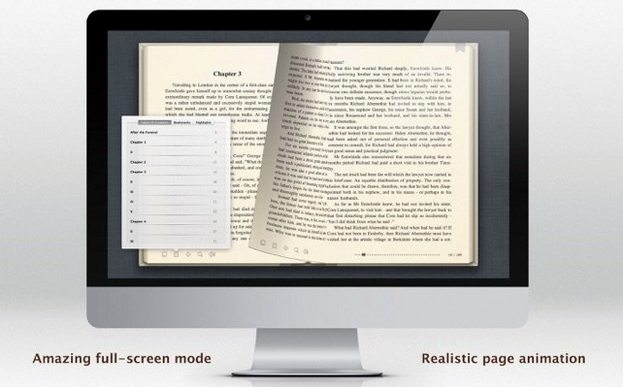
If you have ever opened a PDF in Preview, you already understand the appeal of a reader that gets out of the way. BookReader for Mac extends that same idea to a wider shelf—EPUB, MOBI, FB2, and a half-dozen other formats—without ever feeling busy.
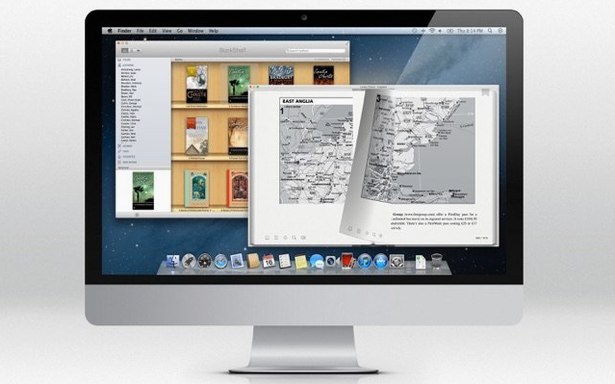
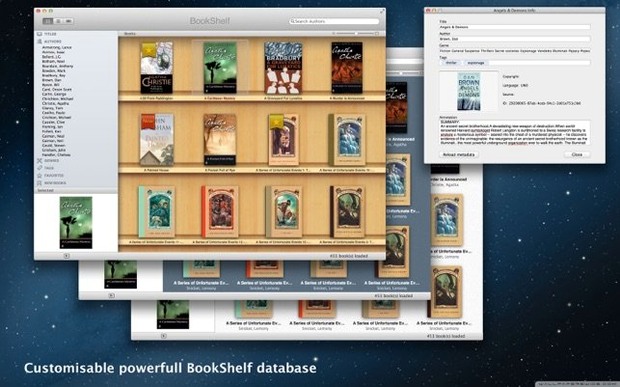
Bookshelf — a home for scattered files. Instead of hunting through folders, drag your books into the library view. It remembers what is yours and presents it as a grid of covers you can browse.
Page turn — a small piece of theatre. Tap the arrow key or swipe the trackpad and the page curls with a realistic animation. It is a tiny detail, but it makes long reading sessions feel less like staring at a screen.
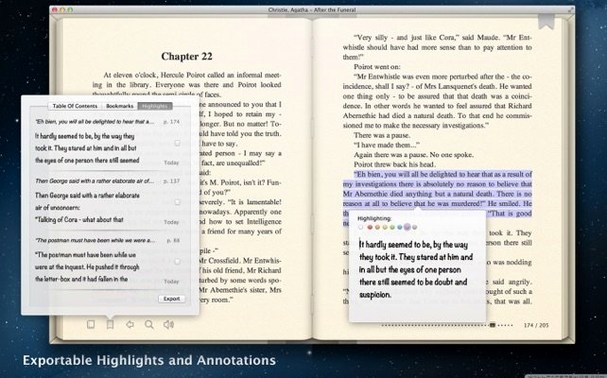
Colour and type — your light, your mood. Open the appearance settings and change the text colour, the background shade, and the font. A warm beige page with a serif face for the evening; crisp black on white for the morning. The book reshapes itself around you.
A quiet release that rewrote the rendering engine
Version 5.16 is a quiet release. The visible feature set has not shifted, the bookshelf still opens to the same grid of covers, and the page-turn animation still curls with the same timing. What changed is under the hood: rewritten support for newer macOS releases means the app no longer stumbles on recent builds of Ventura and Sonoma the way earlier versions sometimes did—particularly around text-to-speech voice selection and full-screen transitions on Apple Silicon displays. If you last used BookReader a year ago and found it hesitant when switching between a PDF and an EPUB, that friction has largely disappeared.
The localization trio of Russian, English, and Italian remains intact, and the app still draws a firm line at DRM. No encrypted EPUB will open, no prompt will offer a workaround. For a certain kind of reader—one whose library is built from Project Gutenberg grabs, DRM-free bundles, and personal documents exported to FB2 or MOBI—that clarity is its own feature.
Lightweight page-turner between Calibre’s bulk and Yomu’s flair
BookReader occupies a narrow but comfortable niche between the utilitarian and the ornate. Next to Calibre, which is more of a library management powerhouse with an embedded viewer, BookReader feels lightweight. Calibre can convert between formats, fetch metadata in bulk, and serve books to a device over a network; BookReader does none of that—but it launches in a second and never asks you to configure a database. If you already keep your files organised in Finder and just want to read them, the simplicity counts.
Compared to Apple Books, the differences are starker. Apple Books is polished, syncs across devices, and handles DRM content from its own store. It also locks you into its own library logic and offers little control over rendering beyond a few presets. BookReader hands you the font, the background tint, and the text colour directly, no layers of menus. For someone working through a stack of legacy MOBI files or AZW documents pulled from a pre-Kindle archive, Apple Books simply will not open them—and BookReader will.
A third point of reference is Yomu, another Mac-native ebook reader, which leans harder into PDF annotation and comic book formats. Yomu’s interface is more modern in a flat-iOS sense, but its EPUB rendering can feel less tuned for long-form prose. BookReader’s page-turn animation and text-customisation panel, modest as they are, keep the focus on reading as a linear, immersive act rather than a document-review task.
A language learner’s evening with BookReader
Imagine someone studying Italian. They have downloaded a handful of public-domain Italian novels—EPUBs from Liber Liber, a couple of FB2 files from a bilingual reading group—and they keep them in a folder named Letture. On a Monday evening they open BookReader, drag in a short story by Natalia Ginzburg, and switch the interface language to Italian so every menu label becomes a tiny comprehension check. The background goes to a soft cream, the font to a slab serif that renders accented characters cleanly. When their eyes tire, they highlight a paragraph and enable text-to-speech, letting the Mac’s Italian voice read aloud while they follow along. The app does not translate, does not quiz, does not track streaks. It simply holds the text and reads it back, which is exactly what they need. By the time they close the lid, the book has kept its place, no sync required, no account signed in—just a bookmark written to a local plist, waiting for the next session.
The app speaks Russian, English, and Italian. It will not open DRM-locked EPUBs, so your library needs to be yours.
Version 5.16 arrives with updated support for recent releases of macOS.
- macOS 11.5 or later
- Apple Silicon and Intel Macs