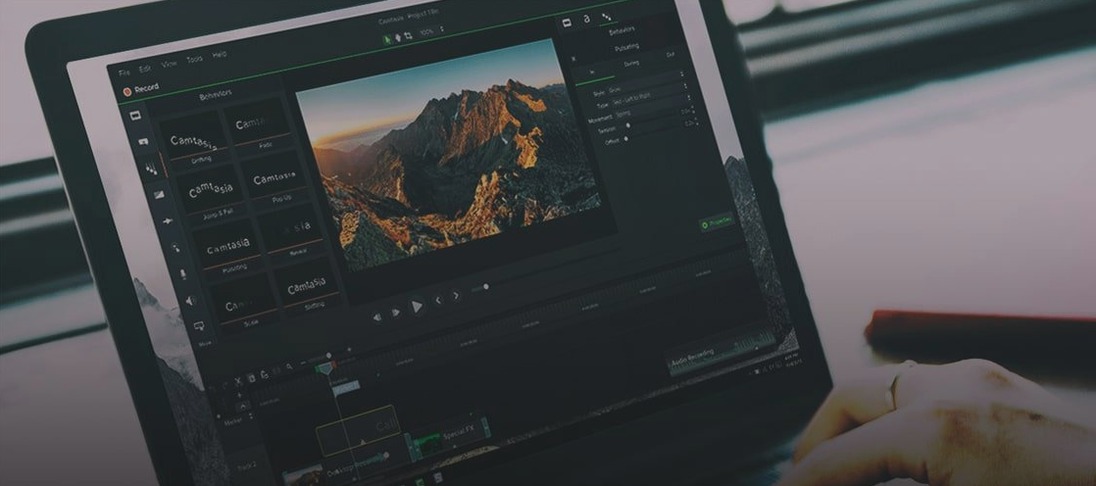
Version 2.9.0 quietly reworks what happens after you hit record. Dual-format streaming and recording now let you save a clean, isolated feed alongside your composed output — one file with overlays and one without, captured simultaneously. For anyone building a library of reusable footage or handing off clips to an editor, that single change reshapes the back half of a shoot.
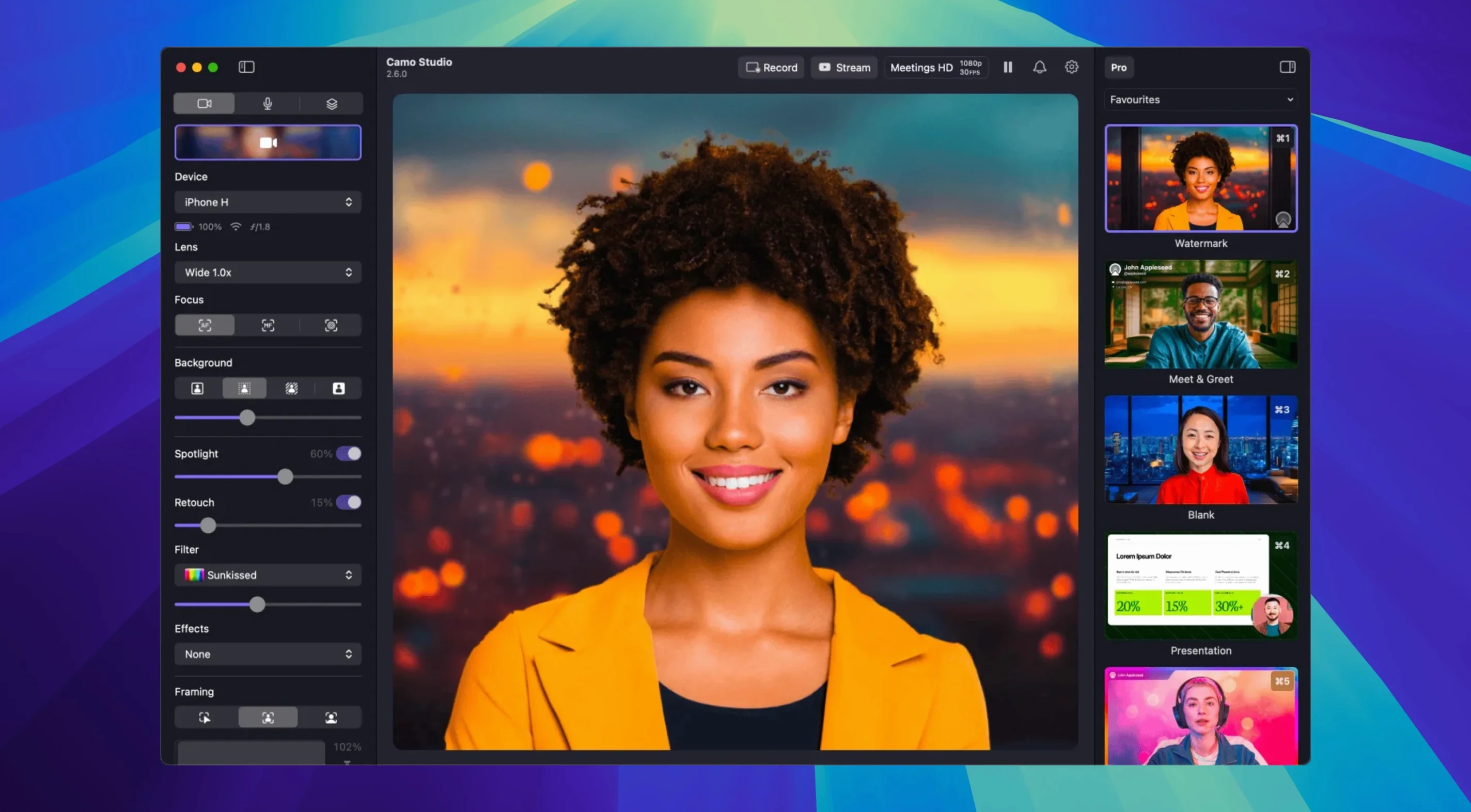
Picture a late-afternoon stream setup: an iPhone clamped to a tripod behind a desk lamp, Camo Studio already recognizing it as a 4K camera before the laptop lid even opens. Flipping on Portrait mode nudges the background into a soft, believable blur — the kind a dedicated lens would produce, not the aggressive cutout of a video call filter. A slight wobble in the desk gets ironed out by the digital stabilization, and the new audio noise reduction catches the hum of a ceiling fan before it ever reaches the mix.
When the stream ends, the isolated recording is already there: a pristine feed of just the talent, no lower-third graphics or alert boxes baked in. That file becomes the clip for a later breakdown video, while the full composited version goes up immediately. The phone handles all the heavy video processing, so the Mac stays cool and responsive even during a long session.
Later, pulling the raw feed into a short film edit feels less like repurposing webcam footage and more like working with a proper B-cam. The virtual green screen replacement, dialled in with a single click earlier, holds up well enough for quick composites, and the 4K resolution leaves room to punch in without everything falling apart.
Lock your frame rate for a deliberate, cinematic look
The default setup works, but a few early adjustments make the difference between a functional feed and one that feels intentional. Open the video settings panel and lock your frame rate to 24 or 30 FPS if you are not streaming fast motion — the auto setting sometimes drifts toward 60 on well-lit scenes, and the consistency matters more than the number for spoken-word content. Disable auto white balance next. Leaving it on means the camera recalculates mid-sentence when a cloud shifts or a warm lamp flicks on, and that colour temperature wobble is harder to fix in post than a slightly cool static lock.
Switch the focus mode to manual and set your mark. Tap-to-focus resets every time the phone reconnects, which happens more often than you would expect across a day of meetings and shoots. A fixed focal plane also stops the lens from hunting when you lean forward or gesture with your hands — a small thing that separates a director's framing from a default webcam feed. Under the overlays tab, turn off the Camo watermark unless your scene layout deliberately incorporates it. It defaults to on and sits in the corner of every recording until you notice.
The USB connection holds steady across an entire workday
People searching for a camo studio torrent or a camo studio crack download are usually trying to answer the same question: does the phone-to-Mac link actually hold up across a full workday? The wired connection over USB is stable enough that it outlasts most video calls; wireless mode introduces a slight latency bump, but the video processing stays on the phone regardless, so the Mac sees a ready-made feed rather than a raw sensor dump. The app does not hijack your camera system-wide — it appears as a selectable source in any app that respects the macOS camera picker, which means OBS, QuickTime, Zoom and browsers all see it without extra routing.
Another common thread behind camo pro torrent searches is whether Android phones get the same treatment as iPhones. They do — the control panel exposes the same manual adjustments, the same LUT support and the same resolution ceiling, though the final image character depends on the phone's own sensor and glass. A mid-range Android back camera will still out-resolve most built-in laptop webcams, but the gap between a recent iPhone's main lens and an older tablet's front camera is wide and worth testing before you build a set around it.
Build a scene from a single locked-off camera layer
Start with the scene empty. Connect the phone, lock focus and exposure, then open the Scenes panel and add a single camera layer from the source list. Frame your shot with the on-screen guides — Camo's automatic framing can centre you after the fact, but dragging the bounding box manually gives you headroom control that the auto mode guesses at. Add a second layer for a logo or channel mark, position it in the lower third, and set its opacity to roughly 70% so it sits in the frame rather than on top of it.
Now bring in a web overlay. Paste a URL for a chat widget or a donation alert; the overlay renders as a live browser instance inside the scene, which means animated CSS and real-time updates pass through without screen-capturing a browser window. Resize it to a narrow column along the right edge. Add a text layer for a simple lower-third name bar, pick the font weight that reads well at streaming resolutions, and save the scene as a preset. During the stream, switching between this preset and a clean full-frame shot takes one click in the main window — no scene-builder fiddling while live.
When recording, enable isolated recording before you go live. The composited file captures everything the audience sees. The clean feed records only the camera layer at full resolution, no overlays, no text. That file goes straight into an editing timeline later without needing to crop out graphics or rebuild the shot.
How Camo fits into a larger app ecosystem
The feed plays well with anything that reads a standard video input. In OBS, Camo appears as a source the moment the phone connects, and the two can run side by side on an Apple Silicon Mac without the fans spinning up — the phone shoulders the encoding. For quick captures that do not need a full streaming setup, QuickTime Player's New Movie Recording command picks up the Camo feed immediately, which turns the phone into a lightweight field recorder without opening anything else.
macOS Shortcuts recognizes the app's camera toggle, so a single shortcut can launch Camo, switch to a specific scene preset and open your streaming software in sequence. Automator and shell scripts can tie into the same hooks for more elaborate rigs. The LUT support also means colour grading done in DaVinci Resolve or Final Cut Pro can be exported as a .cube file and loaded directly into the live feed — matching a stream's look to an edited video's grade without eyeballing it on the day. That workflow, combined with the isolated recording feature, makes the app less a webcam utility and more the capture end of a pipeline that already includes an editor, a colour suite and a live compositor.
The macOS app now records and streams in two formats at once, capturing a full composited feed alongside a clean, isolated recording free of overlays. Audio noise reduction cleans up background hum automatically, and AI agents can now send control commands directly to the app.
- macOS 12.3 or later
- Apple Silicon or Intel Mac
Questions from the booth
All video processing runs on the connected phone, keeping the Mac free for streaming software, recording, or other tasks.
It supports up to 4K UHD resolution when paired with a compatible phone camera.
Yes, Portrait mode provides a bokeh effect and the virtual green screen feature enables background replacement, both without any physical backdrop.