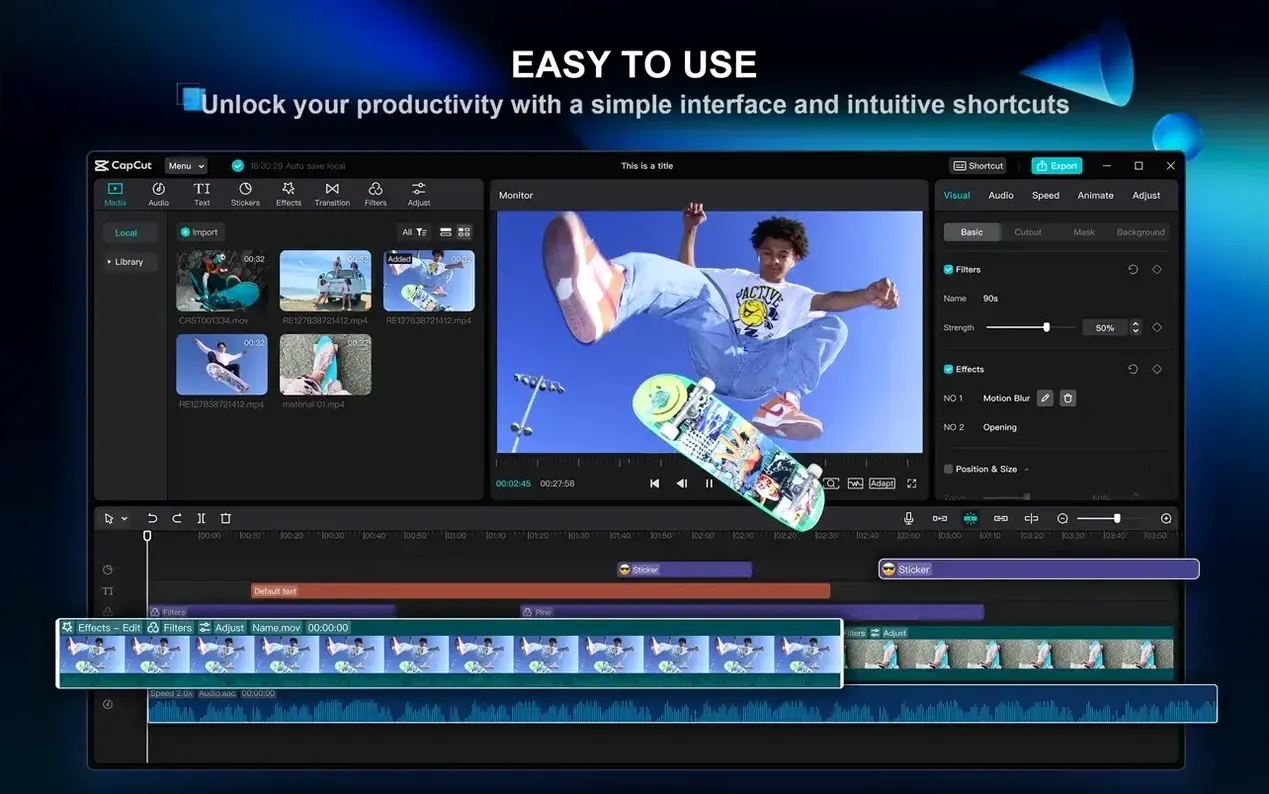
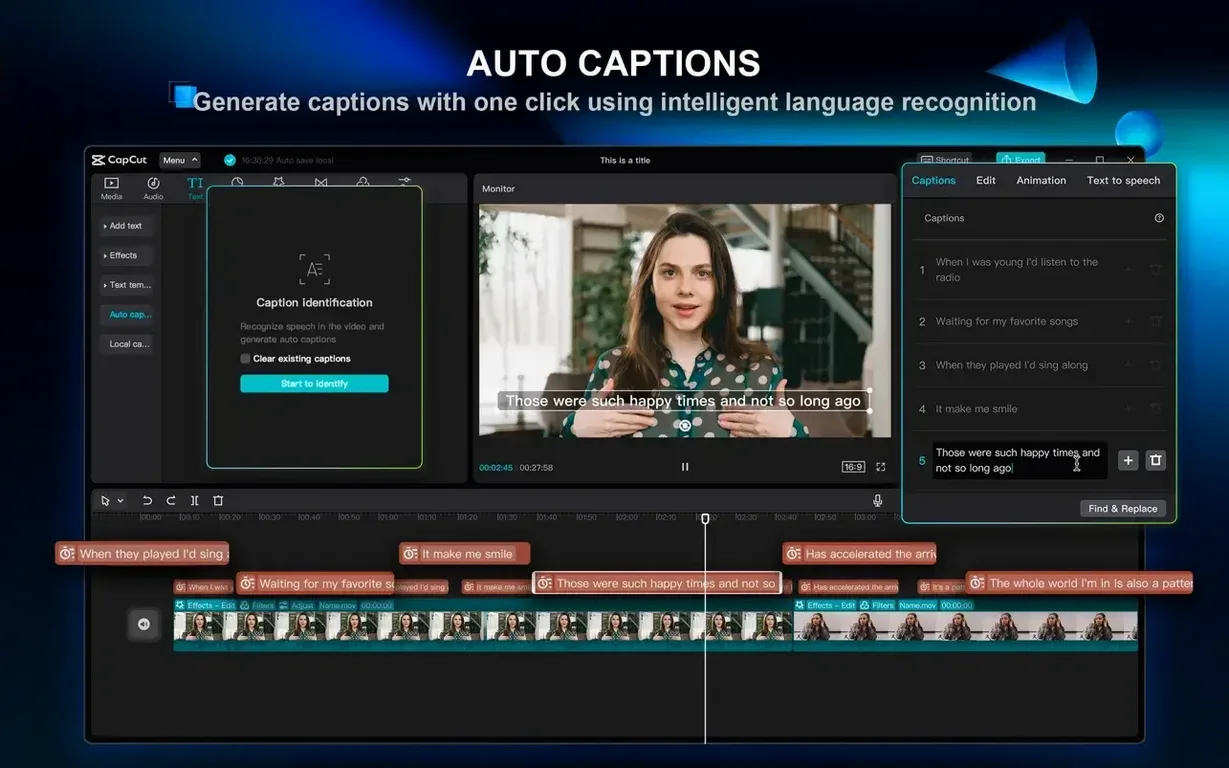
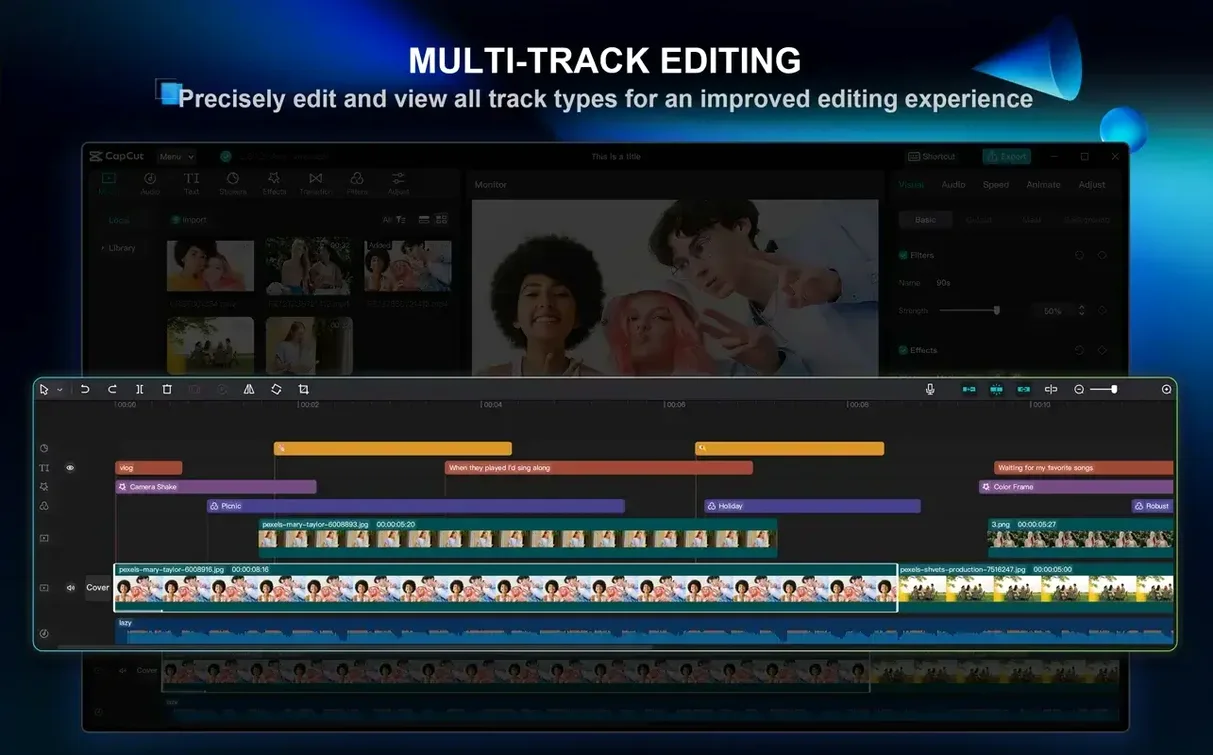
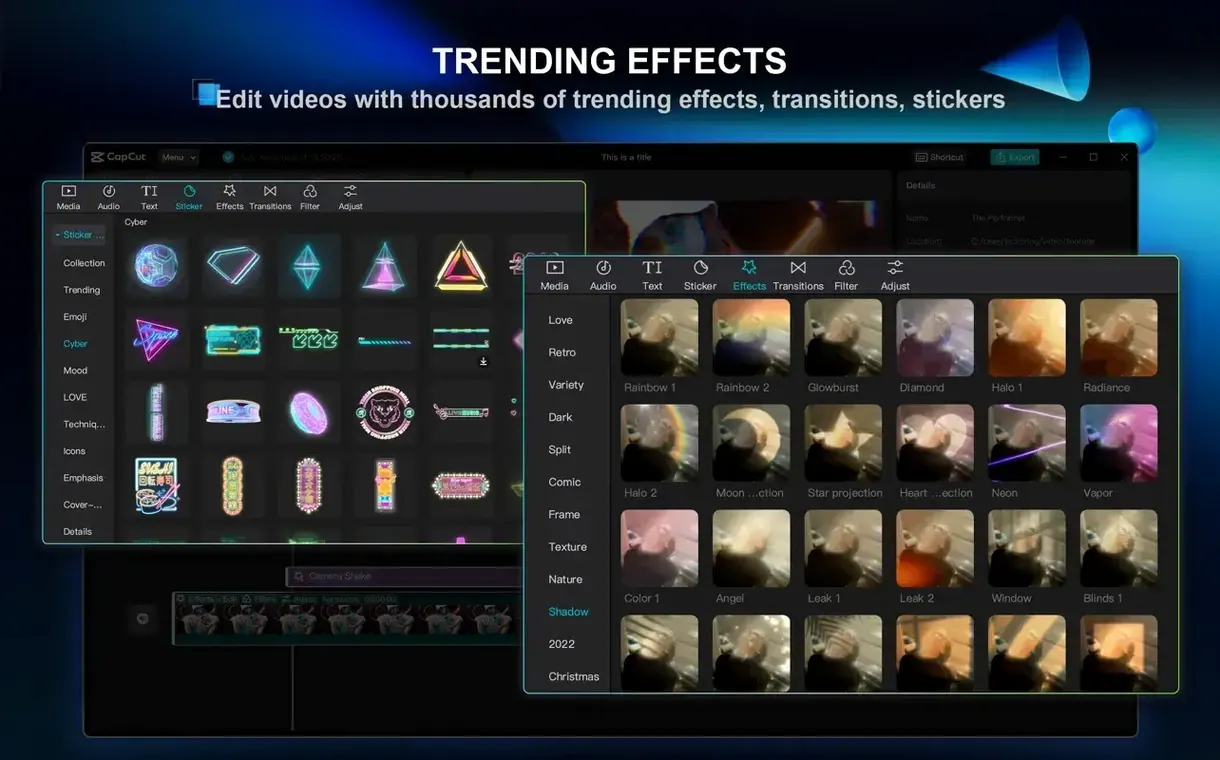
The auto-caption tool is often the first feature that pulls someone in — speech lands on a timeline and the software lays out subtitle tracks with a timing sense that feels more considered than automatic. CapCut is ByteDance's desktop video editor for macOS, and the Mac version brings most of what made the mobile app popular into a windowed, timeline-driven workspace. It runs natively on Apple Silicon and Intel 64-bit machines, asking only for macOS 10.14 or later.
Generating a rough cut from a script
The script-to-video pipeline accepts text and pairs it with stock visuals, text-to-speech voices, and scene breaks, which can be useful when you need a structure faster than an assembly edit.
Cleaning up handheld footage
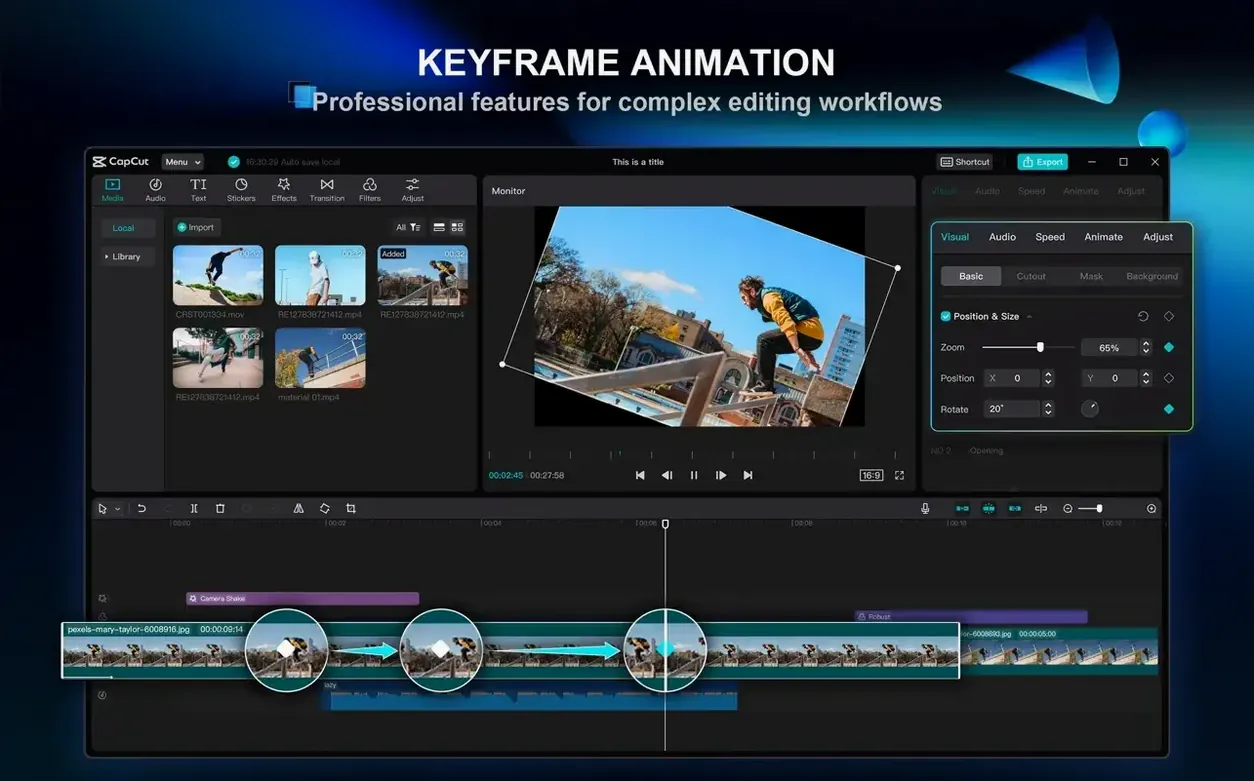
Stabilization analyses motion frame by frame and crops in to smooth out the jitter, and keyframe animation lets you dial in precise moves across effects, scale, and position without leaving the inspector.
Pulling a clean key on a messy background
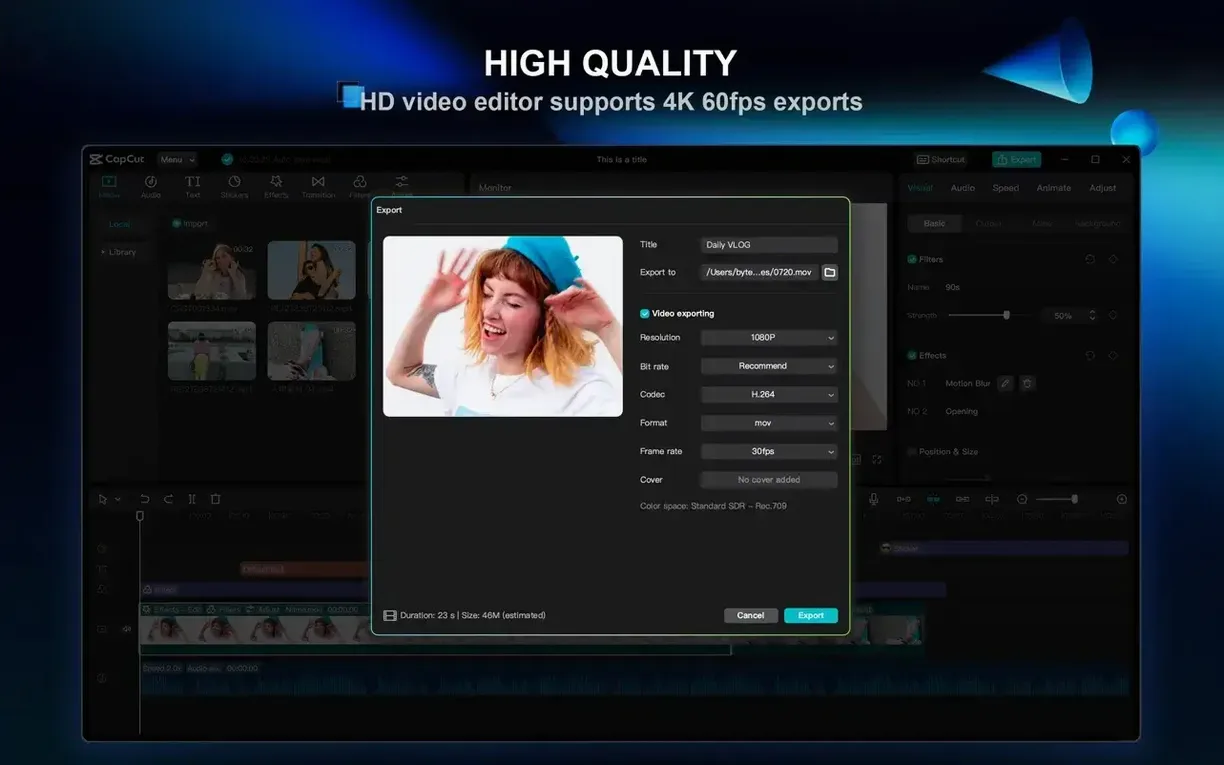
Chroma key works by colour selection and handles uneven lighting better than you might expect at this level — pair it with the bundled filters, transitions, and text styles, and you can build a scene that exports at up to 4K 60 frames per second.
The wedding editor who needs a draft before the couple wakes up
Lena shoots weddings across the Lower Mainland and edits on a MacBook Air in coffee shops between gigs. Her bottleneck is the first assembly: culling three hours of ceremony and reception into a five-minute highlight reel that feels intentional, not just chronological. She drops the full ceremony clip onto CapCut's timeline, lets the filler-word removal pass through the officiant's section, then runs auto-captions on the vows. The software spits out timed subtitle tracks she drags onto a dedicated text layer, and she pulls the best six lines to build the emotional spine of the edit around. By the time she's finished her flat white, she has a rough cut with stabilized handheld shots from the dance floor and a chroma-keyed title card layered over the first kiss — all done in one app, no round-tripping to a separate audio tool for the voice cleanup.
A 2-core Mac can launch it, but 8 GB unlocks smooth 4K playback
How much Mac does this actually need? The download page says a 2-core processor and 4 GB of RAM are enough to start editing, though 8 GB smooths out the playback of multi-track 4K timelines. If you are working on an older Intel machine that still runs macOS 10.14, the app loads — just expect longer export times on heavy projects. The disk footprint is modest: 2 GB free for installation, then whatever your media demands.
Does the free desktop version lock the good features behind a paywall? The auto-captions, background removal, chroma key, stabilization, keyframe animation, and 4K 60 fps export are all present in the build you drag out of the disk image. The template library and some effect packs prompt a login, but the core editing toolkit sits fully open.
Will it handle a podcast audio cleanup without touching a DAW? The one-click filler-word and pause removal was built for exactly that. You drop a long voice recording on the timeline, hit the button, and the silences and "um"s vanish — transcript view lets you skim what got cut before you commit. It is not RX Advanced, but it saves the hour of manual trimming that makes podcast editors dread raw tape.
Some users search for capcut pro crack macos or capcut mac torrent hoping to unlock every effect pack without an account. Others look for a capcut torrent because their connection makes the official download slow. A few specifically hunt capcut pro for mac torrent or capcut pro mac torrent assuming the pro features are a separate build. The disk image available here installs the full editor; what you do with the built-in template browser after launch is between you and your workflow.
Drone, handheld, and phone clips land on one timeline without prepping
You open CapCut and drag in a folder of clips from a rainy weekend in Tofino — drone shots over Chesterman Beach, handheld walking footage through the rainforest, a few phone clips of coffee and bookshops. The media lands in the project bin, and you start laying selects onto the main track.
First pass is structural: you split the drone opener where the wave pulls back, drop a speed ramp on the middle section, and add a crossfade into the trailhead clip. The handheld footage is shaky — you select those segments, open the stabilization panel, and let it analyse while you work on something else.
Second pass is audio. The wind noise on the beach clips is distracting, so you lower the track volume and layer a text-to-speech narration over top. You type a short script into the text-to-speech panel — two sentences about the winter swell — choose a voice, and drag the generated clip onto an audio track below. It renders in seconds.
Third pass is polish. You open the keyframe editor on the title card, adding a slow scale-up and a position drift that follows the drone's movement. Auto-captions run on the narration, producing subtitle blocks you tweak for timing. A LUT from the filter panel gives the rainforest footage the cool, desaturated look you wanted, and you apply it across a whole track with a single drag.
Export dialog: 4K, 60 fps, H.264. You hit render and go make tea.
Dial down the stabilization slider when handheld running shots warp
Stabilization makes the clip look warped or crops too far in. The analysis sometimes overcorrects when the motion is extreme — handheld running shots, for example. Dial the stabilization strength down in the inspector rather than leaving it at default. If the auto-crop is too aggressive, you can scale the clip back out manually, accepting a little edge softness in exchange for keeping the frame you composed.
Auto-captions mishear accented speech or technical terms. The speech recognition is good but not flawless. After generation, scroll through the transcript view and correct the proper nouns and jargon before you burn the subtitles into the export. The text editing is inline, so you just click and retype.
Background removal leaves a halo around hair or fast-moving edges. One-click background removal works best on subjects with clear silhouettes against plain backgrounds. If you see a flickering edge, try tweaking the edge feathering slider or — if the shot allows — place a coloured solid behind the subject to mask the artefact.
Playback stutters on a multi-track 4K timeline. CapCut uses proxy generation in the background, but on machines with 4 GB of RAM you may need to lower the preview resolution. The dropdown in the preview window lets you switch to half or quarter resolution without affecting export quality. If the timeline still chokes, solo the track you are actively editing and mute the rest until the final review pass.
The app launched but the interface is in the wrong language. CapCut follows your macOS system language by default. If it picks the wrong one — or if you downloaded a build with a language preset you do not want — the preference pane inside the app lets you switch among the two dozen supported languages without reinstalling.
- macOS 10.14 or later
- Apple Silicon or Intel 64-bit processor