

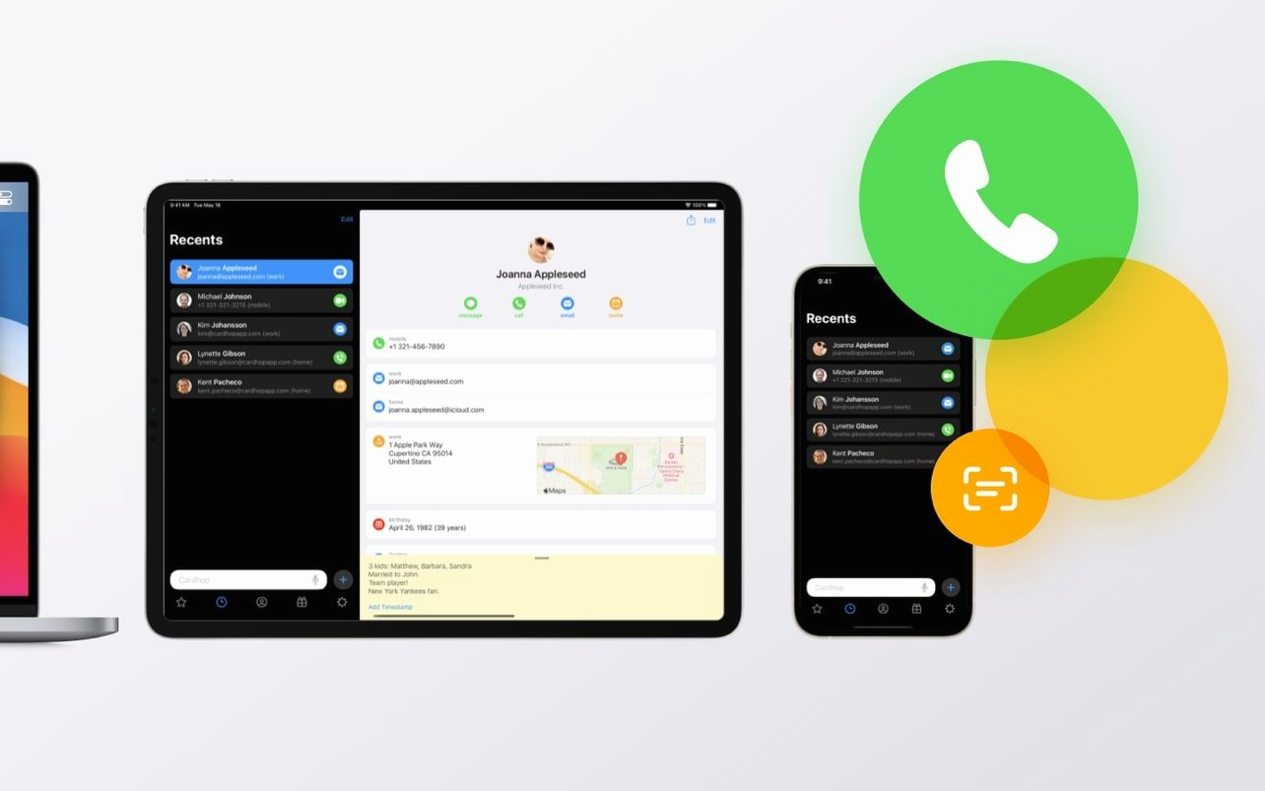


Cardhop is a Mac contact manager that replaces clicking through fields with typing what you want to do. You open a small window, write something like "call Sarah mobile" or "email Luca re: draft," and the app parses the command, finds the right person, and acts on it. It reads your existing macOS Contacts data instantly—no import, no duplicate address books.
Runs natively on Intel and Apple Silicon, no Rosetta needed
Cardhop 2.4.8 needs macOS 11 or later and runs natively on Intel and Apple Silicon machines. If your Mac runs Big Sur or anything newer, the app works without Rosetta overhead on M-series chips. Dark and light themes follow your system appearance, and the interface stays responsive even with large contact libraries pulled straight from the built-in Contacts database.
Working through a contact in five moves
- Bring up Cardhop with a global shortcut and start typing a name. A few letters usually narrow the list, and results from directories now appear reliably after the recent search fix.
- Add a verb after the name:
call,email,note, orbirthday. Birthdays surface from the contact cards so you can check them without opening Calendar. - If the person isn't in your list yet, type the details in a continuous phrase. Cardhop parses phone numbers, email addresses, and names into the right fields as you go.
- Drop a note onto any card. Notes stay inside the contact, visible next time you search, and the latest update improved how the app finds text buried in longer note fields.
- Hit return to call (via iPhone or Bluetooth), compose a message, or save the edit. Contact groups let you batch actions like sending an update to a whole team at once.
Edits the same macOS Contacts database Mail and Messages already use
Cardhop draws its power from staying tightly woven into macOS rather than building a separate silo. It reads and writes the same Contacts database that Mail, Messages, and Calendar consult, so a note added here appears when you hover over an address in Mail, and a group you assemble for a project shows up as a single recipient in Messages. The menu bar app sits alongside things like cardhop mac utilities often paired with—quick launchers, clipboard managers, text expanders—and you can chain it with Shortcuts now that property labels render correctly in automation workflows. Invoking the action extension from inside another app passes a selected name or number straight to the parser, which means you can trigger a FaceTime Audio call from a highlighted string in Notes without copying and pasting.
When things don't quite click
The most frequent stumble involves directory results. Cardhop pulls from system directories, but if you have multiple accounts configured in Contacts and one of them loses its connection, searches can feel sparse. The fix is usually a quick trip to System Settings > Internet Accounts, where re-enabling the relevant directory clears it up. Another snag: pasted email addresses sometimes land in the wrong field if the clipboard carries hidden formatting characters. Plain-text pasting (Option-Shift-Command-V) sidesteps that, and the latest handling improvements catch more edge cases now. If an imported contact card refuses to merge into an existing entry, checking for conflicting labels—two "home" phone numbers, say—often resolves it. And when HEIC or TIFF images won't set as a contact picture, converting to JPEG through Finder's Quick Actions removes whatever metadata the parser objected to.
Pasted email addresses behave more predictably now, and HEIC or TIFF images work as contact pictures—drag one onto a card and it sticks.
Version 2.4.8 sharpens search inside notes, handles pasted email addresses more cleanly, and accepts HEIC and TIFF images as contact pictures and attachments. Contact-card import failures are now fixed, Shortcuts property labels read correctly, and directory searches no longer drop results in certain cases.
- macOS 11 or later
- Intel or Apple Silicon Mac
Questions from the booth
No, it reads and writes the same macOS Contacts data, so changes in Cardhop appear in the Contacts app and vice versa.