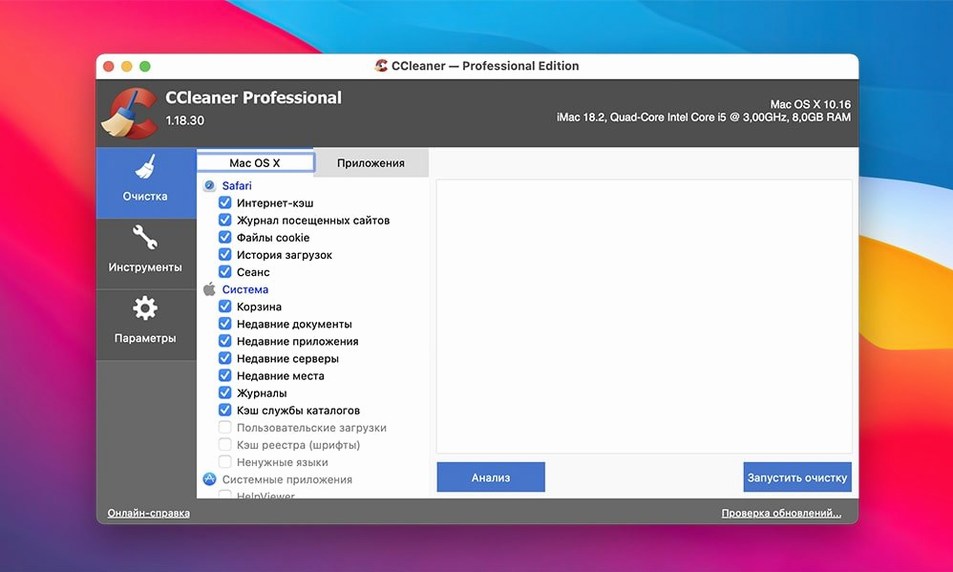
A cluttered desktop is one thing; a cluttered system drive is the slow-creep frustration you don’t notice until a render stutters or a project file takes an age to open. CCleaner for Mac steps into that quiet accumulation of temporary files, browser caches and forgotten downloads with a straightforward set of cleanup tools. If you’ve just installed it and are staring at the interface, here’s where to point it first.
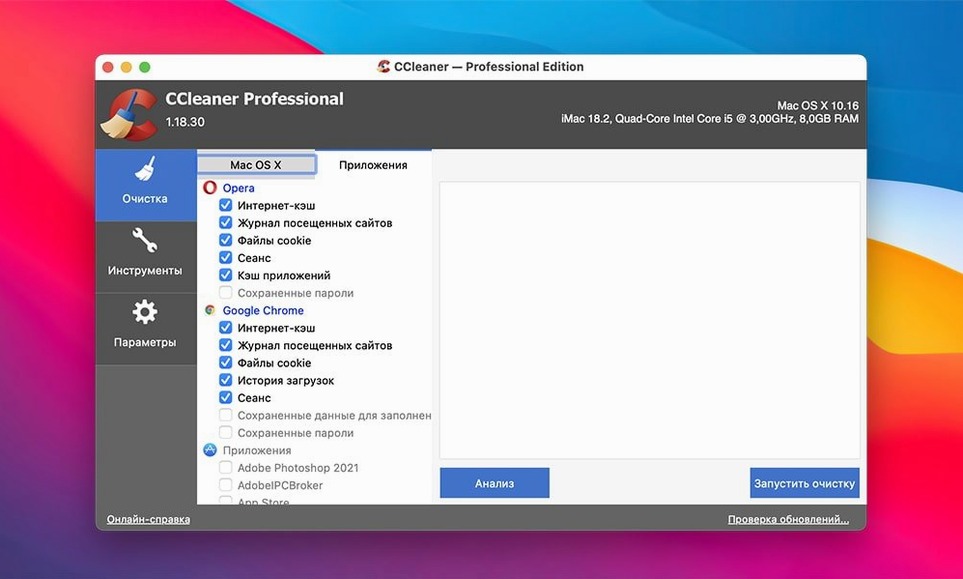
- Run the default system junk scan and let it tally up what it finds in your user and system caches. The numbers are often surprising.
- Switch to the browser cleanup panel and clear the accumulated cookies and cached data from every browser you use for research. It’s a small privacy habit that also reclaims space.
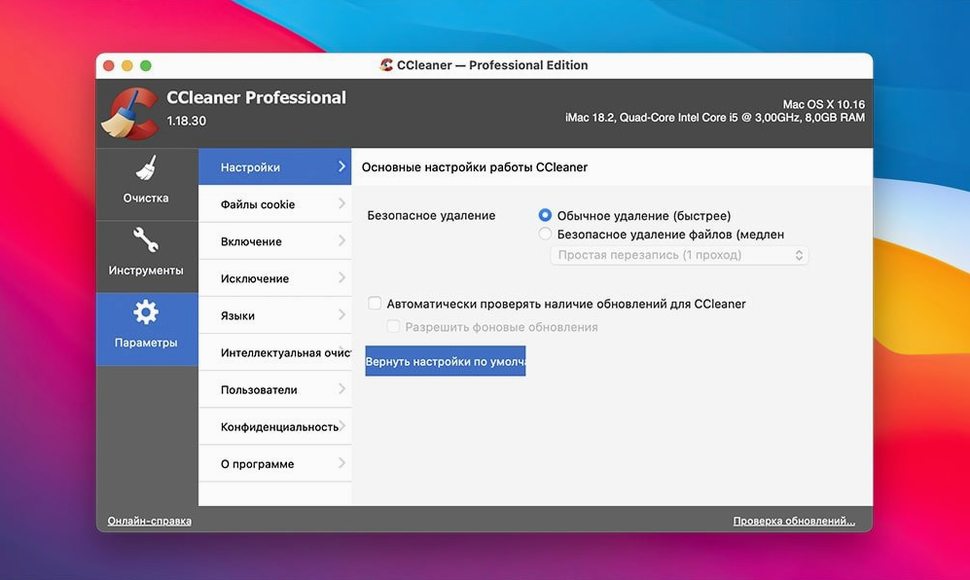
- Find the file wiper. Drag a folder of old dailies or an exported master you’ve already archived onto it and choose a multi-pass overwrite cycle so it’s truly gone.
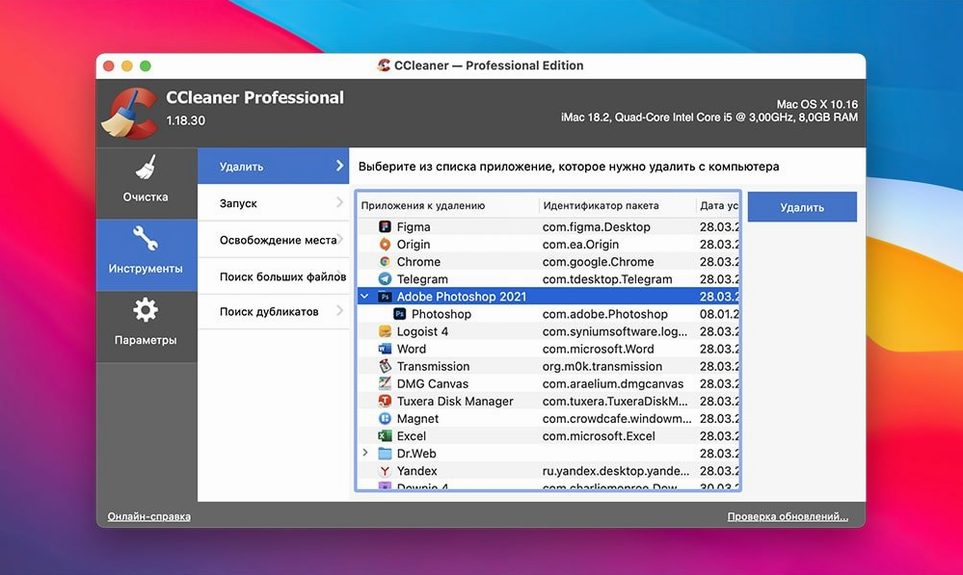
- Check the Applications tab and remove orphaned preference files left behind by apps you uninstalled months ago.
None of this is dramatic on its own, but running through these four spots after a heavy editing week keeps the machine feeling closer to the day you set it up.
Little shortcuts that hide in plain sight
Most people open CCleaner, run the default scan, hit clean, and quit. That works, but there are a few tucked-away conveniences worth knowing about once the habit sticks. The system junk scan, for instance, doesn't only target the obvious cache folders — it also knows about incomplete downloads left by browsers and torrent clients that you forgot about weeks ago. Those partial DMGs and stalled zip files can eat several gigabytes without ever appearing in your downloads folder because the client stashed them in a temporary location. Running the scan surfaces them without any extra configuration.
Another quiet feature is the custom file type filter inside the advanced clean section. You can tell CCleaner to search for specific extensions — .dng, .omf, .caf, whatever your last project scattered across the scratch disk — and it will list every instance on the drive. It's less a cleanup tool in that moment and more a forensic accounting of your own mess. I've used it to track down duplicate audio stems that a collaborator had nested inside three different folder hierarchies.
The file wiper also has a right-click shortcut. Select any file or folder in Finder, hold Control and click, and the contextual menu offers a direct send to the shredder without opening the main interface. It respects the overwrite setting you last used, so if you had it on a single pass for speed, check the preferences before wiping anything sensitive.
Cookie checkboxes that log you out of everywhere
The first mistake is treating the cookie cleaner like an enemy. New users often check every browser box, wipe the whole lot, and then spend the next morning re-logging into every service, every forum, every production-tracking tool they rely on. The cookies to keep list is there for a reason. Spend two minutes adding your core logins — frame.io, Slack, your cloud storage dashboard — and the browser clean becomes a privacy sweep instead of a self-inflicted chore.
Another early misstep is running the file wiper on an external drive without checking whether it's an SSD or a spinning disk. The multi-pass overwrite cycles are designed for magnetic platters; on an SSD, the wear-leveling controller may distribute writes differently, reducing the certainty of the wipe and adding unnecessary write cycles to the drive. A single pass is the safer choice for solid-state storage, and the app doesn't warn you about this distinction.
People also assume that clearing system caches will speed up their Mac in a measurable way. What it actually does is free space and force the OS to rebuild those caches on the next boot, which can make the system feel slightly slower for the first few minutes of use. That's normal. It's not a performance boost tool — it's a reclaim-free-space tool with a side effect of removing cruft that occasionally confuses apps. Expecting a snappier machine leads to disappointment; expecting a leaner drive leads to satisfaction.
Compared with Apple’s own storage recommendations
CCleaner plays well with the built-in macOS storage management tools, though they cover different ground. Apple's "Manage Storage" recommendations focus on large files, old iOS backups, and purging watched Apple TV content. CCleaner goes after the small, scattered, repetitive debris — the stuff that macOS doesn't flag because no single file is big enough to matter. Using both in tandem, once a month, catches the extremes of the clutter spectrum.
If you use a dedicated uninstaller like AppCleaner or Hazel to watch for orphaned files, CCleaner's Applications tab picks up what they miss, particularly preference plists from apps that were dragged to the trash without a proper uninstall years ago. It also catches temp data left by applications that those tools don't track — Adobe's media cache is a notorious example. Many people searching for a ccleaner for mac crack find that the temp-file cleanup alone makes the download feel essential, especially after a Premiere or After Effects project balloons the cache to hundreds of gigabytes without warning.
One under-discussed workflow is pairing CCleaner with a clipboard manager. Clipboard history apps store every copy you make, including large images and formatted text blocks, in a database that grows steadily. CCleaner doesn't touch that database by default — it's not a browser or a system cache — but you can add the clipboard manager's data folder to the custom clean locations and flush it on your own schedule. The same logic applies to third-party media players that maintain their own thumbnail caches. A quick inspection of the Library folder often reveals a half-dozen caches that Apple's tools ignore and that CCleaner's custom paths can reach.
There's also a quiet compatibility note worth mentioning for anyone coming from the Windows version. Some people search for ccleaner torrent or ccleaner pro download torrent to explore the same feature set they know from the PC side. The Mac edition is leaner — no registry cleaner, obviously, and no driver updater — but it avoids the bloat that crept into the Windows version over the years. What remains is a focused set of tools that complement macOS's own maintenance scripts rather than fighting them, and that restraint is, honestly, the best thing about it.
- OS X 10.10 or later
- Intel 64-bit Mac
Questions from the booth
Yes, it includes a file-wiping function that overwrites files with multiple cycles, making them unrecoverable beyond the standard trash empty.