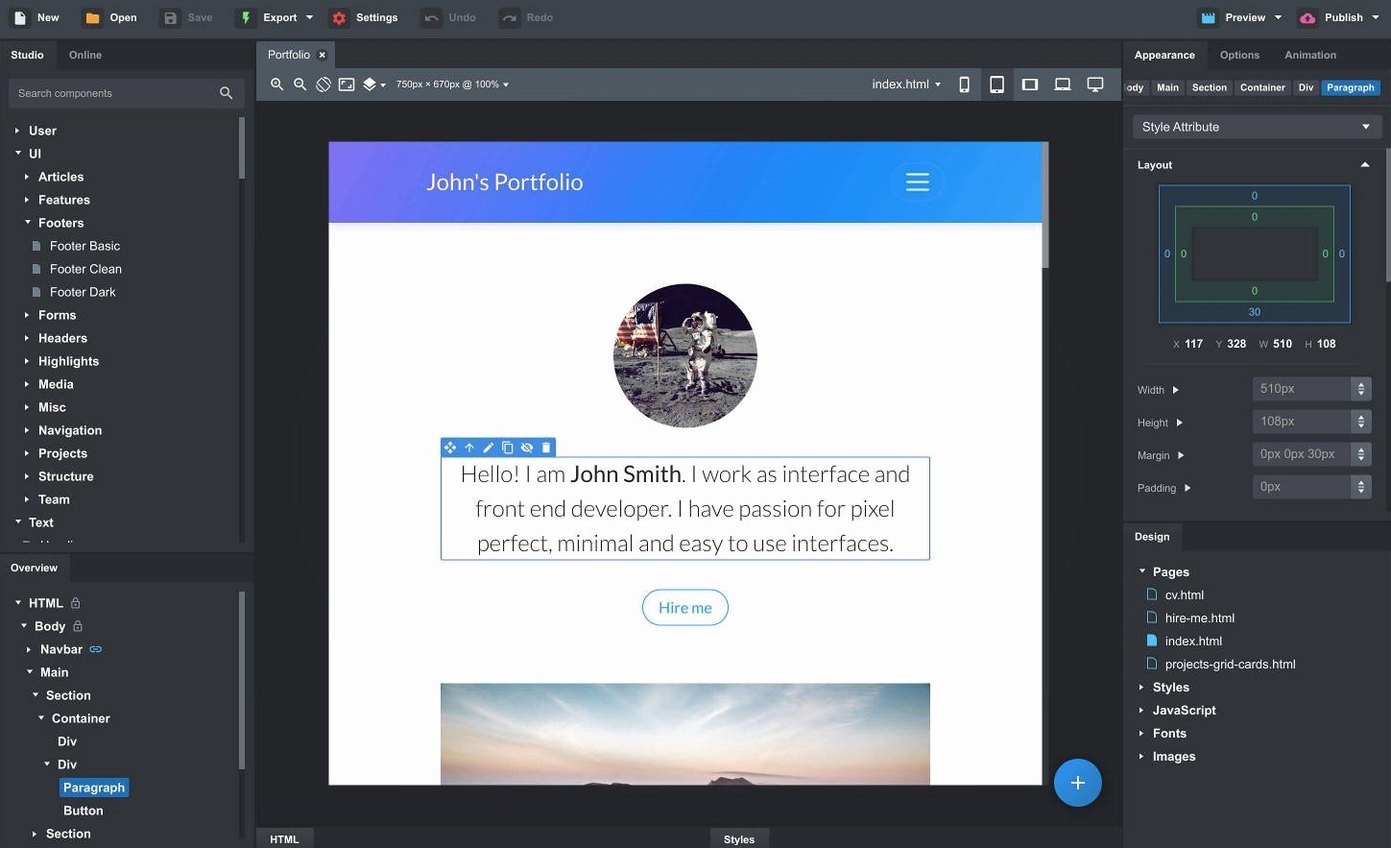
If you have spent enough time hand-editing media queries in a code editor, Bootstrap Studio feels like the moment the scaffolding clicks into place. It is a desktop app for building responsive websites on the Bootstrap framework, and the Mac version brings the same visual workflow you might associate with a design tool rather than a text editor.
Live preview and SCSS inside the app
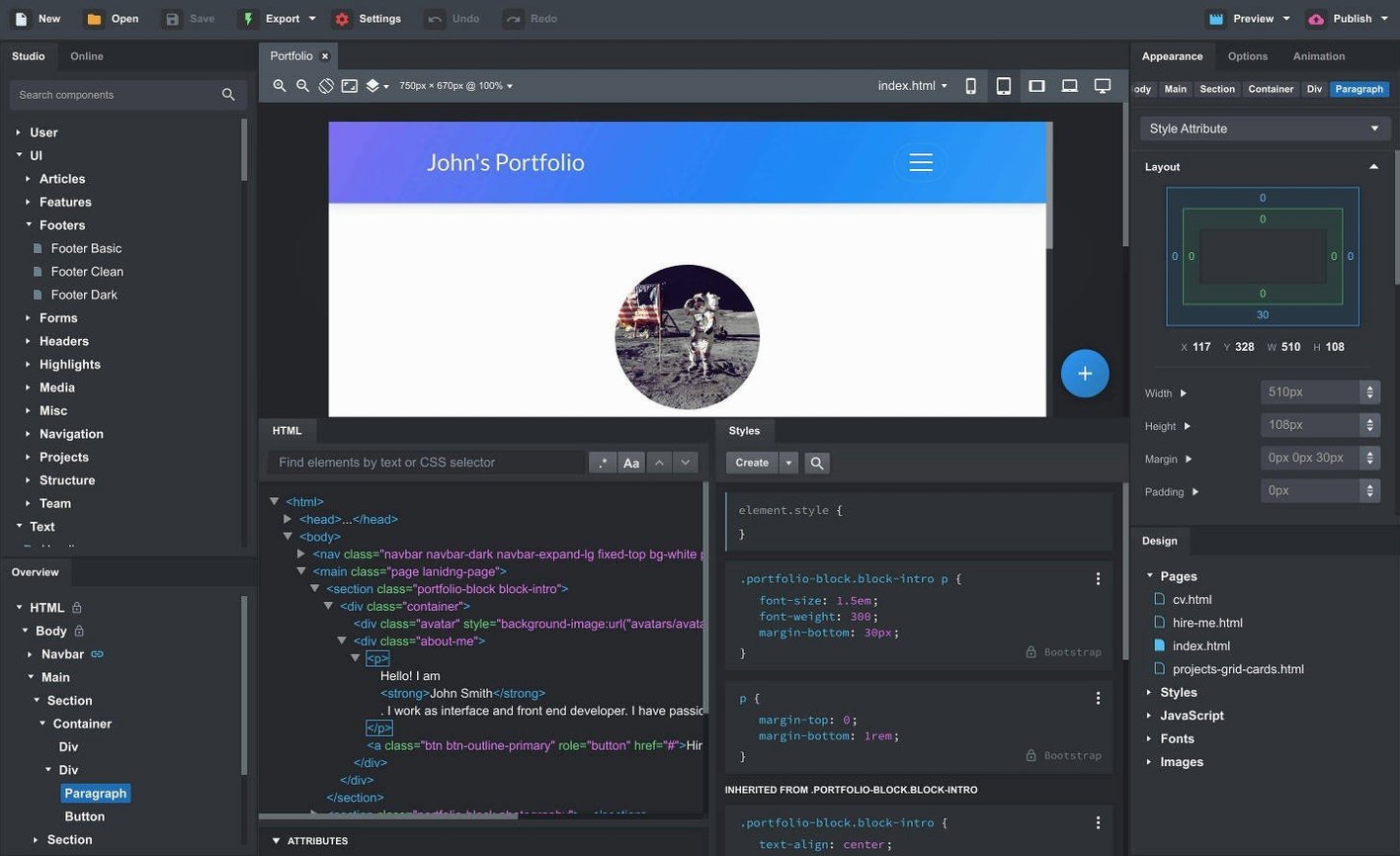
- Does it replace a code editor? Not entirely — but importing and editing HTML, CSS and JavaScript happens inside the app, with SCSS support for those who prefer a preprocessor.
- How does preview work? Live preview pushes changes to multiple browsers and devices as you build, which saves the usual refresh-and-squint loop.
- Can I reuse parts of a design? Linked components stay synchronized across pages, and you can turn any section into a custom component for later drag-and-drop use.
- What about community resources? An online library with community-created components sits alongside the built-in Bootstrap elements.
Drag a navbar into place without breaking collapse
It suits people who want the structure of Bootstrap without writing every class by hand. The drag-and-drop nesting understands Bootstrap's grid and components, so a navbar drops into place without breaking the collapse behaviour. Designers moving toward code, or developers prototyping layouts for clients, tend to find the middle ground useful. The current version also adds gpt-4o-mini and gpt-4o to the AI Assistant, which can write or adjust snippets when a layout stalls.
Prototype-heavy designers and solo freelancers tend to pull the most value from Bootstrap Studio, and for reasons that go beyond just skipping the class-name grind. The app rewards people who need to move from a rough layout to a shareable, responsive page inside a single afternoon without opening three different tools. Someone building a landing page for a client presentation can drag a hero section, tweak the navbar's sticky behaviour in the new Sticky On options, feed the AI Assistant a prompt like "swap the lorem ipsum for a three-column pricing table," and have a live preview running on an iPad and a second monitor before the coffee cools. It is equally useful for small teams who share component libraries — one person builds the footer and nav as linked components, and everyone else pulls them into new pages knowing they stay synchronized when the brand colours shift.
A page from scratch, step by step
Imagine a musician's portfolio: a one-page site with a sticky navbar, a hero with a background image, a gig calendar, an embedded Bandcamp player, and a contact form. Start by creating a new design and choosing the Bootstrap 5.3 framework from the dropdown. Drag a Navbar component onto the canvas, click it open in the component panel, and set the brand name to the artist's stage name. In the Options pane, enable the new Click Outside to Close behaviour for the collapsed menu on mobile — that detail alone saves a lot of muttering from visitors trying to dismiss the menu with a thumb.
Drop a Hero section below the navbar, swap the default background for an image dragged straight from the Finder onto the component, and adjust the overlay opacity so the headline remains readable. For the calendar, drag a Table component into a new section, then open the Custom Code panel and paste in the venue dates as clean HTML rows. The Bandcamp player goes in as an Embed component — just paste the iframe code from the album page. The contact form is a Form component with its action pointed at a form-handling service; Bootstrap Studio handles the grid alignment so the fields stack neatly on phones without extra media queries. Hit the Preview button, cycle through the device sizes, and when everything checks out, export the project. The output lands as clean HTML, CSS, and JavaScript files that need no tidying before they hit a web server.
Rough edges and their fixes
A handful of snags surface often enough to be worth knowing about. When dragging deeply nested components, the drop zone can be finicky — the outline flickers between siblings instead of landing inside the intended parent. The fix is to drop the component onto the Overview panel's tree view instead of the canvas; the hierarchy there is exact and never misreads intention. Another common hitch is importing an existing site and discovering the CSS file loads but the styles cascade in the wrong order. The import dialog asks which files to include, but after import, open the Design panel's Head section and drag the stylesheet links into the correct sequence — framework first, then overrides. Users sometimes find the AI Assistant hesitant with very long prompts; keeping the instruction to a single clear task per message, like "add a dark mode toggle to this navbar," gets a cleaner snippet back than an essay about the client's brand philosophy.
Version 6.7.3 fixes the OpenAI API key dialog rejecting some keys. The Icon Dialog now shows icon counts and types per set, sticky navbars gain a Sticky On option, Bootstrap modals can close on outside click, and the AI Assistant picks up gpt-4o-mini and gpt-4o.
- macOS 10.13 or later
- Runs on Intel and Apple Silicon Macs
- Interface language: English
Questions from the booth
Yes, the app supports both architectures and runs on macOS 10.13 or later.
Yes, the app has full support for creating and editing SCSS files alongside standard CSS.