Discs degrade, drives disappear from laptops, and old home videos get trapped in formats nothing modern will play. DVDFab on Mac tackles that slow decay by reading a DVD once and handing back a file, a perfect copy, or a fresh burn.
How does the 1:1 cloning work?
It reads the entire disc structure—menus, trailers, and all—and writes it to a blank recordable or dual-layer disc. If the original IFO file is damaged, the software can still reconstruct the navigation so the copy behaves exactly like the source.
Can I make a custom disc from my collection?
You can pull individual titles from multiple DVDs, merge them into a single project, and keep or drop the original menus. The result burns to a fresh disc or saves as a folder and ISO image for later.
Clean rips land straight on an old iPod or PSP
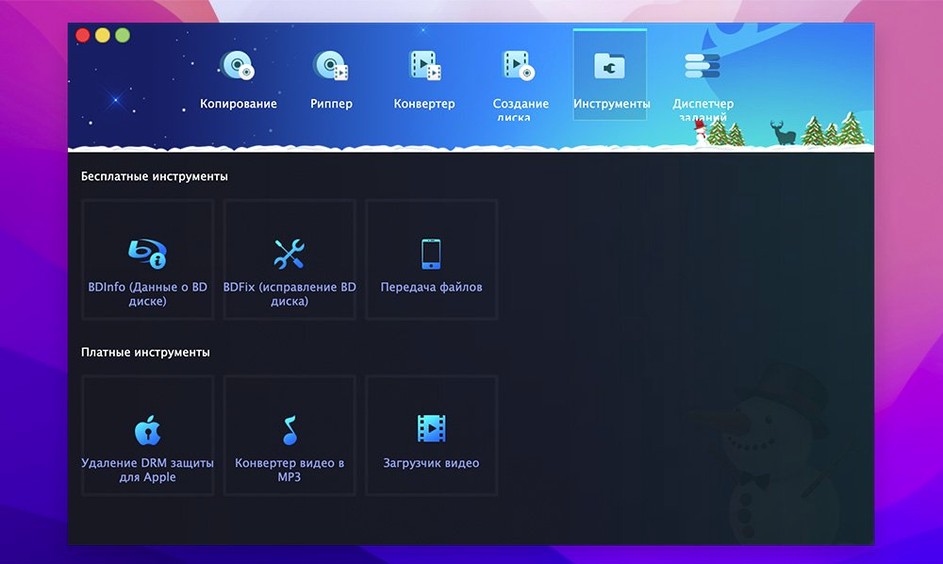
The built-in converter profiles target a long list of legacy portables and consoles—iPod, PSP, Xbox 360, Zune, Archos, and early mobile phones among them. It strips copy protection during the read so the video lands clean and ready for the device you pick.
Scratched discs the Finder rejects still give up watchable video
When a disc has scratches or corrupted indexing, DVDFab can bypass the damaged IFO file and recover the video data underneath. It’s not magic, but it has pulled watchable copies from discs that made the Finder give up.
Lifting a dying home-movie DVD, step by step
I archive a lot of camcorder discs that were burned once and stuck in a drawer. This workflow is the one I reach for when a family DVD-R is ten years old, already skipping in two players, and I want a single watchable file before the disc surface gives out entirely.
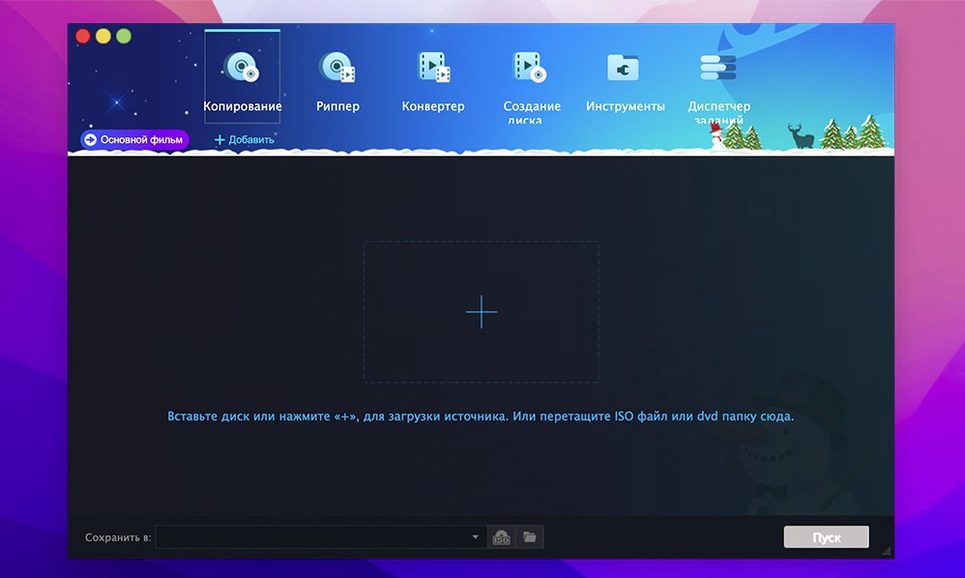
First, make sure the optical drive has spun down and the disc is seated. Launch DVDFab, ignore the splash screen’s bigger modules, and head straight to Ripper. The software reads the disc for maybe thirty seconds longer than you expect—let it finish. When the title list populates, switch the profile to MKV Passthrough. No re-encoding, just a straight container swap. If the disc is a DVD-R with a single long title, you probably only need that one track checked. Uncheck the others so the read stays clean and uninterrupted.
Before hitting Start, open the wrench icon next to the profile dropdown and confirm that audio tracks and subtitles are set to direct copy. For a home movie, you want the original AC3 stereo and any burned-in subtitles left untouched. Then choose a destination folder on an internal SSD—writing directly to a slow external drive mid-rip is a common cause of buffer stalls, especially with damaged discs. Now let it run. Even with scratches, the read-retry logic in DVDFab will slow down and work each sector rather than popping an error and quitting. When it finishes, the MKV opens in VLC or QuickTime with everything intact.
Apple Silicon Macs run DVDFab natively, no Rosetta needed
Does this work on an Apple Silicon Mac without Rosetta? Yes. Version 12.x ships as a universal binary, so it runs natively on ARM and 64-bit Intel Macs. I keep it on an M1 Mac mini that handles rips without the fan ever spinning up, which wasn’t true of the Intel machine it replaced.
Will it read a disc the Finder can’t even mount? Sometimes, and that’s the distinction that matters. The Finder gives up on a damaged UDF filesystem almost immediately. DVDFab’s disc reader bypasses the OS-level mount and talks to the drive directly, which is why you occasionally see people hunting down a dvdfab mac torrent just to salvage one wedding disc. It’s not a guarantee—a disc with deep dye rot is gone—but it gets further than anything else on the Mac.
Do I need to install anything else for protected discs? No. The decryption engine is built into the application and doesn’t rely on external libraries or system-level kernel extensions. When a protected commercial DVD is inserted, DVDFab identifies the scheme during the initial scan and quietly removes CSS, region coding, and UOPs as part of the read. There’s no separate plugin to hunt down.
Clicking Full Disc when you wanted a single MP4
Choosing the wrong copy mode is the most common one. A user who wants a single MP4 of the main film clicks Full Disc instead of Main Movie, ends up with a 7 GB folder full of menus and trailers, and assumes the software is broken. The eight copy modes are listed right across the top of the module, and each one serves a distinct purpose—taking thirty seconds to read what they do before clicking saves a long encode.
Another beginner error is setting the output directly to a slow USB stick. The write buffer fills, the progress bar stalls, and the rip fails halfway through. Always rip to an internal drive or a fast SSD over Thunderbolt, then move the file afterward.
People also ignore the title selection pane entirely. A disc with several episodes of a show will show multiple titles of similar length, and unchecked the wrong one, you get the same episode twice and miss another. The preview window is there for a reason: scrub through a few seconds of each title before queuing up the batch.
Sticking points and how to get past them
The rip hangs at 98%. This usually means the drive is struggling with the lead-out area of a scratched disc. Cancel the task, gently clean the disc with a microfiber cloth from the centre outward, and try again with the read speed set lower in Preferences. Sometimes disabling Lightning Shrink in the advanced settings reduces the strain on marginal sectors.
The output has audio sync drift. When ripping to a compressed format like H.264 for an old iPod profile, the encoder can lose sync if the source has variable frame-rate flags from a poor authoring job. The fix is to rip to MKV Passthrough first, then drop that clean file back into DVDFab’s Converter module and encode from the stable intermediate. It adds a step, but the sync stays locked.
DVDFab doesn’t recognise the disc at all. First, check that the macOS privacy settings aren’t blocking the app from accessing removable volumes. Then try inserting the disc before launching the application—the polling on launch is more aggressive than the idle disc detection. If it still doesn’t appear, eject and inspect the disc for deep circular scratches near the hub, which destroy the table of contents that even a direct drive read can’t reconstruct.
Users who grab a dvdfab mac crack from a forum sometimes find their version refuses to scan new discs after a few weeks, which has nothing to do with the software’s capabilities and everything to do with an outdated decryption database. To keep things running smoothly, check that the internal decryption library is updated and the app has full disk access enabled in System Settings—that’s what lets it handle recently authored discs with newer protection patterns.
- macOS 10.10 or later
- Runs natively on Apple Silicon and Intel Macs
Questions from the booth
Yes, the developer maintains separate update lines for version 12 and version 13, with distinct support pages—version 12.0.8.2 is the current release for Mac.
Dual-layer burning is supported, so you can copy a full commercial dual-layer disc onto a blank of the same capacity without compressing the video.
You can burn from a DVD folder structure or an ISO image, giving you flexibility whether you’re archiving a rip or recreating a physical disc from a stored backup.