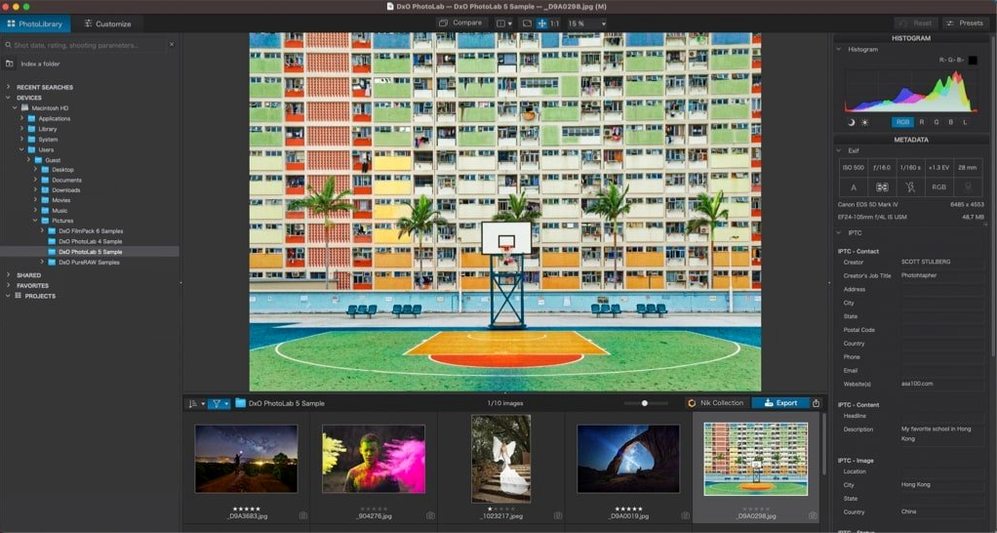
More than 600 camera profiles ship inside the current build, each calibrated at the sensor level. That calibration database is the quiet foundation DxO PhotoLab rests on, and it’s why the automatic corrections rarely feel automatic—they feel like a smart assistant who read the lens schematics.
Who is DxO PhotoLab actually for?
Photographers who want the heavy lifting done by algorithms but refuse to hand over the final say. It’s built for people who shoot RAW, care about optical precision, and prefer adjusting a few carefully chosen sliders to painting masks for half an hour.
What makes the RAW processing different?
DeepPRIME XD3 handles noise reduction on both Bayer and X-Trans sensors, pulling clean detail out of shadows that other converters leave muddy. The engine also reads Apple ProRAW, HEIC, and HEIF files natively, so iPhone frames sit alongside DSLR shots in the same workflow.
How do local adjustments work?
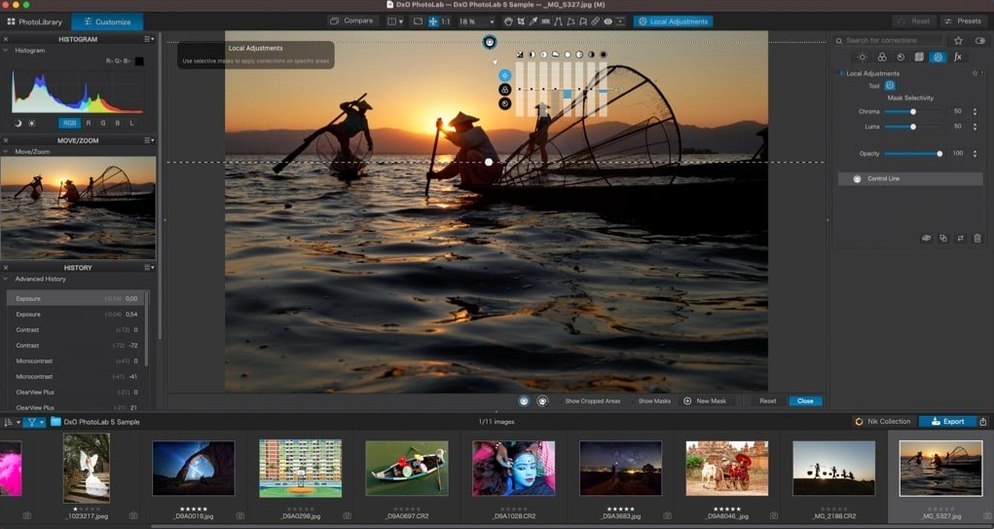
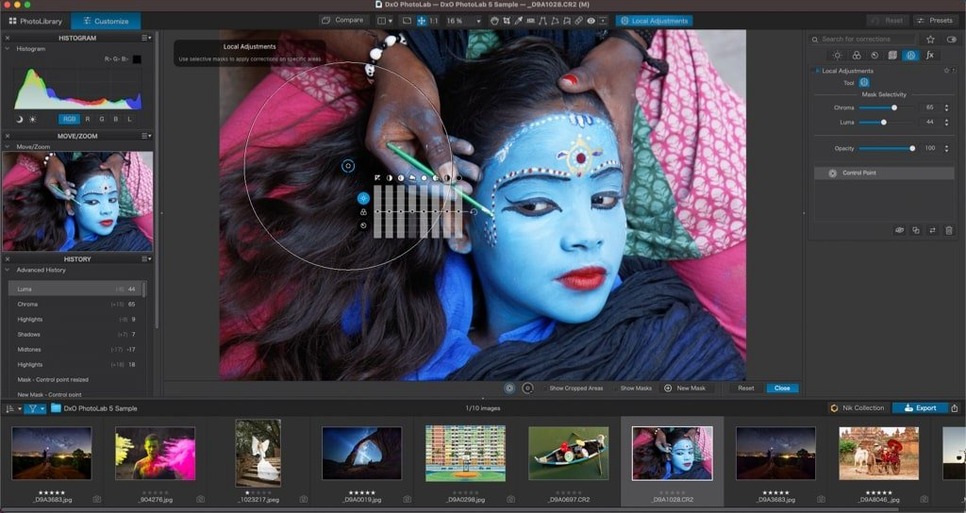
U Point technology lets you place control points directly on the image and define the area of effect by colour and luminance similarity—no brushing, no feathering. Combined with ClearView for cutting through atmospheric haze, it turns what would be a complex mask into a single click and a radius tweak.
Let the module library build itself before you touch a slider
Installation lands you in the browse view with nothing applied. Before touching a single slider, let PhotoLab build its module library in the background—open Preferences > DxO Optics Modules and set it to download automatically for your camera bodies and lenses. The first launch feels slow because it’s pulling down calibration data, not because the app is heavy. Give it twenty minutes with a coffee, then restart.
Day two is about training your eye to trust the automatic corrections. Open a familiar RAW file and toggle the DxO Standard preset on and off with the backslash key. Watch what happens to the corners of the frame, the vignette, the distortion on a straight horizon line. The corrections are subtle enough that you might not notice them at first, which is the point—they’re undoing what the lens did, not adding a look. If you shot a high-ISO frame the night before, switch the noise reduction from HQ to DeepPRIME XD3 and zoom to 100%. The difference isn’t a slider increment; it’s detail where you thought there was only grain.
By day three you’ll want to stop correcting each photo individually. Set up a project, select a batch of images shot under the same light, apply your preferred adjustments to one frame, then copy only the local adjustments across the set using Edit > Copy/Paste Corrections and ticking the local adjustments checkbox. The AI Masks for skies and people carry over intelligently between compositions, which saves an hour when you’re working through a portrait session with changing backgrounds.
One-click subject masks now live inside the local adjustments panel
With PhotoLab 9, the AI masking tools stopped being a bonus feature and started behaving like a core part of the adjustment panel. Selecting a subject—a person against backlight, a dog on sand—now takes one click in the local adjustments palette. The mask lands with enough precision that you’re fine-tuning the edge falloff rather than redrawing the selection. That alone changes how quickly you move from import to export on a wedding gallery or a wildlife sequence.
DeepPRIME XD3 extended its reach to X-Trans files in the current release, which matters if you’ve been shooting Fujifilm and felt the noise reduction was always slightly behind the Bayer sensors. High-ISO shots from an X-T5 come out with texture preserved in fabric and foliage, where earlier versions would smooth things into watercolour territory. The demosaicing step now runs deeper into the pipeline, so you see the result in the preview window without a separate processing pass.
Subject Types for synchronization arrived quietly but rewired the batch workflow. You can now filter a folder by whether the AI detected people, animals, or skies, then sync only the relevant masks across those images. On a travel shoot with five hundred frames mixing landscapes and street portraits, that’s the difference between an evening of clicking and a ten-minute pass.
A documentary photographer’s morning with a tight turnaround
She shot a community protest downtown the night before—mixed light, ISO pushed to 6400 on an aging DSLR, lens flare from sodium street lamps creeping into half the frames. By nine the next morning she owes the editorial desk thirty selects with clean colour and no noise that prints as mush.
She opens PhotoLab, points it at the card dump, and filters by star rating. The first frame is a wide shot under orange light with faces lost in shadow. She drops a control point on the central figure’s jacket, pulls the microcontrast up locally, then paints an AI mask on the background buildings and drops the exposure half a stop. ClearView cuts through the residual flare without desaturating the skin tones—something she used to fix in two round trips to another application. She copies the local adjustment layer to the next seven frames from the same angle, checks the mask edges on frame three, and exports the batch as 16-bit TIFFs. The desk has the selects before the morning meeting ends.
- macOS 14.7 or later
- Intel or Apple Silicon Mac