
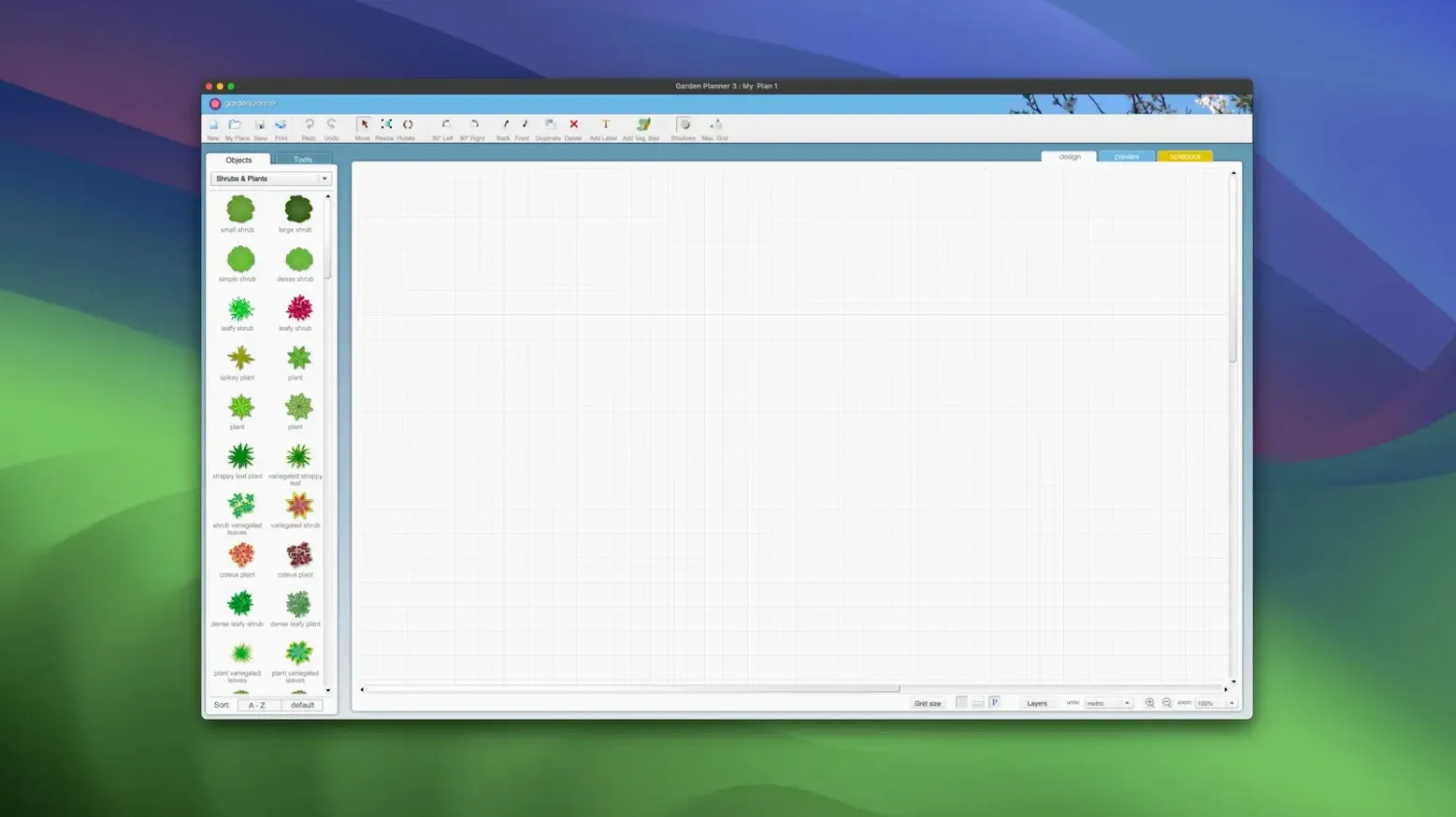
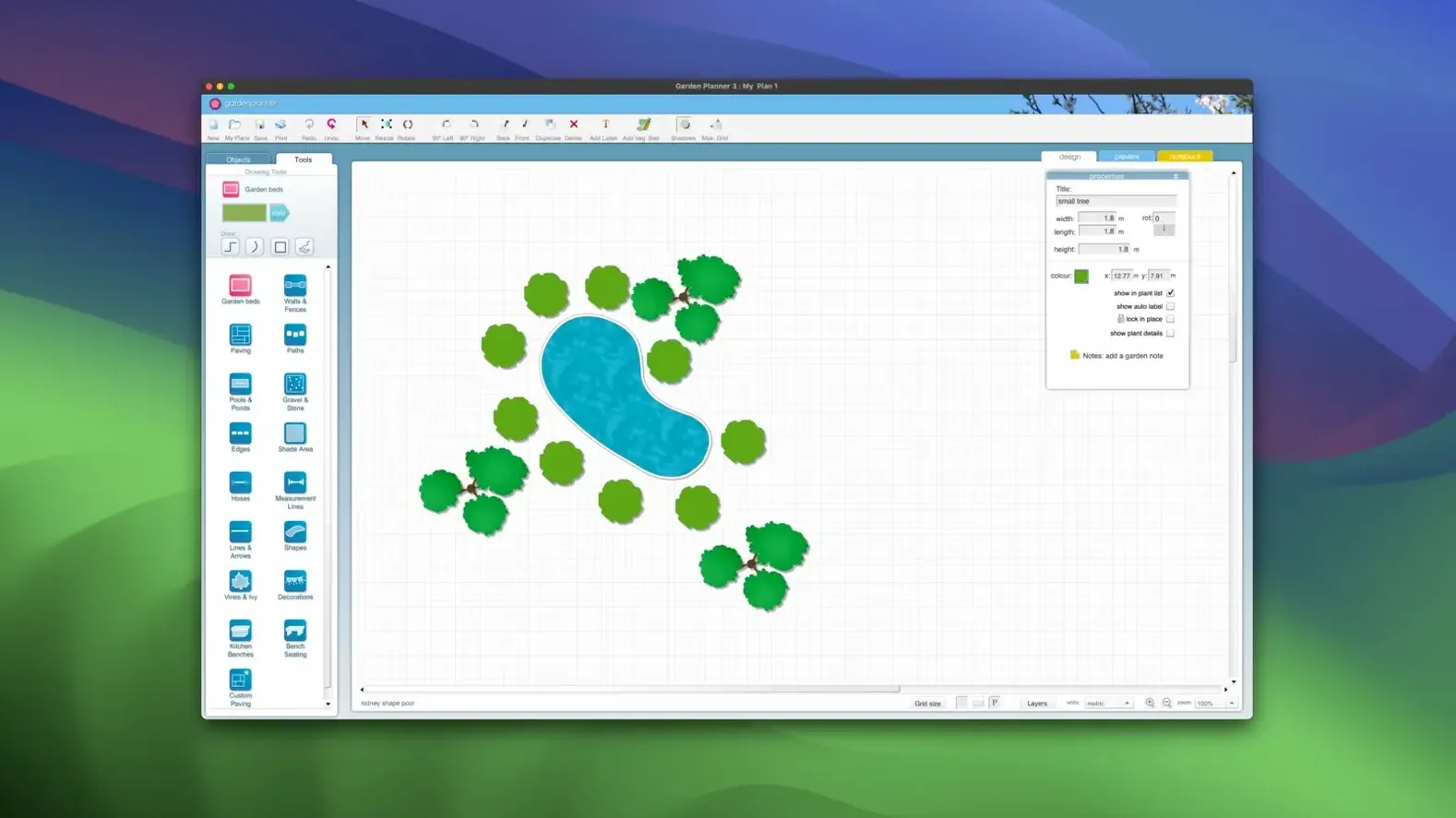
Over fifty drawing tools sit inside a single drag-and-drop workspace, covering everything from paving and walkways to walls, fences, pools, and ponds. The current version 3.8.86 keeps that breadth intact while folding in a handful of quiet refinements.
What the update brings
New path styles are the most visible addition. The way a gravel walkway or herringbone brick pattern reads against a bed of hostas can shift the whole feel of a plan, so having more defaults to start from shortens the gap between rough layout and something you would want to show a client. Alongside the new styles, smallblueprinter rolled in general improvements and bug fixes that sand down a few rough edges in the 2D drafting view and the optional 3D walkthrough.
Object reports still export to CSV and TXT for shopping lists
The object report still prints or saves as CSV and TXT, which matters once a design leaves the screen and becomes a shopping list. User-defined settings remain available for library elements, so a favourite oak or a custom fence panel carries its own dimensions every time you drop it onto the grid. The export pipeline is unchanged too — finished projects leave as JPEG or PNG, and the preview screen still gives a last look before committing to high-quality print. Under the hood the app runs on both Apple Silicon and Intel Macs, all the way back to OS X 10.7, so it slides into a wide range of setups without fuss.
Plotting a courtyard from scratch
Start by dragging out a rectangular boundary with the fence tool — something around eight by twelve metres gives a courtyard enough breathing room without becoming unmanageable. Drop in a paved patio area near the house side of the plan, then switch to the path tool and lay a meandering gravel walkway that cuts diagonally toward the far corner. The new path styles in version 3.8.86 make this stage faster than it used to be, because you can audition three or four surface treatments in quick succession rather than tweaking a single default into shape.
With the hardscape roughed in, open the plant library and filter by shade tolerance. A Japanese maple anchors the far corner; three boxwoods sit at staggered depths along the fence line. Every element can be rotated and scaled as you place it, so the maple ends up at eighty percent of its default spread and the boxwoods stay tight. Duplicate the boxwood cluster, mirror it, and drop the copy on the opposite side of the path — symmetry without re-measuring. Add a small pond near the centre, reshape its perimeter by dragging control points until the curve feels natural, then finish with a text label noting the planned stone edging. Export a PNG for the client and a CSV report for your own planting list, and the whole thing clocks in under forty minutes.
A 1,200-item drag-and-drop library lets beginners experiment in 2D
Home gardeners plotting a single border or a vegetable patch tend to settle into the 2D view and stay there. The drag-and-drop library of over 1,200 plants and objects gives them enough variety to experiment without needing to know botanical names up front, and the object report doubles as a shopping list they can hand to a nursery. Landscape design students often lean harder on the 3D walkthrough, using it to check sight lines and shadow fall before committing a plan to paper. Professional garden designers — especially those working on residential projects — seem to appreciate the export pipeline most: a clean JPEG for a client presentation and a CSV report for the contractor, produced from the same file without extra steps. The app also attracts the occasional architect who just needs a quick planting plan to accompany a larger drawing set, because it runs on older hardware and does not demand a steep learning curve.
Apple Silicon launches in seconds and handles sixty objects without lag
On an Apple Silicon Mac the app launches in a couple of seconds and stays responsive even with a plan dense enough to hold sixty or seventy objects. The 3D view pushes the GPU a little harder — fan noise creeps in on older Intel machines — but navigation remains smooth, and the preview screen loads fast enough that you do not develop a coffee habit while waiting. Memory use sits modestly around a few hundred megabytes, and the app writes nothing to disk beyond the project file you choose to save. Across a week of daily use, crashes are rare enough to be surprising when one happens. The real stability story is the file format: plans saved in 3.8.86 open without fuss on installations going back several versions, so collaborating with someone who has not updated yet is not a headache. If you are exploring a Planner 5D crack Mac or a home planner torrent for something quick and visual, this tool fills a different niche — it is laser-focused on outdoor space, and it rewards the time you spend learning its shortcuts rather than punishing you with bloat.
Version 3.8.86 introduces new path styles alongside general improvements and bug fixes. The extra path options sit within the existing drawing toolset, ready for paving, walkways, and garden routes.
- OS X 10.7 or later
- Apple Silicon and Intel (x86 64-bit)
- Interface: English