If you’ve ever opened Network Utility to run a quick port scan, iNet feels like the richer, more curious successor. It surveys the same territory but maps it with a filmmaker’s eye for detail — turning IP addresses into named devices and quiet services into visible traffic.
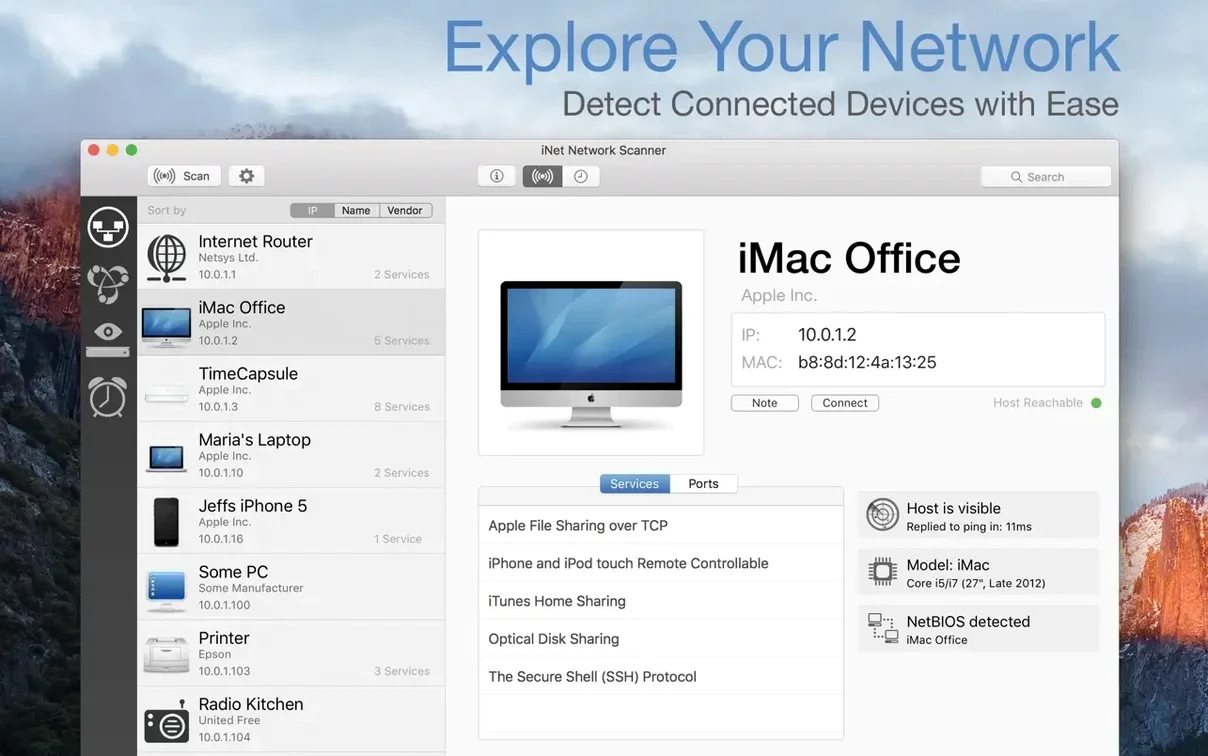
Network scanner — The core of the app. It sweeps the local subnet and lists every responding device with its IP, reachability, and manufacturer. Even a Mac running in stealth mode gets found through low-level probes.
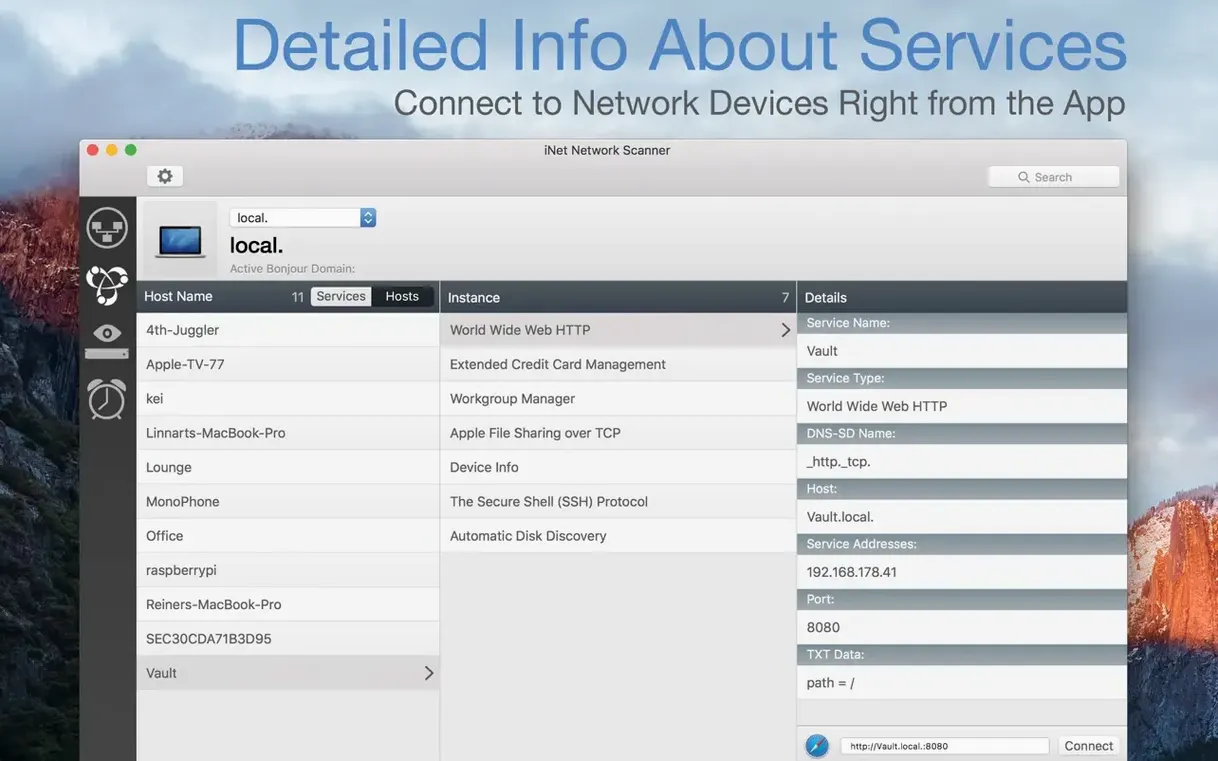
Bonjour browser — A live view of mDNS-advertised services. Printers, AirPlay receivers, file-sharing endpoints — all the background chatter that normally stays invisible during a workday.
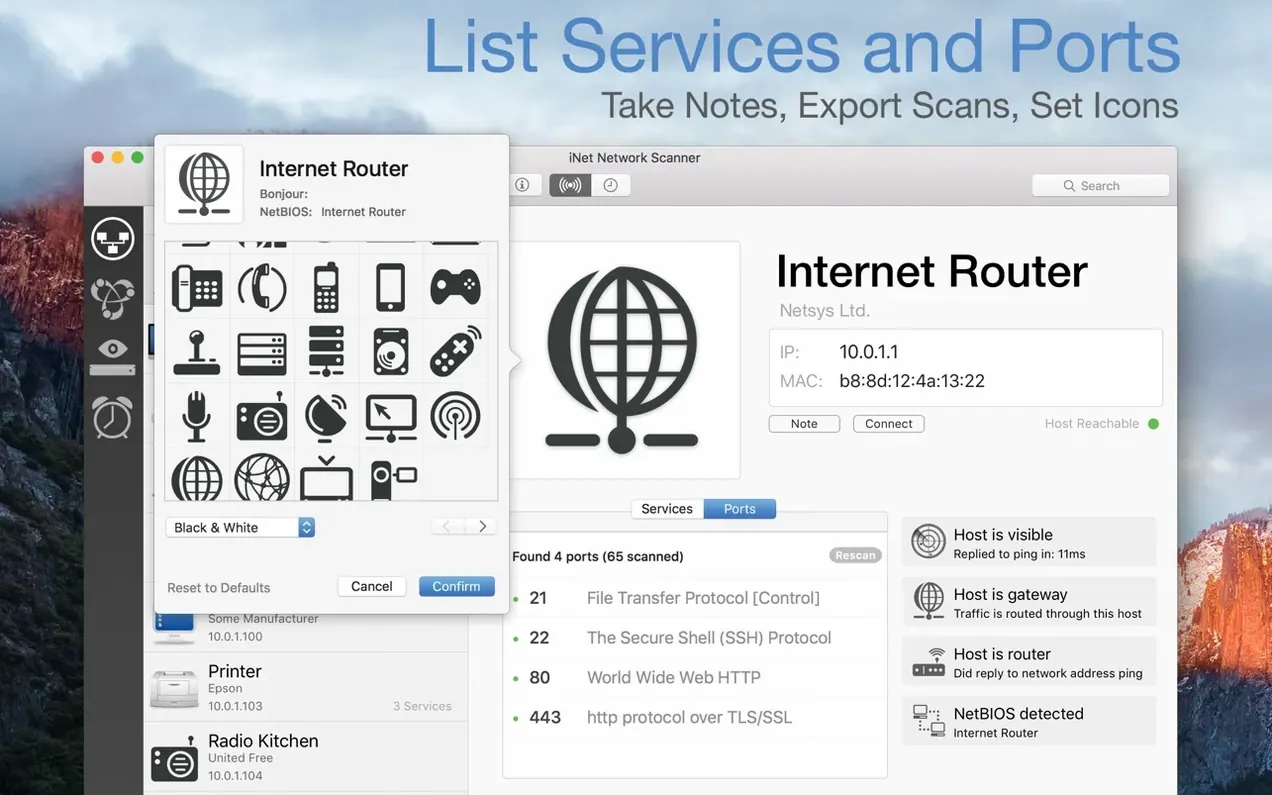
Port scanner — Tests well-known or custom port ranges against a chosen device. Version 4.0.4 shortens the wait with faster scanning and lets you jump straight to the settings from the ports list header.
Wake on LAN — Sends the magic packet. Sleep on LAN is available for Macs only, giving you a remote way to settle machines that don’t need to stay awake through a render.
Reporting — Scan results can be emailed straight from the window, turning a network snapshot into a shareable crew list before a location shoot.
When the edit suite goes quiet at 2 a.m.
A colourist I know in Gastown keeps iNet open on a secondary display during overnight renders. Her machine is wired into a shared storage array, a grading panel, and a reference monitor that stubbornly drops its network link after long idle periods. When the render queue stalls because the server path vanishes, she opens the Bonjour browser to see whether the NAS has disappeared from mDNS entirely or just gone silent. Usually it’s a DHCP lease that expired mid-session — she spots the changed IP in the device list, re-mounts the share, and lets the queue resume without waking anyone. The manufacturer detection helps her pick out the array vendor among a dozen unnamed devices that the router’s own admin page lists only as MAC addresses.
A full 40-device subnet scan finishes in under twelve seconds
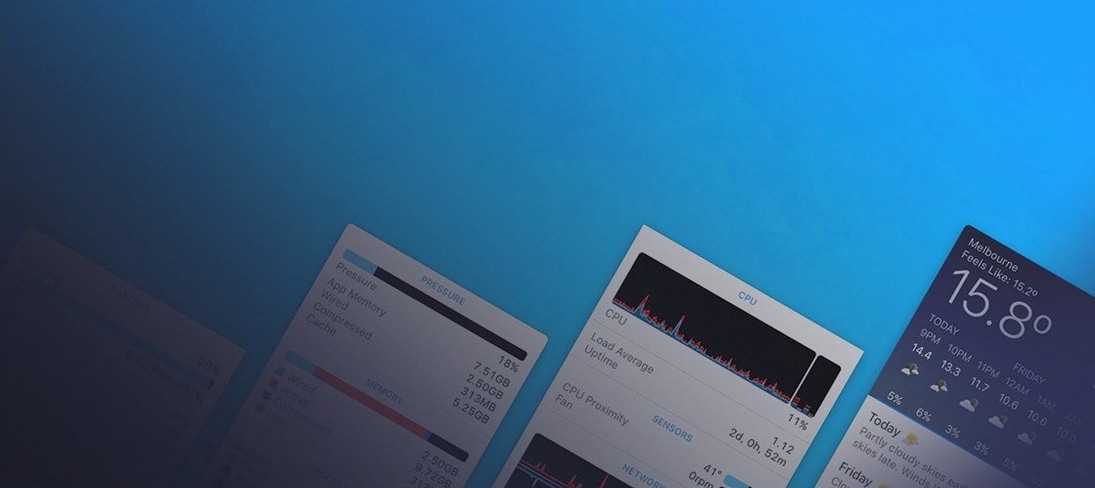
iNet runs lean. On an M1 Mac mini with 8 GB of RAM, a full subnet scan of about forty devices settles in under twelve seconds and leaves memory pressure barely above idle. The window stays responsive while port scans run — older versions could hitch on the last few ports, but 4.0.4 smooths that out noticeably. I’ve left it open across sleep cycles and VPN switches without a crash; the scanner re-checks the active interface when you wake the machine, so you’re not staring at a frozen list from yesterday’s coffee shop network.
CPU use spikes briefly during the scan itself — a single core climbs to about sixty percent — then drops to a flat line. The Bonjour browser maintains a low, steady trickle of activity as services announce and disappear, but it’s the kind of background hum that won’t compete with a grading application or a DAW session. If you’re on battery, it’s worth closing the live browser before you unplug, not because it drains the battery aggressively, but because it keeps the Wi-Fi radio from dozing as deeply as macOS would like.
Manufacturer lookup now taps into Apple's own MAC address data
Version 4.0.4 sharpens a few edges that had been dull for a while. The manufacturer lookup now reaches into the MAC address data that Apple exposes in newer OS releases — on a network heavy with Apple hardware, that means far fewer entries labelled as unknown. Port scanning got a genuine speed bump; a scan of the first 1024 ports against a local NAS completes in roughly half the time it took in 4.0. The ports list header now carries a settings shortcut, so you can switch between common port presets without navigating back through menus. Those three changes together make the app feel less like a diagnostic tool you open reluctantly and more like something you glance at between tasks, because the information arrives faster and reads more legibly.
None of this rewrites the personality of the application — it remains a quiet, single-purpose scanner that doesn’t nag for attention. But the faster port scan and the sharper device labels mean you spend fewer seconds waiting and fewer seconds squinting at cryptic hardware strings. For the kind of user who keeps an eye on what’s talking on the local subnet while editing, grading, or mixing, that time adds up across a working week.
The autumn update lands with a quieter, wider reach. iNet 4.0.5 [MAS] refreshes its databases and tidies the code, but the real gesture is toward speed. Wake on LAN favourites now live in the Dock menu — one click and a machine stirs, its screen flickering on alongside the fans. A new shortcut button slips you straight into port scan preferences, and a deeper scan option probes further when the default 36 ports feel like a sketch. That default list now spans 8,130 ports, a far more patient portrait of what’s listening on your network.
- macOS 12.4 or later
- Apple Silicon or Intel 64-bit processor
Questions from the booth
Yes. The app uses low-level scanning methods that can detect a Mac OS X computer even when it’s running in hidden mode.
The app is available for Mac, iPhone, and iPad. The Mac version covered here requires macOS 12.4 or later and runs on both Intel and Apple Silicon machines.